1
Telos Language Partner
TLP Pro
User Manual
2. ABOUT TLP PRO
Telos Language Partner makes use of text, sound and picture and video capabilities of the current
multimedia PC to support and motivate effective language learning.
Telos Language Partner supports and integrates a range of prototypical language learning activities
from dialogue practice, text comprehension, and text production to different kinds of exercises and
grammatical or lexical look-up facilities.
The program enables tutors to create customised learning packages for any language using the
Roman alphabet. It can also be used for multimedia re-versioning of existing learning materials
available as books or audio cassettes.
The program has two modes of operation, a Learning Mode and an Editing Mode.
The Learning Mode is used for self study learning which might be combined with direct teaching
and/or tele-tutoring. Learners can practise with video, dialogues and texts in a flexible combination of
listening, speaking/recording, reading and writing.
Hyperlinks are used to supplement dialogue and text practice with lexical, grammatical and cultural
explanations and corresponding exercises including question answering, gap-filling, and drag&drop.
Learning activities are also supported by internal dictionaries.
In the Editing Mode, tutors (and learners) can create and edit exercises using the following
templates:
• a video template for playing video clips supported by transcript, translation and look-up facilities;
• templates for dialogue exercises (a basic dialogue template and a dialogue template with more
sophisticated multimedia options);
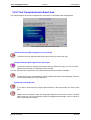
• text comprehension templates (with or without support of an image);
• a text production template which can be used for a range for writing exercises (e.g. writing letters,
faxes, memos, reports);
• a flexible and open question-answer template for different kinds of written and/or oral tasks (from
answering questions and free or guided picture descriptions to object naming or simulation of a
presentation);
• a gap-filling template for different kinds of exercises (from ordinary gap-filling to reformulation or
sentence composition exercises);
• a select-template with lists of choices;
• drag&drop templates for drag and drop exercises;
• multiple choice templates for true/false and multiple choice exercises;
• templates for lexical, grammatical, pragmatic or cultural explanations.
The Editing Mode also provides a facility to customise and integrate internal dictionaries as well as
an option for creating hyperlinks between dialogues/texts and lexical, grammatical, pragmatic or
cultural explanations or exercises.
Tutors can use these functions to create and customise learning packages to meet the specific needs
of their target learner groups.
The Editing Mode can also be used by learners to explore communicative situations and to create
their own exercises or their own dictionary.
© LINK 1997-2004
4 of 78