1
3.3.8 External Drive................................................................. 35
Storage Tab................................................................................. 37
3.4.1 Create Disk Array........................................................... 38
3.4.2 Disk Array Management................................................. 41
3.4.3 Logical Drive Management ............................................ 43
3.4.4 Spare Drive Management .............................................. 46
3.5 AdminTool Tab ............................................................................ 47
3.5.1 System settings and clearing statistics .......................... 47
3.5.2 Service ........................................................................... 48
3.5.3 Runtime and NVRAM event logs ................................... 49
3.5.4 Background activity, settings and schedules ................. 51
3.5.5 Firmware updates .......................................................... 58
3.5.6 Performance monitor ..................................................... 59
3.5.7 Restore factory default settings ..................................... 60
3.5.8 Import/Export a system configuration file....................... 61
3.5.9 LUNMap Management................................................... 62
3.5.10 Power Option ................................................................. 63
3.5.11 Message Alert ................................................................ 63
3.5.12 Network Security ............................................................ 64
3.6 NAS Tab ...................................................................................... 66
3.6.1 Setup Wizard.................................................................. 66
3.6.2 User account management............................................ 68
3.6.3 Protocol Control and Setting .......................................... 70
3.6.4 File System Management .............................................. 70
3.6.5 File Sharing Setting........................................................ 71
3.6.6 Backup ........................................................................... 76
3.6.7 Plug-in Management...................................................... 83
3.4
Chapter 4: SmartNAVI................................................................................. 85
4.1 Working with SmartNAVI............................................................. 85
4.1.1 Opening the Main Window............................................. 85
4.1.2 Choosing a SmartNAVI Language ................................. 87
4.1.3 Starting the Advanced Storage Manager (PASM).......... 87
4.1.4 Viewing SmartNAVI Information..................................... 89
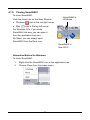
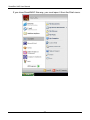
4.1.5 Closing SmartNAVI ........................................................ 91
4.2 Managing Backups ..................................................................... 93
4.2.1 Doing a Backup Now ..................................................... 93
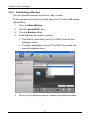
4.2.2 Scheduling a Backup ..................................................... 98
4.2.3 Viewing Backup Schedules.......................................... 103
4.2.4 Changing a Scheduled Backup.................................... 103
3