1
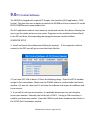
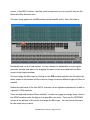
6: In a few unusual cases you will need to make another change. Following the steps in #5 above, go to the com port being used and double click it. Then open the RESOURCES tab. In the middle there should be a box that says “Use automaJc sepngs”. It does not maaer whether the box is checked or not; change it, then hit CHANGE SETTINGS and close out the windows. It may take a couple of seconds for this change to take effect.
NOTE: If you have to do step 6 with your computer, you will need to change it every Jme you start your computer up and use the DSP.
You should now be able to connect to the device and go ONLINE.
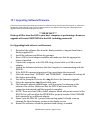
IMPORTANT! If you wish to perform a firmware upgrade, you must use the R232 connecMon. Some USB to Serial adaptors do not work correctly. If you try to perform an UPGRADE and it repeatedly fails, try another USB to Serial adaptor.
DSLP48 User's manual - Page 21 of 30