1
US008493495B2
(12) United States Patent
(10) Patent No.:
D’Souza et a].
(54)
(45) Date of Patent:
MEDIA MODULE CONTROL
.
-
9
(75) Inventors‘ S3131}? lslchlgrd glsou.za’\gnavlva
E03’
US 8,493,495 B2
0 “1
"y
“"116,
ater 0°
Jul. 23, 2013
2008/0025712 A1*
2008/0204462 A1
1/2008 Furuya .......................... .. 396/88
8/2008 Reed et al.
2009/0049408 A1
2/2009
2010/0208122 A1 *
8/2010 Yumiki .................. .. 348/33308
Naaman et al.
2009/0315842 A1 12/2009 Peng
FOREIGN PATENT DOCUMENTS
(73)
Assignee: Research In Motion Limited, Waterloo
CA
(
( * ) Notice?
WO
2010030793 A2
)
7/2010
OTHER PUBLICATIONS
subject'to any disclaimer,‘ the term Ofthis
snaptureiNewiPhone CameraAppAdds Zoom, Burst Mode, Silent
patent 1S eXIended 01‘ adjusted under 35
Mode, Most of What Apple Left Out. http://justan0theriph0nebl0g.
U.S.C. 154(b) by 223 days.
com/Wordpress/iphone-software/snapture-neW-iph0ne-camera-app
adds-Z00m-burst-m0de-silent-m0de-most-0f-What-apple-left-0ut.
(21)
Appl. No.: 12/970,169
Published on Apr. 6, 2008.
(22)
Filed:
HTC Hero User Manual. support.sprint.com/global/pdf/useri
guides/htc/her0/htciher0iug.pdf . Nov. 18, 2009.
Dec, 16, 2010
(65)
Prior Publication Data
US 2012/0013784 A1
(Commued)
Jan. 19, 2012
Primary Examiner * Gevell Selby
(74) Attorney, Agent, or Firm * Novak Druce Connolly
130% + Qulgg LLP
Related US. Application Data
(60)
Provisional application No. 61/365,116, ?led on Jul.
(57)
16’ 2010'
The technology includes processor-implemented methods,
ABSTRACT
Int‘ Cl‘
module control. Media module Zoom speci?cations are
computer program products, and electronic devices for media
(51)
H04N 5/222
(52)
(58)
(2006-01)
requested. Media module Zoom speci?cations comprising
US. Cl.
USPC ............... .. 348633.12; 348/2086; 348/2221
Zoom range are received. The received Zoom range is divided
into n discrete steps. A Zoom bar is presented comprises an
Field of Classi?cation Search
indicator of increasing Zoom direction, an indicator of
USPC ................... .. 348/2221, 33301433312, 347
decreasing Zeem direction, and a slider bar is Presented The
See application me for comp1ete Search history
slider bar is disposed substantially between the indicators.
The slider bar displays Zoom level as one of the n discrete
(56)
References Cited
steps from a ?rst step equal to no Zoom level, and an nth step
equal to full Zoom level. User input regarding a Zoom level is
US. PATENT DOCUMENTS
8,040,398 B2 *
received. Zoom is performed on the displayed image. The
10/2011 Yoshida ................... ,, 348/2401
2002/0135601 A1
9/2002 Watanabe
2005/0140813 A1 *
6/2005 Wani ...................... .. 348/33312
relative Zoom level is displayed in the Zoom bar,
21 Claims, 7 Drawing Sheets
51 0 \
@4512
—
7
aA
518-
N=5
5 - FULL ZOOM
43
2
—
1 — NO ZOOM
G/»514
US 8,493,495 B2
Page 2
OTHER PUBLICATIONS
_
Apple iPhone 4G User Manual. http://manuals.info.apple.corn/eni
US/iPhoneiiOS4iUseriGuide.pdf. Jun. 6, 2010.
HTC EVO 4G User Manual SuppoltSPnnt~com/global/pdf/useri
Extended European Search Report mailed Jul. 11, 2011. In corre
guides/htc/evo/htcievoiug.pdf. May 3, 2010.
sponding application No. 101954626.
HTC Droid Incredible User Manual. http://cache.vZW.corn/multime
dia/mirn/htciincredible/incredible.pdf . 2010.
* Cited by examiner
US. Patent
Jul. 23, 2013
US 8,493,495 B2
Sheet 1 0f 7
o:
m“oT/Y
wow
mmE mw mE
:
N
LmE w mm;
mm?
Em oO 5 m
62580
US. Patent
Jul. 23, 2013
Sheet 2 of7
US 8,493,495 B2
US. Patent
Jul. 23, 2013
Sheet 3 of7
390
332
FIG. 3
US 8,493,495 B2
US. Patent
Jul. 23, 2013
Sheet 4 of7
US 8,493,495 B2
US. Patent
Jul. 23, 2013
Sheet 5 of7
US 8,493,495 B2
/'510
/'512
(/
FIG. 5
l /518 516
US. Patent
Jul. 23, 2013
Sheet 6 of7
@5
2m NE
wwm
in
US 8,493,495 B2
US. Patent
Jul. 2 3, 2013
US 8,493,495 B2
Sheet 7 0f 7
N=5
5 - FULL ZOOM
\'\\\\\\
518
1 - NO ZOOM
i
I
\
(TI 3
FIG. 7
US 8,493,495 B2
1
2
MEDIA MODULE CONTROL
tool 327 may avoid interference during keyboarding and does
not block the operator’ s vieW of the display screen 322 during
CROSS REFERENCE TO RELATED
APPLICATIONS
use.
The device 300 may be con?gured to send and receive
messages. The device 300 includes a body 371 that may, in
some implementations, be con?gured to be held in one hand
This application claims priority from US. Provisional Pat.
App. Ser. No. 61/365,116, ?led on Jul. 16, 2010, the contents
of Which are incorporated herein in their entirety for all pur
by an operator of the device 300 during text entry. A display
322 is included that is located on a front face 370 of the body
371 and upon Which information is displayed to the operator,
e.g., during text entry. The device 300 may also be con?gured
poses.
to send and receive voice communications such as mobile
telephone calls. The device 300 also can include a camera (not
FIELD OF THE TECHNOLOGY
The technology disclosed herein (the “technology”) relates
shoWn) to alloW the device 300 to take electronic photographs
to controlling Zoom in a media module in a communication
that can be referred to as photos or pictures. Further, the
device 300 can be con?gured to operate a Web broWser.
In order to facilitate an understanding of environments in
device.
BRIEF DESCRIPTION OF THE DRAWINGS
FIG. 1 illustrates a communication system including a
mobile communication device to Which example implemen
tations of the technology can be applied.
FIG. 2 illustrates methods of the technology
20
FIG. 3 illustrates a handheld communication device.
FIG. 4 illustrates a block diagram of a handheld commu
nications device.
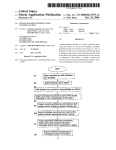
FIG. 5 illustrates a Zoom bar of the technology in a portrait
25
device display.
in the art Will appreciate that some additional elements and
modi?cations may be necessary to make the communication
FIG. 6 illustrates a Zoom bar of the technology in a land
scape device display.
FIG. 7 illustrates a Zoom bar of the technology
Which example implementations described herein can oper
ate reference is made to FIG. 1 that shoWs, in block diagram
form, a communication system 100 in Which implementa
tions of the technology can be applied. The communication
system 100 may comprise a number of mobile communica
tion devices 103, e.g., 300, that may be connected to the
remainder of system 100 in any of several different Ways.
Accordingly, several instances of mobile communication
devices 103 are depicted in FIG. 1 employing different
example Ways of connecting to system 100.
These ?gures are exemplary only, and those persons skilled
30
DETAILED DESCRIPTION
device, e.g., 103 operate in particular netWork environments.
While in the illustrated implementations, the communication
devices, e. g., 103 may comprise smart phones, in other imple
mentations, hoWever, the communication devices may com
prise personal digital assistants (PDA), tablet computers, lap
Reference Will noW be made in detail to implementations
of the technology. Each example is provided by Way of expla
35
present technology Without departing from the scope or spirit
of the technology. For instance, features described as part of
electronic messages.
Mobile communication devices 103 are connected to a
Wireless netWork 101 that may comprise one or more of a
40
one implementation can be used on another implementation
to yield a still further implementation. Thus, it is intended that
the present technology cover such modi?cations and varia
tions that come Within the scope of the technology.
As may be appreciated from FIG. 3, an exemplary mobile
top computers, desktop computers, servers, or other
communication devices capable of sending and receiving
nation of the technology only, not as a limitation of the tech
nology. It Will be apparent to those skilled in the art that
various modi?cations and variations can be made in the
45
Wireless Wide Area NetWork (WWAN) 102 and a Wireless
Local Area NetWork (WLAN) 104 or other suitable netWork
arrangements. In some implementations, the mobile commu
nication devices 103 are con?gured to communicate over
both the WWAN 102 and WLAN 104, and to roam betWeen
these netWorks. In some implementations, the Wireless net
communication device 300 (as an example of 103) comprises
Work 101 may comprise multiple WWANs 102 and WLANs
a display 322 located above a keyboard 332 constituting a
user input means and suitable for accommodating textual
104.
The WWAN 102 may be implemented as any suitable
Wireless access netWork technology. By Way of example, but
input to the device 300. In some implementations, the key
board 332 can be part of a touch screen display. The front face
370 of the device 300 has a navigation roW 380.As shoWn, the
device 300 is of uni-body construction, also knoWn as a
50
stations 108 Where each of the base stations 108 provides
Wireless Radio Frequency (RF) coverage to a corresponding
“candy-bar” design.
The device 300 may include an auxiliary input that acts as
a cursor navigation tool 327 and that may be also exteriorly
located upon the front face 370 of the device 300. Its front face
location alloWs the tool to be thumb-actuable, e.g., like the
not limitation, the WWAN 102 may be implemented as a
Wireless netWork that includes a number of transceiver base
area or cell. The WWAN 102 is typically operated by a mobile
55
netWork service provider that provides subscription packages
to users of the mobile communication devices 103. In some
implementations, the WWAN 102 conforms to one or more of
keys of the keyboard 332. Some implementations provide the
the folloWing Wireless netWork types: Mobitex Radio Net
navigation tool 327 in the form of a trackball 321 that may be
Work, DataTAC, GSM (Global System for Mobile Commu
nication), GPRS (General Packet Radio System), TDMA
(Time Division Multiple Access), CDMA (Code Division
utiliZed to instruct tWo-dimensional screen cursor movement 60
in substantially any direction, as Well as act as an actuator
Multiple Access), CDPD (Cellular Digital Packet Data),
iDEN (integrated Digital Enhanced NetWork), EvDO (Evo
When the trackball 321 is depressed like a button. Other
implementations can provide the navigation tool in the form
lution-Data Optimized) CDMA2000, EDGE (Enhanced Data
of a trackpad, a touch screen, a touchpad, a pointing stick,
joystick, graphics tablet, or combinations thereof. The place
ment of the navigation tool 327 may be above the keyboard
332 and beloW the display screen 322; here, the navigation
65
rates for GSM Evolution), UMTS (Universal Mobile Tele
communication Systems), HSPDA (High-Speed DoWnlink
Packet Access), IEEE 802.16e (also referred to as WorldWide
US 8,493,495 B2
3
4
Interoperability for Microwave Access or “WiMAX”), or
various other networks. Although WWAN 102 is described as
a “Wide-Area” network, that term is intended herein also to
cations, including email, Hypertext Transfer Protocol
(HTTP), and HTTP Secure (HTTPS) communications to and
from a set of managed mobile communication devices 103.
incorporate wireless Metropolitan Area Networks (WMAN)
The wireless connector system 120 also provides administra
and other similar technologies for providing coordinated ser
vice wirelessly over an area larger than that covered by typical
tive control and management capabilities over users and
mobile communication devices 103 that may connect to the
wireless connector system 120.
The wireless connector system 120 allows the mobile com
WLANs.
The WWAN 102 may further comprise a wireless network
gateway 110 that connects the mobile communication
munication devices 103 to access the network 124 and con
nected resources and services such as a messaging server 132
devices 103 to transport facilities 112, and through the trans
port facilities 112 to a wireless connector system 120. Trans
(for example, a Microsoft Exchange Server®, IBM Lotus
port facilities may include one or more private networks or
Domino®, or Novell GroupWiseTM email server), a content
lines, the Internet, a virtual private network, or any other
suitable network. The wireless connector system 120 may be
server 134 for providing content such as Internet content or
content from an organiZation’s internal servers, application
servers 136 for implementing server-based applications such
operated, for example, by an organization or enterprise such
as a corporation, university, or governmental department,
which allows access to a network 124 such as an internal or
enterprise network (e. g., an intranet) and its resources, or the
wireless connector system 120 may be operated by a mobile
network provider. In some implementations, the network 124
may be realiZed using the Internet rather than or in addition to
20
communication devices 103. In some implementations, com
munications between the wireless connector system 120 and
the mobile communication devices 103 are encrypted. In
some implementations, communications are encrypted using
an internal or enterprise network.
The wireless network gateway 110 provides an interface
between the wireless connector system 120 and the WWAN
102, which facilitates communication between the mobile
25
generated in a secure, two-way authenticated environment
and are used for both encryption and decryption of data. In
devices 103 are transported via the WWAN 102 and the
30
to the wireless connector system 120. Communications sent
the mobile communication device 103, and can typically be
regenerated by the user on mobile communication devices
103. Data sent to the mobile communication devices 103 is
35
(sometimes referred to as Wi-FiTM) such as, for example, the
IEEE 802.11a, 802.11b and/or 802.11g standard. Other com
munication protocols may be used for the WLAN 1 04 in other
implementations such as, for example, IEEE 802.11n, IEEE
encrypted by the wireless connector system 120 using the
private encryption key retrieved from the user’ s mailbox. The
encrypted data, when received on the mobile communication
devices 103, is decrypted using the private encryption key
40
stored in memory. Similarly, data sent to the wireless connec
tor system 120 from the mobile communication devices 103
is encrypted using the private encryption key stored in the
802.16e (also referred to as Worldwide Interoperability for
Microwave Access or “WiMAX”), or IEEE 802.20 (also
referred to as Mobile Wireless Broadband Access). The
memory of the mobile communication device 103. The
encrypted data, when received on the wireless connector sys
tem 120, is decrypted using the private encryption key
WLAN 104 includes one or more wireless RF Access Points
(AP) 114 (one of which is shown in FIG. 1) that collectively
some implementations, the private encryption key is stored
only in the user’ s mailbox on the messaging server 132 and on
from the wireless connector system 120 are received by the
wireless network gateway 110 and transported via the
WWAN 102 to the mobile communication devices 103.
The WLAN 104 comprises a wireless network that, in
some implementations, conforms to IEEE 802.11x standards
a symmetric encryption key implemented using Advanced
Encryption Standard (AES) or Triple Data Encryption Stan
dard (Triple DES) encryption. Private encryption keys are
communication devices 103 and other devices (not shown)
connected, directly or indirectly, to the WWAN 102. Accord
ingly, communications sent via the mobile communication
wireless network gateway 110 through transport facilities 112
as instant messaging (IM) applications to mobile communi
cation devices 103, and intranet ?le services.
The wireless connector system 120 typically provides a
secure exchange of data (e.g., email messages, personal infor
mation manager (PIM) data, and IM data) with the mobile
provide a WLAN coverage area.
The WLAN 104 may be a personal network of the user, an
retrieved from the user’s mailbox.
The wireless network gateway 110 is adapted to send data
packets received from the mobile communication device 103
enterprise network, or a hotspot offered by an internet service
provider (ISP), a mobile network provider, or a property
owner in a public or semi-public area, for example. The
The wireless connector system 120 then sends the data pack
ets to the appropriate connection point such as the messaging
45
over the WWAN 102 to the wireless connector system 120.
50
access points 114 are connected to an access point (AP)
interface 116 that may connect to the wireless connector
Conversely, the wireless connector system 120 sends data
system 120 directly (for example, if the access point 114 is
packets received, for example, from the messaging server 132
part of an enterprise WLAN 104 in which the wireless con
nector system 120 resides), or indirectly as indicated by the
dashed line in FIG. 1 via the transport facilities 112 if the
access point 114 is a personal Wi-Fi network or Wi-Fi hotspot
(in which case a mechanism for securely connecting to the
wireless connector system 120, such as a virtual private net
work (VPN), may be used). The AP interface 116 provides
translation and routing services between the access points
server 132 or content servers 134 or application server 136.
or content servers 134 or application servers 136 to the wire
55
less network gateway 110 that then transmit the data packets
to the destination mobile communication device 103. The AP
interfaces 116 of the WLAN 104 provide similar sending
functions between the mobile communication device 103, the
wireless connector system 120 and network connection point
114 and the wireless connector system 120 to facilitate com
such as the messaging server 132, content server 134 and
application server 136.
The network 124 may comprise a private local area net
munication, directly or indirectly, with the wireless connector
system 120.
public Internet or combinations thereof and may include vir
The wireless connector system 120 may be implemented as
one or more servers, and is typically located behind a ?rewall
113. The wireless connector system 120 manages communi
60
work, metropolitan area network, wide area network, the
65
tual networks constructed using any of these, alone, or in
combination. A mobile communication device 103 may alter
natively connect to the wireless connector system 120 using a
US 8,493,495 B2
5
6
computer 117, such as desktop or notebook computer, via the
network 124. A link 106 may be provided for exchanging
information betWeen the mobile communication device 103
the communication device 400. In some implementations not
all of the above components may be included in the commu
nication device 400. For example, in at least one implemen
tation the keyboard 432 is not provided as a separate compo
nent and is instead integrated With a touch screen as described
beloW.
The auxiliary I/O subsystem 428 can take the form of a
and a computer 117 connected to the Wireless connector
system 120. The link 106 may comprise one or both of a
physical interface and short-range Wireless communication
interface. The physical interface may comprise one or com
binations of an Ethernet connection, Universal Serial Bus
(USB) connection, FireWireTM (also knoWn as an IEEE 1394
variety of different navigation tools (multi-directional or
single-directional) such as a trackball navigation tool 321 as
illustrated in the exemplary implementation shoWn in FIG. 3,
interface) connection, or other serial data connection, via
respective ports or interfaces of the mobile communication
device 103 and computer 117. The short-range Wireless com
or a thumbWheel, a navigation pad, a j oystick, touch- sensitive
interface, or other I/ O interface. These navigation tools may
be located on the front surface of the communication device
munication interface may be a personal area netWork (PAN)
interface. A Personal Area NetWork is a Wireless point-to
point connection meaning no physical cables are used to
connect the tWo end points. The short-range Wireless com
nication device 400. Other auxiliary I/O subsystems may
include external display devices and externally connected
munication interface may comprise one or a combination of
an infrared (IR) connection such as an Infrared Data Asso
keyboards (not shoWn). While the above examples have been
provided in relation to the auxiliary I/ O subsystem 428, other
400 or may be located on any exterior surface of the commu
subsystems capable of providing input or receiving output
ciation (IrDA) connection, a short-range radio frequency
(RF) connection such as one speci?ed by IEEE 802.151 or
the BLUETOOTH special interest group, or IEEE 802.15.3a,
also referred to as UltraWideband (UWB), or other PAN
connection.
It Will be appreciated that the above-described communi
cation system is provided for the purpose of illustration only,
20
scope of this disclosure. Additionally, other keys may be
placed along the side of the communication device 300 to
function as escape keys, volume control keys, scrolling keys,
poWer sWitches, or user programmable keys, and may like
25
prises one possible communication netWork con?guration of
implementation is illustrated. As shoWn, the device 400
includes a microprocessor 438 that controls the operation of
the communication device 400. A communication subsystem
Wise be programmed accordingly.
The keyboard 432 can include a plurality of keys that can
be of a physical nature such as actuable buttons, or the buttons
and that the above-described communication system com
a multitude of possible con?gurations for use With the mobile
communication devices 103. Suitable variations of the com
munication system Will be understood to a person of skill in
the art and are intended to fall Within the scope of the present
disclosure.
Referring to FIG. 4, a block diagram of a communication
device, such as 300 and 103, in accordance With an exemplary
from the communication device 400 are considered Within the
30
can be of a softWare nature, typically constituted by represen
tations of physical keys on a display screen 422 (referred to
herein as “virtual keys”). It is also contemplated that the user
input can be provided as a combination of the tWo types of
keys. Each key of the plurality of keys is associated With at
least one action Which can be the input of a character, a
command or a function. In this context, “characters” are
35
contemplated to exemplarily include alphabetic letters, lan
guage symbols, numbers, punctuation, insignias, icons, pic
tures, and even a blank space.
411 performs communication transmission and reception
In the case of virtual keys, the indicia for the respective
With the Wireless netWork 419. The microprocessor 438 fur
ther can be communicatively coupled With an auxiliary input/
keys are shoWn on the display screen 422, Which in one
40
implementation is enabled by touching the display screen
output (I/O) subsystem 428 that can be communicatively
422, for example, With a stylus, ?nger, or other pointer, to
coupled to the communication device 400. In at least one
generate the character or activate the indicated command or
implementation, the microprocessor 438 can be communica
tively coupled to a serial port (for example, a Universal Serial
detecting a touch include resistive, capacitive, projected
Bus port) 430 that can alloW for communication With other
devices or systems via the serial port 430. A display 422 (e. g.,
function. Some examples of display screens 422 capable of
45
capacitive, infrared and surface acoustic Wave (SAW) touch
screens.
322) can be communicatively coupled to microprocessor 438
Physical and virtual keys can be combined in many differ
to alloW for displaying of information to an operator of the
communication device 400. When the communication device
ent Ways as appreciated by those skilled in the art. In one
400 is equipped With a keyboard 432 (e.g., 332), the keyboard
can also be communicatively coupled With the microproces
implementation, physical and virtual keys are combined such
50
feature of the communication device 400 is shoWn on the
display screen 422 in the same con?guration as the physical
sor 438. The communication device 400 can include a speaker
434, a microphone 436, random access memory (RAM) 426,
and ?ash memory 424 all of Which may be communicatively
coupled to the microprocessor 438. Other similar compo
55
nents may be provided on the communication device 400 as
Well and optionally communicatively coupled to the micro
processor 438. Other communication subsystems 440 and
other communication device subsystems 442 are generally
indicated as being functionally connected With the micropro
60
sponding to the character, command or function displayed at
a corresponding position on the display screen 422, rather
than touching the display screen 422.
Furthermore, the communication device, eg 400 is
programs, as shoWn in FIG. 4. In an exemplary implementa
tion, the ?ash memory 424 is enabled to provide a storage
BLUETOOTH® communication module or a WI-FI® com
ating system functions and enables execution of programs on
keys. Using this con?guration, the operator can select the
appropriate physical key corresponding to What is shoWn on
the display screen 422. Thus, the desired character, command
or function is obtained by depressing the physical key corre
equipped With components to enable operation of various
cessor 438 as Well. An example of a communication sub
system 440 is a short range communication system such as
munication module (a communication module in compliance
With IEEE 802.1 lb) and associated circuits and components.
Additionally, the microprocessor 438 is able to perform oper
that the plurality of enabled keys for a particular program or
65
location for the operating system 457, device programs 458,
and data. The operating system 457 is generally con?gured to
manage other programs 458 that are also stored in memory
424 and executable on the processor 438. The operating sys
US 8,493,495 B2
7
8
tem 457 honors requests for services made by programs 458
With the communication netWork 419, the device 400 can be
equipped With an integral or internal antenna 418 for trans
through prede?ned program interfaces. More speci?cally, the
operating system 457 typically determines the order in Which
mitting signals to the communication netWork 419. LikeWise
multiple programs 458 are executed on the processor 438 and
the device 400 can be equipped With another antenna 416 for
the execution time allotted for each program 458, manages
receiving communication from the communication netWork
the sharing of memory 424 among multiple programs 458,
handles input and output to and from other device sub systems
mentation are combined into a single antenna (not shoWn). As
419. These antennae (416, 418) in another exemplary imple
442, and so on. In addition, operators can typically interact
one skilled in the art Would appreciate, the antenna or anten
directly With the operating system 457 through a user inter
nae (416, 418) in another implementation can be externally
face usually including the keyboard 432 and display screen
422. While in an exemplary implementation the operating
system 457 is stored in ?ash memory 424, the operating
system 457 in other implementations is stored in read-only
memory (ROM) or similar storage element (not shoWn). As
those skilled in the art Will appreciate, the operating system
mounted on the communication device 400.
When equipped for tWo-Way communication, the commu
nication device 400 features a communication subsystem
411. As is understood in the art, this communication sub
system 411 is modi?ed so that the communication system 411
can support the operational needs of the communication
device 400. The subsystem 411 includes a transmitter 414 and
receiver 412 including the associated antenna or antennae
457, device program 458 or parts thereof may be loaded in
RAM 426 or other volatile memory.
In some implementations, the ?ash memory 424 may con
tain programs 458 for execution on the device 400, includ
ingibut not limited toian address book 452, a personal
information manager (PIM) 454, and a device state 450.
Furthermore, programs 458 and other information 456
(416, 418) as described above, local oscillators (LOs) 413,
and a processing module that in the presently described exem
20
including data can be segregated upon storage in the ?ash
memory 424 of the device 400.
When the communication device 400 is enabled for tWo
Way communication Within the Wireless communication net
Work 419, the device 400 can send and receive signals from a
mobile communication service. Examples of communication
systems enabled for tWo-Way communication include, but are
not limited to, the General Packet Radio Service (GPRS)
netWork, the Universal Mobile Telecommunication Service
(UMTS) network, the Enhanced Data for Global Evolution
25
30
(EDGE) netWork, the Code Division Multiple Access
(CDMA) netWork, High-Speed Packet Access (HSPA) net
Works, Universal Mobile Telecommunication Service Time
35
Division Duplexing (UMTS-TDD), Ultra Mobile Broadband
(UMB) netWorks, WorldWide Interoperability for MicroWave
Access (WiMAX), and other netWorks that can be used for
data and voice, or just data or voice. For the systems listed
above, the communication device 400 may use a unique iden
ti?er to enable the communication device 400 to transmit and
receive signals from the communication netWork 419. Other
systems may not use such identifying information. GPRS,
UMTS, and EDGE use a Subscriber Identity Module (SIM) in
order to alloW communication With the communication net
plary implementation is a digital signal processor (DSP) 420.
It is contemplated that communication by the communica
tion device 400 With the Wireless netWork 419 can be any type
of communication that both the Wireless netWork 419 and
communication device 400 are enabled to transmit, receive
and process. In general, these can be classi?ed as voice and
data. Voice communication generally refers to communica
tion in Which signals for audible sounds are transmitted by the
communication device 400 through the communication net
Work 419. Data generally refers to all other types of commu
nication that the communication device 400 is capable of
performing Within the constraints of the Wireless netWork
419.
Example device programs that can depend on such data
include email, contacts and calendars. For each such pro
gram, synchronization With home-based versions of the pro
gram can be desirable for either or both of their long term and
short term utility. As an example, emails are often time
sensitive, so substantially real time (or near-real time) syn
chroniZation may be desired. Contacts, on the other hand, can
40
be usually updated less frequently Without inconvenience.
Therefore, the utility of the communication device 400 is
enhanced When connectable Within a communication system,
and When connectable on a Wireless basis in a netWork 419 in
Which voice, text messaging, and other data transfer are
45 accommodated. Device 400 can include programs such as a
Web broWser, a ?le broWser, and client programs for interact
Work 419. LikeWise, most CDMA systems use a Removable
User Identity Module (RUIM) in order to communicate With
ing With serverprograms. Devices, e.g., 103, 300,400, foruse
the CDMA netWork. The RUIM and SIM card can be used in
multiple different communication devices 400. The commu
nication device 400 may be able to operate some features
Without a SIM/RUIM card, but the device 400 Will not be able
to communicate With the netWork 419. A SIM/RUIM inter
face 444 located Within the communication device 400 alloWs
for removal or insertion of a SIM/RUIM card (not shoWn).
The SIM/RUIM card features memory and holds key con
in the technology can be characterized by an identi?cation
number assigned to the device. Such identi?cation numbers
cannot be changed and are locked to each device.
Multimedia-enabled smart phones, e.g., 300, can incorpo
?gurations 451, and other information 453 such as identi?
cation and subscriber related information. With a properly
enabled communication device 400, tWo-Way communica
tion betWeen the communication device 400 and communi
cation netWork 419 is possible.
50
rate modules, e.g., other device subsystems 442, for various
media applications, e.g., still camera, video camera, attach
ment vieWer. The particular module, and the performance of
55
that module, for a given application can vary across smart
phone models. For example, smart phone camera modules
that perform digital Zoom at 2x, 3x, and even 6>< are knoWn.
Digital Zoom is a method of decreasing (narroWing) the
apparent angle of vieW of a digital photographic or video
60
image. Typically, digital Zoom is performed by cropping an
If the communication device 400 is enabled as described
image to a centered area With the same aspect ratio as the
above or the communication netWork 419 does not use such
original image, and optionally interpolating the result back to
the pixel dimensions of the original image. Digital Zoom is
accomplished electronically, Without adjustment of the cam
era’s optics. No optical resolution is gained in the process.
enablement, the tWo-Way communication enabled communi
cation device 400 is able to both transmit and receive infor
mation from the communication netWork 419. The transfer of
communication can be from the communication device 400
or to the communication device 400. In order to communicate
65
HoWever, on devices such as smart phones, digital Zoom is
useful.
US 8,493,495 B2
9
10
Implementations of the present technology include
devices, e.g., 103, 300, 400, computer program products, and
Level 1 “no Zoom.” In some implementations, Zoom can be
enabled and disabled by user action received by the device. If
Zoom is disabled, the Zoom bar 510 does not appear for Zoom.
Note that optical Zoom can be independent of Zoom.
computer implemented methods for integration of the Zoom
function of various media modules having differing Zoom
performance using a single framework. Media modules
In this fashion, program code Written in a platform inde
pendent language, can be used to query, via the device OS, for
include still cameras and video cameras. Zoom can include
media module speci?cations and display speci?cations to
both digital and optical Zoom. Implementations of the present
present a uniform graphical Zoom control offering n discrete
technology offer particular utility With respect to digital
Zoom steps via the device display, accept user input regarding
Zoom.
Zoom level, and display the selected Zoom level.
In summary, the technology includes processor resources
The program code for the technology can be Written in
Java. Java is normally compiled to byte-code Which the Java
virtual machine (JVM) then either interprets or “just-in-time”
compiles to machine code, and then executes. The Java pro
implemented methods, computer program products, and sys
tems for controlling Zoom in a media module in an electronic
device. In various implementations the technology can
request media module Zoom speci?cations. Media module
gram code can be common across devices, stored among
programs 458, and loaded into ?ash memory 424 for execu
tion by processor(s) 438. The camera module is knoWn to the
Zoom speci?cations comprising Zoom range are received.
The received Zoom range can be divided in to n discrete steps.
A Zoom bar can be presented on the device display. The Zoom
bar can include an indicator of increasing Zoom direction, an
operating system 457. The operating system 457, typically
Written in a language such as C++, is typically device-spe
ci?c.
Referring to FIG. 2, the technology can request media
20
indicator of decreasing Zoom direction, and a slider bar. The
slider bar can be disposed substantially betWeen the indica
module Zoom speci?cations 202, e.g., Zoom range, via the
tors. The slider bar can display Zoom level as one of the n
operating system 457. The technology also can request dis
discrete steps from a ?rst step equal to no Zoom level, and an
nth step equal to full Zoom level. User input regarding a Zoom
play speci?cations 204, e.g., siZe, orientation, via the operat
ing system 457. Upon receiving the Zoom range 206 the
25
by program code to ?ve (5).
Continuing to refer to FIG. 2, and also referring to FIG. 5
(display 422 in portrait orientation) and FIG. 6 (display 422 in
can be displayed in the Zoom bar.
In some implementations the Zoom bar can occupy a space
substantially along the margin of an edge of the display. In
30
35
FIG. 5 and FIG. 6 as a vertically oriented Zoom bar 510 on the
right side of the device display 422 selectable by a user to each
of the n steps, Without displaying the numerical value of the
level 518 as White, and in FIG. 7 as uncross-hatched. Refer
ring to FIG. 7, the levels of an n:5 slider bar 516 are shoWn.
Level 1 is “no Zoom.” Level 5 is “full Zoom.” While a Zoom
speci?cations can be requested, and device display speci?ca
tions comprising display siZe and display orientation can be
received, and the Zoom bar siZe in the dimension along the
line connecting the indicators can be greater than one half of
the display siZe in the dimension parallel to the line connect
Zoom. Zoom bar 510 includes an indicator of increasing Zoom
direction 512, an indicator of decreasing Zoom direction 514,
and a slider bar 516 disposed substantially therebetWeen. The
slider bar illustrated in FIG. 5 and FIG. 6 shoWs relative Zoom
some implementations the Zoom bar siZe in the dimension
along a line connecting the indicators can be substantially
greater than the Zoom bar size perpendicular to the line con
necting the indicators. In some implementations, prior to
presenting a Zoom bar on the device display, device display
landscape orientation), after receiving device display speci
?cation 208 and receiving media module Zoom speci?cation
206, the technology can present 212 a Zoom bar 510, shoWn in
level can be received. Zoom to the received Zoom level can be
performed on the displayed image. The relative Zoom level
technology can divide the Zoom range in to n discrete steps
210. The number of discrete steps can be set in the program
code, or can be adjustable. In some implementations, n is set
40
ing the indicators. In some implementations n can be one of:
?xed and selectable. In some implementations the media
module can be one of a still camera module and a video
camera module. In some implementations the Zoom bar can
45
be terminated from the display upon at least one of: selection
of the loWest of the n levels, expiration of a predetermined
bar has been disclosed, the Zoom indicator of the technology
period of time, termination of selection of the Zoom bar by the
can take other forms, e.g., a Zoom circle With Zoom level
device selection means.
indicated by angle portions, a Zoom circle With Zoom level
The technology can take the form of hardWare, softWare or
both hardWare and softWare elements. In some implementa
indicated by concentric geometric objects (e.g., circles).
The technology receives user input regarding a Zoom level
214 and then performs Zoom on the displayed image 216 and
displays the relative Zoom level in the Zoom bar 218. User
50
includes but is not limited to ?rmWare, resident softWare,
microcode, a Field Programmable Gate Array (FPGA) or
Application-Speci?c Integrated Circuit (ASIC), etc. In par
input regarding Zoom level can be accepted through various
means, including “pinching” on a touch screen (i.e., placing
tWo ?ngers on the screen and spreading the ?ngers farther
apart or bringing the ?ngers closer together), use of “+” and
“—” keys of keyboard 423 to increase and decrease the Zoom
level respectively, touching a touch screen nearer to the
desired Zoom level than to other Zoom levels, and other
ticular, for real-time or near real-time use, an FPGA or ASIC
55
implementation is desirable.
Furthermore, the present technology can take the form of a
computer program product comprising program modules
accessible from computer-usable or computer-readable
medium storing program code for use by or in connection
60 With one or more computers, processors, or instruction execu
actions appropriate to the nature of the device.
In some implementations, the technology continues to dis
play the Zoom bar 510 for a predetermined period of time. In
tion system. For the purposes of this description, a computer
usable or computer readable medium can be any apparatus
that can contain, store, communicate, propagate, or transport
some implementations, the technology continues to display
the Zoom bar 510 While the device selection means remains
tions, the technology is implemented in softWare, Which
65
the program for use by or in connection With the instruction
execution system, apparatus, or device. The medium can be
selecting the Zoom bar 510. In some implementations, the
non-transitory (e.g., an electronic, magnetic, optical, electro
technology terminates the Zoom bar display upon selecting
magnetic, infrared, or semiconductor system or apparatus or
US 8,493,495 B2
11
12
4. The processor resources-implemented method of claim
device, or transitory (e.g., a signal). Examples of a non
transitory computer-readable medium include a semiconduc
3:
further comprising, prior to rendering a Zoom bar on the
tor or solid state memory, magnetic tape, a removable com
device display:
requesting device display speci?cations, and
receiving device display speci?cations comprising dis
play siZe and display orientation; and
puter diskette, a random access memory (RAM), a read-only
memory (ROM), a rigid magnetic disk and an optical disk.
Current examples of optical disks include compact disk-read
only memory (CD-ROM), compact disk-read/Write (CD-R/
Wherein the Zoom bar siZe in the dimension along the line
connecting the indicators is greater than one half of the
display siZe in the dimension parallel to the line connect
W) and DVD. Both processors and program code for imple
menting each as aspect of the technology canbe centraliZed or
distributed (or a combination thereof) as knoWn to those
skilled in the art.
ing the indicators.
A data processing system suitable for storing a computer
5. The processor resources-implemented method of claim
program product of the present technology and for executing
1 Wherein n is one of: ?xed and selectable.
the program code of the computer program product Will
6. The processor resources-implemented method of claim
include at least one processor resource coupled directly or
1 Wherein the media module is one of a still camera module
indirectly to memory elements through a system bus. The
memory elements can include local memory employed dur
and a video camera module.
7. The processor resources-implemented method of claim
1 further comprising terminating the Zoom bar from the dis
ing actual execution of the program code, bulk storage, and
cache memories that provide temporary storage of at least
some program code in order to reduce the number of times
play upon at least one of: selection of the loWest of the n
20
levels, expiration of a predetermined period of time, termina
code must be retrieved from bulk storage during execution.
Input/output or I/O devices (including but not limited to key
means.
boards, displays, pointing devices, etc.) can be coupled to the
system either directly or through intervening l/O controllers.
8. A computer program product for controlling a Zoom
feature in a media module in a communication device, the
NetWork adapters can also be coupled to the system to enable
the data processing system to become coupled to other data
processing systems or remote printers or storage devices
tion of selection of the Zoom bar by the device selection
25
at least one non-transitory computer readable medium; and
at least one program module, operable upon execution by
through intervening private or public netWorks. Modems,
cable modem and Ethernet cards are just a feW of the currently
available types of netWork adapters. Such systems can be
centraliZed or distributed, e.g., in peer-to-peer and client/
server con?gurations. In some implementations, the data pro
cessing system is implemented using one or both of FPGAs
and ASlCs.
The invention claimed is:
1. A processor resources-implemented method for control
processor resources to:
30
35
ling a Zoom feature in a media module in a communication
device, the method comprising:
requesting media module Zoom speci?cations;
receiving media module Zoom speci?cations comprising
Zoom range in response to the request;
dividing the received Zoom range into n discrete steps,
Where n is a positive integer;
rendering a Zoom bar on the display of a device, Wherein
the Zoom bar comprises:
an indicator of increasing Zoom direction,
an indicator of decreasing Zoom direction, and
40
45
50
9. The computer program product of claim 8:
Wherein the Zoom bar occupies a space substantially along
the margin of an edge of the display.
10. The computer program product of claim 9:
Wherein the Zoom bar siZe in the dimension along a line
connecting the indicators is substantially greater than
55
displaying the relative Zoom level in the Zoom bar.
2. The processor resources-implemented method of claim
1:
60
the Zoom bar siZe perpendicular to the line connecting
the indicators.
11. The computer program product of claim 10:
further comprising, prior to rendering a Zoom bar on the
device display:
request device display speci?cations, and
receive device display speci?cations comprising display
siZe and display orientation; and
Wherein the Zoom bar siZe in the dimension along the line
connecting the indicators is greater than one half of the
display siZe in the dimension parallel to the line connect
2:
Wherein the Zoom bar siZe in the dimension along a line
connecting the indicators is substantially greater than
level, and an nth step equal to full Zoom level;
receive user input regarding a Zoom level;
perform Zoom on the displayed image to a level corre
sponding to the received input; and
sponding to the received input; and
the Zoom bar siZe perpendicular to the line connecting
the indicators.
the slider bar disposed substantially betWeen the
indicators, and
display the relative Zoom level in the Zoom bar.
level, and an nth step equal to full Zoom level;
receiving user input regarding a Zoom level;
Wherein the Zoom bar occupies a space substantially along
the margin of an edge of the display.
3. The processor resources-implemented method of claim
Zoom range in response to the request;
divide the received Zoom range into n discrete steps,
Where n is a positive integer;
present a Zoom bar on the device display, Wherein the
Zoom bar comprises:
an indicator of increasing Zoom direction,
an indicator of decreasing Zoom direction, and
the slider bar displaying Zoom level as one of the n
discrete steps from a ?rst step equal to no Zoom
the slider bar displaying Zoom level as one of the n
discrete steps from a ?rst step equal to no Zoom
performing Zoom on the displayed image to a level corre
request media module Zoom speci?cations;
receive media module Zoom speci?cations comprising
a slider bar:
a slider bar:
the slider bar disposed substantially betWeen the indi
cators, and
computer program product comprising:
65
ing the indicators.
12. The computer program product of claim 8 Wherein n is
one of: ?xed and selectable.
US 8,493,495 B2
14
13
13. The computer program product of claim 8 wherein the
receive user input regarding a Zoom level;
perform Zoom on the displayed image to a level cor
media module is one of a still camera module and a video
responding to the received input; and
camera module.
display the relative Zoom level in the Zoom bar.
16. The mobile communication device of claim 15:
14. The computer program product of claim 8 further com
prising terminating the Zoom bar from the display upon at
least one of: selection of the loWest of the n levels, expiration
Wherein the Zoom bar occupies a space substantially along
the margin of an edge of the display.
17. The mobile communication device of claim 16:
of a predetermined period of time, termination of selection of
the Zoom bar by the device selection means.
Wherein the Zoom bar siZe in the dimension along a line
15. A mobile communication device comprising:
connecting the indicators is substantially greater than
at least one processor resource,
the Zoom bar siZe perpendicular to the line connecting
the indicators.
18. The mobile communication device of claim 17:
further comprising, prior to rendering a Zoom bar on the
at least one non-transitory computer readable medium in
communication With the processor resource; and
at least one program module,
stored on the at least one medium, and
device display:
request device display speci?cations, and
receive device display speci?cations comprising display
siZe and display orientation; and
operable, upon execution by the processor to:
at least one computer readable medium; and
at least one program module, operable upon execution
by processor resources to:
request media module Zoom speci?cations;
receive, in response to the request, media module
Zoom speci?cations comprising Zoom range;
20
ing the indicators.
divide the received Zoom range into n discrete steps,
Where n is a positive integer;
present a Zoom bar on the device display, Wherein the
Zoom bar comprises:
an indicator of increasing Zoom direction,
an indicator of decreasing Zoom direction, and
19. The mobile communication device of claim 15 Wherein
n is one of: ?xed and selectable.
25
the slider bar displaying Zoom level as one of the
n discrete steps from a ?rst step equal to no Zoom
level, and an nth step equal to full Zoom level;
20. The mobile communication device of claim 15 Wherein
the media module is one of a still camera module and a video
camera module.
a slider bar:
the slider bar disposed substantially betWeen the
indicators, and
Wherein the Zoom bar siZe in the dimension along the line
connecting the indicators is greater than one half of the
display siZe in the dimension parallel to the line connect
30
21. The mobile communication device of claim 15 further
comprising terminating the Zoom bar from the display upon at
least one of: selection of the loWest of the n levels, expiration
of a predetermined period of time, termination of selection of
the Zoom bar by the device selection means.
*
*
*
*
*