1
4.8. KEYWORD ”OT HERS”
33
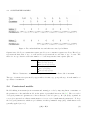
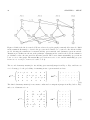
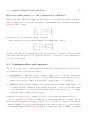
Example: f (1).to(1)&to(2) applied to the combined survival transition for two states builds the
following constraint {φ11 = φ12 = φ22 }.
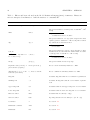
The default priority order of operations is (+ < &<. <*).
4.8
Keyword ”others”
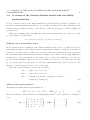
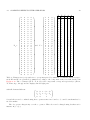
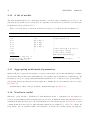
Assume we are modeling data with two groups and three occasions of recapture, with two mathematical
parameters defined by t(1, 2).g(1) and that we want to constrain all the other biological parameters to
be equal to a third mathematical parameter. This third parameter may be defined by t(3).g(1)&g(2).
The overall model definition will thus be t(1, 2).g(1) + t(3).g(1)&g(2). Using the keyword others makes
this simpler. The model can be simply defined as t(1, 2).g(1) + others.
Important note: This keyword must always be used at the end of the sentence as “model+others”.
This keyword is particularly useful for multievent models when many parameters have to be fixed
to a same value. In this case, one first defines the mathematical parameters of interest and then simply
add the keyword others to account for all remaining parameters.
4.9
Shortcuts
Definition of shortcuts
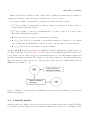
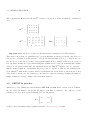
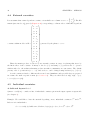
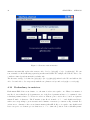
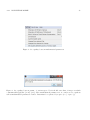
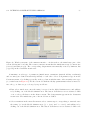
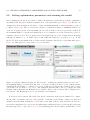
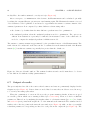
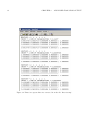
In order to keep model definitions as simple and readable as possible, e-surge makes it possible to use
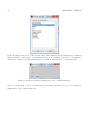
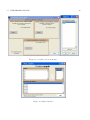
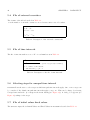
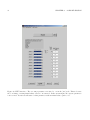
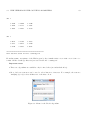
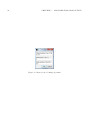
shortcuts. The user associates a shortcut name to an expression written with the mdl via a graphical
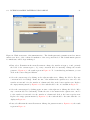
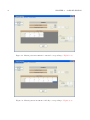
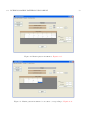
interface (see Figure 7).
A shortcut name begins by a letter followed by any letters or figures (Ex : sex for g(1,2)). A
shortcut can be combined to another shortcut (Ex : sex.t for g(1, 2).t). Then, gemaco substitutes
every occurrence of the shortcut name by the equivalent expression.
The syntax for addressing shortcut levels or of any part of a sentence is (see section 4.7):
shortcut(list1 , list2 , ...)
Shortcuts in practice
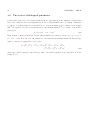
Let us consider for instance data consisting of individuals marked as juveniles and as adults. Juveniles
are stored in group one and adults in group two. Individuals are considered as juveniles only during
their first year and thereafter become adults.
We can create two shortcuts; Juv for [a(1).g(1)] and Ad for [a(2 : 5).g(1)&g(2)]. For a model in which
survival is different for juveniles and adults and is constant over time, one simply writes Ad + Juv.