1
Using Echo
3
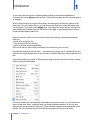
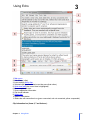
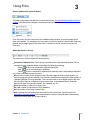
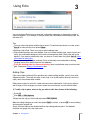
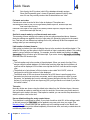
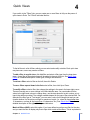
Search mode button (item 10 above):
The label on the button indicates the current search mode. See a detailed description of search
modes. Click this button to display a small drop-down menu of options:
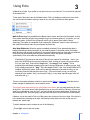
From this menu you can select one of the available search modes, as well as change a few
other quick options. For example there is an option to tell Echo whether it should start searching
instantly as you begin typing in the search box, or whether it should wait until you press the
Enter key.
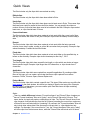
Status bar (item 11 above):
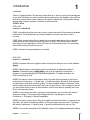
The status bar in Echo contains the following items:
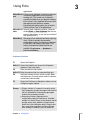
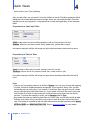
Connection indicator icon. The icon has a marker whose color indicates whether Echo is
connected to the clipboard. Marker colors have the following meanings:
Green
: Echo is not connected to clipboard and active.
Red
: Echo is not connected to clipboard.
Yellow
: Echo is connected to clipboard but capturing clips is temporarily suspended
(e.g. when some dialog boxes are open).
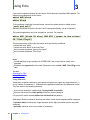
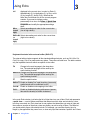
New: the first number is the number of clips Echo has captured in the current session (i.e.,
since the program was last started). The number in parentheses indicates the total number of
clipboard changes Echo has detected. This second number may be higher than the first one,
because Echo may be configured to ignore some clips. In the example above, Echo has
detected 22 clips in the current session, but captured only 18.
View: the number of clips in the current view.
Db: total number of clips stored in Echo database.
Sel: the number of currently selected clips
Sort: indicates the sort method and sort order for the current view. See this section for
description of sorting options. In the example above, clips are sorted by date in descending
order (most recent clips are on top of the list).
Chapter 3 Using Echo
18