1
AIRCRAFT
CONFIGURATI ON
MENU
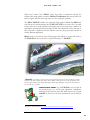
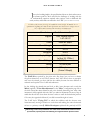
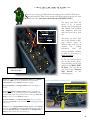
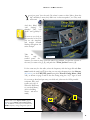
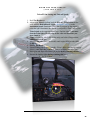
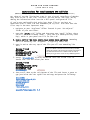
As with other Milviz designs, the F-86F-30 has an “Aircraft Configuration
Menu” that can be pulled up with the option "shift +2" command. This is a very
important panel in the starting procedure and load-out
options of the aircraft. When the configuration menu
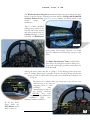
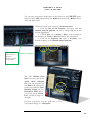
first opens it will display the ‘Channel Freq.
Selector’ page. For now, just remember that the
external power must be connected or the battery
switch must be on for this panel to work.
Radio
Preset Frequency
Selections
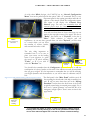
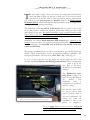
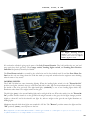
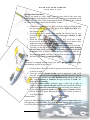
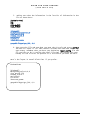
You will note that there are three selections you can
make in the top right corner of the panel. The first is
"Radio", the center one is "Payload", in the last is
"Misc.". Each selection is obvious and self
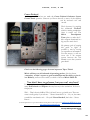
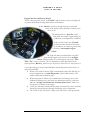
explanatory. As you may have guessed when you select "Payload", you'll be taken
to a screen where you can select
the number of rockets, bombs,
and external fuel tanks to add.
The only thing important to
remember here is to be sure to
place your cursor on the leading
letter of your selection, i.e.; place
the cursor on ‘T’ when selecting
"Tanks", or ‘5’ if you wish to
select the "Rockets" etc.
Drop Tank
Fuel Level
Control
Payload
&
Selections
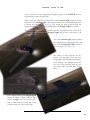
You should also remember that the Configurator will not allow you to add any
combination of rockets, bombs or fuel tanks if the addition exceeds the maximum
take-off gross weight*. It's also important to remember that you will be affecting
your flight dynamics and characteristics as you add or remove ordinance and/or
fuel.
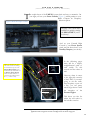
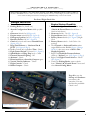
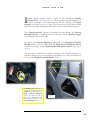
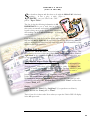
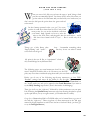
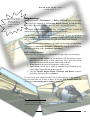
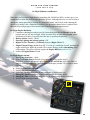
The final panel is the “Misc. Panel” and this one is all
Figure 1: Use this panel for starting and trim response control
about starting the aircraft and a little help controlling it as
well. I'll tell you more about that one in the “Startup
Procedure” but for those who don't know it, the F-86F
is typically started using an external power supply. Yes, it
does have a 'starter/generator' on board but this is an
emergency in-flight option. There’s more on that in the
pages ahead.
Overall Trim
Adjustment
for easier
handling.
Misc, (Starter)
&
Options
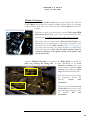
*If you find that the number of rockets or bombs in the diagram suddenly stopped
matching what is actually showing up on the aircraft, just click the “Tanks” option
once or twice and it’ll straighten out. I was able to ‘confuse’ it with ‘fast clicking’.
2