1
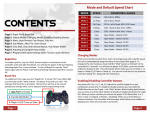
CONTENTS PAGE 1: Rapid Fire & Burst Fire, Akimbo (Dual Trigger) PAGE 2: Default Modes, Changing Modes, Mimic PAGE 3: Sub Modes, Jitter Fire, Drop Shot, Drop Shot (tactical layout) PAGE 4: Jump Shot, Quick Scope, Auto Aim, COD Fast Reload PAGE 5: Battlefield Auto Spotting, GOW Perfect Active Reloads PAGE 6: Adjusting and programming modes PAGE 7: Programmable speed settings table PAGE 8: Advanced Feature management RAPID FIRE To ac&vate rapid fire, tap the “Mod” bu5on located on the back of the controller. You will see the player 4 LED start flashing indica&ng Rapid Fire is now ac&vated. To turn off rapid fire tap the “Mod” bu5on again and the player 4 LED will stop flashing indica&ng rapid fire is turned off. BURST FIRE + To ac&vate burst fire HOLD the “X” bu5on and then tap the “Mod” bu5on. The player 4 LED will turn on solid to indicate that burst fire is ac&vated. The burst fire will fire at the current speed/burst seWngs which can be adjusted within programming mode. You can tap the “Mod” bu5on to turn burst fire on/off while ac&vated. To deac&vate hold “X “and tap the “Mod” bu5on. HOLD AKIMBO [Dual Trigger Rapid Fire] + With akimbo ac&vated you will have rapid fire on both the le@ and right triggers (independently), this is great for akimbo or dual weapons in Call of Duty and other FPS games. To ac&vate akimbo HOLD the “le- trigger” and tap the “Mod“ bu5on, repeat to deac&vate. While ac&ve, the player 3 LED will remain lit. PAGE 1 MODE AND DEFAULT SPEED CHART MODE SPEED COMPATIBLE GAMES MODE 1: 8.33sps COD (MW2, MW3, Black Ops) Rifles MODE 2: 11.35sps COD (MW2, MW3, Black Ops 1 & 2) Pistols MODE 3: 16.67sps COD (Black Ops 2) Rifles, GTA 4, Le@ 4 Dead MODE 4: 20sps MODE 5: 8.33sps COD -‐ Word at War Only -‐ Riffles MODE 6: 10sps COD -‐ Word at War Only -‐ Pistols MODE 7: 6.85sps MODE 8: 8sps Gears of War -‐ Pistols MODE 9: 20sps Open Mode – Default 20 SPS MODE 10: 25sps Open Mode – Default 25 SPS Halo series Gears of War -‐ Hammerburst CHANGING MODES There are 10 modes to select from. Each is pre-‐programed with a specific speed, but can be independently programmed to an new speed (See page 6). To change to the next mode you must HOLD the “Mod” bu5on on the back of the controller for 3 seconds. You will see the player 3 & 4 LEDs flash together, count the number of flashes of the LEDs. This will indicate which mode you are currently in. (2 flashes = Mode 2) (3 flashes = Mode 3). You can also scroll back to the previous mode by holding the right trigger along with the mod bu5on. HOLD MIMIC [Auto Akimbo] + TAP To ac&vate or deac&vate HOLD the “back” bu5on and tap the “right trigger”. When using mimic , the right trigger controls both the le@ trigger and the right trigger at the same &me. If the le@ trigger is enabled for rapid fire (see page 1) and rapid fire is turned ON than the le@ trigger will also rapid fire, otherwise it works as normal allowing you to scope automa&cally when firing. PAGE 2 HOLD SUB MODES + JUMP SHOT Several of the following controller features have sub modes. Sub modes are modifica&ons to the main feature. These will be explained in the descrip&on of each feature. To change a sub mode HOLD the “back” bu5on + the “Mod” bu5on, while holding both, tap the corresponding features bu5on to change the Sub-‐Mode. For example, to change the Ji5er sub mode you would HOLD “back” + the “Mod” bu5on then tap ”Y”, the Player 3 LED will flash to indicate which sub mode you are currently in. + JITTER FIRE [All COD Except MW3] Ji5er takes advantage of a glitch in most COD games allowing for faster firing of just about all weapons including shotguns and 3-‐Round burst weapons. To ac&vate the ji5er mod HOLD the “Y” bu5on and tap the “Mod” bu5on. Ji5er has 2 sub modes. Sub Mode 1 (Default) = XYY JiVer Sub Mode 1 (Default) = XYY JiVer (Black Ops 2 CompaCble) Sub Mode 3 = YY JiVer (World at War) DROP SHOT (standard Layout) DROP SHOT (Tactical Layout) + + Drop shot allows you to automa&cally drop to prone as soon as you start firing and stand up when you stop. The GM MASTER supports both standard bu5on layouts and tac&cal bu5on layouts. To ac&vate drop shot for standard bu5on layouts HOLD “B” and tap the “Mod” bu5on. To ac&vate drop shot for tac&cal bu5on layouts HOLD in the “right thumbsCck click” and tap the “Mod” bu5on. Drop shot has 4 sub modes and you must always use “B” for changing the sub mode. Sub Mode 1 (Default) = Always Drop/Stand automaCcally Sub Mode 2 = Drop/Stand, if NOT Aiming Down Sights Sub Mode 3 = Drop Only Sub Mode 4 = Drop Only, if NOT Aiming Down Sights PAGE 3 With jump shot you will jump automa&cally as soon as you start to fire. To ac&vate jump shot HOLD “A” and tap the “Mod” bu5on. Jump shot has 4 sub modes. Sub Mode 1 (Default) = Jump only once Sub Mode 2 = ConCnuous Jumping (Slow Jump Speed) Sub Mode 3 = ConCnuous Jumping (Medium Jump Speed) Sub Mode 4 = ConCnuous Jumping (Fast Jump Speed) HOLD QUICK SCOPE + TAP With Quick Scope ac&ve just hold the le@ trigger and You will scope and automa&cally fire at the exact moment the accuracy of being scoped kicks in. To ac&vate HOLD “Back” and tap the “LT” bu5on. Quick scope has 2 sub modes. Sub Mode 1 (Default) = Quick Scope Sub Mode 2 = Quick Scope + Rapid Fire HOLD AUTO AIM + The auto aim feature ONLY WORKS WITH ZOMBIES & CAMPAIGN GAMES AND DOES NOT WORK WITH ONLINE MATCHING GAMES. The auto aim is a feature for le@ trigger, auto aim will work with both rapid fire on and off. To ac&vate auto aim HOLD “Back” and tap the “A” bu5on. HOLD ADJUSTABLE FAST RELOAD + Works with all COD games except MW3. Shave precious milliseconds off your reload &me by cancelling part of the reload anima&on. To ac&vate HOLD “Back” and tap the “X” bu5on. Adjust by holding “X” un&l you see your ammo indicator at the bo5om of the screen show you are “full” then release. At this moment your clip is full and the remaining reload anima&on can be cancelled. Once adjusted, just tap “X” as normal to fast reload. PAGE 4 HOLD BATTLEFIELD 3 AUTO SPOTTING + Programming the Adjustable Rapid/Burst Fire Settings With auto spoWng ac&ve the controller will automa&cally press the “BACK” bu5on once every second (the max rate allowed by the game). When you are aiming at an opponent they will be marked with an indicator above their head for you and your team to see, giving your team a significant advantage. To ac&vate HOLD “Back” and click the “Right ThumbsCck” Sub Mode 1 (Default) = On only when Aiming down sights Sub Mode 2 = On all the Cme HOLD GOW PERFECT ACTIVE RELOADS + Have perfectly &med ac&ve reloads for the most popular weapons in Gears of war automa&cally. When using this mod you select the weapon you are using by following the process below. Once selected you reload as normal by pressing “RB” and the second press of “RB” will be &med perfectly and automa&cally. To ac&vate HOLD “RB” and tap the “Mod” bu5on. While ac&ve the player 3 LED will remain Lit. Sub Mode 1 (Default) = Gears of War 2 Sub Mode 2 = Gears of War 3 SET GOW ACTIVE RELOAD WEAPON HOLD + TAP To set the weapon you want to perfect ac&ve reload you must HOLD the “Back” bu5on and tap “RB”. You will tap “RB” 1-‐6 &mes depending on the weapon you want to select from the list below. When you release “Back” the player 3 LED will quickly flash 1-‐6 &mes to confirm your selec&on. GEARS OF WAR 2 WEAPONS 1. Lancer/Hammerburst 2. Pistols 3. Shotgun 4. Sniper/BoomShot PAGE 5 GEARS OF WAR 3 WEAPONS 1. Lancer 2. Hammerburst 3. Pistols 4. Sniper/BoomShot 5. Shotgun 6. Retro Lancer Each rapid fire mode can be programmed to one of 50 different speed between 4 and 50 shots per second. You can also set the burst fire for each mode from 2 – 10 shots per burst. + + HOLD Enter/Exit the Programming Mode: HOLD (5 sec) To enter or exit the programming mode you must first press and hold the mod bu5on and within 2 seconds press and hold both the le@ and right triggers. Con&nue to hold all three for 5 seconds. You will see the player 4 LED flash on for 2 seconds them go out. You have now entered or exited the programming mode and can release both triggers and the mod bu5on. TAP Change Rapid Fire speed: or TAP To change the rapid fire speed you only need to press and release the le@ or right trigger. The right trigger to make the speed faster and the le@ trigger to make it slower. The player 4 LED will flash every &me you press the right rigger and the player 3 LED will flash every &me you press the le@ trigger to indicate you have made a change. Once you have reached the MIN or MAX speed the LED will no longer flash. Change Burst Fire QuanCty: + TAP or TAP To change the number of shots fired with the burst fire you must HOLD down the X bu5on and while holding follow the same procedure as changing the rapid fire by pressing the le@ or right triggers. Check Rapid Fire speed Seang: To check the currently set rapid fire speed you only need to tap the mod bu5on. The player 3 Led will flash the “tens” and posi&on and the player 4 will then flash the single digit. (example. Player 3 flashes 3 &mes, followed by the player 4 flashing 6 &mes, you are now at speed seWng 36) Refer to the table on the next page for all of the speed seWngs. Check Burst Fire Seang: + To check the currently set burst fire seWng you must HOLD the X bu5on and while holding X tap the mod bu5on. The player 4 Led will flash 2-‐10 &mes to indicate the number of shots set for the burst fire. HOLD Reset Current Mode to Default seangs: + HOLD (7 sec) To reset the rapid fire mode you are currently edi&ng to the factory default you must hold both the le@ and right triggers together for 7 seconds. A@er 7 seconds the player 3 and 4 LED’s will both flash very fast for 2 seconds and the Programming mode will automa&cally be exited with the default seWngs saved. MASTER RESET: + + + (7 sec) Resets ALL modes, speeds and sub modes to their default seWngs. Hold X + Y + B + A for 7 seconds. You will see the player 3 LED flash then the player 4 LED, then both. All seWngs will be set to default and the programming mode will be exited. PAGE 6 RAPID FIRE SPEED SETTINGS TABLE Rapid Fire Seang 1 2 3 4 5 6 7 8 9 10 11 12 13 14 15 16 17 18 19 20 21 22 23 24 25 Shots Per Second 50 45.5 41.7 38.4 35.7 33.3 31.25 29.4 27.8 26.3 25 23.91 22.73 21.74 20.83 20 19.23 18.52 17.86 17.24 16.67 16.13 15.63 15.15 14.71 Rapid Fire Seang 26 27 28 29 30 31 32 33 34 35 36 37 38 39 40 41 42 43 44 45 46 47 48 49 50 Shots Per Second 13.89 13.51 13.16 12.5 12.2 11.91 11.63 11.42 11.11 10.64 10.3 10 9.8 9.62 9.36 9.09 8.62 8.33 8.2 8 7 6.67 6 5 4 Important Rapid Fire Speed Information! The GM MASTER allows you to set rapid fire speeds up to 50 shots per second, but you must be aware that seWng the rapid fire to the maximum will NOT work for most games. All games have limita&ons on the rates at which weapons can fire. Our default mode seWngs are already op&mized to the fastest possible speeds for the games/weapons listed on page 2. The possibility to change these seWngs are available for you to experiment with and find seWngs that best compliment your playing style and to be able to create modes for current and future games which are not part of the default setup. PAGE 7 ADVANCED FEATURE MANAGMENT All features with the excep&on of rapid fire and burst fire have an advanced management op&on that allows you to disable them. This is especially useful if you find there are features you do not use and do not want the possibility to accidentally ac&vate the feature. HOLD HOLD ENTER (AFM) + + + + (7 sec) To enter the Advanced Feature management you must have the controller ON and the rapid fire must be turned OFF. Hold the (right trigger + le@ trigger + B + Y + X) together all at the same &me for 7 seconds. A@er 7 seconds you will see both player 3 and 4 LEDs flash 10 &mes very fast. A@er this you can release all of the bu5ons. MANAGING FEATURES Now that you are in the AFM you can enable or disable any of the features listed below by just tapping the corresponding bu5on. When you tap one of the bu5ons you will see the player 4 LED flash either 1 or 2 &mes. 1 flash = Feature is now ENABLED, 2 flashes = Feature is now DISABLED. • • • • • • • • • Mimic JiVer Fire Drop Shot Auto Aim Jump Shot Quick Scope COD Fast Reload GOW Perfect Reloads BaVlefield Auto Spoang EXIT ADVANCED FEATURE MANAGMENT To exit AFM just tap the “Mod” bu5on. You will again see the player 4 LED flash 10 &mes. If you have ques&ons regarding any feature please contact us at 1-‐800-‐280-‐4032 PAGE 8 2013 SELECTIONS THANK YOU Thank you for purchasing one of our custom XBOX 360 GM MASTER controllers. We appreciate your business, and work hard to provide excellent customer experience. If you have any questions about your new controller, please contact us at [email protected], and by phone at 1-800-280-4032 SOCIAL MEDIA Like us on FACEBOOK [facebook.com/GENIUSMODS], and follow us on TWITTER [@GENIUSMODS] for updates on monthly contests and giveaways. TUTORIALS For video tutorials and FAQs, visit our website at www.GENIUSMODS.com PAGE 9 YouTube.com/geniusmods360 @geniusmods Facebook.com/geniusmods @_geniusmods PAGE 10 MOD BUTTON FUNCTIONS The following func&ons are controlled by holding the indicated controller bu5on and then tapping the mod bu5on on the back of the controller. GM MASTER USER MANUAL BACK BUTTON FUNCTIONS The following func&ons are controlled by holding the controllers “Back” bu5on (le@ of the guide bu5on), then tapping the indicated controller bu5on RAPID FIRE | BURST FIRE | AKIMBO | JITTER | QUICK SCOPE | MIMIC | DROP SHOT | JUMP SHOT | GOW PERFECT RELOAD | AUTO AIM | QUICK RELOAD | AUTO SPOTTING | 10 PROGRAMMABLE MODES w w w . G E N I U S M O D S . c o m s u p p o r t @ g e n i u s m o d s . c o m 2 1 5 R U T G E R S S T 1 - 8 0 0 - 2 8 0 - 4 0 3 2 F L 2 M A P L E W O O D , N J 0 7 0 4 0 WWW.GENIUSMODS.COM