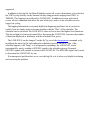
1
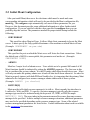
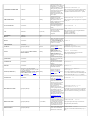
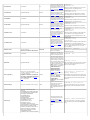
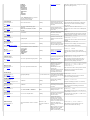
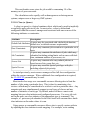
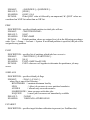
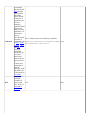
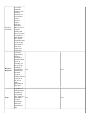
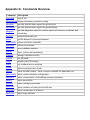
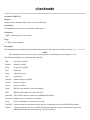
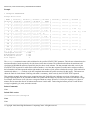
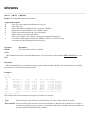
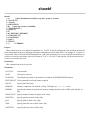
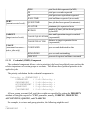
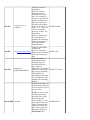
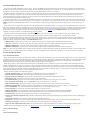
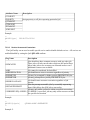
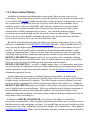
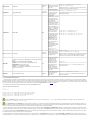
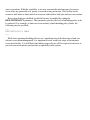
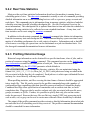
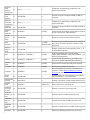
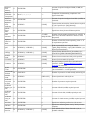
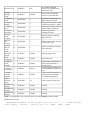
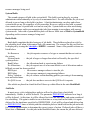
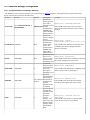
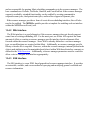
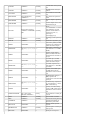
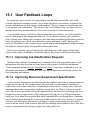
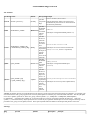
Resource
Manager
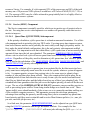
Name
Required
Host Mask
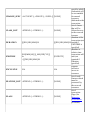
39
40
<STRING>
[NONE]
<STRING>[<STRING>]...
[NONE]
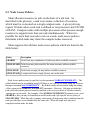
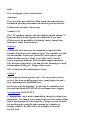
Reservation 41
<STRING>
[NONE]
Set
42
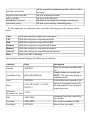
Description
<STRING>:<STRING>[:<STRING>] [NONE]
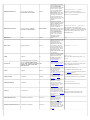
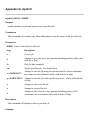
Application
43
Simulator
Data
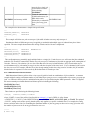
RESERVED
44
FIELD 1
<STRING>[:<STRING>]
[NONE]
<STRING>
[NONE]
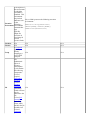
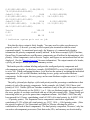
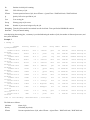
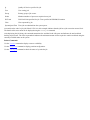
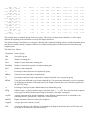
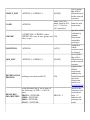
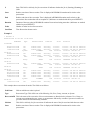
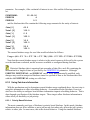
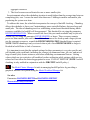
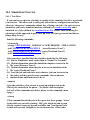
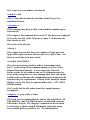
Name of resource manager if specified
List of hosts required by job. (if taskcount > #hosts,
scheduler must use these nodes in addition to others,
if taskcount < #host, scheduler must select needed
hosts from this list)
Name of reservation required by job if specified
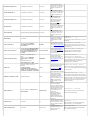
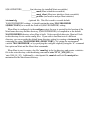
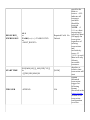
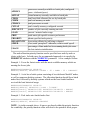
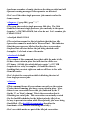
Set constraints required by node in the form
<SetConstraint>:<SetType>[:<SetList>] where
SetConstraint is one of ONEOF, FIRSTOF, or
ANYOF, SetType is one of PROCSPEED,
FEATURE, or NETWORK, and SetList is an
optional colon delimited list of allowed set attributes,
(i.e. 'ONEOF:PROCSPEED:350:450:500')
Name of application simulator module and associated
configuration data (i.e.,
'HSM:IN=infile.txt:140000;OUT=outfile.txt:500000')
RESERVED FOR FUTURE USE
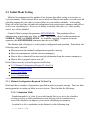
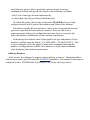
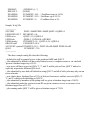
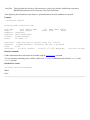
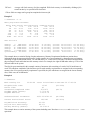
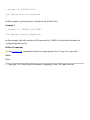
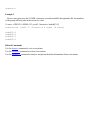
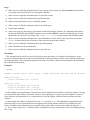
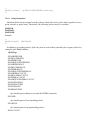
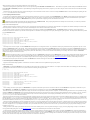
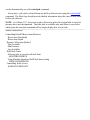
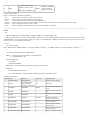
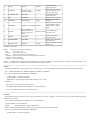
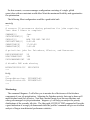
NOTE: if no applicable value is specified, the exact string '[NONE]' should be entered.
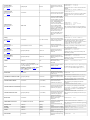
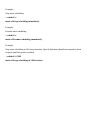
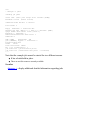
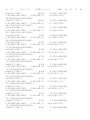
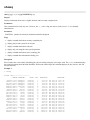
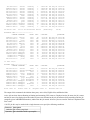
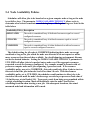
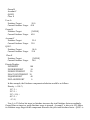
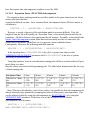
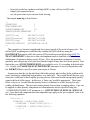
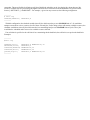
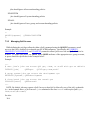
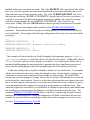
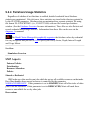
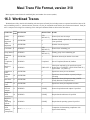
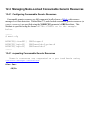
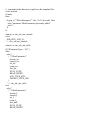
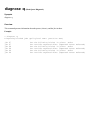
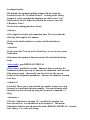
Sample Workload Trace:
'SP02.2343.0 20 20 570 519
889585185 889585411 ethernet
2 0 test.cmd 1001 6 678.08
[NONE] [NONE]'
86400 Removed [batch:1] 887343658 889585185
R6000 AIX43 >= 256 >= 0 [NONE] 889584538 20 0 0
0 1 0 0 0 0 0 [NONE] 0 [NONE] [NONE] [NONE]
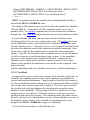
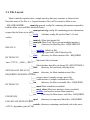
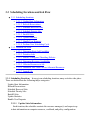
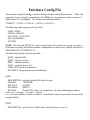
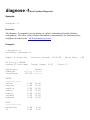
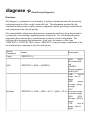
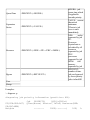
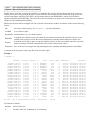
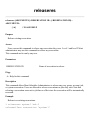
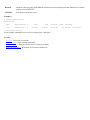
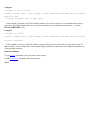
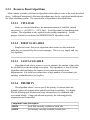
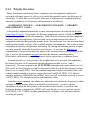
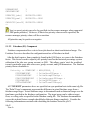
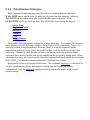
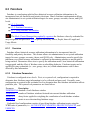
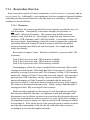
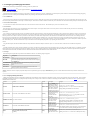
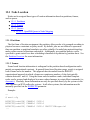
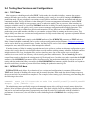
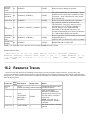
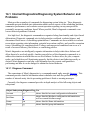
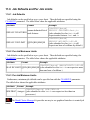
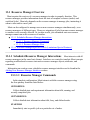
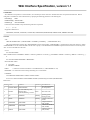
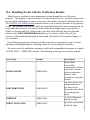
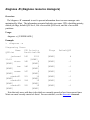
16.2 Resource Traces
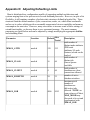
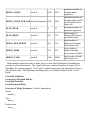
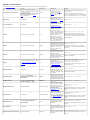
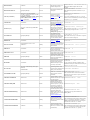
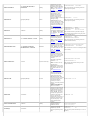
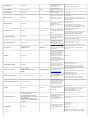
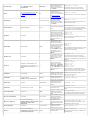
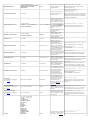
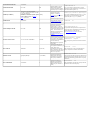
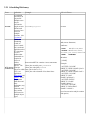
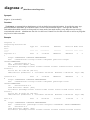
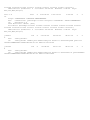
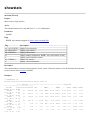
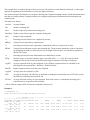
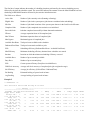
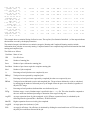
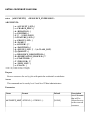
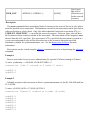
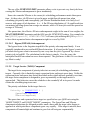
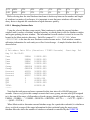
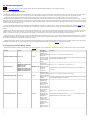
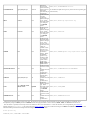
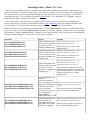
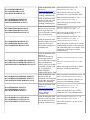
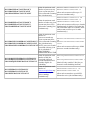
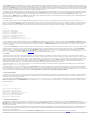
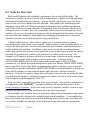
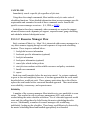
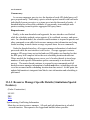
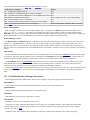
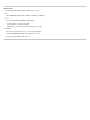
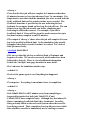
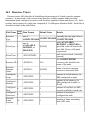
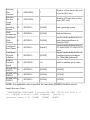
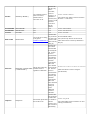
Resource traces fully describe all scheduling relevant aspects of a batch system's compute resources. In most cases, each
resource trace describes a single compute node providing information about configured resources, node location, supported classes
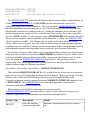
and queues, etc. Each resource trace consists of a single line composed of 21 whitespace delimited fields. Each field is described in
detail in the table below.
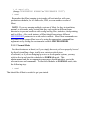
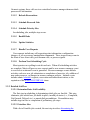
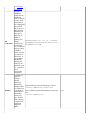
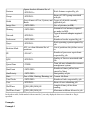
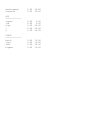
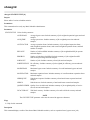
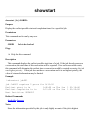
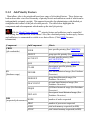
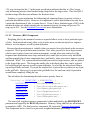
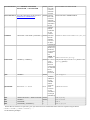
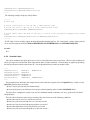
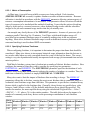
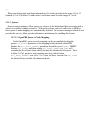
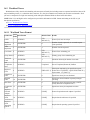
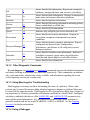
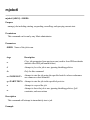
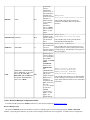
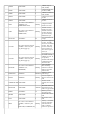
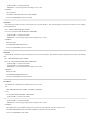
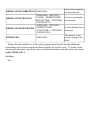
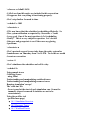
Field
Data Format
Default Value
Details
Index
Resource
one of
currently the only legal value is
1
COMPUTENODE
Type
COMPUTENODE
'COMPUTENODE'
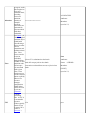
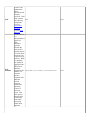
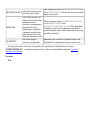
when AVAILABLE,
DEFINED, or DRAINED is
one of
specified, node will start in the
AVAILABLE,
state Idle, Down, or Drained
Event Type 2
[NONE]
DEFINED, or
respectively.
DRAINED
NOTE: node state can be
modified using the mnodectl
command.
time event occurred. (currently
Event Time 3
<EPOCHTIME> 1
ignored)
Field Name