1
Factory Settings
Factory Settings
Magic-Roller
Press the “Magic-Roller” to surf the Internet and Windows documents
Left Button
Provides traditional mouse functions such as click,
double click and drag.
Right Button
You can assign this button frequently used keyboard
and mouse functions in addition to features like EasyJump, Auto-Panning, Zoom, etc.
Roller Button
You can assign this button frequently used keyboard
and mouse functions in addition to features like EasyJump, Auto-Panning, Zoom, etc.
Side Buttons
You can assign certain functions to the upper or lower
side button with the roller.
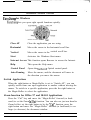
Horizontal Scrolling
Hold the Shift key while pressing the Magic-Roller in the direction you
want to go or move the cursor over the horizontal scroll bar and press
the Magic-Roller.
Button Assignments
The Button Assignment feature lets you work in a more efficient way
because you can assign the most frequently used commands in Windows
to the mouse buttons.
2