1
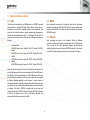
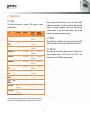
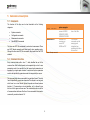
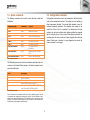
7.5 Programming Hera for autoranging 7.6 Autoranging recommendations The Hera has start-up settings. This means that when the Hera is connected to a PC or pattern generator, it only needs the “:meas:spectrum” command to get luminance and colour data. All other settings can be saved as preset and are loaded when the instrument is started. However, it requires the right settings to be set in advance. This can be done though the Admesy Iliad application and select DeviceStart-up settingsHera. These setting may be optimized per display type. There are a few categories we can define. Those are shown in the next chapters. It is recommended to apply auto ranging in case process variation is high or in case various grey scales are measured. In cases where luminance setting is known, it may be desirable to turn off autoranging to save additional measurement / test time. Display without PWM: This can be measured using almost any settings, but the settings may be optimized for high speed. This means, we can use a short integration time for bright images (white for example) and decreased the maximum integration of black to a level that gives stable results and is still fast. In this case the frequency setting is not critical. Display with PWM: Since the luminance will show PWM, a measurement must at least cover 1 full frame. Taking more frames will result in better stability. In this case the frequency setting is apparently more critical to get a good stability. Regarding the grey scales, like a gamma measurement is performed, speeds up the measurement significantly, when using auto-ranging in combination with the feedback function. There are a lot of ways to fine tune the Hera for each application. Take this document into consideration and apply the comments correctly. By assuming that any default setting will do, it will lead to a non-optimal measurement results. Any measurement is application dependent. One should consider that autorange settings exist for the sole purpose of optimizing each application. 18