1
Chapter 1. Common API Elements
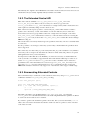
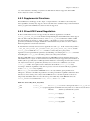
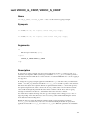
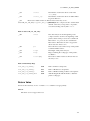
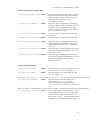
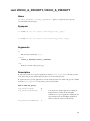
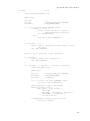
that piping data into or out of a device will work without special preparations. More advanced
applications should ensure the parameters are suitable before starting I/O.
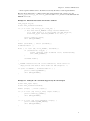
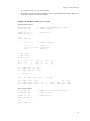
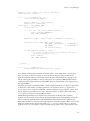
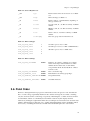
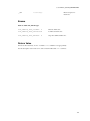
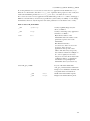
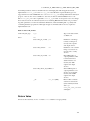
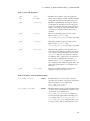
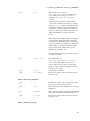
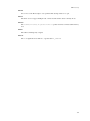
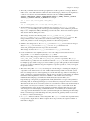
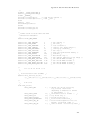
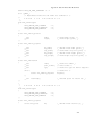
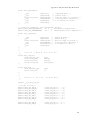
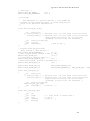
Example 1-10. Resetting the cropping parameters
(A video capture device is assumed; change V4L2_BUF_TYPE_VIDEO_CAPTURE for other devices.)
struct v4l2_cropcap cropcap;
struct v4l2_crop crop;
memset (&cropcap, 0, sizeof (cropcap));
cropcap.type = V4L2_BUF_TYPE_VIDEO_CAPTURE;
if (-1 == ioctl (fd, VIDIOC_CROPCAP, &cropcap)) {
perror ("VIDIOC_CROPCAP");
exit (EXIT_FAILURE);
}
memset (&crop, 0, sizeof (crop));
crop.type = V4L2_BUF_TYPE_VIDEO_CAPTURE;
crop.c = cropcap.defrect;
/* Ignore if cropping is not supported (EINVAL). */
if (-1 == ioctl (fd, VIDIOC_S_CROP, &crop)
&& errno != EINVAL) {
perror ("VIDIOC_S_CROP");
exit (EXIT_FAILURE);
}
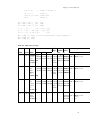
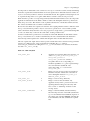
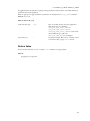
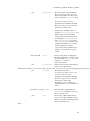
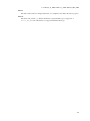
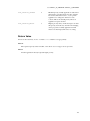
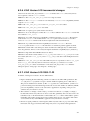
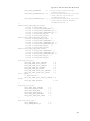
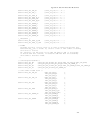
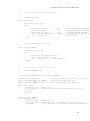
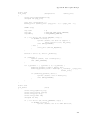
Example 1-11. Simple downscaling
(A video capture device is assumed.)
struct v4l2_cropcap cropcap;
struct v4l2_format format;
reset_cropping_parameters ();
/* Scale down to 1/4 size of full picture. */
memset (&format, 0, sizeof (format)); /* defaults */
format.type = V4L2_BUF_TYPE_VIDEO_CAPTURE;
format.fmt.pix.width = cropcap.defrect.width >> 1;
format.fmt.pix.height = cropcap.defrect.height >> 1;
format.fmt.pix.pixelformat = V4L2_PIX_FMT_YUYV;
if (-1 == ioctl (fd, VIDIOC_S_FMT, &format)) {
perror ("VIDIOC_S_FORMAT");
exit (EXIT_FAILURE);
}
/* We could check the actual image size now, the actual scaling factor
or if the driver can scale at all. */
25