1
the touch screen display; Do not let the touch screen exposed to the sunlight for a
long time;
Ø
If not used for a long time, please turn off the power. This can extend the life of the
main unit;
Ø
Caution: Stay from water or moisture;
Ø
Perform calibration every time before testing to keep the accuracy of the LCD;
Ø
Do not pull out or insert the main communication cable when the main unit is
working;
Ø
Keep the main unit away from strong magnetic field during the testing in order to
avoid the interference。
3. CF card maintains
Ø
Plug the CF card when the main unit is working may damage the CF card
permanently.
Ø
Keep the CF card away from magnetic field;
Ø
Do not plug or insert CF card too frequently;
Ø
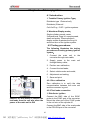
When inserting the CF card into the main unit, make sure you get the right
direction. Normally the side with the label is facing up;
Ø
In case CF card is damaged and the program in the card cannot be used, please
use the following procedures to remake the CF card:
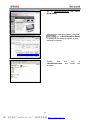
(1) Login AUTOBOSS website www.autoboss.net and download the necessary
programs to your personal computer.
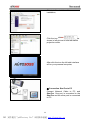
(2) Format the CF card to FAT32.
(3) Write the programs onto the CF card.
NOTE: When CF card is damaged or cannot be read,format CF card to FAT32
format first and then continue installing the diagnostic programs。
- iv -
PDF 文件使用 "pdfFactory Pro" 试用版本创建 www.fineprint.cn