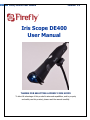
1
3
Firefly DE400 User Manual
Version: 1.4
Table of Contents
Introduction ................................................................................................................ 4
Warnings & Cautions .................................................................................................. 5
Warning .................................................................................................................................. 5
Caution ................................................................................................................................... 5
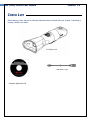
Check List .................................................................................................................... 7
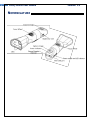
Nomenclature ............................................................................................................. 7
Operation .................................................................................................................... 9
Setting up the Software Application: ........................................................................................ 9
Connect to PC: ...................................................................................................................... 9
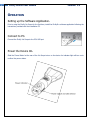
Power the Device On:............................................................................................................. 9
Using the Firefly Iris Scope System: ....................................................................................... 10
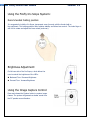
Recommended holding position: .............................................................................................. 10
Brightness Adjustment: .......................................................................................................... 10
Using the Image Capture Control: ........................................................................................... 10
Using Focus: .......................................................................................................................... 11
Standby and Remove device: .................................................................................................. 11
Launch the Software Application: ............................................................................................ 12
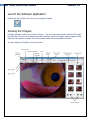
Viewing the Images: .............................................................................................................. 12
Maintenance and service .......................................................................................... 15
Cleaning Recommendation ...................................................................................................... 15
Recycling the System Components .......................................................................................... 15
Service Policy......................................................................................................................... 16
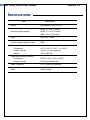
Specifications ............................................................................................................ 17
Limited Warranty ...................................................................................................... 18
Troubleshooting ........................................................................................................ 21
Frequently Asked Questions (FAQs): ........................................................................................ 21