1
MOST Tool Kit
Application Examples
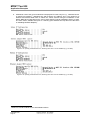
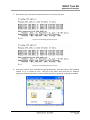
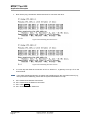
16. PC2: Press the “Enter” key. This starts receiving an isochronous data stream from the MOST
network. Beneath the received buffers are counted and displayed followed by the number of
TotalErrors. If the counter for the errors shows zero the transmission over the MOST network
is working properly. If a completion error occurs, the driver receives more data than it can
process. Add –n64 to the command (this parameter adapts the buffer to be used for the
transmission in case the default of 4 bytes is not enough to handle the transmission), i.e.:
Enter “mbtest –d0 isopacketrx 0 –c –n64”
If there are other problems, check the cables’ connections and check whether the MOST
network is in stable lock. The instance number (0) has to match on PC1 (transceiver) and PC2
(receiver). Further on Windows activities can have influence.
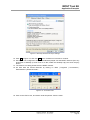
17. PC2: Press the “Q” and the “Enter” key in the Command Prompt window (PC2) to finish
receiving the data stream coming from the MOST network.
18. PC1: Press the “Q” and the “Enter” key in the Command Prompt window to finish sending a
continuous data stream to the MOST network.
Application Note
Page 52
Copyright © 2006 - 2012 SMSC
Document Version: V4.0.X-1 Date: 2012-08-24