1
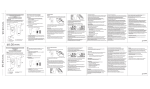
Pop-up menu of a simple mode (left) and an expert mode (right)
POI (Объекты)
All objects are displayed that are in immediate neighborhood from a point which the
menu has been invoked from. If this item is selected (in expert mode only), a list of POI
objects with addresses, phones and other information opens.
POI search (Поиск объектов) (in expert mode only)
When tapping this item, a POI search (Поиск объектов) dialogue box appears that
allows to find objects of an infrastructure (POI) around a point which the menu has been
invoked from. For more information, see the POI search (Поиск объектов) chapter.
Address (Блок информации о точке)
It is several lines with address and other information on a point which a menu is invoked
on. For example: a house address, district where there is a house or Metro (Subway)
station and line etc.
Waypoints
Add a waypoint (Добавить закладку)
It invokes a Waypoint Property (Свойства закладки) window for adding a waypoint
in a point where menu is invoked. For more information, see the “Waypoints search and
editing” (“Закладки, поиск и редактирование”) chapter.
Waypoint Property (Свойства закладки)
It invokes a Waypoint Property (Свойства закладки) window for adding a waypoint
in a point where menu is invoked. For more information, see the “Waypoints search and
editing” (“Закладки, поиск и редактирование”) chapter.
Delete a waypoint (Удалить закладку)
It removes a waypoint nearest to the point where menu is invoked.
Route (Маршрут)
It allows to specify a point where menu is invoked for one of route points: start, finish or
intermediate point. For more information, see the Route and creating it (Маршрут и
его прокладка) chapter.
23