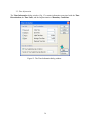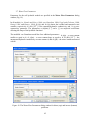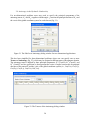
1
HYDRUS
(2D/3D)
Software Package for Simulating
the Two- and Three-Dimensional Movement
of Water, Heat, and Multiple Solutes
in Variably-Saturated Media
User Manual
Version 1.02
March 2007
PC-Progress, Prague, Czech Republic
© 2007 J. Šimůnek and M. Šejna. All rights reserved.
2
The HYDRUS Software Package for Simulating
the Two- and Three-Dimensional Movement
of Water, Heat, and Multiple Solutes
in Variably-Saturated Media
User Manual
Version 1.02
J. Šimůnek1, M. Šejna2 and M. Th. van Genuchten3
March 2007
1
University of California Riverside, Riverside, CA
2
PC-Progress, Prague, Czech Republic
3
George E. Brown, Jr. Salinity Laboratory, Riverside, CA
© 2007 J. Šimůnek and M. Šejna. All rights reserved.
3
4
Table of Contents
Abstract..................................................................................................................................................17
Introduction to the HYDRUS Graphical User Interface ...............................................................17
1. Project Manager and Data Management...................................................................................21
2. Projects Geometry Information ............................................................................................26
3. Flow Parameters ....................................................................................................................31
3.1.
Main Processes ............................................................................................................31
3.2.
Inverse Solution ...........................................................................................................32
3.3.
Time Information .........................................................................................................36
3.4.
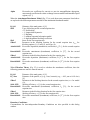
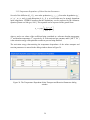
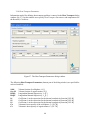
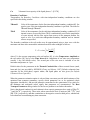
Output Information ......................................................................................................38
3.5.
Iteration Criteria..........................................................................................................40
3.6.
Soil Hydraulic Model...................................................................................................43
3.7.
Water Flow Parameters...............................................................................................45
3.8.
Neural Network Predictions ........................................................................................49
3.9.
Anisotropy in the Hydraulic Conductivity ...................................................................50
3.10.
Solute Transport...........................................................................................................51
3.11.
Solute Transport Parameters.......................................................................................55
3.12.
Solute Reaction Parameters.........................................................................................56
3.13.
Temperature Dependence of Solute Transport Parameters..........................................59
3.14.
Heat Transport Parameters .........................................................................................60
3.15.
Root Water Uptake Model ...........................................................................................62
3.16.
Root Water Uptake Parameters ...................................................................................63
3.17.
Root Distribution Parameters......................................................................................66
3.18.
Time Variable Boundary Conditions ...........................................................................68
3.19.
Constructed Wetlands ..................................................................................................70
4. Geometry of the Transport Domain.....................................................................................72
4.1.
Boundary Objects.........................................................................................................72
4.1.1.
Points ............................................................................................................75
4.1.2.
Lines and Polylines .......................................................................................77
4.1.3.
Arcs and Circles............................................................................................79
4.1.4.
Curves and Splines........................................................................................82
4.1.5.
Move, Copy, Rotate and Mirror Operations.................................................85
5
4.1.6.
4.2.
Additional Operations...................................................................................86
Surface ........................................................................................................................87
4.2.1.
Steps to Define a Two Dimensional Domain. ...............................................90
4.2.2.
Several notes on rules for correct definition of the Geometry......................91
4.2.3.
Internal Objects. ...........................................................................................92
4.3.
Openings ......................................................................................................................90
4.4.
Solids ...........................................................................................................................96
4.4.1.
Division of a Solid into Columns. ...............................................................101
4.4.2.
Division of a Solid into Sublayers...............................................................101
4.4.3.
Individual specification of different Thicknesses of Sublayers at different
Thickness Vectors........................................................................................101
4.4.4.
Steps to Define a 3D-Layered Domain. ......................................................102
4.5.
Thicknesses ................................................................................................................103
4.6.
Auxiliary Objects .......................................................................................................107
4.7.
4.8.
4.6.1.
Dimensions..................................................................................................107
4.6.2.
Labels..........................................................................................................108
4.6.3.
Bitmaps (Textures) ......................................................................................109
4.6.4.
Cross-Sections.............................................................................................109
4.6.5.
Mesh-Lines..................................................................................................110
Other Notes on Objects .............................................................................................113
4.7.1.
Object Numbering.......................................................................................113
4.7.2.
Relations among Objects ............................................................................113
4.7.3.
References among Objects and Convention for Writing a List of Indices..113
Import Geometry from a Text File .............................................................................113
5. Finite Element Mesh ............................................................................................................116
5.1.
Finite Element Mesh Generator.................................................................................116
5.2.
Structured Finite Element Mesh Generator...............................................................117
5.3.
Unstructured Finite Element Mesh Parameters ........................................................119
5.4.
Finite Element Mesh Refinement ...............................................................................125
5.5.
Unstructured Finite Element Mesh Generator MeshGen2D .....................................127
5.6.
Finite Element Mesh Statistics...................................................................................130
5.7.
Finite Element Mesh Sections...........................................................................................131
6. Domain Properties, Initial and Boundary Conditions .....................................................133
6
6.1.
Default Domain Properties........................................................................................133
6.2.
Initial Conditions .......................................................................................................134
6.3.
Boundary Conditions .................................................................................................137
6.4.
Domain Properties.....................................................................................................139
7. Graphical Output.................................................................................................................142
7.1.
7.2.
Results – Graphical Display ......................................................................................142
7.1.1.
Display Options ..........................................................................................143
7.1.2.
Edit Isoband Value and Color Spectra .......................................................144
Results – Other Information ......................................................................................150
7.2.1.
Convert to ASCII.........................................................................................153
8. Graphical User Interface Components ..............................................................................154
8.1.
View Window ............................................................................................................ 154
8.1.1
Scene and Viewing Commands ...................................................................154
8.1.2
Grid and Work Plane ..................................................................................155
8.1.3
Stretching Factors.......................................................................................156
8.1.4.
Rendering Model ........................................................................................157
8.1.5.
Selection and Edit Commands ....................................................................157
8.1.6.
Pop-up Menus ...........................................................................................158
8.1.7.
Drag and Drop............................................................................................159
8.1.8.
Sections .......................................................................................................159
8.2.
Navigator Bars...........................................................................................................160
8.3.
Edit Bars ....................................................................................................................162
8.4.
Toolbars .....................................................................................................................167
8.5.
HYDRUS Menus.........................................................................................................171
9. Miscellaneous Information..................................................................................................191
9.1.
Program Options .......................................................................................................191
9.2.
HYDRUS License and Activation...............................................................................194
9.2.1
Request Codes .............................................................................................195
9.2.2
Reinstallation, Moving to another Computer .............................................196
9.3.
Print Options..............................................................................................................197
9.4.
Coordinate Systems....................................................................................................198
9.5.
DOS Window During Calculations............................................................................199
9.6.
Video Files .................................................................................................................200
7
References...................................................................................................................................201
8
List of Figures
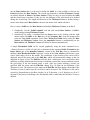
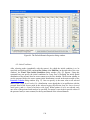
Figure 1. The HYDRUS Graphical User Interface (the main window)......................................20
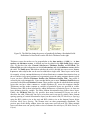
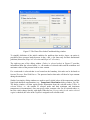
Figure 2. The project Manager with the Project Groups tab. ......................................................21
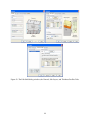
Figure 3. The Project Manager with the Projects tab. .................................................................22
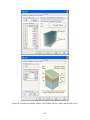
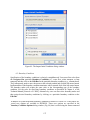
Figure 4. The Project Information dialog window. .....................................................................24
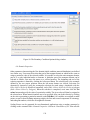
Figure 5. General description of the HYDRUS Project Groups. .................................................24
Figure 6. The Geometry Information dialog window (with 3D preview). ...................................26
Figure 7. The Geometry Information dialog window (with 2D axisymmetrical preview). ..........27
Figure 8. Examples of rectangular (top) and general (bottom) two-dimensional geometries. .....28
Figure 9. Example of a hexahedral three-dimensional geometry. ...............................................28
Figure 10. The Rectangular Domain Definition dialog window. ..................................................29
Figure 11. The Hexahedral Domain Definition dialog window. ..................................................29
Figure 12. The Main Processes dialog window. ..........................................................................31
Figure 13. The Inverse Solution dialog window. .........................................................................32
Figure 14. The Data for Inverse Solution dialog window. ...........................................................33
Figure 15. The Time Information dialog window.............................................................................36
Figure 16. The Output Information dialog window. .........................................................................38
Figure 17. The Iteration Criteria dialog window...........................................................................40
Figure 18. The Soil Hydraulic Model dialog window...................................................................43
Figure 19. The Water Flow Parameters dialog window for direct (top) and inverse (bottom)
problems.......................................................................................................................45
Figure 20. The Rosetta Lite (Neural Network Predictions) dialog window. ................................49
Figure 21. The Edit Local Anisotropy dialog window for two-dimensional applications............50
Figure 22. The Tensors of the Anisotropy dialog window............................................................50
Figure 23. The Solute Transport dialog window...........................................................................51
Figure 24. The Solute Transport Parameters dialog window........................................................55
Figure 25. The Solute Reaction Parameters dialog window. ........................................................56
Figure 26. The Temperature Dependent Solute Transport and Reaction Parameters dialog
window.........................................................................................................................59
Figure 27. The Heat Transport Parameters dialog window...........................................................60
Figure 28. The Root Water Uptake Model dialog window...........................................................62
Figure 29. The Root Water Uptake Parameters dialog window for the stress response function of
Feddes et al. [1978] (left) and van Genuchten [1985] (right)......................................63
9
Figure 30. The Root Water Uptake Parameters dialog window for the solute stress response
function based on the threshold model (left) and S-shape model of van Genuchten
[1985] (right)................................................................................................................64
Figure 31. The Root Distribution Parameters dialog window.......................................................67
Figure 32. The Time Variable Boundary Conditions dialog window...........................................68
Figure 33. The Constructed Wetland Model Parameter I dialog window.....................................70
Figure 34. The Constructed Wetland Model Parameter II dialog window. ..................................71
Figure 35. A base surface showing several basic geometric objects.............................................75
Figure 36. The Edit Bar during the process of defining graphically a new point (left) and a new
line (right). ...................................................................................................................76
Figure 37. The Edit Point dialog window. ....................................................................................76
Figure 38. Different ways of adding Parametric Points on a curve...............................................78
Figure 39. The Edit Curve dialog window. ...................................................................................79
Figure 40. The Edit Bar during the process of defining graphically a radius for a new arc (left) or
a new circle (right). ......................................................................................................80
Figure 41. The New Line (Arc) dialog window. ...........................................................................81
Figure 42. The New Line (Circle) dialog window. .......................................................................82
Figure 43. Edit Bar during the process of defining graphically a spline. ......................................83
Figure 44. Snap to a point (left) and snap to a curve (right). ........................................................84
Figure 45. The Move - Copy dialog windows...............................................................................85
Figure 46. The Rotate (left) and Mirror (right) dialog windows. ..................................................85
Figure 47. The Insert Point on Curve dialog window......................................................................... 86
Figure 48. Edit Bar during the process of defining graphically a surface (left) and the General tab
of the Edit Surface dialog window (right). ..................................................................88
Figure 49. A solid showing the base surface.................................................................................88
Figure 50. Solid showing separate vertical columns.....................................................................89
Figure 51. A solid with its base surface in the XZ plane and thickness vectors in the Y direction.
......................................................................................................................................89
Figure 52. FE-Mesh for a solid with its base surface in the XZ plane and thickness vectors in the
Y direction....................................................................................................................90
Figure 53. The Integrated Tab of the Edit Surface dialog window. ..............................................92
Figure 54. An example of internal objects. ...................................................................................93
Figure 55. An example of an Upper Surface definition using Internal Curves and Thickness
Vectors. ........................................................................................................................94
Figure 56. The New Opening dialog window. ..............................................................................95
10
Figure 57. The Edit Bar during the process of graphically defining a Solid by extruding a Base
Surface. Selection of a Surface (left) and definition of a Thickness Vector (right). ...96
Figure 58. The Edit Bar during the process of graphically defining a Hexahedral Solid.
Definition of a Base Surface on the left and a Thickness on the right.........................98
Figure 59. The 3D-Layered Solid dialog window; the General, Sub-Layers, and Thickness
Profiles Tabs. ...............................................................................................................99
Figure 60. The 3D-Layered Solid dialog window; the FE-Mesh Tab for single and multiple
layers. .........................................................................................................................100
Figure 61. Edit Bar during the process of graphically defining a Thickness Vector. .................104
Figure 62. The Thickness dialog window. ..................................................................................104
Figure 63. A solid with several thickness vectors. ......................................................................105
Figure 64. FE-Mesh for the solid in Figure 63. ...........................................................................105
Figure 65. Missing internal curves in the base surface. ..............................................................106
Figure 66. Consequence of missing an internal curve in the base surface on the FE-Mesh of the
top surface. .................................................................................................................106
Figure 67. Edit Bar during the process of graphically defining a Dimension. Selection of two
definition points, the distance of which is to be labeled (left) and the dimension type
(right). ........................................................................................................................107
Figure 68. The Edit Comment dialog window. ...........................................................................108
Figure 69. The Edit Bar during the process of graphically defining a Comment. Selection of the
Comment Position, Comment Text, Font and Color (left) and Offset (right). ..........109
Figure 70. The Cross-Section dialog window. ............................................................................110
Figure 71. The Mesh-Line dialog window. .................................................................................111
Figure 72. The Fluxes across Mesh-Line dialog window. ..........................................................112
Figure 73. The Finite Element Mesh Generator dialog window. One version of the dialog for the
structured FE mesh is shown at the top and one for the unstructured mesh at the
bottom of the window. ...............................................................................................116
Figure 74. The Rectangular Domain Discretization dialog window...........................................117
Figure 75. The Hexahedral Domain Discretization dialog window............................................118
Figure 76. The FE-Mesh Parameters dialog window (Tab Main). .............................................119
Figure 77. The FE-Mesh Parameters dialog window (Tab Stretching). .....................................120
Figure 78. The FE-Mesh Parameters dialog window (Tab Options 1). ......................................121
Figure 79. The FE-Mesh Parameters dialog window (Tab Options 2). ......................................123
Figure 80. The FE-Mesh Parameters dialog window (Mesh Section Tab for two- (top) and threedimensional (bottom) applications). ..........................................................................124
Figure 81. The New FE-Mesh Refinement dialog window. .......................................................125
11
Figure 82. Example of FE-Mesh Refinements (top) and FE-Mesh (bottom). ..............................98
Figure 83. Example of mesh stretching using a stretching factor of 3 in the y-direction. .............129
Figure 84. The FE-Mesh Information dialog window for a two-dimensional problem (top) and a
three-dimensional problem (bottom). ........................................................................130
Figure 85. The FE-Mesh Sections dialog window. .....................................................................132
Figure 86. The Default Domain Properties dialog window. .......................................................134
Figure 87. The Water Flow Initial Condition dialog window.....................................................135
Figure 88. The Temperature distribution dialog window............................................................136
Figure 89. The Import Initial Condition dialog window. ............................................................137
Figure 90. The Boundary Condition Options dialog window. ....................................................139
Figure 91. The Stochastic Distribution of Scaling Factors dialog window. ................................140
Figure 92. The Stochastic Parameters dialog window. ...............................................................141
Figure 93. The Display Options dialog window. ........................................................................143
Figure 94. The Edit Isoband Value and Color Spectra dialog window. ......................................144
Figure 95. The use of intermediate isolines. ...............................................................................145
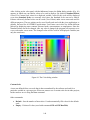
Figure 96. The Color dialog window. .........................................................................................146
Figure 97. Adjusting scale in the Edit Isoband Value and Color Spectra dialog window. .........147
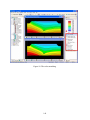
Figure 98. The use of the Custom Scale. .....................................................................................148
Figure 99. The color smoothing. .................................................................................................149
Figure 100. The Convert to ASCII dialog window. ...................................................................153
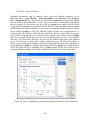
Figure 101. x-y graph dialog window displaying pressure heads in observation nodes.............150
Figure 102. The Grid and Work Plane dialog window. .............................................................155
Figure 103. The View Stretching Factors dialog window..........................................................156
Figure 104. The Rendering part of the View Tab of the Navigator Bar. ...................................157
Figure 105. The Pop-up Menu from the View window. ............................................................159
Figure 106. Selected Navigator Bars (Data Tabs on the left and in the middle, the View Tab
on the right). ............................................................................................................161
Figure 107. Selected Edit Bars (from left to right) for Material Distribution in Domain
Properties, Water Flow Boundary Conditions, Pressure Head Initial Conditions, and
Water Content Results. ...........................................................................................162
Figure 108. The Color Scale Display Options menu..................................................................166
Figure 109. Selected Edit Bars (for Domain Geometry and FE-Mesh). ....................................166
Figure 110. The Toolbars dialog window. .................................................................................167
Figure 111. The Customize Toolbars dialog window. ...............................................................167
12
Figure 112. The HYDRUS Menus I (File, Edit, and View).......................................................171
Figure 113. The HYDRUS Menus II (Insert, Calculations, and Results). .................................172
Figure 114. The HYDRUS Menus II (Tools, Options, Windows, and Help). ...........................172
Figure 115. The Program Options dialog window (the Graphics Tab)......................................191
Figure 116. The Program Options dialog window (the Program Options Tab). ........................192
Figure 117. The Program Options dialog window (the Files and Directories Tab). ..................193
Figure 118. The HYDRUS License and Activation dialog window. .........................................195
Figure 119. The General, Picture, and Legend tabs of the Print Options dialog window..........197
Figure 120. The Coordinate Systems dialog windows...............................................................198
Figure 121. The Create Video File dialog window. ...................................................................200
13
14
List of Tables
Table 1.
Commands in the Project Manager..............................................................................23
Table 2.
Data types for the objective function (Inverse Problem). ............................................34
Table 3.
Definition of the column X in Fig. 14 based on Data Type (Inverse Problem). ............34
Table 4.
Definition of the column Y in Fig. 14 based on Data Type (Inverse Problem)..............35
Table 5.
Time Information variables. .........................................................................................37
Table 6.
Time Step Control variables. ........................................................................................42
Table 7.
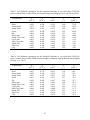
Soil hydraulic parameters for the analytical functions of van Genuchten [1980] for
twelve textural classes of the USDA soil textural triangle according to Carsel and
Parish [1988]. ..............................................................................................................47
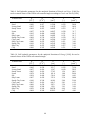
Table 8.
Soil hydraulic parameters for the analytical functions of van Genuchten [1980] for
twelve textural classes of the USDA textural triangle as obtained with the Rosetta
Lite program [Schaap et al., 2001]. .............................................................................47
Table 9.
Soil hydraulic parameters for the analytical functions of Brooks and Corey [1964] for
twelve textural classes of the USDA soil textural triangle according to Carsel and
Parish [1988]. ..............................................................................................................48
Table 10. Soil hydraulic parameters for the analytical functions of Kosugi [1996] for twelve
textural classes of the USDA soil textural triangle......................................................48
Table 11. Definition of terms related to geometry design.............................................................73
Table 12. Definition of terms related to boundary discretization. ...............................................127
Table 13. Graph options in the HYDRUS interface. .................................................................151
Table 14. HYDRUS menu commands.......................................................................................173
Table 15. Brief description of HYDRUS menu commands.......................................................180
15
16
Abstract
Šimůnek, J., Šejna, M., and M. Th. van Genuchten, The HYDRUS Software Package for
Simulating Two- and Three-Dimensional Movement of Water, Heat, and Multiple Solutes in
Variably-Saturated Media, User Manual, Version 1.0, PC Progress, Prague, Czech Republic, 2007.
This report documents version 1.0 of the Graphical User Interface of HYDRUS, a software
package for simulating water, heat, and solute movement in two- and three- dimensional variably
saturated media. The software package consists of the computational computer program, and the
interactive graphics-based user interface. The HYDRUS program numerically solves the Richards
equation for variably saturated water flow and advection-dispersion equations for both heat and
solute transport. The flow equation incorporates a sink term to account for water uptake by plant
roots. The heat transport equation considers transport due to conduction and convection with
flowing water. The solute transport equations consider advective-dispersive transport in the liquid
phase, as well as diffusion in the gaseous phase. The transport equations also include provisions for
nonlinear nonequilibrium reactions between the solid and liquid phases, linear equilibrium reactions
between the liquid and gaseous phases, zero-order production, and two first-order degradation
reactions. In addition, physical nonequilibrium solute transport can be accounted for by assuming a
two-region, dual-porosity type formulation which partitions the liquid phase into mobile and
immobile regions. Attachment/detachment theory, including filtration theory, is additionally
included to enable simulations of the transport of viruses, colloids, and/or bacteria.
HYDRUS may be used to analyze water and solute movement in unsaturated, partially saturated, or
fully saturated porous media. The program can handle flow regions delineated by irregular
boundaries. The flow region itself may be composed of nonuniform soils having an arbitrary degree
of local anisotropy. Flow and transport can occur in the two-dimensional vertical or horizontal plane,
a three-dimensional region exhibiting radial symmetry about the vertical axis, or a fully threedimensional domain. The two-dimensional part of this program also includes a MarquardtLevenberg type parameter optimization algorithm for inverse estimation of soil hydraulic and/or
solute transport and reaction parameters from measured transient or steady-state data for two
dimensional problems. Details of the various processes and features included in HYDRUS are
provided in the Technical Manual [Šimůnek et al., 2006].
The main program unit of the HYDRUS Graphical User Interface (GUI) defines the overall
computational environment of the system. This main module controls execution of the program and
determines which other optional modules are necessary for a particular application. The module
contains a project manager and both the pre-processing and post-processing units. The preprocessing unit includes specification of all necessary parameters to successfully run the HYDRUS
FORTRAN codes, grid generators for relatively simple rectangular and hexahedral transport
domains, a grid generator for unstructured finite element meshes for complex two-dimensional
domains, a small catalog of soil hydraulic properties, and a Rosetta Lite program for generating soil
hydraulic properties from soil textural data. The post-processing unit consists of simple x-y graphics
for graphical presentation of soil hydraulic properties, as well as such output as distributions versus
time of a particular variable at selected observation points, and actual or cumulative water and
solute fluxes across boundaries of a particular type. The post-processing unit also includes options
17
to present results of a particular simulation by means of contour maps, isolines, spectral maps, and
velocity vectors, and/or by animation using both contour and spectral maps.
This report serves as a User Manual and reference document of the Graphical User Interface of
the HYDRUS software package. Technical aspects such as governing equations and details about
the invoked numerical techniques are documented in a separate Technical Manual.
18
Introduction to the HYDRUS Graphical User Interface
The past several decades or so has seen an explosion of increasingly sophisticated numerical models
for simulating water flow and contaminant transport in the subsurface, including models dealing
with one- and multi-dimensional flow and transport processes in the unsaturated or vadose zone
between the soil surface and the ground water table. Even with an abundance of well-documented
models now available, one major problem often preventing their optimal use is the extensive work
required for data preparation, numerical grid design, and graphical presentation of the output results.
Hence, the more widespread use of multi-dimensional models requires ways which make it easier to
create, manipulate and display large data files, and which facilitate interactive data management.
Introducing such techniques will free users from cumbersome manual data processing, and should
enhance the efficiency in which programs are being implemented for a particular example. To avoid
or simplify the preparation and management of relatively complex input data files for two- and
three-dimensional applications, and to graphically display the final simulation results, we developed
an interactive graphics-based user-friendly interface HYDRUS for the MS Windows 95, 98, NT,
ME, and XP environments. The interface is connected directly to the computational codes. The
current version 1.0 of the HYDRUS graphical user interface represents a complete rewrite of the
version 2.0 of HYDRUS-2D, and expands its capabilities to three-dimensional problems.
In addition to information given in this user manual, extensive context-sensitive on-line help is
made part of the graphical user interface (GUI). By holding the F1 button or clicking on the Help
button while working in any window, the user obtains information about the window content. In
addition, context-sensitive help is available in every module using the "SHIFT+F1" help button. In
this mode, the mouse cursor changes to a help cursor (a combination arrow + question mark), which
a user can use to select a particular object for which help is needed (e.g., a menu item, toolbar button,
or other features). At that point, a help file will be displayed giving information about the item on
which the user clicked. Except for the computational modules that are written in FORTRAN, the
entire GUI is written in C++.
The HYDRUS Graphical User Interface (Fig. 1) is the main program unit defining the overall
computational environment of the system. This main module controls execution of the program and
determines which other optional modules are necessary for a particular application. The module
contains a project manager and both the pre-processing and post-processing units. The preprocessing unit includes specification of all necessary parameters to successfully run the HYDRUS
FORTRAN codes (modules H2D_CALC, H2D_CLCI, H2D_WETL and/or H3D_CALC), grid
generators for relatively simple rectangular and hexahedral transport domains, a grid generator for
unstructured finite element meshes appropriate for more complex two-dimensional domains, a small
catalog of soil hydraulic properties, and a Rosetta Lite program for generating soil hydraulic
properties from textural information. The post-processing unit consists of simple x-y graphs for
graphical presentation of the soil hydraulic properties, distributions versus time of a particular
variable at selected observation points, as well as actual or cumulative water and solute fluxes
across boundaries of a particular type. The post-processing unit also includes options to present
results of a simulation by means of contour maps, isolines, spectral maps, and velocity vectors,
and/or by animation using both contour and spectral maps.
19
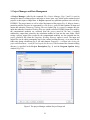
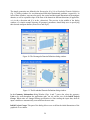
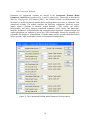
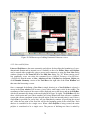
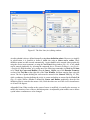
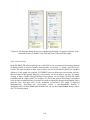
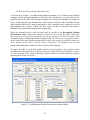
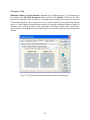
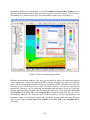
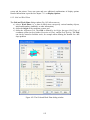
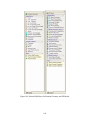
Figure 1. The HYDRUS Graphical User Interface (the main window).
Figure 1 shows the main window of the HYDRUS graphical user interface, including its main
components such as the Menu, Toolbars, the View Window, the Navigator Bar, Tabs, and the
Edit Bar. These terms will be used throughout this user manual. The text below provides a
detailed description of all major components of the graphical user interface. At the end of this
user manual a list is given of all commands accessible through the menu (Table 14), as well as a
brief discussion of the action taken with particular commands (Table 15). More detailed
descriptions are available through the on-line help.
Work for a new project should begin by opening the Project Manager (see Chapter 1), and giving a
name and brief description to the new project. Next the Geometry Information dialog Window (Figs.
6 and 7) appears (this window can be also selected from the Pre-processing Menu). From this point
on the program will navigate users through the entire process of entering input files. Users may
either select particular commands from a menu, or allow the interface to lead them through the
process of entering input data by selecting the Next button. Alternatively, clicking the Previous
button will return users to the previous window. Pre- and post processing commands and processes
are also sequentially listed on the Data Tab of the Navigator Bar. Green arrows on the Edit Bar
always direct users to subsequent or previous input processes for a particular command. Many
commands and processes can be alternatively accessed using either the Toolbars and Menus, or the
Navigator and Edit Bars.
20
1. Project Manager and Data Management
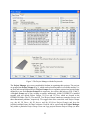
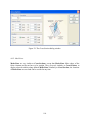
A Project Manager (called by the command File->Project Manager, Figs. 2 and 3) is used to
manage the data of existing projects, and helps to locate, open, copy, delete and/or rename desired
projects or their input or output data. A Project represents any particular problem to be solved by
HYDRUS. The project name, as well as a brief description of the project (Fig. 4), helps to locate a
particular problem. Projects are represented by a file project_name.h3d that contains all input and
output data when the Temporary Working Directory option (Fig. 4) is used. It contains only the
input data when the Permanent Working Directory option is selected. HYDRUS input files (used by
the computational modules) are extracted from the project_name.h3d file into a working
subdirectory; output data created by the calculation module are sent into the same folder. When
saving a project, output files (created by the computational modules) are also included into the
project_name.h3d file (when the Temporary Working Directory option is used). The input and
output files can be either permanently kept in the external working directory, or are stored in this
folder only during calculations (Fig. 4, the radio buttons Temporary – is deleted after closing the
project and Permanent – result files are kept in this directory). The location of the external working
directory is specified in the Project Description (Fig. 4) and the Program Options dialog
window (Fig. 116).
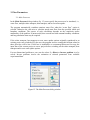
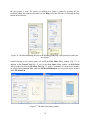
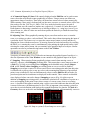
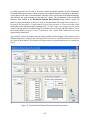
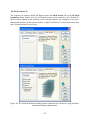
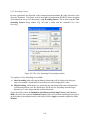
Figure 2. The project Manager with the Project Groups tab.
21
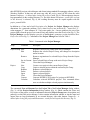
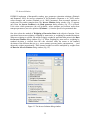
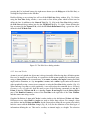
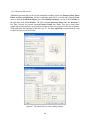
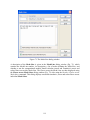
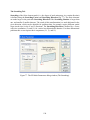
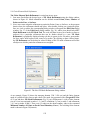
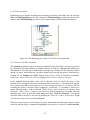
Figure 3. The Project Manager with the Projects tab.
The Project Manager gives users considerable freedom in organizing their projects. The projects
are grouped into Project Groups (Fig. 2), which can be placed anywhere in accessible memory (i.e.,
on local and/or network hard drives). Project Groups serve to organize projects into logical groups
defined by a user. Each Project Group has its own name, description, and pathway (Figs. 2 and 5).
A Project Group can be any existing accessible subdirectory (folder). HYDRUS is installed
together with two default Project Groups, 2D_Tests and 3D_Tests, which are located in the
HYDRUS3D folder. The 2D_Tests and 3D_Tests Project Groups contain test examples for two- and
three-dimensional problems, respectively. We suggest that users create their own Project Groups
(e.g., the My_2D_Direct, My_2D_Inverse, and My_3D_Direct Project Groups), and keep the
provided examples intact for future reference. Projects can be copied with the Project Manager
only within a particular Project Group. Users can copy projects between Project Groups (or share
22
their HYDRUS projects with colleagues and clients) using standard file managing software, such as
Windows Explorer. In that case one must copy only the project_name.h3d file (when the radio
buttons Temporary – is deleted after closing the project is used, Fig. 4). When temporary data are
kept permanently in the working directory (i.e., the radio button Permanent –results files are kept
in this directory is selected, Fig. 4), the working directory must be copied together with the
project_name.h3d file.
In addition to a Name and a brief Description of a Project, the Project Manager also displays
dimensions for a particular problem (Type), what Processes are involved (W – water flow, S –
solute transport, T – heat transport, R – root water uptake, Inv – Inverse problem), the size of the
project (MB), when the project was created (Date) and whether or not the Results exist (Fig. 3). The
Project Manager can also display a preview of the Project’s geometry (see the check box Show
Project Preview in Fig. 3). Commands of the Project Manager are listed in Table 1.
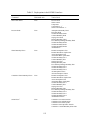
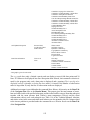
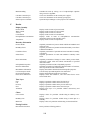
Table 1. Commands in the Project Manager.
Group
Command
Description
Project Group New
Edit
Registers a new Project Group in the Project Manager.
Renames the selected Project Group, and changes its description
and/or location.
Remove
Removes registration of a selected Project Group from the Project
Manager.
Set As Current Sets a selected Project Group as the active Project Group.
Close
Closes the Project Manager.
Project
New
Copy
Rename
Delete
Open
Close
Convert
Calculate
Creates a new project in the current Project Group.
Copies a selected project within the current Project Group.
Renames a selected project.
Deletes a selected project.
Opens a selected project.
Closes the Project Manager.
Converts HYDRUS-2D (version 2.x) projects to HYDRUS.
Calculates selected HYDRUS projects. This command allows
users to calculate multiple selected projects simultaneously.
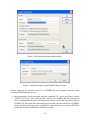
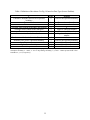
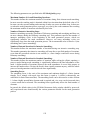
The commands New and Rename from the Project Tab of the Project Manager dialog window
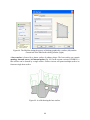
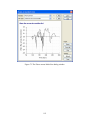
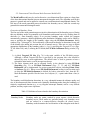
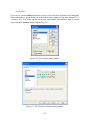
(Fig. 3) call the Project Information dialog window (Fig. 4), which contains the Name and
Description of the project, as well as information about the Project Group (name, description, and
pathway) to which the project belongs. It also contains information whether or not the input and
output data are kept permanently in an external directory (the radio buttons Temporary – is
deleted after closing the project and Permanent – result files are kept in this directory, Fig. 4).
23
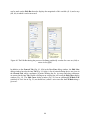
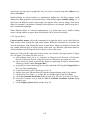
Figure 4. The Project Information dialog window.
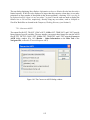
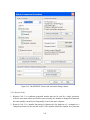
Figure 5. General description of the HYDRUS Project Group.
Projects created by the previous version 2.0 of HYDRUS-2D can be imported into the current
version of HYDRUS using two ways:
A. Individual projects can be converted using the command File->Import and Export->Import
HYDRUS-2D Project. This is done by first creating a new Project, and then selecting the
above command and browsing for the location of a project created with a previous version of
HYDRUS-2D. The input data of the older project are then converted into the new HYDRUS
format. Results of the older project can then be viewed using the new version of HYDRUS,
while projects can be modified or recalculated as needed.
24
B. Multiple HYDRUS-2D projects can be converted simultaneously using the Convert
command of the Project Manager. One first creates a HYDRUS Project Group for a folder in
which the HYDRUS-2D projects are located and selects the Show HYDRUS-2D Projects
option at the Project Tab of the Project Manager. One then selects projects to be converted
and clicks the Convert command. HYDRUS in this way creates HYDRUS projects and stores
all input and output files in the project_name.h3d files.
Input data can be edited either using the HYDRUS graphical user interface (this modifies directly
the project_name.h3d file) or the input data can be modified manually. In such case, HYDRUS
input files need to be stored in the working external directory (sent there by the command File>Import and Export->Export Data for HYDRUS Solver), and then can be imported back into the
HYDRUS project_name.h3d file using the command File->Import and Export->Import Input Data
from *.In Files.
The Working Directory is a folder into which the program stores temporary data. Each open
project has its own Working Directory, where the program stores, for example, input files for
computational modules, and where computational modules write the output files. When saving a
project, data from the Working Directory are copied into the main project file project_name.h3d.
When the project is closed, the Working Directory is deleted. Only when a user selects the option
“Permanent – result files are kept in this directory” (Fig. 4) is the Working Directory not deleted
after closing the project, in which case the temporary data are not copied into the main project file.
25
2. Projects Geometry Information
HYDRUS can solve water flow, and solute and heat transport for two- and three-dimensional
transport domains. Geometry type is selected in the Geometry Information dialog Window (Fig.
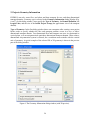
6 and 7). In this dialog window, users specify the Type of Geometry, the Domain Definition, the
Length Units, and the size of the Initial Project Group (the approximate size of the transport
domain).
Type of Geometry: In the first dialog window that a user encounters after creating a new project,
he/she needs to specify whether the flow and transport problem occurs in a two- or threedimensional transport domain. Two-dimensional flow and transport can occur in a horizontal or
vertical plane, or in an axisymmetrical quasi-three-dimensional transport domain. When a threedimensional axisymmetrical system is selected, the z-coordinate must coincide with the vertical
axis of symmetry. A typical example of the selected 2D or 3D geometry is shown in the preview
part of the dialog window.
Figure 6. The Geometry Information dialog window (with 3D preview).
26
Figure 7. The Geometry Information dialog window (with 2D axisymmetrical preview).
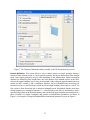
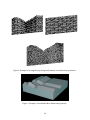
Domain Definition: This section allows a user to choose between a simple geometry having a
structured finite element mesh, or a more general geometry having an unstructured finite element
mesh. Only simple geometries may be used depending on the authorization. Simple rectangular
domains are defined by three straight lines, one at the bottom of the domain and two at the sides,
whereas the upper boundary may or may not be straight. Nodes along the upper boundary line may
in that case have variable x- and z-coordinates. However, the lower boundary line must always be
horizontal (or have a specified slope), while the left and right boundary lines must be vertical. The
flow region is then discretized into a structured triangular mesh. Hexahedral domains must have
similar properties as rectangular domains, i.e., vertical planes at the sides, a horizontal (or with a
specified slope) plane at the bottom boundary, and with only the upper boundary not needing to be a
plane. Examples of simple rectangular and general two-dimensional geometries are shown in
Figure 8. An example of a simple hexahedral three-dimensional geometry is given in Figure 9.
27
Figure 8. Examples of rectangular (top) and general (bottom) two-dimensional geometries.
Figure 9. Example of a hexahedral three-dimensional geometry.
28
The simple geometries are defined in the Rectangular (Fig. 10) or Hexahedral Domain Definition
(Fig. 11) dialog windows for two-dimensional and three-dimensional problems, respectively. In
each of these windows, users need to specify the vertical and horizontal dimensions of the transport
domain, as well as a possible slope of the base of the domain in different directions (if applicable;
α is in the x-direction and β is in the y-direction). The preview in the middle of the dialog
window of a simple example showing all geometry parameters should help users in specifying
their desired transport domain (Dimensions and Slope).
Figure 10. The Rectangular Domain Definition dialog window.
Figure 11. The Hexahedral Domain Definition dialog window.
In the Geometry Information dialog Window (Figs. 6 and 7) users also select the geometry
Units to be used throughout the application (mm, cm, m) and the size of the Initial Project
Group. When units are changed during specification or after reading the input data, then all
input variables are automatically converted into the new units.
Initial Project Group: This part of the dialog allows users to define the initial dimensions of the
graphical view window.
29
There are three types of three-dimensional transport domains (Solids, see also Section 4.4)
depending upon the selection made in the Geometry Information dialog window (Fig. 6 and 7):
•
3D-Layered – Hexahedral: This type of solid has a Hexahedral Shape and is defined
by its basic dimensions. The base can have a certain slope in the X and Y dimensions
(Fig. 9).
•
3D-Layered – General: This type of solid is defined by the Base Surface (see Section
4.2) and one or more Thickness Vectors (see Section 4.5).
•
3D-General: This type of solid is defined using a set of surfaces that form its boundaries.
This selection is not possible in the current version of HYDRUS.
30
3. Flow Parameters
3.1. Main Processes
In the Main Processes dialog window (Fig. 12), users specify the processes to be simulated, i.e.,
water flow, multiple solute transport, heat transport, and/or root water uptake.
The program automatically considers transient water flow when the “water flow” option is
selected. Otherwise the code tries to calculate steady-state flow from the specified initial and
boundary conditions. The success of such calculations depends on the complexity and/or
nonlinearity of the problem. If unsuccessful, then a model run with constant boundary conditions
and long simulation time may be required.
If the solute transport, heat transport or root water uptake options originally considered in an
existing project are switched off by the user, the program issues a warning that all data related to
these processes will be lost. If this loss is undesirable we recommend that users first copy the
input data of the current project to a new project before switching off the solute transport, heat
transport and/or root water uptake options.
For two-dimensional problems a user can also select if a Direct or Inverse problem is to be
solved. Inverse problems involve the estimation of selected parameters from available
experimental data.
Figure 12. The Main Processes dialog window.
31
3.2. Inverse Solution
HYDRUS implement a Marquardt-Levenberg type parameter estimation technique (Šimůnek
and Hopmans, 2002) for inverse estimation of soil hydraulic (Hopmans et al., 2002) and/or
solute transport and reaction (Šimůnek et al., 2002) parameters from measured transient or
steady-state flow and/or transport data. The Inverse Solution dialog window (Fig. 13) appears
only when the Inverse Problem in the Main processes dialog window (Fig. 12) is selected.
Users select which parameters (the soil hydraulic, solute transport and reaction, and/or heat
transport parameters) are to be optimized (Estimate …) from the specified experimental data.
One also selects the method of Weighting of Inversion Data in the objective function. Users
can choose between no weighting, weighting by mean ratios, or weighting by standard deviations.
When no weighting is selected, one needs to supply weights for particular data points in the Data
for Inverse Solution dialog window (Fig. 14). When weighting by mean ratio or weighting by
standard deviation is selected, then the code calculates either the means or the standard
deviations of the different data sets (e.g., water contents, pressure heads, concentrations, …) and
adjusts the weights proportionally. These internal weights can still be multiplied by weights from
the Data for Inverse Solution dialog window (Fig. 14).
Figure 13. The Inverse Solution dialog window.
32
The objective function for the inverse estimation of solute transport parameter can be defined
using different types of concentrations. Available Concentration Types are: a) the resident
concentration in the liquid phase, b) a log-transformation of the resident concentration in the
liquid phase, c) the outflow (flux) concentration, d) the solute concentration flux, e) the
cumulative concentration (solute) flux, and f) the total resident concentration. The total resident
concentration includes concentrations in the sorbed and nonequilibrium phases.
The maximum number of iterations for the inverse solution is also specified in this dialog
window. If one selects zero number of iterations then only the direct simulation is carried out.
However, users can still enter measured data, in which case the code compares results of the
direct simulation with the measured data.
Figure 14. The Data for Inverse Solution dialog window.
In the table Data for Inverse Solution (Fig. 14) one specifies the measured data that will be
analyzed during the parameter optimization process. Many different types of data can be used to
define the objective function that will be minimized for this purpose. How the values in the X
and Y columns are interpreted depends on the Type and Position values. Weight is the weight
associated with a particular data point. The following information can be included into the
objective function:
33
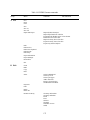
Table 2. Data Types for the objective function (Inverse Problem).
Type
0
1
2
3
4
5
6
7
8
9
10
11
Data Point
Cumulative boundary fluxes across a specified boundary
Pressure head measurements at selected observation point(s)
Water content measurements at selected observation point(s)
Boundary flux across a specified boundary
Concentration or temperature measurements at observation point(s)
h(θ) measurements; soil water retention data
K(h) measurements; hydraulic conductivity data point
Prior knowledge of parameter α
Prior knowledge of parameter n
Prior knowledge of parameter θr
Prior knowledge of parameter θs
Prior knowledge of parameter Ks
Depending upon the value of parameter Type, the first column (X) contains the following
information:
Table 3. Definition of the column X in Fig. 14 based on Data Type (Inverse Problem).
X
Time
Pressure head
Dummy variable
Type
0, 1, 2, 3, 4
5, 6
7, 8, 9, 10, 11
Depending upon the value of parameter Type, the second (Y) and fourth (Position) columns
contain the following information:
34
Table 4. Definition of the column Y in Fig. 14 based on Data Type (Inverse Problem).
Y
Cumulative boundary flux across a specified
boundary
Pressure head
Water content
Averaged water content of the entire flow domain
Averaged water content of the subregion
Concentrations/temperatures
Concentrations for the second solute
Type
0
Position
Code for the specified boundary*
1
2
2
2
4
4
Total amount of solute in the entire flow domain
Boundary flux across a specified boundary
Water content
Hydraulic conductivity
Particular parameter
4
3
5
6
7-11
Observation node number
Observation node number
0
Negative subregion number
Observation node number
Negative observation node
number
0
Code for the specified boundary*
Material number
Material number
Material number
*
1 – constant pressure head or flux boundary; 2 – seepage face; 3 – variable pressure head or flux boundary 1; 4 –
atmospheric boundary; 5 – drains; 6 – free or deep drainage boundary; 7, 8, and 9 – variable pressure head or flux
boundaries 2, 3, or 4, respectively.
35
3.3. Time Information
The Time Information dialog window (Fig. 15) contains information associated with the Time
Discretization, the Time Units, and the implementation of Boundary Conditions.
Figure 15. The Time Information dialog window.
36
Table 5. Time Information variables.
Time Units
Time units [T] to be used throughout the application (days, hours,
min, sec). When units are changed during or after data entry, then
all input variables are converted automatically into the new units.
Initial Time
Starting time [T] of the calculation.
Final Time
Final time [T] of the calculation.
Initial Time Step
Initial time increment, dt [T]. The initial time step should be a
function of the type of problem being solved. Problems with high
pressure gradients (e.g., infiltration into an initially dry soil) and
for soils with highly nonlinear soil hydraulic properties require
relatively small initial time steps. The initial time step is used at the
beginning of the simulation or whenever boundary conditions are
substantially changed (e.g., the water flux changes by 25% or
more).
Minimum Time Step
Minimum permitted value of the time increment, dtmin [T]. The
minimum time step must be smaller than a) the initial time step,
b) interval between print times, and c) interval between timevariable boundary condition records.
Maximum Time Step
Maximum permitted value of the time increment, dtmax [T]. The
maximum time step can be a relatively large number (the optimal
time step is selected by the program), unless small time steps are
required, for example, to simulate temperatures during one day.
Boundary Conditions
Time-Variable Boundary Condition - The number of time-dependent boundary records and
time-dependent boundary conditions must be specified when this box is checked. The boundary
conditions otherwise are assumed to be constant in time.
37
3.4. Output Information
The Output Information dialog window (Fig. 16) contains information governing output from
the computational module of HYDRUS.
Figure 16. The Output Information dialog window.
In the Print Options part of the dialog window, one decides whether certain information
concerning mean pressure heads and concentrations, mean water and solute fluxes, cumulative
water and solute fluxes, and time and iteration information is printed at each time step (T-Level
Information), after n time steps (Every n time steps), at a certain defined time interval (Interval
Output), or if the information is sent to the screen during the calculations (Screen Output). When
the simulation ends users are by default asked to hit the Enter key of the keyboard to return to the
GUI from the computational window. This action can be disabled by unchecking the Hit Enter
at the End check box.
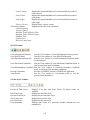
T-Level Information This check box decides whether certain information concerning mean
pressure heads and concentrations, mean water and solute fluxes,
cumulative water and solute fluxes, and time and iteration information, are
to be printed at each time step, after n time steps, or only at preselected
times (Print Times) or Time Intervals.
Interval Output
Users can specify whether or not information concerning mean pressure
heads and concentrations, mean water and solute fluxes, cumulative water
and solute fluxes, and time and iteration information is to be printed at a
regular Time Interval.
38
Screen Output
Check box to decide whether or not information about the simulation run
is to be printed to the screen during execution of the HYDRUS
computational code. We recommend to check this box for direct problems,
but not for inverse problems.
In the Print Times part of the dialog window one specifies the number of Print Times (Count)
at which detailed information about the pressure heads, water contents, concentrations,
temperatures, fluxes, and the soil water and solute balances will be printed. Clicking on the
Default command button will cause the print times to be distributed evenly between the initial and
final time.
Finally, in the Subregions part one selects the number of regions for which a mass balance will
be evaluated and printed to the Balance.out output file.
39
3.5. Iteration Criteria
The Iteration Criteria dialog window (Fig. 17) contains information related to the iterative
process that is used to solve the Richards equation. Because of the nonlinear nature of the
Richards equation, an iterative process must be used to obtain solutions of the global matrix
equation at each new time step. For each iteration a system of linearized algebraic equations is first
derived and then solved using either Gaussian elimination or the conjugate gradient method. After
solving the matrix equation, the coefficients are re-evaluated using this solution, and the new
equations are again solved. The iterative process continues until a satisfactory degree of
convergence is obtained, i.e., until for all nodes in the saturated (unsaturated) region the absolute
change in pressure head (water content) between two successive iterations becomes less than some
small value determined by the imposed absolute Pressure Head (or Water Content) Tolerance.
The first estimate (at zero iteration) of the unknown pressure heads at each time step is obtained by
extrapolation from the pressure head values at the previous two time levels.
Figure 17. The Iteration Criteria dialog window.
In the Iteration Criteria part of the dialog window, one specifies the maximum number of
iterations during one time step, and the water content and pressure head precision tolerances.
40
Max. Number of Iterations Maximum number of iterations allowed during any time step while
solving the nonlinear Richards equation using a modified Picard
method. The recommended and default value is 10.
Water Content Tolerance
Absolute water content tolerance for nodes in the unsaturated part of
the flow region [-]. When the water contents between two
successive iterations during a particular time step change less than
this parameter, the iterative process stops and the numerical solution
proceeds to the new time step. Its recommended and default value is
0.001.
Pressure Head Tolerance
Absolute pressure head tolerance for nodes in the saturated part of
the flow region [L]. When the pressure heads between two
successive iterations during a particular time step change less than
this parameter, the iterative process stops and the numerical solution
proceeds to the new time step. Its recommended and default value is
1 cm.
Information specified in the Time Step Control part of the dialog window is related to the
automatic adjustment of the time step during calculations. Four different time discretizations are
introduced in HYDRUS: (1) time discretizations associated with the numerical solution, (2) time
discretizations associated with implementation of boundary conditions, (3) time discretizations
associated with data points used in the inverse problem, and (4) time discretizations which provide
printed output of the simulation results (e.g., nodal values of dependent variables, water and solute
mass balance components, and other information about the flow regime).
Discretizations 2, 3, and 4 are mutually independent; they generally involve variable time steps as
described in the input data file (Time-Variable Boundary Conditions, Fig. 32 and Output
Information, Fig. 16). Discretization 1 starts with a prescribed initial time increment, Δt. This time
increment is automatically adjusted at each time level according to the following rules:
a. Discretization 1 must coincide with time values resulting from discretizations 2, 3, and 4.
b. Time increments cannot become less than a preselected minimum time step, Δtmin, nor
exceed a maximum time step, Δtmax (i.e., Δtmin ≤ Δt ≤ Δtmax).
c. If, during a particular time step, the number of iterations necessary to reach convergence
is ≤3, the time increment for the next time step is increased by multiplying Δt with a
predetermined constant >1 (usually between 1.1 and 1.5). If the number of iterations is
≥7, Δt for the next time level is multiplied by a constant <1 (usually between 0.3 and
0.9).
d. If, during a particular time step, the number of iterations at any time level becomes
greater than a prescribed maximum (usually between 10 and 50), the iterative process
for that time level is terminated. The time step is subsequently reset to Δt/3, and the
iterative process restarted.
We note that the selection of optimal time steps, Δt, during execution is also influenced by the
adopted solution scheme for solute transport.
41
Table 6. Time Step Control variables.
Lower Optimal Iteration
Range
Upper Optimal Iteration
Range
Lower Time Step
Multiplication Factor
Upper Time Step
Multiplication Factor
When the number of iterations necessary to reach
convergence for water flow is less than this number,
the time step is multiplied by the lower time step
multiplication factor (the time step is increased).
Recommended and default value is 3.
When the number of iterations necessary to reach
convergence for water flow is higher than this number,
the time step is multiplied by the upper time step
multiplication factor (the time step is decreased).
Recommended and default value is 7.
If the number of iterations necessary to reach
convergence for water flow is less than the lower
optimal iteration range, the time step is multiplied by
this number (time step is increased). Recommended
and default value is 1.3.
If the number of iterations necessary to reach
convergence for water flow is higher than the upper
optimal iteration range, the time step is multiplied by
this number (time step is decreased). Recommended
and default value is 0.7.
Internal Interpolation Tables. At the beginning of a numerical simulation, HYDRUS generates
for each soil type in the flow domain a table of water contents, hydraulic conductivities, and
specific water capacities from the specified set of hydraulic parameters. Values of the hydraulic
properties are then computed during the iterative solution process using linear interpolation
between entries in the table. If the pressure head h at some node falls outside the prescribed
interval (ha, hb), the hydraulic characteristics at that node are evaluated directly from the
hydraulic functions (i.e., without interpolation). The above interpolation technique was found to
be much faster computationally than direct evaluation of the hydraulic functions over the entire
range of pressure heads. Interpolation using tables can be avoided by setting ha and hb both to
zero. Then the soil hydraulic properties are always evaluated directly from the hydraulic
functions (i.e., without interpolation). Output graphs of the soil hydraulic properties will be given
also for the interval (ha, hb).
Lower limit of the
tension interval
Upper limit of the
tension interval
Absolute value of the lower limit [L] of the pressure head
interval for which a table of hydraulic properties will be
generated internally for each material.
Upper value of the lower limit [L] of the pressure head interval
for which a table of hydraulic properties will be generated
internally for each material.
Finally, in the Initial Conditions part of the dialog window, a user specifies whether the initial
conditions for the water flow calculations are to be specified in terms of the pressure head or
water content.
42
3.6. Soil Hydraulic Model
In the Soil Hydraulic Model dialog window (Fig. 18) users select the Hydraulic Model to be
used to describe the soil hydraulic properties, and specify whether or not Hysteresis is to be
considered during the calculations.
Figure 18. The Soil Hydraulic Model dialog window.
Hydraulic Model: The code allows users to select six types of models for the soil hydraulic
properties: a) the van Genuchten-Mualem model [van Genuchten, 1980], b) the van GenuchtenMualem model with an air-entry value of -2 cm, c) the modified van Genuchten type equations
[Vogel and Cislerova, 1988], d) the equations of Brooks and Corey [1964], e) the lognormal
distribution model of Kosugi [1996], and f) a dual-porosity model [Durner, 1994]. Additionally,
user can select two dual-porosity nonequilibrium flow models with mass transfer between the
mobile and immobile zones assumed to be proportional to either g) the water content or h) the
pressure head. For a detailed description of these models, see the technical manual of HYDRUS.
Two other approaches (a dual-permeability model and look-up tables) are not available in the
current version of HYDRUS.
43
Hysteresis: When the van Genuchten model is used, either a) a non-hysteretic description (No
Hysteresis), b) a hysteretic description only in the retention curve (Hysteresis in Retention
Curve), or c) hysteretic descriptions in both the retention curve and the hydraulic conductivity
curve (Hysteresis in Retention Curve and Conductivity) can be used. When hysteresis in the soil
hydraulic properties is assumed, users must specify whether the initial condition is associated
with the main wetting (Initially Wetting Curve) or main drying (Initially Drying Curve)
retention curve. The HYDRUS code incorporates hysteresis by using the empirical model
introduced by Scott et al. [1983]. This model was also employed by Kool and Parker [1987],
who modified the formulation to account for air entrapment. While relatively simple to
implement, the above model has been found to suffer sometimes from a so-called pumping effect,
in which the hysteresis loops can move to physically unrealistic parts of the retention function.
As an alternative, we also incorporated in HYDRUS the hysteresis model of Lenhard et al.
[1991] and Lenhard and Parker [1992] that eliminates pumping by keeping track of historical
reversal points (Hysteresis in Retention Curve, no pumping, Bob Lenhard).
44
3.7. Water Flow Parameters
Parameters for the soil hydraulic models are specified in the Water Flow Parameters dialog
window (Fig. 19).
In all models (i.e., Brooks and Corey, 1964; van Genuchten, 1980; Vogel and Cislerova, 1988;
Kosugi, 1996, and Durner, 1994), θr (Qr) and θs (Qs) denote the residual and saturated water
contents, respectively; Ks (Ks) [LT-1] is the saturated hydraulic conductivity, and l is a poreconnectivity parameter. The parameters α (Alpha) [L-1] and n [-] are empirical coefficients
affecting the shape of the hydraulic functions.
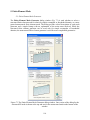
The modified van Genuchten model has four additional parameters: θa (Qa) – a water content
smaller or equal to θr, θm (Qm) – a water content larger or equal to θs, Kk (Kk) [LT-1] – the
unsaturated hydraulic conductivity at water content θk, and θk (Qk) – the water content associated
with Kk.
Figure 19. The Water Flow Parameters dialog window for direct (top) and inverse (bottom)
problems.
45
Durner’s [1994] model has three additional parameters: w2 (w2), α2 (Alpha2) [L-1], and n2 (n2),
where w2 is the weighting factor for the second overlapping region, and α2 and n2 are empirical
parameters for the second region.
The hysteretic model has also three additional parameters: θsw (QsW) – the saturated water
content of the main wetting branch, αw (AlphaW) [L-1] – the shape parameter of the main wetting
branch, and Ksw (KsW) [LT-1] - the saturated hydraulic conductivity associated with the main
wetting branch (in case hysteresis also occurs in the conductivity function).
Temperature Dependence: Check this box if the hydraulic properties are considered to be
temperature dependent. Using capillary theory, the influence of temperature on the soil water
pressure head is then quantitatively predicted from the influence of temperature on surface
tension, while the influence of temperature on the hydraulic conductivity is predicted from the
influence of temperature on viscosity and the density of water.
Soil Catalog: The hydraulic parameters of selected soils were included into a catalog from which
users can make selections. The parameters were taken from Carsel and Parrish [1988] (Table 7).
Some caution is needed when using these parameter values since they only represent very
approximate averages for different textural classes. The soil hydraulic parameters in the catalog
for the Kosugi’s model were obtained by fitting retention curves generated using the Carsel and
Parish [1988] parameters for the van Genuchten’s [1980] model using RETC.
The following soil textural classes are represented in the soil hydraulic catalog:
Sand
Loamy Sand
Sandy Loam
Loam
Silt Loam
Sandy Clay Loam
Clay Loam
Silty Clay Loam
Sandy Clay
Silty Clay
Clay
Neural Network Prediction: The program uses pedotransfer functions (PTFs) based on neural
networks to predict van Genuchten’s [1980] water retention parameters and the saturated
hydraulic conductivity (Ks) based on textural information (see Section 3.8 below).
When the parameter estimation option is selected, then users have to provide initial estimates of the
optimized soil hydraulic parameters, specify which parameters are to be optimized (check
appropriate checkboxes), and provide parameter constraints for the optimization. Entering zeros
(the default values) for the minimum and maximum values signifies that the parameters are
unconstrained.
46
Table 7. Soil hydraulic parameters for the analytical functions of van Genuchten [1980] for
twelve textural classes of the USDA soil textural triangle according to Carsel and Parish [1988].
Textural class
Sand
Loamy Sand
Sandy Loam
Loam
Silt
Silty Loam
Sandy Clay Loam
Clay Loam
Silty Clay Loam
Sandy Clay
Silty Clay
Clay
θr
3 -3
θs
3 -3
α
[L L ]
[L L ]
[cm ]
n
[-]
0.045
0.057
0.065
0.078
0.034
0.067
0.100
0.095
0.089
0.100
0.070
0.068
0.430
0.410
0.410
0.430
0.460
0.450
0.390
0.410
0.430
0.380
0.360
0.380
0.145
0.124
0.075
0.036
0.016
0.020
0.059
0.019
0.010
0.027
0.005
0.008
2.68
2.28
1.89
1.56
1.37
1.41
1.48
1.31
1.23
1.23
1.09
1.09
-1
Ks
[cm d-1]
712.8
350.2
106.1
24.96
6.00
10.80
31.44
6.24
1.68
2.88
0.48
4.80
Table 8. Soil hydraulic parameters for the analytical functions of van Genuchten [1980] for
twelve textural classes of the USDA textural triangle as obtained with the Rosetta Lite program
[Schaap et al., 2001].
Textural class
Sand
Loamy Sand
Sandy Loam
Loam
Silt
Silty Loam
Sandy Clay Loam
Clay Loam
Silty Clay Loam
Sandy Clay
Silty Clay
Clay
[L3L-3]
θr
[L3L-3]
θs
[cm-1]
α
n
[-]
Ks
[cm d-1]
0.053
0.049
0.039
0.061
0.050
0.065
0.063
0.079
0.090
0.117
0.111
0.098
0.375
0.390
0.387
0.399
0.489
0.439
0.384
0.442
0.482
0.385
0.481
0.459
0.035
0.035
0.027
0.011
0.007
0.005
0.021
0.016
0.008
0.033
0.016
0.015
3.18
1.75
1.45
1.47
1.68
1.66
1.33
1.41
1.52
1.21
1.32
1.25
643.
105.
38.2
12.0
43.7
18.3
13.2
8.18
11.1
11.4
9.61
14.8
47
Table 9. Soil hydraulic parameters for the analytical functions of Brooks and Corey [1964] for
twelve textural classes of the USDA soil textural triangle according to Carsel and Parish [1988].
Textural class
Sand
Loamy Sand
Sandy Loam
Loam
Silt
Silty Loam
Sandy Clay Loam
Clay Loam
Silty Clay Loam
Sandy Clay
Silty Clay
Clay
θr
3 -3
θs
3 -3
α
[L L ]
[L L ]
[cm ]
n
[-]
0.020
0.035
0.041
0.027
0.015
0.015
0.068
0.075
0.040
0.109
0.056
0.090
0.417
0.401
0.412
0.434
0.486
0.486
0.330
0.390
0.432
0.321
0.423
0.385
0.1380
0.1150
0.0682
0.0897
0.0482
0.0482
0.0356
0.0386
0.0307
0.0343
0.0292
0.0268
0.592
0.474
0.322
0.220
0.211
0.211
0.250
0.194
0.151
0.168
0.127
0.131
-1
Ks
[cm d-1]
504.0
146.6
62.2
31.7
16.3
16.3
10.3
5.52
3.60
2.88
2.16
1.44
Table 10. Soil hydraulic parameters for the analytical functions of Kosugi [1996] for twelve
textural classes of the USDA soil textural triangle.
Textural class
Sand
Loamy Sand
Sandy Loam
Loam
Silt
Silty Loam
Sandy Clay Loam
Clay Loam
Silty Clay Loam
Sandy Clay
Silty Clay
Clay
θr
θs
α
[L3L-3]
[L3L-3]
[cm]
n
[-]
Ks
[cm d-1]
0.045
0.057
0.065
0.078
0.034
0.067
0.100
0.095
0.089
0.100
0.070
0.068
0.430
0.410
0.410
0.430
0.460
0.450
0.390
0.410
0.430
0.380
0.360
0.380
303.7
12.47
27.42
101.8
510.6
325.9
80.89
666.3
2853.
1129.
140538.
103815.
0.383
0.950
1.26
1.80
2.48
2.30
2.04
2.81
3.26
3.41
4.49
4.67
712.8
350.2
106.1
24.96
6.00
10.80
31.44
6.24
1.68
2.88
0.48
4.80
48
3.8. Neural Network Predictions
The HYDRUS code was coupled with the Rosetta Lite DLL (Dynamically Linked Library) (Fig.
20), which was independently developed by Marcel Schaap at the U.S. Salinity Laboratory
([email protected]) [Schaap et al., 2001]. Rosetta implements pedotransfer functions
(PTFs) which predict van Genuchten’s [1980] water retention parameters and the saturated
hydraulic conductivity (Ks) in a hierarchical manner from soil textural class, the soil textural
distribution, bulk density and one or two water retention points as input. Rosetta has its own help
features containing all relevant information and references. Rosetta provides soil hydraulic
parameters for the analytical functions of van Genuchten [1980] for twelve textural classes of the
USDA textural triangle (Table 8).
Figure 20. The Rosetta Lite (Neural Network Predictions) dialog window.
49
3.9. Anisotropy in the Hydraulic Conductivity
For two-dimensional problems users may need to specify the principal components of the
anisotropy tensor, K1A and K2A, together with the angle ωa between the principal direction of K1A and
the x-axis of the global coordinate system for each element (Fig. 21).
Figure 21. The Edit Local Anisotropy dialog window for two-dimensional applications.
This has been simplified for three-dimensional problems where user can specify one or more
Tensors of Anisotropy (Fig. 22), which may be assigned to different parts of the transport domain.
The anisotropy tensor is defined by three principal components, K1A (ConAX), K2A (ConAY), and
K3A (ConAZ), and six coefficients aij that represent the cosine of angles between the ith principal
direction of the tensor KA and the j-axis of the global coordinate system (i.e., Cos(X-x), Cos(Y-y),
Cos(Z-y), Cos(X-y), Cos(X-z), Cos(Y-z)).
Figure 22. The Tensors of the Anisotropy dialog window.
50
3.10. Solute Transport
Basic information needed for defining solute transport problem are entered in the Solute
Transport dialog window (Fig. 23). In this window users specify the Space and Time
Weighting Schemes, the Iteration Criteria (for nonlinear problems), and additional Solute
Information such as mass units, pulse duration (if applicable), and number of solutes.
Figure 23. The Solute Transport dialog window.
a) Time Weighting Scheme
The Time Weighting Scheme defines the temporal weighing coefficient, ε, used in the numerical
solution of the transport equation. The temporal weighting coefficient is equal to 0.0 for an
explicit scheme, 0.5 for a Crank-Nicholson time-centered implicit scheme, and 1.0 for a fully
implicit scheme. The structure of the final set of linear equations [G] {c} = {g}, obtained after the
spatial and temporal discretization of the governing advection-dispersion equation, depends upon
the value of the temporal weighing factor, ε. The explicit (ε=0) and fully implicit (ε=1) schemes
require that the global matrix [G] and the vector {g} be evaluated at only one time level (the
previous or current time level). The other two schemes require evaluation at both time levels. Also,
the Crank-Nicholson and implicit schemes lead to an asymmetric banded matrix [G]. By contrast,
the explicit scheme (ε=0) leads to a diagonal matrix [G] which is much easier to solve (but generally
requires much smaller time steps).
51
The Crank-Nicholson centered scheme is recommended in view of solution precision. The fully
implicit scheme also leads to numerical dispersion, but is better in avoiding numerical instabilities.
The explicit scheme is most prone to numerical instabilities with undesired oscillations (and is
currently disabled).
b) Space Weighting Scheme
HYDRUS provides three options for the Space Weighting Scheme, i.e., the regular Galerkin
Finite Elements formulation, the Upstream Weighting Finite Elements formulation, and the
Galerkin Finite Elements formulation with Artificial Dispersion.
While the Galerkin Finite Elements formulation is recommended in view of solution precision,
Upstream Weighting is provided as an option in HYDRUS to minimize some of the problems with
numerical oscillations when relatively steep concentration fronts are being simulated. For this
purpose the second (flux) term of advective-dispersive equation is not weighted by regular linear
basis functions, but instead using nonlinear functions [Yeh and Tripathi, 1990]. The weighing
functions ensure that relatively more weight is placed on flow velocities of nodes located at the
upstream side of an element.
Additional Artificial Dispersion may be added also to stabilize the numerical solution and to
limit or avoid undesired oscillations in the Galerkin finite element results. Artificial dispersion is
added such that a Stability Criterion involving Pe.Cr (the product of the Peclet number and the
Curant number) [Perrochet and Berod, 1993] is satisfied. The recommended value for Pe.Cr is
2.0.
c) Solute Information
Number of Solutes
Number of solutes to be simulated simultaneously or involved in a
decay chain reaction.
Pulse Duration
Time duration of the concentration pulse. Concentrations (flux or
resident) along all boundaries, for which no time-variable
boundary conditions are specified, are then set equal to zero for
times larger than the "Pulse Duration".
Mass Units
Units to be printed to the output files or displayed in various
graphs. Mass units have no effect on the calculations.
Concentration units in general should be given in [ML-3], where M
is Mass Units specified in the Solute Transport dialog window
(Fig. 22) and L is Length Units specified in the Geometry
Information dialog window (Fig. 6). However, since the
concentration variable appears in each term of the governing solute
transport equations (Eq. 3.1 and 3.2 of the Technical Manual), it is
possible to use different length units than those used to define
geometry and fluxes (e.g., geometry may be specified in meters
while concentrations are given in mg/cm3). In such case the solute
fluxes (cq) will then be in units of MLc-3LgT-1 where Lc is the
length unit (e.g. cm) used to define concentrations and Lg the
52
length unit defining geometry and fluxes (e.g., m). Similarly the
solute mass (cθV) obtained by integrating solute over the transport
domain will be in units of MLc-3Lg2. Similar adjustments of units
need to be done for other variables that involve both concentration
and length units.
Stability Criterion
Product of the dimensionless Peclet and Curant numbers (Pe.Cr).
This criterion is used either to add artificial dispersion in the
Galerkin Finite Elements with Artificial Dispersion scheme or to
limit the time step (leading to lower Courant numbers for a given
Peclet number) for the Galerkin Finite Elements scheme.
Use Tortuosity Factor
Check this box when molecular diffusion coefficients in the water
and gas phases are to be multiplied by a tortuosity factor according
to the formulation of Millington and Quirk [1991].
Temperature Dependence Check this box if the solute transport and reaction parameters are
assumed to be temperature dependent.
Attachment/Detachment
Check this box if the solute is assumed to be subject to
attachment/detachment to/from the solid phase. This process is
often used in simulations of the transport of viruses, colloids, or
bacteria.
Filtration Theory
Check this box if the attachment coefficient is to be calculated
from filtration theory.
Wetland Module
Check this box if the Wetland module is to be used. This module is
described in detail by Langergraber and Šimůnek [2005]. The
Wetland module (for two-dimensional problems only) was
developed to model biochemical transformation and degradation
processes in subsurface flow constructed wetlands. The module
considers the following components: dissolved oxygen, organic
matter (3 fractions of chemical oxygen demand - COD: readilyand slowly-biodegradable, and inert), nitrogen compounds
(ammonia, nitrite, nitrate, and dinitrogen), inorganic phosphorus,
and heterotrophic and autotrophic microorganisms. Organic
nitrogen and organic phosphorus are modeled as part of the COD.
Heterotrophic bacteria are assumed to be responsible for hydrolysis,
mineralization of organic matter (aerobic growth) and
denitrification (anoxic growth), while Autotrophic bacteria are
responsible for nitrification.
d) Iteration Criteria
The advection-dispersion solute transport equation becomes nonlinear when nonlinear adsorption is
considered. Similarly as for the Richards equation, an iterative process must then be used to obtain
solutions of the global matrix equation at each new time step. During each iteration a system of
linearized algebraic equations is derived and solved using either Gaussian elimination or the
53
conjugate gradient method. After inversion, the coefficients are re-evaluated using the initial
solution, and the new equations are again solved. This iterative process continues until a satisfactory
degree of convergence is obtained, i.e., until at all nodes the absolute change in concentration
between two successive iterations becomes less than some concentration tolerance (defined in
HYDRUS as the sum of an Absolute Concentration Tolerance and the product of the
concentration and a Relative Concentration Tolerance (the recommended and default value is
0.001)). The Maximum Number of Iterations allowed during a certain time step needs to be
specified (recommended value is 10). When the Maximum Number of Iterations is reached
then the numerical solution is either (a) terminated for problems involving transient water flow
or (b) restarted with a reduced time step for steady-state flow problems.
54
3.11. Solute Transport Parameters
Soil and Solute Specific Transport Parameters are specified in the Solute Transport
Parameters dialog window (Fig. 24).
Figure 24. The Solute Transport Parameters dialog window.
The following Soil Specific Parameters (left part of the dialog window) are specified for each
soil material:
Bulk.d.
Disp.L.
Disp.T.
Frac
ThImob
Bulk density, ρ [ML-3]
Longitudinal dispersivity, DL [L]
Transverse dispersivity, DT [L]
Dimensionless fraction of adsorption sites classified as type-1 sites, i.e., sites with
instantaneous sorption when the chemical nonequilibrium option is considered [-].
Set this parameter equal to 1 when equilibrium transport is considered. Frac
becomes the dimensionless fraction of adsorption sites in contact with mobile water
when the physical nonequilibrium option is considered [-]. In that case Frac
should be set equal to 1 when all sorption sites are in contact with mobile water.
The immobile water content. Set equal to 0 when the physical nonequilibrium
option is not considered.
The following Solute Specific Parameters (right part of the dialog window) are specified for
each solute:
Diffus.W
Diffus.G
Molecular diffusion coefficient in free water, Dw [L2T-1]
Molecular diffusion coefficient in soil air, Da [L2T-1]
55
3.12. Solute Reaction Parameters
The Solute Reaction Parameters and concentrations for Boundary Conditions are specified in the
Solute Reaction Parameters dialog window (Fig. 25). Each solute has its own Solute Reaction
Parameters dialog window.
Figure 25. The Solute Reaction Parameters dialog window.
The following Solute Reaction Parameters are specified for each soil material:
Kd
Nu
Beta
Henry
SinkL1
SinkS1
SinkG1
SinkL1'
SinkS1'
SinkG1'
SinkW0
SinkS0
SinkG0
Adsorption isotherm coefficient, ks [M-1L3]
Adsorption isotherm coefficient, η [M-1L3]
Adsorption isotherm exponent, β [-]
Equilibrium distribution constant between liquid and gaseous phases, kg [-]
First-order rate constant for dissolved phase, μw [T-1]
First-order rate constant for solid phase, μs [T-1]
First-order rate constant for gas phase, μg [T-1]
First-order rate constant for dissolved phase, μw‘ [T-1], as part of a solute decay
chain
First-order rate constant for solid phase, μs‘ [T-1], as part of a solute decay chain
First-order rate constant for gas phase, μg‘ [T-1], as part of a solute decay chain
Zero-order rate constant for dissolved phase, γw [ML-3T-1]
Zero-order rate constant for solid phase, γw [T-1]
Zero-order rate constant for gas phase, γs [ML-3T-1]
56
Alpha
First-order rate coefficient for one-site or two-site nonequilibrium adsorption,
mass transfer coefficient for solute exchange between mobile and immobile liquid
regions, ω [T-1]
When the Attachment/Detachment Model (Fig. 23) is used, then some parameters listed above
are replaced with different parameters needed for the attachment/detachment model:
D_Soil
iPsi2
iPsi1
SMax2
AttachSolid2
DetachSolid2
SMax1
AttachSolid1
DetachSolid1
Diameter of the sand grains, dc [L].
Type of blocking on the second sorption sites:
= 0: No blocking.
= 1: Langmuirian dynamics.
= 2: Ripening.
= 3: random sequential adsorption model.
= 4: depth dependent blocking coefficient.
Same for the first sorption sites.
Parameter in the blocking function for the second sorption sites (smax for
blocking options (1), (2) and (3), and b for (4)).
First-order deposition (attachment) coefficient, ka [T-1], for the second sorption
sites.
First-order entrainment (detachment) coefficient, kd [T-1], for the second
sorption sites.
Parameter in the blocking function for the first sorption sites.
First-order deposition (attachment) coefficient, ka [T-1], for the first sorption
sites.
First-order entrainment (detachment) coefficient, kd [T-1], for the first sorption
sites.
When Filtration Theory (Fig. 23) is used to calculate the attachment coefficient, then the
following parameters must be entered instead:
D_Soil
D_Virus
SMax2
Stick. Eff2
DetachSolid2
SMax1
Stick. Eff1
DetachSolid1
Diameter of the sand grains, dc [L].
Diameter of the particle, dp (e.g., virus, bacteria) (e.g., = 0.95 μm or 0.95e-6 m)
[L].
Parameter in the blocking function for the second sorption sites (smax for model
(1)).
Sticking efficiency, a [-], for the second sorption sites.
First-order entrainment (detachment) coefficient, kd [T-1], for the second
sorption sites.
Parameter in the blocking function for the first sorption sites.
Sticking efficiency, a [-], for the first sorption sites.
First-order entrainment (detachment) coefficient, kd [T-1], for the first sorption
sites.
Boundary Conditions:
Concentrations for time-independent Boundary Conditions are also specified in this dialog
window.
57
cBnd1
Value of the concentration for the first time-independent boundary condition [ML-3].
Set equal to zero if no time-independent boundary condition is specified. The same
for cBnd2 through cBnd4
cRoot
Value of the concentration for the fifth time-independent boundary condition [ML3
]. If water uptake is considered then cRoot is automatically used for the maximum
concentration of water removed from the flow region by root water uptake. When
zero is specified, then all solute is left behind in the soil and only a solute-free
solution is being taken up. When the concentration is lower than cRoot, all solute
is taken up. When the concentration is higher than cRoot, the excess solute stays
behind. Set equal to zero if no fifth time-independent boundary condition and no
solute uptake by roots is considered.
cWell
Value of the concentration for the sixth time-independent boundary condition [ML3
]. If internal sources are specified, then cWell is automatically used for the
concentration of water injected into the flow region through internal sources. Set
equal to zero if no sixth time-independent boundary condition and no internal
sources are specified.
cBnd7
Concentration of the incoming fluid for a volatile type boundary condition at the
soil surface [ML-3]. Set equal to zero if no volatile boundary condition is specified.
cAtm
Concentration above the stagnant boundary layer, gatm [ML-3], for a volatile type
boundary condition. Set equal to zero if no volatile boundary condition is being
specified.
d
Thickness of the stagnant boundary layer, d [L], for a volatile type boundary
condition. Set equal to zero if no volatile boundary condition is being specified.
When the parameter estimation option is selected, then users have to provide initial estimates of the
optimized solute transport parameters, specify which parameters are to be optimized (select
appropriate checkboxes), and provide parameter constraints for the optimization. Zero values for
minimum and maximum values signify that the parameters are unconstrained. The Solute
Transport and Reaction Parameters dialog window for the inverse problem is not further shown
here.
58
3.13. Temperature Dependence of Solute Reaction Parameters
Several of the diffusion (Dw, Dg), zero-order production (γw, γs, γg), first-order degradation (μw’,
μs’, μg’, μw, μs, and μg), and adsorption (ks, kg, β, η, ω) coefficients may be strongly dependent
upon temperature. HYDRUS assumes that this dependency can be expressed by the Arrhenius
equation [Stumm and Morgan, 1981]. This equation can be expressed in the general form
⎡ E (T A - T A) ⎤
aT = ar exp ⎢ a A Ar ⎥
⎣ R uT T r ⎦
where ar and aT are values of the coefficient being considered at a reference absolute temperature
TrA and absolute temperature TA, respectively; Ru is the universal gas constant, and Ea [ML2T-2M-1]
is the activation energy of the particular reaction or process being modeled.
The activation energy characterizing the temperature dependence of the solute transport and
reaction parameters is entered in the dialog window shown in Figure 26.
Figure 26. The Temperature Dependent Solute Transport and Reaction Parameters dialog
window.
59
3.14. Heat Transport Parameters
Information needed for defining heat transport problem is entered in the Heat Transport dialog
window (Fig. 27). In this window users specify Heat Transport Parameters and temperatures for
the Boundary Conditions.
Figure 27. The Heat Transport Parameters dialog window.
The following Heat Transport Parameters (bottom part of the dialog window) are specified for
each soil material:
Solid
Org.M.
Disp.L.
Disp.T.
b1
b2
b3
Cn
Co
Volume fraction of solid phase, θn [-]
Volume fraction of organic matter, θo [-]
Longitudinal thermal dispersivity, λL [L]
Longitudinal thermal dispersivity, λT [L]
Coefficient b1 in the expression for the thermal conductivity function [W/L/K]
Coefficient b2 in the expression for the thermal conductivity function [W/L/K]
Coefficient b3 in the expression for the thermal conductivity function [W/L/K]
Volumetric heat capacity of the solid phase, Cn [J/L3/K]
Volumetric heat capacity of organic matter, Co [J/L3/K]
60
Cw
Volumetric heat capacity of the liquid phase, Cw [J/L3/K]
Boundary Conditions:
Temperatures for Boundary Conditions with time-independent boundary conditions are also
specified in this dialog window.
TBound1
Value of the temperature for the first time-independent boundary condition [K]. Set
equal to zero if no time-independent boundary condition is specified. The same for
TBound2 through TBound4
TWell
Value of the temperature for the sixth time-independent boundary condition [K]. If
internal sources are specified, then TWell is automatically used for the temperature
of water injected into the flow region from sources in the transport domain. Set
equal to zero if no sixth time-independent boundary condition and no internal
sources are specified.
The boundary condition at the soil surface may be approximated using a sinus wave with the
maximum one hour after noon and the minimum one hour after midnight as follows:
⎡ ⎛ t − 13 ⎞ ⎤
T = T0 + A cos ⎢ 2π ⎜
⎟⎥
⎣ ⎝ 24 ⎠ ⎦
where T0 is the average temperature at the soil surface [K], A is the Temperature Amplitude at
the soil surface [K], and p is the Time Interval for completion of one sine wave temperature
(usually 1 day, the default value). The second part of the sine term is included to set the
maximum temperature at 1 p.m.
Default values for the parameters in the Thermal Conductivities of three textural classes (sand,
loam and clay) are provided by HYDRUS [Chung and Horton, 1987]. Default volumetric heat
capacities for the solid phase, organic matter, and liquid phase are also given (Set Default
Volumetric Heat Capacities).
When the parameter estimation option is selected, then users must provide initial estimates of the
optimized heat transport parameters, specify which parameters are to be optimized (check
appropriate checkboxes), and provide parameter constraints for the optimization. Zero values for
the minimum and maximum values signify that parameters are unconstrained. The Heat
Transport Parameters dialog window for the inverse problem is not further shown here.
Notice that thermal conductivity and volumetric heat capacity parameters have units of [Wm-1K] and [Jm-3K-1], respectively. These units, when converted to basic SI units are [ML-1T-2K-1] and
[MLT-3K-1], respectively, and thus contain time to the negative second or third power, which needs
to be taken into account during any time conversion.
1
61
3.15. Root Water Uptake Model
Users may select a particular Water Uptake Reduction Model and a Solute Stress Model in
the Root Water Uptake Model dialog window (Fig. 28).
Figure 28. The Root Water Uptake Model dialog window.
Water Uptake Reduction Model
Either a water stress response function suggested by Feddes et al. [1978] or an S-shaped function
suggested by van Genuchten [1985] can be used to reduce the potential root water uptake to the
actual water uptake rate (Fig. 29). Root water uptake with compensation can be simulated when
the Critical Stress Index is smaller than one (see the Technical Manual; Šimůnek et al. [2006]).
Solute Stress Model
The effect of salinity stress on the root water uptake can be either neglected (No Solute Stress) or
considered using the Additive or Multiplicative models, i.e., salinity stress is either added to
water stress, or uptake reduction due to water stress and salinity stress are multiplied. When the
multiplicative model is used for salinity stress, one can use either the Threshold Model [Maas,
1990] or an S-Shaped Model [van Genuchten, 1985] (Fig. 30).
62
3.16. Root Water Uptake Parameters
Parameters for the water and salinity stress response functions are specified in the Root Water
Uptake Parameters dialog window (Fig. 29 and Fig. 30, respectively).
Figure 29. The Root Water Uptake Parameters dialog window for the water stress response
function of Feddes et al. [1978] (left) and van Genuchten [1985] (right).
The Root Water Uptake Parameters for the water stress response function suggested by
Feddes et al. [1978] (Fig. 29, left) are described in detail in the HYDRUS technical manual.
Water uptake in this model is assumed to be zero close to saturation (i.e. wetter than some
arbitrary “anaerobiosis point” P0). Root water uptake is also zero for pressure heads less (more
negative) than the wilting point (P3). Water uptake is considered optimal between pressure heads
Popt and P2, whereas for pressure heads between P2 and P3 (or P0 and Popt) water uptake
decreases (or increases) linearly with pressure head.
P0
Value of the pressure head [L] below which roots start to extract water from the soil.
POpt
Value of the pressure head [L] below which roots extract water at the maximum
possible rate.
P2H
Value of the limiting pressure head [L] below which roots cannot longer extract water
at the maximum rate (assuming a potential transpiration rate of r2H).
P2L
As P2H, but for a potential transpiration rate of r2L.
P3
Value of the pressure head [L] below which root water uptake ceases (usually taken at
the wilting point).
r2H
Potential transpiration rate [LT-1] (currently set at 0.5 cm/day).
63
r2L
Potential transpiration rate [LT-1] (currently set at 0.1 cm/day).
The above input parameters permit one to make the variable P2 a function of the potential
transpiration rate, Tp (P2 presumably decreases at higher transpiration rates). HYDRUS currently
implements the same linear interpolation scheme as used in several versions of the SWATRE code
(e.g., Wesseling and Brandyk, 1985). The interpolation scheme is defined in the manual.
A database of suggested values for different plants for the Feddes et al. [1978] model is provided
in HYDRUS based on studies by Wesseling [1991] and Taylor and Ashcroft [1972].
The Root Water Uptake Parameters for the S-shaped water stress response function as
suggested by van Genuchten [1985] (Fig. 29, right) are as follows:
P50
The coefficient, h50, in the root water uptake response function associated with water
stress [L]. Root water uptake at this pressure head is reduced by 50%.
P3
The exponent, p3, in the root water uptake response function associated with water
stress [-]; its recommended and default value is 3.
We have additionally included a parameter PW, i.e., pressure head at the wilting point [L], below
which transpiration stops.
Figure 30. The Root Water Uptake Parameters dialog window for the solute stress response
function based on the threshold model (left) and S-shaped model of van Genuchten [1985] (right).
The Root Water Uptake Parameters for the Threshold Model [Maas, 1990] of the salinity
stress response function (multiplicative) (Fig. 30, left) are as follows:
Threshold Value of the minimum osmotic head [L] (the salinity threshold) above which root
water uptake occurs without a reduction.
64
Slope
Slope of the curve determining the fractional root water uptake decline per unit
increase in salinity below the threshold.
The Root Water Uptake Parameters for the S-Shaped Model [van Genuchten, 1985] of the
salinity stress response function (multiplicative) (Fig. 30, right) are as follows:
P3
The exponent, p, in the root water uptake response function associated with salinity
stress [-]. The recommended value is 3.
c50
The coefficient, h50, in the root water uptake response function associated with
salinity stress [L]. Root water uptake at this osmotic head is reduced by 50%.
Both salinity stress response functions require a coefficient (Osmotic Coefficient) that transforms
concentrations into equivalent osmotic pressure heads (Fig. 30).
65
3.17. Root Distribution Parameters
The spatial distribution of the roots can be specified using the Root Distribution Parameters
dialog window (Fig. 31). The following two- and three-dimensional root distribution functions
are implemented in HYDRUS [Vrugt et al., 2001, 2002]:
⎛
z ⎞⎛
x
b ( x, z ) = ⎜ 1 −
⎟⎜1 −
⎝ Z m ⎠⎝ X m
⎛ p
p
⎞
⎞ −⎜⎜⎝ Z mz z − z + X mr x − x ⎟⎟⎠
⎟e
⎠
*
⎛ p
*
py
x
⎛
x ⎞⎛
y ⎞⎛
z ⎞ −⎜⎜⎝ X m x − x + Ym
b ( x, y , z ) = ⎜ 1 −
⎟⎜ 1 − ⎟⎜ 1 −
⎟e
⎝ X m ⎠⎝ Ym ⎠⎝ Z m ⎠
*
y* − y +
pz *
z −z
Zm
⎞
⎟⎟
⎠
where Xm, Ym, and Zm are the maximum rooting lengths in the x-, y-, and z- directions [L],
respectively; x, y, and z are distances from the origin of the plant (tree) in the x-, y-, and zdirections [L], respectively; px [-], py [-], pz [-], x* [L], y* [L], and z* [L] are empirical parameters
(x*, y*, and z* are in Fig. 31 indicated as Depth of Maximum Intensity or Radius of Maximum
Intensity; parameters px, py, and pz are assumed to be zero for x> x*, y> y*, z> z*, respectively
[Vrugt et al., 2002]), and b(x,z) and b(x,y,z) denote two- and three-dimensional spatial
distribution of the potential root water uptake [-]. See Vrugt et al. [2001, 2002] for different
configurations of the normalized spatial distribution of potential root water uptake rate. The
equations above are given and used in absolute coordinates, i.e., they are independent of any
actual selection in GUI. The x and y coordinates are identical to x and y coordinates for the
geometry of the transport domain. The only exception is that the beginning of the z coordinate
for the root distribution starts at the highest located node of the entire transport domain (again
independent of any actual selection).
66
Figure 31. The Root Distribution Parameters dialog window.
67
3.18. Time Variable Boundary Conditions
The Time Variable Boundary Conditions dialog window is shown in Figure 32.
Figure 32. The Time Variable Boundary Conditions dialog window.
The following variables are specified in the Time Variable Boundary Conditions dialog
window:
Time
Time for which a data record is provided [T].
Precip
Precipitation rate [LT-1] (in absolute value) (applied to the atmospheric boundary).
Evap
Potential evaporation rate [LT-1] (in absolute value) (applied to the atmospheric
boundary).
Trans
Potential transpiration rate [LT-1] (in absolute value).
hCritA
Absolute value of the minimum allowed pressure head at the soil surface [L]
(applied to the atmospheric boundary).
Var.Fl1
Drainage flux [LT-1] across the bottom boundary, or another time-dependent
prescribed flux boundary condition (positive when water leaves the flow region);
set to zero when no time-dependent flux boundary condition is specified. Same for
Var.Fl2, Var.Fl3, or Var.Fl4.
Var.H-1
Groundwater level [L] (usually negative), or other time-dependent prescribed head
boundary condition; set equal to zero when no time-dependent head boundary
condition is specified. Same for Var.H-2, Var.H-3, or Var.H-4.
68
Temp1
The first time-dependent temperature [K] that can be used for nodes with time
variable boundary conditions (atmospheric BC, variable head/flux BC) (is not
specified when heat transport or time variable boundary conditions are not
considered).
Temp2
The second time-dependent temperature [K] that can be used for nodes with time
variable boundary conditions (is not specified when heat transport or time variable
boundary conditions are not considered).
Conc1
The first time-dependent solute concentration [ML-3] that can be used for nodes
with prescribed time variable boundary conditions (atmospheric BC, variable
head/flux BC) (not specified when solute transport is not considered).
Conc2
The second time-dependent solute concentration [ML-3] that can be used for nodes
with prescribed time variable boundary conditions (atmospheric BC, variable
head/flux BC) (not specified when solute transport is not considered).
Conc3
The third time-dependent solute concentration [ML-3] that can be used for nodes
with prescribed time variable boundary conditions (atmospheric BC, variable
head/flux BC) (not specified when solute transport is not considered).
The last three entries are entered for each solute.
The table in Figure 32 can be edited by manually adding or deleting lines. The table has a capacity
for about 32,000 records (depends on the number of columns). When a longer time record is to be
simulated, then one needs to directly edit the Atmosph.in input file in the working directory using
any standard software, such as MS Excel. The manually modified Atmosph.in file then needs to
be imported back into the HYDRUS project_name.h3d file using the command File->Import and
Export->Import Input Data from *.In Files. Data for the Time Variable Boundary Conditions
can be prepared in any spreadsheet software and then copied into the table using Windows paste
hot keys (i.e., Ctrl+V).
The total number of atmospheric data records is given in the Main Time Information dialog
window (Fig. 15).
69
3.19. Constructed Wetlands
Parameters for constructed wetlands are entered in the Constructed Wetland Model
Parameters I and II dialog windows (Fig. 33 and 34, respectively). This module is described in
detail by Langergraber and Šimůnek [2005]. The Wetland module (two-dimensional) was
developed to model biochemical transformation and degradation processes in subsurface flow
constructed wetlands. The module considers the following components: dissolved oxygen,
organic matter (3 fractions of chemical oxygen demand - COD: readily- and slowlybiodegradable, and inert), nitrogen compounds (ammonia, nitrite, nitrate, and dinitrogen),
inorganic phosphorus, and heterotrophic and autotrophic micro-organisms. Organic nitrogen and
organic phosphorus are modeled as part of the COD. Heterotrophic bacteria are assumed to be
responsible for hydrolysis, mineralization of organic matter (aerobic growth) and denitrification
(anoxic growth), while autotrophic bacteria are responsible for nitrification.
Figure 33. The Constructed Wetland Model Parameter I dialog window.
70
Figure 34. The Constructed Wetland Model Parameter II dialog window.
71
4. Geometry of the Transport Domain
The transport domain may be defined using relatively simple two-dimensional rectangular (Fig.
10) or three-dimensional hexahedral (Fig. 11) objects. In that case, the dimensions and other
parameters of the transport domain are specified numerically using either the Rectangular (Fig.
10) or Hexahedral Domain Definition (Fig. 11) dialog windows. In both of these cases the transport
domain is discretized into a structured finite element mesh. Alternatively, a more general geometry
can be defined from basic boundary objects, such as points, lines, splines, polylines, arcs and/or
circles. Boundary curves can consist of any combination of polylines, arcs, circles or cubical splines.
The program permits one to specify internal boundaries (e.g., drains, wells, impermeable objects),
as well as internal curves. A user can define from these boundary objects either a two-dimensional
transport domain or the base plane (base surface) of the three-dimensional domain. In both cases
the two-dimensional transport domain or the base plane of the three-dimensional domain is
discretized into an unstructured finite element mesh.
4.1. Boundary Objects
The computational domain (the two-dimensional transport domain or the base surface of the
three-dimensional domain) is formed by an arbitrary number of mutually nonintersecting curves.
Each curve can be formed by connecting an arbitrary number of objects. Objects are defined by
nodes, the positions of which can be specified either graphically with the mouse with
possibilities to use grid alignment (Fig. 102) or by numerically defining their coordinates X, Y,
and Z. It is also possible to read in the objects with a large number of nodes (spline, polyline)
from a file containing the x-(, y-,) and z-coordinates for each node using the command Insert>Domain Geometry->Points->Read from File …. The order of inputting particular objects is
arbitrary; the code automatically forms the desired curves. In order to have a physically realistic
domain, only one closed outer curve can exists (for multicomponent domains such a curve must
exist for each component of the domain). The domain can have an arbitrary number of holes or
internal curves. The consistency of the geometry can be verified at any time using the command
Check Geometry (Tools Menu). Any change in geometry can be undone using the undo
command (up to ten levels backward in time) or redone using the redo command (again up to 10
levels).
An object type (e.g., polyline, spline, arc, or circle) must be selected first when designing a new
object from the Edit Bar on the right side of the view window, or from menu (e.g., Insert>Domain Geometry->Nodes). Then points defining a particular object should be entered. The
manner in which nodes are entered depends on the selected input style. When entering data
graphically, an appropriate Work Plane (x-y y-z, x-z) and a grid with appropriately set
parameters (Fig. 102 and Section 8.1.2) can be used to facilitate the input, while the coordinates
X, Y, and Z of the cursor are continuously displayed in the bottom right corner of the window.
It is possible to edit existing objects by double-clicking on a particular object. The current
selection, displayed in yellow, may be modified (edited) using the following operations: delete,
copy (Fig. 45), move (Fig. 45), rotate (Fig. 46, left) and mirror (Fig. 46, right). Note that, in
addition to objects, particular nodes of an object can belong to a selected set as well, in which
72
case the edit operations are carried out also for these points. Editing of selected objects (e.g.,
moving objects) also depends on the currently selected input style. The objects are moved with
the cursor when the graphical mode is selected, while in numerical mode a vector of translation
(X, Y, and Z) must be specified. It is possible to directly edit nodes of objects with the commands
insert point (Fig. 37), delete point, and/or move point.
Before saving the data, an option is always displayed whether or not to verify the consistency of
the geometry. We strongly recommend to regularly perform this test in order to prevent errors in
subsequent calculations, e.g., during mesh generation.
Table 11. Definition of terms related to geometry design.
Objects
Objects are basic elements for building a geometric model of the computational domain and for
defining other properties of the computational problem. Objects are divided into several
categories (e.g., Geometry, FE-mesh, or Auxiliary), with each category containing several fields
of objects of the same type. The shape (boundary) of the computational domain is defined using
Geometric objects. Basic types of geometric objects are:
- points
- curves (polylines, arcs, circles, splines)
- surfaces
- openings
- thickness vectors
- solids
Points
A point is a basic geometric object which is used to define Curves and other objects. A point
location is defined using two or three coordinates depending on dimensions of a particular
problem.
Curves
A curve is a set consisting of a finite number of objects connected by boundary nodes. Except at
point nodes, objects cannot intersect each other or themselves. A curve can be open or closed.
Outer Boundary Curves
An outer boundary curve is a boundary curve with the following properties: the curve is closed,
positively oriented (i.e., in a counter-clockwise direction), does not intersect any other curve or
itself, and has the computational domain (surface) located on its left side (in the sense of positive
orientation), while the right side is not part of a computational domain.
Internal Curves
An internal curve must be located entirely within the computational domain. It can touch (but not
intersect) the outside boundary of the computational domain at its definition points. An internal
73
curve can be open or closed, and can intersect itself, provided the intersect occurs at a definition
point of the internal curve.
Openings
An opening is defined by one or more boundary curves that form a closed boundary.
Lines
Lines and polylines are the most commonly used objects for describing boundaries of a domain
or internal curves. Lines are defined by two points specifying their beginning and end. Several
lines can be connected to form “polylines” by connecting the beginning and end of two
neighboring lines. Nodes can not coincide, while lines can not intersect each other.
Arcs
An arc can be defined either by a) three points on its circumference, b) a center, a radius, two
angles (starting and final angle) and its orientation, and c) two points, a center, and a radius.
Circles
A circle can be defined either by a center and a radius, or by three different points.
Surface
A surface (the computational domain of two-dimensional applications) is defined by a finite
number of continuous disjunctive bounded two-dimensional subdomains (Fig. 35). This means
that the domain can be multicomponent, but that each of its components must have only one
outer boundary curve. The domain can contain any finite number of internal holes or internal
curves. The base surface is a two-dimensional surface that can be extended into a threedimensional solid (the computational domain of three-dimensional applications) using
thickness vectors.
Thickness Vectors
The term thickness vector is used for a vector perpendicular to the base surface that extends the
Base Surface to form a solid (three-dimensional computational domain).
Solids
The term solid represents a three dimensional computational domain that is formed by the base
surface and thickness vectors.
Computational Domain
A Computational Domain is a continuous part of a two- or three-dimensional space for which
water flow or solute transport is simulated. The Domain Geometry term relates to the shape of
this space. The Domain Geometry can be defined for simple cases using parameters (using a
Generalized Rectangle in 2D projects or a Generalized Hexahedral in 3D projects) and for
general cases using boundaries (boundary curves for two-dimensional domains and boundary
surfaces for three-dimensional domains). In the 3D-Standard version, the Geometry is defined
using the Base Surface, which is a 2D domain of an arbitrary shape, and a set of Thickness
Vectors, that define the variable thickness of the 3D domain or thicknesses of an arbitrary
number of Sublayers. Such domain is then called the 3D-Layered domain. Although such
74
domains can not be fully general, they allow definition of a majority of realistic 3D problems.
Computation domain can be formed using several surfaces that can touch each other, but can
not overlap (Fig. 35). It is possible to create an opening in the base surface and then enter another
surface into it. Division of the transport domain into individual surfaces enables easier work with
it, since the program creates for each surface its own section and users can then specify different
domain properties and initial and boundary conditions on these sections.
Figure 35. A base surface showing several basic geometric objects.
4.1.1. Points
Points can be either used to define Boundary Objects or can be located inside of the Surface
(computational domain) and not be associated with any boundary object (Single Points). Points
can be entered either graphically using a cursor (most common) or using the New Point dialog
window (identical to the General Tab of the New Point dialog, Fig. 37). To enter a new point
graphically, select the command Insert->Domain Geometry->Point->Graphically from the
menu, or Points from the Insert Object part of the Domain Geometry version of the Tool Bar
at the right side of the View Window, and then enter the points using a cursor.
Once a command for defining a new point graphically is selected, a cursor in the View window
will become a cross with a small empty circle in the middle. The coordinates of the location of
the cursor will be displayed next to the cursor and on the Edit Bar, which will automatically
change to the one displayed in Figure 36 (left). The Edit Bar will also show, which point (its
number) is being defined and what reference coordinate system (the current coordinate system or
75
the grid origin) is used. The process of defining new points is ended by pressing the Esc
keyboard button, the right mouse button (see the Help part of the Edit Bar), or clicking the Stop
button on the Edit Bar.
Figure 36. The Edit Bar during the process of defining graphically a new point (left) and a new
line (right).
Double-clicking on an existing point will recall the Edit Point dialog window (Fig. 37). In
addition to the General Tab (Fig. 37, left) in the New Point dialog window, the Edit Point
dialog window has also the FE-Mesh Tab (Fig. 37, right). Coordinates of a point and its number
are entered in the General Tab, while the FE-Mesh Refinement at a given point can be defined
in the FE-Mesh Tab.
Figure 37. The Edit Point dialog window.
76
Although Cartesian Coordinates are usually used, it is possible to use also other coordinate
systems:
Coordinate Systems in 3D Projects
Coordinate Systems in 2D Projects
•
•
•
•
•
•
•
Cartesian
X-cylindrical
Y-cylindrical
Z-cylindrical
Spherical
Cartesian
Polar
Reference Point: Point coordinates are usually related to the defined origin of the coordinate
system. They can nevertheless be also related to another existing point, whose index is specified
in the box Reference Point No. Locations of all related points are automatically adjusted when
the location of the reference point is changed. The dependence of points on the Reference Point
is, however, canceled during more complex operations, such as Copy, Rotate, or Drag and Drop.
The coordinates of such points are then recalculated using absolute Cartesian coordinate system.
Point Type: Current version of HYDRUS recognizes two types of points:
•
Standard – These are regular points defined using two or three coordinates.
•
Parametric – These points are located on a curve and their location is calculated
using a specified parameter from the interval (0.1), where 0 and 1 represent the
beginning and end of the curve, respectively. For example, a point with a parametric
coordinate t=0.5 is located exactly in the middle of the curve. A parametric point is
not a defining point of a curve, i.e., it does not define its shape. On the contrary, a
shape of a curve defines the location of a parametric point. A Parametric Point can
be redefined as a Standard Point in the Edit Point dialog window (Fig. 37).
Parametric Points can be added on a curve using the command Insert Points on
Line on the Edit Bar, using the menu command Tools ->Insert Points On Line>Graphically, or by clicking on a curve with the right mouse button and selecting the
Insert Points On Line->Graphically from the popup menu (Fig. 38). Either the
parametric coordinate of a point or its distance from boundary points (L) of a curve is
displayed on the Edit Bar when specifying a Parametric Point.
77
Figure 38. Different ways of adding Parametric Points on a curve.
4.1.2. Lines and Polylines
Lines and Polylines are the most commonly used objects for describing the boundaries of a twodimensional domain and its internal curves. Similarly as above for Points, Lines and Polylines
can be entered either graphically using a cursor (most common) or using the New Line dialog
window (identical to the General Tab of the Edit Line dialog, Fig. 39). When entering a new
line graphically, users can select the command Insert->Domain Geometry->Line(Polyline)>Graphically from the menu, or Line - Abscissa or Line - Polyline from the Insert Object part
of the Domain Geometry version of the Tool Bar at the right side of the View Window and
then enter the lines using a cursor.
Once a command for defining a New Line (a single abscissa) or a New Polyline is selected, a
cursor in the View window will become a cross with a small empty circle in the middle. The
coordinates of the location of the cursor will be displayed next to the cursor and on the Edit Bar,
which will automatically change to the one displayed in Figure 36 (right). The Edit Bar will also
show, which point and curve (their numbers) are being defined and what reference coordinate
system (the current coordinate system, the grid origin, or the last inserted point) is used. Once a
single Line is specified (for a new line), one can immediately continue in specifying the second
one, while the last point of the first line will be the beginning point of the second line. Each
abscissa is considered to be a single curve. When a New Polyline is being created, the entire
polyline is considered to be a single curve. The process of defining new lines is ended by
78
pressing the Esc keyboard button, the right mouse button (see the Help part of the Edit Bar), or
clicking the Stop button on the Edit Bar.
Double-clicking on an existing line will recall the Edit Line dialog window (Fig. 39). Before
using the New Line dialog window, a user needs to first define points which are then used to
define the line. In addition to the General Tab (Fig. 39, left) in the New Line dialog window,
the Edit Curve dialog window has also the FE-Mesh Tab (Fig. 39, right). Points defining the
line are entered in the General Tab, while the FE-Mesh Refinement along a given line can be
defined in the FE-Mesh Tab.
Figure 39. The Edit Curve dialog window.
4.1.3. Arcs and Circles
An arc is part of a circle. An object arc is always internally defined using three definition points.
However, to simplify its specification, it is possible to define an arc graphically in multiple ways
using: a) three points on its circumference, b) a center, a radius, two angles (starting and final
angle) and its orientation, or c) by two points, a center, and a radius. Again, arcs can be entered
either graphically using a cursor (most common) or using the New Line dialog window (Fig. 41).
When entering a new arc or circle graphically, a user must select the command Insert->Domain
Geometry->Arc->Graphically from the menu, or one of the following commands (a) Arc by 3
Points, b) Arc by 2 Points and R, or c) Arc by Center, R and Angle) from the Insert Object
part of the Domain Geometry version of the Tool Bar at the right side of the View Window
and then enters arc using a cursor.
Graphical definition of Arcs and Circles is rather similar to the definition of Points and Lines.
Differences occur when Radii or Angles are used to define these objects. For example, when
user defines Arc by 2 Points and Radius, he/she first needs to define the two points, after which
both the cursor and the Edit Bar change (Fig. 40, left) for the definition of the third type of
information defining the arc. This can be a radius, an internal angle, or a height. The selection
79
can be made on the Edit Bar that also displays the magnitude of this variable (R, A) and a step
(dR, dA) in which it can be increased.
Figure 40. The Edit Bar during the process of defining graphically a radius for a new arc (left) or
a new circle (right).
In addition to the General Tab (Fig. 41, left) in the New Line dialog window, the Edit Line
dialog window has also the Arc Tab (Fig. 41, right). A list of points defining the arc are given in
the General Tab, while coordinates of points defining the arc, its center and other parameters
are entered in the Arc Tab. Double-clicking on an existing line will recall the Edit Curve dialog
window (Fig. 41). The Edit Curve dialog window (Fig. 41) has an additional FE-Mesh Tab
(similarly as for a line in Fig. 39; not shown here) where a user can refine the FE-Mesh along a
given arc.
80
Figure 41. The New Line (Arc) dialog window.
An object circle is always defined internally using three definition points. However, to simplify
its specification, it is possible to define a circle also using a center and a radius. Three
definition points are then created automatically. Again, circles can be entered either graphically
using the cursor (most common) or using the New Line dialog window (Fig. 41). A new circle
can be entered graphically, by selecting the command Insert->Domain Geometry->Arc(Circle)>Graphically from the menu, or by using one of the following commands (a) Circle by 3 Points,
or b) Circle by Center and Radius) from the Insert Object part of the Domain Geometry
version of the Tool Bar at the right side of the View Window, and then entering lines using the
cursor. The list of points defining the circle must be entered in the General Tab (Fig. 42, left),
while coordinates of points defining the circle, its center and radius are entered in the Circle Tab
(Fig. 42, right). When a Circle is defined by Center and Radius graphically, then the first
definition point is created at the mouse click, while the other two are at the circle circumference
at -90 and -180 degrees.
Adjustable Point: When a radius or the center of an arc is modified, it is usually also necessary to
modify the location of one of the arc definition points. An adjustable point enables one to choose
a point whose coordinates are to be changed.
81
Figure 42. The New Line (Circle) dialog window.
4.1.4. Curves and Splines
The term “Curve” is used in the program and its documentation in two ways, while the meaning
depends on where it is used.
1/ The term Curve is a general term for objects Line, Polyline, Arc, Circle, Spline.
2/ The term Curve can also refer to multiple objects (ad 1/) connected in their boundary points.
This meaning of the term Curve is mainly used in connection with “Boundary Curve”,
“Internal Curve”, and so on.
There are several rules that need to be followed during the definition of a Curve.
•
Curves cannot intersect each other or themselves except at their definition nodes.
•
No point that is not either its definition or Parametric Point can lie on a Curve.
Curves are always defined using their definition points (their indexes). The list of indexes can be
checked or changed using the Edit Curve dialog (the first Tab “General”).
A Spline is a set of more than 2 points connected smoothly by cubic arcs. Splines are general
smoothed curves defined using points in the 2D or 3D space. Three-dimensional splines do not
generally have to lie in the same plane. However, if a spline is used to define a boundary of a
surface, then all its definition points need to lie in this surface. A spline can be defined either
82
graphically using a command on the Edit Bar or in the dialog where we select a particular type
of spline. HYDRUS allows three types of splines:
- cubic spline, i.e., a curve defined by multiple polynomials of the third order. It passes smoothly
through all points.
- Bezier’s curve – a smooth curve that passes through boundary points, but does not have to pass
through internal points .
- B-spline – a general Bezier’s curve.
More information can be found at
http://mathworld.wolfram.com/BezierCurve.html
http://mathworld.wolfram.com/B-Spline.html
Once a command for defining a new spline graphically is selected, a cursor in the View window
will become a cross with a small empty circle in the middle. The coordinates of the location of
the cursor will be displayed next to the cursor and on the Edit Bar, which will automatically
change to the one displayed in Figure 43. The Edit Bar will also show, which point and curve
(their numbers) are being defined and what reference coordinate system (the current coordinate
system, the grid origin, or the last inserted point) is used. One node is specified after the other. A
user can also select on the Edit Bar the type of the spline (standard spline, B-spline, or Bezier
curve). The process of defining a new spline is ended by pressing the Esc keyboard button, the
right mouse button (see the Help part of the Edit Bar), or clicking the Stop button on the Edit
Bar.
Figure 43. The Edit Bar during the process of defining graphically a spline.
83
4.1.5. Common Information for a Graphical Input of Objects
A/ A Numerical Input of Values. Edit controls displayed on the Edit Bar can be used to enter
some values that are difficult to enter graphically as follows. Using a mouse one defines an
approximate shape of an object. Then using a keyboard one enters selected values numerically.
While entering values using a keyboard one can not move a mouse, or entered values will be lost.
One needs to use the „Tab“ key or „Shift + Tab“ keys at the keyboard to move forward of
backward from one edit controls to another one, respectively. A control of Combo Boxes and
Radio buttons is done using a standard way as in dialog windows, i.e., using keys Arrow Up or
Arrow Down, etc. After all values are entered one pushes the Enter key to finish the actual step
of the running tool.
B/ Adjusting View. When graphically entering objects, one often needs to move or turn the
scene, or to enlarge or reduce a selected detail. This can be done without interrupting the input of
a particular object. The fastest way is to press the center mouse button (a wheel) and then a)
dragging the scene with the mouse move, b) moving forward or backward an object by scrolling
the wheel, or c) rotating the scene by simultaneously also pushing the right mouse button. After
releasing the center mouse button, one can continue in the graphical input of an object. Similar
operations can also be performed using button on the View Toolbar:
A majority of buttons on the View Toolbar do not interrupt the graphical input of an object, i.e.,
after the adjustment of the View Window on can continue in the graphical input of an object.
C/ Snapping. When entering Points graphically (points created when entering curves or
surfaces), a process called Snapping is taking place. This means that a cursor snaps to points of
a Grid (Fig. 44, left) or to existing points. Snapping can be disabled using a button Snap to
Grid on the Tools Toolbar. Snapping on existing points or curves can not be disabled.
Snapping occurs when a center of a cursor comes close to an existing point and when this point
is redrawn with a yellow color (or any pre-select color assuming that redrawing of preselected
points is not switched off). One can simultaneously observe on the Edit Bar that an index of a
preselected point and its coordinates are displayed in edit controls. These controls are disabled
since displayed values can not be changed. Snapping on curves (Fig. 44, right) occurs in
addition to Snapping on existing points. An automatic calculation of coordinates of a point on a
curve and snapping to this point occurs when a center of a cursor comes close to an existing
curve. A location of this point is marked using a yellow cross which indicates that after this point
is entered it becomes a definition point of a curve. This is important, since entering a point on a
curve that is not its definition point leads to the wrongful definition of a domain. A Check of a
Geometry discovers such errors and the Repair Geometry function will automatically correct it.
Figure 44. Snap to a point (left) and snap to a curve (right).
84
4.1.5. Move, Copy, Rotate and Mirror Operations
All boundary objects can be manipulated using the Move, Copy, Rotate or Mirror operations in
the Move – Copy (Fig. 45), Rotate (Fig. 46, left) and Mirror (Fig. 46, right) dialog windows.
These commands can be access either from the Tools Menu or from the Transform Object part
of the Domain Geometry version of the Tool Bar at the right side of the View Window. Users
first select an object to be manipulated, then click on the command, and specify the Vector of
Translation for the Move or Copy operations, or the Angle of Rotation for a Rotation, or
define the Mirroring Plane/Axis for a Mirroring operation.
Figure 45. The Move - Copy dialog window.
Figure 46. The Rotate (left) and Mirror (right) dialog windows.
85
4.1.6. Additional Operations
Additional operations that can be used to manipulate boundary objects are Intersect Lines, Insert
Points on Line, and Split Line. All three commands again can be accessed either from the Tools
menu or from the Transform Object part of the Domain Geometry version of the Tool Bar on
the right side of the View Window. The first command (Intersect Lines) finds the Intersect of
two lines, whereas the second command Inserts Points on a Line. This can be done either
graphically or numerically by specifying the number of nodes to be inserted on the line or distance
of the point from the beginning of the line (Fig. 47). The third (Split Line) command can be used
to split a line into two or more parts.
Figure 47. The Insert Point on Curve dialog window.
86
4.2. Surface
An object Surface refers to, depending on the problem type and the selection made in the
Geometry Information dialog window:
•
2D-General: For two-dimensional problems, a Surface serves to define the shape of
the computational domain or its parts. See also Geometry Information.
•
3D-Layered: In this case, the term Surface is used to define the Base Surface for
Solid - 3D-Layered domains.
•
3D-General: The term Surface serves to define boundary surfaces of a general 3D
solid. This type of solids is, however, not yet available in the current version of
HYDRUS 3D-Standard. More detailed information can be found at Solid - General.
At present the only available type of a Surface is a Planar Surface. This type of the Surface is
defined by its boundary curves that must all lie in the same plane and can not cross each other.
A surface is a closed two-dimensional domain that is either the computational domain for twodimensional applications or the base surface that can be extended into a solid for threedimensional applications. A surface is defined by the List of Boundary Curves. It can be
created using either the Insert->Domain Geometry->Surfaces->Graphically or Insert->Domain
Geometry->Surfaces->Graphically Rectangle commands. Alternative commands on the Insert
Object part of the Domain Geometry version of the Tool Bar are Surface by Rectangle and
Surface by Boundaries. In the first case, a cursor appears and users can create a rectangular
surface using the mouse. The Edit Bar displayed during this operation is similar to the one
displayed in Figure 36 (right). The Edit Bar will also show, which point, curve, and surface
(their number) are being defined. In the second case, users can create a surface by clicking on a
closed curve (one or more boundary objects forming a close curve). The Edit Bar displayed
during the operation will list Boundary Curves defining the Surface (Fig. 48, left). A surface
can be edited using the Edit Surface dialog window (Fig. 48, right), which specifies surface type,
the number of boundary curves defining the surface, its number, and had a box for possible
comments or a description. A surface must be created before one can do finite element
discretization.
87
Figure 48. The Edit Bar during the process of defining graphically a surface (left) and the
General tab of the Edit Surface dialog window (right).
A base surface is formed by a planar surface of arbitrary shape. The base surface can contain
openings, internal curves, and internal points (Fig. 49). In the current version of HYDRUS, a
base surface can be formed by a single surface. Future versions will permit multiple surfaces to
form one single base surface.
Figure 49. A solid showing the base surface.
88
If the solid needs to be divided into vertical columns, then these columns must be defined using
internal curves in the base surface. The FE-mesh then follows exactly the specified shape of
these internal curves (Fig. 50):
Figure 50. Solid showing separate vertical columns.
A base surface can be defined by a plane other than the horizontal plane, while thickness vectors
can be defined in other than the vertical direction. Figures 51 and 52 show an example of a solid
that has a base surface in the XZ plane and thickness vectors in the Y direction.
Figure 51. A solid with its base surface in the XZ plane and thickness vectors in the Y direction.
89
Figure 52. FE-Mesh for a solid with its base surface in the XZ plane and thickness vectors in the
Y direction.
4.2.1. Steps to Define a Two Dimensional Domain
1/ Definition of Boundary Curves of Particular Surfaces
Boundary Curves are formed using basic geometrical objects, such as Points and Curves.
These objects can be specified in three different ways:
1. Graphically. One selects on the Edit Bar an appropriate tool and specifies new objects
graphically in the View Window. This is usually done by specifying coordinates of
points while using the Grid Alignment or snapping to already existing objects (points).
2. Numerically. Objects can be entered numerically by defining their X, Y, and Z
coordinates and indexes in a dialog window. The dialog is obtained by using the Menu
command Insert –> Domain Geometry or the Navigator Bar command Data Tab –>
Domain Geometry and selecting the desired object type with a click of the right mouse
button and the New command …
3. Import from a File. Particular objects (with a large number of nodes (spline, polyline)
or the entire Geometry can be read from the text file using several formats. More
detailed information is at Read points from a text file and Import Geometry from a
Text File.
The order of inputting particular objects is arbitrary.
2/ Definition a Surfaces
Boundary Curves do not yet form the Computational Domain. The Computational Domain
is formed using one or more Surfaces that need to be defined. A Surface is defined using a list
90
of Curves that form a closed external boundary. A Surface can be defined Graphically by
sequentially clicking on particular Boundary Curves or Numerically in a dialog where one can
define a list of indexes of Boundary Curves.
3/ Internal Objects
Any surface can have an arbitrary number of Openings (Holes), Internal Curves or Internal
Points. Additional information can be found at Internal Objects.
4/ Openings
Each surface can have an arbitrary number of Openings (Holes). An Opening is defined by an
closed internal boundary (one or more Internal Curves), which entirely lies inside of a Surface.
An Opening can be formed by clicking with the right mouse button in the View Window on the
closed internal boundary and selecing from the popup menu the "Create Opening" command.
Additional information can be found at Openings.
5/ Geometrie Check
The consistency of the geometry can be verified at any time using the command Check
Geometry (Tools Menu).
6/ Remarks
•
Any change in geometry can be undone using the undo command or redone using the
redo command. A number of undo or redo step is limited by the buffer memory, which
can be set in the Program Options dialog window (Tab Options and Directories).
•
When the Computation Domain is formed by several subdomains with different
properties (e.g., different materials and so on), one can form this domain from multiple
Surfaces corresponding to these subdomain. An advantage is that after the FE-Mesh is
generated, it is possible to automatically form Mesh Sections for particular Surfaces
and use them to easily define materials and other properties or initial and boundary
conditions. Additional information can be found at FE-Mesh Sections.
4.2.2. Several Notes on Rules for Correct Definition of Surfaces.
1. Contrary to the old HYDRUS-2D program, internal curves can touch or cross other internal
curves and can touch boundary curves. A point where two curves intersect (or touch) must be
a definition point of both curves (must be a part of the Geometry). This point can be found
automatically using commands Intersect Lines (Tools->Intersect Lines or Intersect Lines
from the Edit Bar) or Repair Geometry (Tools->Repair Geometry).
2. Curves cannot lie upon each other.
3. Multiple points can not be defined at the same location. A frequent error is when initial and
final points of a curve are defined at the same location. The curve is then not closed and a
surface can not be defined using this curve. Initial and final points of a closed curve must be
defined using the same point.
91
4. A point can not lie on a curve without being its definition point.
5. All above mentioned errors in definition of the Geometry can be automatically solved using
the command Repair Geometry (Tools->Repair Geometry).
6. Contrary to the old HYDRUS-2D program, the number of Surfaces is virtually unlimited (up
to 30,000). Surfaces can touch each other (in a point or on a boundary line), or one Surface
can lie inside of the other Surface. In this case one needs to first create an internal Hole in the
first Surface and then insert the second Surface into this hole. This process can be recursive,
i.e., it is possible to crease a Hole in the internal Surface and insert an additional Surface
there). When defining a new Surface graphically (e.g., using a rectangle), HYDRUS
recognizes when the new Surface is located inside of the existing Surface and automatically
offers their integration.
7. Surfaces can not partially cover each other (see also 6).
8. Points located outside of Surfaces are ignored when generating FE-Mesh.
4.2.3. Internal Objects
Internal Objects are objects of the type Point, Curve, or Opening, integrated in the Surface
object. Objects are by default integrated into the Surface automatically (see Option “Autodetect”
in Figure 1). It is possible to edit objects manually when the “Autodetect” option is turned off.
{bmct Internal_Object_Dlg.bmp}
Figure 53. The Integrated Tab of the Edit Surface dialog window.
92
Main reasons for integrating objects into a Surface:
•
Objects integrated in a Surface are respected when the FE Mesh is generated. On the
other hand, objects that lie in a Surface but are not integrated in it are ignored during
the FE Mesh generation.
•
Internal Points allow users to precisely define location of Observation Points and
other objects.
•
Internal Curves allow users to precisely define geometrical boundaries inside of the
transport domain. They can be used for many different purposes (e.g., Mesh Lines,
Material Boundaries, etc).
•
Curves integrated in a Surface that is used as a Base Surface for the 3D-Layered
Solid are projected also at the Upper Surface and enable thus more precise modeling of
its shape (see Figs. 54 and 55).
Figure 54. An example of internal objects.
93
Figure 55. An example of an Upper Surface definition using Internal Curves and Thickness
Vectors.
There are several rules that must be followed when defining Internal Objects:
•
An Internal Curve must be entirely within a Computational Domain.
•
An Internal Curve can touch (but can not intersect) the outside boundary of a parent
Surface at its definition points (definition points of its boundary curves).
•
An Internal Curve can be open or closed, and can intersect itself, provided that the
intersect occurs at a definition point of an Internal Curve.
An Internal Curve or an Opening must lie entirely inside of the parent Surface. Common
reasons why a Curve or an Opening are not automatically integrated into a Surface is that there
exist small deviations between them and a Surface that are not visible, but are larger than
allowed tolerance (usually 0.1 mm).
94
4.3. Opening
An opening is an internal hole defined by a boundary curve having the following properties:
the curve is closed, positively oriented (in a counter-clockwise direction), does not intersect any
other curve or itself, and has the computational domain located on its right-hand side (in the
sense of positive orientation), while the left side is not part of a computational domain. An
opening is not part of the computational domain or surface. An opening is created graphically as
follows: One first defines boundary objects that create a closed boundary curve. One then uses
the command Insert->Domain Geometry->Opening->Graphically from the menu, or
alternatively the command Opening by Boundaries on the Insert Object part of the Domain
Geometry version of the Tool Bar. A user creates an opening by clicking on the closed curve
(one or more boundary objects forming a closed curve). The Edit Bar displayed during the
operation will list Boundary Curves defining the Opening (similar to Fig. 48, left).
Alternatively, an opening can be created using the New Opening dialog window (Fig. 56) by
clicking on the command Insert->Domain Geometry->Opening->Dialog from the menu. An
opening can be edited using the Edit Curve dialog window (Fig. 39), which specifies the
number boundary curves defining the opening, its number, and has a box for possible comments
or a description.
Figure 56. The New Opening dialog window.
95
4.4. Solids
Solids are three-dimensional objects defined by the base surface and one or more thickness
vectors (See also Section 2 - Projects Geometry Information). There are three types of Solids
depending upon the selection made in the Geometry Information dialog window (Figs. 6 and 7):
•
3D-Layered – Hexahedral: This type of solid has a Hexahedral Shape and is defined
by its basic dimensions (Figs. 6 and 9). The base can have a certain slope in the X and
Y dimensions.
•
3D-Layered – General: This type of solid is defined by the Base Surface and one or
more Thickness Vectors.
•
3D-General: This type of solid is defined using a set of surfaces that form its
boundaries. This selection is not possible in the current version of HYDRUS.
Figure 57. The Edit Bar during the process of graphically defining a Solid by extruding a Base
Surface. Selection of a Surface (left) and definition of a Thickness Vector (right).
A Solid can be created graphically (Insert->Domain Geometry->Solid->Graphically from the
menu or alternatively the command Solid - Extruded on the Insert Object part of the Domain
Geometry version of the Tool Bar) by clicking on one point defining the Base Surface and
extruding the base to form a three-dimensional solid. During the first part of the operation the
Edit bar (Fig. 57 left) displays numbers for a Solid, a Thickness Vector, a Point, and a Surface,
while during the second part it (Fig. 57, right) displays the Thickness Vector length (and
increment) and in which direction it is created (a) Perpendicular to the Base Surface, b) in Xdirection, c) in Y-direction, or d) in Z-direction). A user should during the first step select (click
96
on) the Base Surface that is to be used to define the Solid. It is also possible to click on any
Point that defines the Base Surface. The second step depends on whether Thickness Vectors
are already defined in Points of the Base Surface. If they are, they are used to define the Solid
and the second step is not done. If they are not, the thickness of the solid needs to be defined
during the second step. The length and direction of the Thickness Vector is defined using a
mouse in the Point on the Base Surface closest to the mouse click which selected it.
How to create a Solid once the Base Surface and multiple Thickness Vectors are defined?
1. Graphically: Use the “Solid Extruded” tool and click on the Base Surface. A Solid is
created using existing Thickness Vectors.
2. Numerically: By using a command from the Insert menu or by clicking with the right
mouse button on Solids in the Data tree of the Navigator Bar. From the popup menu
select the New Solid command. In the New 3D-Layered Solid dialog select the Base
Surface and Thickness Vectors. Since the Autodetect function is automatically on, the
Base Surface and Thickness Vectors will likely be detected automatically.
A simple Hexahedral Solid can be created graphically using the menu command Insert>Domain Geometry->Solid->Graphically or alternatively the command Solid - Extruded on the
Insert Object part of the Domain Geometry version of the Tool Bar. Once a command for
defining a new Hexahedral Solid is selected, a cursor in the View window will become a cross
with a small empty circle in the middle. The coordinates of the location of the cursor will be
displayed next to the cursor and on the Edit Bar, which will automatically change to the one
displayed in Figure 58 left. The Edit Bar will also show, which point, curve, and surface (their
numbers) are being defined and what reference coordinate system (the current coordinate system,
the grid origin, or the last inserted point) is used. After two points defining a surface are
specified, both the cursor and the Edit Bar change (Fig. 58 right) for the definition of the
Thickness Vector. The selection can be made on the Edit Bar that also displays the height of the
Thickness Vector (L) and a step (dL) in which it can be increased. The Thickness Vector can be
created (a) Perpendicular to the Base Surface, b) in X-direction, c) in Y-direction, or d) in Zdirection). The process of defining a new Hexahedral solid is ended after the Thickness Vector is
defined.
97
Figure 58. The Edit Bar during the process of graphically defining a Hexahedral Solid.
Definition of a Base Surface on the left and a Thickness on the right.
Thickness vectors do not have to be perpendicular to the base surface. A Solid, i.e., its base
surface and thickness vectors, is defined and can be edited in the Edit Solid dialog window
(Fig. 59) that has four tabs: General, Sub-Layers, Thickness Profiles, and FE-Mesh. The
General Tab provides information on which base surface and which thickness vectors define
the solid. The Sub-Layers Tab informs whether the solid is divided into one or more Layers.
Layers are other objects that can be used to subdivide a single solid. These layers can be used,
for example, to keep constant thicknesses of selected horizons or constant discretization close to
the soil surface (to get good estimates of evaporation) across the entire transport domain (solid).
Layers can have different Thickness Profiles (the Thickness Profiles Tab). One profile is
created by the code automatically. Users can then define one or more Thickness Profiles that are
associated with different Thickness Vectors. These profiles can then be subdivided into multiple
layers that can have either constant or variable thickness (T) across the transport domain.
Thicknesses and the mode (constant or variable) of particular layers are specified in a table.
Thickness Sum (TS) is then calculated by adding thicknesses of particular layers. At least one
layer thickness must be variable. The finite element discretization then follows these layers.
Finally, the FE-Mesh Tab (Fig. 60) specifies how many horizontal FE-Layers are used to
discretize the solid. When only one layer exists then users can specify relative finite element
spacing (spacing of vertical discretization layers) on the vertical side (FE-Mesh Layer Spacing)
using the RS1 (relative size at the top) and RS2 (relative size at the bottom) factors below
Generate Mesh Layer Spacing. The element sizes are then proportionally distributed. The
preview part of the dialog window shows the main terms used on each Tab. When multiple
layers exist then users can specify relative sizes of elements for each layer (FE-Mesh Density in
Layers).
98
Figure 59. The Edit Solid dialog window; the General, Sub-Layers, and Thickness Profiles Tabs.
99
Figure 60. The Edit Solid dialog window; the FE-Mesh Tab for a single and multiple layers.
100
4.4.1. Division of a Solid into Columns
Notice that the Base Surface must be defined using several Surfaces (see Fig. 49). Parts of the
Solid above each Surface are called Columns and serve to geometrically divide the Solid in the
vertical direction. All Surfaces defining the Base Surface must lie in a single plane. A list of
these Surfaces can be defined manually using indexes or can be Autodetected by the program
(the “Autodetect” option). A division of a Solid into Columns leads to an automatic creation of
Mesh Sections that correspond with Columns after the generation of the FE-Mesh. These Mesh
Sections can be used to define various properties (e.g., materials distribution) or initial and
boundary conditions.
4.4.2. Division of a Solid into Sublayers
Sublayers are used to divide a Solid in the horizontal direction (Fig. 59).
It is possible in the Edit Solid dialog to define number of Sublayers and their Thicknesses. A
Solid has always one Master Thickness Vector, which is one of Thickness Vectors of a Solid,
that has a special meaning as described below.
A thickness of a Sublayer is calculated as follows:
•
Thicknesses of Sublayers given in the Table are calculated on the Master Thickness
Vector
•
The sum of Thicknesses of all Sublayers should be equal to the length of the Master
Thickness Vector. If it is not so, a program will issue a warning and recalculate
Thicknesses of Sublayers automatically.
A Solid can have more Thickness Vectors of different lengths so that specified Thicknesses of
Sublayers can not be maintained. The program then does the following: For Sub-Layers with
the Constant Thickness Type, the specified thickness is maintained at all Thickness Vectors,
i.e., over the entire computational domain. For Sub-Layers with the Variable Thickness Type,
their thicknesses are linearly increased or decreased so that the sum of Thicknesses of all
Sublayers corresponds with the length of a particular Thickness Vector.
4.4.3. Individual specification of different Thicknesses of Sublayers at different Thickness
Vectors.
In the preceding paragraph we have described how to define Thicknesses of Sub-Layers on the
Master Thickness Vector using a table (Fig. 59). This table represents the so called Profile, i.e.,
a particular distribution of thicknesses. If one wants to define precisely the division of
thicknesses also on other vectors than the Master Thickness Vector, then it is necessary to
create additional Special Profiles and use then on corresponding Thickness Vectors. Figure 10
shows a dialog for the creation of Special Profiles. There is always a Default Profile, which
corresponds to the table described in 4.4.2 above. One can create new profiles, change their
thicknesses or delete them. One can simultaneously also see a list of Thickness Vectors where
the selected Profile is used.
101
A desired Profile can be associated with a particular Thickness Vector after opening a dialog
with its properties (e.g., by double clicking on a vector) and selecting a Profile from a Combo
Box “Thickness Profile No.” (see Fig. 62). This operation can even be carried out globally by
first selecting desired Thickness Vectors, then opening a dialog with their properties (Alt +
Enter), and finally repeating the above described process. Note that one Profile can be associated
with many Thickness Vectors, which enables one to change easily Thicknesses of Sublayers
on all Thickness Vectors by changing a single Profile.
4.4.4. Steps to Define a 3D-Layered Domain
1/ Definition of the Base Surface
The Base Surface is a 2D domain of an arbitrary shape. How to specify the Base Surface is
described in Building a Two-Dimensional Domain.
2/ Definition of Thickness Vectors
One inserts one or more Thickness Vectors in points that lie in the Base Surface, so that the
shape of a Solid is defined as needed.
3/ Definition of a Solid
On the Edit Bar (or the Menu command Insert –> Domain Geometry) one clicks on the Solid –>
Extruded command and selects (clicks on) one of the Surfaces defining the Base Surface. This
operation creates the 3D-Layered Solid. One can do this even when no Thickness Vectors are
defined. In such case after clicking on the Base Surface a graphical tool is started, using which
one can extrude the Solid into the space. A Thickness Vector is simultaneously created in the
Point on the Base Surface that is closest to the location of the click.
4/ Formation of a Solid
A Solid can be further formed using additional Thickness Vectors and Internal Lines.
5/ Definition of Sublayers
A Solid can be vertically divided into Sublayers.
102
4.5. Thicknesses
The term Thickness Vector is used for a vector (usually but not always perpendicular to the
Base Surface) that extends the Base Surface to form a solid (the three-dimensional
computational domain). A new Thickness Vector can be defined either graphically or
numerically (Fig. 62).
There are several ways in which a Thickness Vector can be specified graphically and these are
displayed at the Edit Bar (Fig. 61), which appears once a command for defining a Thickness
Vector is selected.
a) Point and Length: A user specifies the length of the Thickness Vector on the Edit Bar
(Vector Length) and with the mouse selects the point to which the Thickness vector is
assigned.
b) Point and Coordinate: A user specifies the End Coordinate of the Thickness vVctor on
the Edit Bar (End Coordinate) and with the mouse selects the point to which the
Thickness vector is assigned. This method is suitable especially in case, when points
located at the upper surface of the domain already exist (see Tutorial 2.07). In this case we
need to specify Thickness Vectors whose upper points were read in from a GIS file and
we need to create the lower (beginning) points that would be located in the plane of the
Base Surface. Note (in the Tutorial) that the Reverse Points option was automatically
checked on the Edit Bar. This is because the thickness Vectors have to originate from the
Base Surface and not from the upper surface. If the Reverse Points option was not
checked, Thickness Vectors would originate from the upper surface and end at the Base
Surface.
c) Two Points: A user selects graphically two existing Points to form the Thickness Vector.
In this case an Anchoring (beginning) Point of a Thickness Vector is the first selected
point. It is therefore important to select points defining a Thickness Vector in the right
order, i.e., to first select a point at the Base Surface and only then a point at the upper
surface of the domain.
d) Three Points: A Thickness Vector is in general defined by three points: an Anchoring
Point, a Beginning Point, and an End Point (Fig. 62). The Anchoring Point must be
located in the Base Surface. The Anchoring Point is usually the same as the Beginning
Point (i.e., both Point indices are the same) and one does not have to pay attention to it.
However, in general, the Anchoring Point can be different than the Beginning Point,
which leads to the so called “offset”. This option allows to define Domains that have both
upper and lower surfaces deformed, i.e., not a plane.
Vector Direction can be specified to be a) Perpendicular to the Base Surface, b) in X-direction,
c) in Y-direction, or d) in Z-direction.
Thickness Vectors can be defined by:
- clicking on individual Points
- selecting points with a rectangle (rhomboid, circle, polygon)
- clicking on a curve – Thickness Vectors will be added to all points of a curve.
103
Figure 61. The Edit Bar during the process of graphically defining a Thickness Vector.
A definition of the Thickness Vector (i.e., its Boundary Points), is given and can be edited in
the Thickness dialog window (Fig. 62).
Figure 62. The Thickness dialog window.
104
The height of a solid is defined using one or more Thickness vectors. Each thickness vector is
defined by an Anchor Point P and two Boundary Points N1 and N2. The anchor point P must
be part of the base surface, i.e., it must be either a defining point of the external boundary or the
internal curve, or an internal point in the base surface. Boundary points N1 and N2 are arbitrary
points in 3D space. Coordinates of these points can be edited, thus allowing one to specify the
thickness vector in an arbitrary direction (i.e., not necessarily perpendicular to the base surface).
Usually the anchor point P is the same as boundary point N1 so that one can use the same index
for both P and N1. If, for whatever reason, we do not want to have the base surface on the
bottom of the transport domain (Solid) (e.g., when the bottom of the transport domain is not in
the same plane), users can make the N1 node be different from P (the red part in Fig. 63).
Figure 63. A solid with several thickness vectors.
Figure 64. FE-Mesh for the solid in Figure 63.
The height of a solid is constant when less than three thickness vectors are used. Three thickness
vectors define a linear plane (with generally an inclined surface). More than three thickness
105
vectors with different lengths then define the top surface that is formed by triangles, whose
coordinates are calculated from the thickness vectors using linear interpolation or extrapolation.
When breaks in the slope of the top surface are to be defined exactly, then it is necessary to
define internal curves in the base surface. Figures 65 and 66 show the importance of having
internal curves (or not having them) in the Y direction for proper definition of the solid (compare
Figures 63 and 65 Figures 64 and 66).
Figure 65. Missing internal curves in the base surface.
Figure 66. Consequence of missing an internal curve in the base surface on the FE-Mesh of the
top surface.
Note: Three Thickness Vectors needs to be specified to define a Domain with a linearly
changing thickness. As long as only two Thickness Vectors are specified, the thickness of the
Domain is constant and defined using the first Thickness Vector (with lower index) (since three
points are needed to define a plane).
106
4.6. Auxiliary Objects
In addition to objects that define the computational domain, the HYDRUS GUI allows users to
employ several Auxiliary Objects that can be used to, for example, add Dimensions to the
computational domain, include various Labels, or define permanent Cross Sections or MeshLines.
4.6.1. Dimensions
Dimensions can be added to describe spatial properties of the computational domain in the View
window using the Insert->Auxiliary Objects->Dimensions command or the Dimensions
command from the Insert Object part of the Domain Geometry version of the Edit Bar. Then
one needs to click on two points defining the computational domain and drag Dimensions to the
required position. Figure 58 shows an example of how Dimensions can be used.
After a command for defining a Dimension is selected, a user needs to first select by a cursor
two existing points, the distance of which is to be labeled. The Edit Bar lists during this
operation the two definition points and the Dimension number (Fig. 67 left). After the second
point is selected, a cursor in the View window and the Edit Bar (Fig. 67 right) change and allow
a user to define where a Dimension is to be displayed. In which plane a Dimension is to be
displayed can be done on the Edit Bar (Fig. 67 right).
Figure 67. The Edit Bar during the process of graphically defining a Dimension. Selection of two
definition points, the distance of which is to be labeled (left) and the dimension type (right).
107
4.6.2. Labels
Labels can add any desired text to the computational domain in the View window using the
Insert->Auxiliary Objects->Dimensions command or the Comments command from the Insert
Object part of the Domain Geometry version of the Edit Bar. One then clicks simply anywhere
in the View window and write the desired text. The text itself, its color, frame, and its offset can
be specified in the Edit Comment dialog window (Fig. 68). Figure 58 shows an example of how
the “Furrow” Label is used.
Figure 68. The Edit Comment dialog window.
After a command for defining a Comment is selected, a user needs to first select a location to
which the comment will point using a cursor. The Edit Bar lists during this operation the
coordinates of a cursor (Position), the color to be used for a comment, and the comment text
(Text) (Fig. 69 left). A user can also select the Font to be used for the comment text.. After the
position is selected, a user defines an Offset of the Comment text. The comment text, the
comment font and color, and offset are displayed at the Edit Bar (Fig. 69 right).
4.6.3. Bitmaps (Textures)
Bitmaps (Textures) serve to use scanned figures (maps) as means to define the computational
domain in the View window. Bitmaps can be added using the Insert->Auxiliary Objects>Textures command. Corners of the Bitmap must be anchored at 4 points, coordinates of which
must be selected such that the scale of the Bitmap corresponds with the scale of the View
window. One can then simply trace the bitmap to specify the computational domain.
108
Figure 69. The Edit Bar during the process of graphically defining a Comment. Selection of the
Comment Position, Comment Text, Font and Color (left) and Offset (right).
4.6.4. Cross-Sections
In the HYDRUS-2D software package one could click at any two points of the transport domain
to display results of selected variables between those two points, i.e., along a specified crosssection. The exact location of these cross-sections was not saved and they had to be redefined
whenever a new graph was required. In HYDRUS one can define the cross-sections and save
their locations so that graphs along the cross-sections can be recalled at any time by simply
clicking at them. Graphs along pre-defined cross-sections can be display for both the initial
conditions and the output results. For example, if a plot of the pressure head along a predefined
cross-section at a particular time is needed, one needs to display the pressure head outputs, find a
particular time, and then click on the predefined cross-section. The graph is displayed
instantaneously. Specifying the cross-section within a two-dimensional domain is
straightforward. For three-dimensional domains one can use the Cross-Section dialog window
(Fig. 70) for this purpose.
109
Figure 70. The Cross-Section dialog window.
4.6.5. Mesh-Lines
Mesh-Lines are very similar to Cross-Sections, except that Mesh-Lines follow edges of the
finite elements and do not have to be straight. They are used, similarly to Cross-Sections, to
display selected variables along defined Mesh-Lines. Similarly to Cross-Sections, the locations
of Mesh-Lines are saved and can be recalled at any time.
110
Figure 71. The Mesh-Line dialog window.
A description of the Mesh-Line is given in the Mesh-Line dialog window (Fig. 71), which
contains the Mesh-Line number, its description, a list of nodes defining the Mesh-Line, and
whether or not the computational module should calculate (actual and cumulative) water and
solute fluxes across this Mesh-Line. The fluxes across the Mesh-Line are then displayed using
the Fluxes across Mesh-Lines dialog window (Fig. 72) after using the Results->Fluxes across
Mesh-Lines command. This dialog displays actual and cumulative, water and solute fluxes across
individual Mesh-Lines.
111
Figure 72. The Fluxes across Mesh-Line dialog window.
112
4.7. Other Notes on Objects
Objects Mesh Refinement define a local density of the FE-Mesh in the vicinity of a particular
object. Possible types of Mesh Refinement are:
•
Mesh Refinement at Point
•
Mesh Refinement on Curve given by number of points
•
Mesh Refinement on Curve given by FE size
•
Mesh Refinement on Surface
4.7.1. Object Numbering
Each object has its own number (index) that serves for unique identification of an object for
operations such as Edit, Delete, or Find. Object numbering is fully controlled by the user (a user
specifies the object index) and does not have to be continuous (indexes do not have to
sequentially increase).
4.7.2. Relations among Objects
More complex objects are defined using simpler objects. For example, a surface is defined by
indices of its boundary curves, and a boundary curve is defined by indices of its points. The
curve, however, does not own its points, since these points can also be used to define other
curves. This is especially true for points at the beginning and end of a curve, since these points
are usually used also by neighboring curves. A relation „Parent – Descendent“ exists among
objects. In case of a curve, points are „Parent“ objects and a Surface is its „Descendent“.
4.7.3. References among Objects and Convention for Writing a List of Indices
Objects are referenced using a list of indices. A list of indices is written using a text format,
where individual indices are separated by a comma and dash (-) between two indices indicates a
range “from – to” (e.g., 1,5-10,35-30,8,11). After inserting new indices, the list is always
reformatted to minimize the length of the text. Depending on circumstances, the list of indices
respects/does not respect sequence, in which objects were defined.
4.8. Import Geometry from a Text File
It is possible to Import definition of objects defining the Geometry of the transport domain
from a text file using a command “Import Geometry from a Text File”. It is possible to import
(export) points, curves (polylines, circles, arcs, and splines), surfaces, openings and thickness
vectors.
a) Definition of each object starts with the word OBJECT=KEY_WORD, followed by
coordinates of points defining given object. Two or three coordinates (for two- and threedimensional problems) of a single point are given on a single line. Numbers can be
delimited using a space, a semicolon, or a tabulator.
113
b) Points associated with higher objects, i.e., lines, openings or surfaces, are listed as part of
this object. Similarly, lines associated with higher objects, i.e., openings or surfaces, are
listed as part of this object. Only points that are not part of any higher object should thus
be listed under the object POINTS, and only lines that are not part of any higher object
(e.g., that do not form boundaries of surfaces) should thus be listed under the object
LINES.
c) Lines with a semicolon at the beginning are ignored as „Comments".
d) It is possible that exported Geometry once imported back into HYDRUS can have
different numbering, i.e., the project may not be identical.
e) Below is a list (KEY_WORD) of all possible objects. "POLYLINE" is a single line
defined by multiple nodes, while "LINES" is a series of lines (multiple objects). Surfaces
or Openings must be defined by a single closed curve, the type of which is given in the
name of the object (e.g. SURFACE_CIRCLE). When this rule is not fulfilled (e.g., for a
surface with complex boundary), this complex boundary will be saved as a series of lines,
i.e., SURFACE_LINES.
f) The THICKNESS_ARR3Z_NLAYERS command allows importing multiple Thickness
Vectors to define variable thickness of a Solid. On each Thickness Vector one can define
multiple z-coordinates that are used to divide a Solid automatically into Sublayers with
variable thicknesses. The number of Sublayers is arbitrary (min=1, max=100) and their
number is given by the number of columns in the file.
KEY_WORD for Import/Export:
POINTS
LINES
POLYLINE
SPLINE
CIRCLE
ARC
SURFACE_LINES
SURFACE_POLYLINE
SURFACE_SPLINE
SURFACE_CIRCLE
OPENING_LINES
OPENING_POLYLINE
OPENING_SPLINE
OPENING_CIRCLE
THICKNESS
THICKNESS_ARR3Z
THICKNESS_ARR3Z_NLAYERS
Notes on the THICKNESS_ARR3Z_NLAYERS command (the THICKNESS_ARR3Z command
has only the first five columns):
Particular columns in the input file have the following meaning:
114
1. X coordinate.
2. Y coordinate.
3. Z coordinate of the Definition Point of the Thickness Vector (Anchor Point, see Figure
62 of the User Manual with the Edit Thickness Vector dialog and the point denoted "P").
The Definition (Anchor) Point must lie in the plane of the Base surface. The Z-coordinate
in the third column will thus likely be constant for all Thickness Vectors, unless the Base
Surface is inclined.
4. Z coordinate of the lower point of the first sublayer of the Thickness Vector (a point
denoted "N1" in Figure 62 of the User Manual). When P=N1, this coordinates is the same
as the 3rd coordinate.
5. Z coordinate of the upper point of the first sublayer of the Thickness Vector.
6. Z coordinate of the upper point of the second sublayer of the Thickness Vector.
7. …
8. Z coordinate of the upper point of the last sublayer of the Thickness Vector, i.e., the
coordinate of the surface of the solid.
Here is an example of the file for the import of a Solid divided into three sub-layers:
OBJECT=THICKNESS_ARR3Z_NLAYERS
4.500000e+000
4.000000e+000
5.500000e+000
2.500000e+000
7.000000e+000
4.500000e+000
7.000000e+000
2.500000e+000
6.500000e+000
9.999999e-001
5.000000e+000
2.000000e+000
4.500000e+000
2.000000e+000
5.000000e+000
9.999999e-001
5.500000e+000
9.999999e-001
;
0.000000e+000
0.000000e+000
0.000000e+000
0.000000e+000
0.000000e+000
0.000000e+000
0.000000e+000
0.000000e+000
0.000000e+000
0.000000e+000
0.000000e+000
0.000000e+000
0.000000e+000
0.000000e+000
0.000000e+000
0.000000e+000
0.000000e+000
0.000000e+000
1.300000e+000
1.300000e+000
1.400000e+000
1.200000e+000
1.600000e+000
1.200000e+000
1.400000e+000
1.500000e+000
1.100000e+000
2.100000e+000
2.200000e+000
2.300000e+000
2.600000e+000
2.400000e+000
2.500000e+000
2.400000e+000
2.500000e+000
2.100000e+000
3.300000e+000
3.400000e+000
3.000000e+000
3.500000e+000
3.600000e+000
3.700000e+000
3.400000e+000
3.300000e+000
3.200000e+000
Other notes:
9. The minimum number of columns is 5 (this corresponds to a single Sublayer).
10. Z coordinates must be entered in the correct sequence, i.e., from the bottom (Base
Surface) up towards the end of the Thickness Vector.
11. If sublayers are to be defined in a different direction than Z (e.g., when the Base Surface
lie in the XZ plane), one needs to first carry out the standard import in the Z direction and
then to rotate the entire domain using the Rotate function.
12. When the “THICKNESS_ARR3Z_NLAYERS” is used, i.e., the input file includes data
of thickness vectors with multiple sub-layers, this key word can be processed fully only if
the domain already contains a 3D-Layered Solid. If there is no Solid defined yet, then
HYDRUS is not able to create a Solid automatically from imported points because its
Base Surface can have a very complex shape. There are two ways how to proceed:
a) Press “OK” to continue. HYDRUS will import first only thickness vectors without
sub-layers. Then define a 3D-Layered Solid using imported points and import the
same file again. Sub-layers will be added to the Solid during this second import.
b) Press “Cancel” to cancel this import. First define a 3D-Layered Solid and then import
this file again. Thickness vectors with Sub-layers will be added to the Solid.
115
5. Finite Element Mesh
5.1. Finite Element Mesh Generator
The Finite Element Mesh Generator dialog window (Fig. 73) is used whether to select a
structured finite element mesh for relatively simple rectangular or hexahedral domain, or a more
general unstructured finite element mesh. The dialog provides a brief description of each mesh
generator and a simple bitmap with an explanation of the main terms involved. While the
structured finite element generator can be used only for simple rectangular of hexahedral
domains, the unstructured finite element generator is used for more complicated geometries.
Figure 73. The Finite Element Mesh Generator dialog window. One version of the dialog for the
structured FE mesh is shown at the top and one for the unstructured mesh at the bottom of the
window.
116
5.2. Structured Finite Element Mesh Generator
As discussed in Section 2, two-dimensional transport domains can be defined using modified
rectangles. Simple rectangular domains are defined by three straight lines, one at the bottom of the
domain and two at the sides, while the upper boundary may or may not be straight (see examples in
Fig. 8). Nodes along the upper boundary may in that case have variable x- and z-coordinates, but the
lower boundary line must be straight (horizontal or with a specified slope), whereas the left and
right boundary lines must be vertical. The flow region can then be discretized into either a
structured or an unstructured triangular finite element mesh.
When the structured mesh is used one then needs to specify in the Rectangular Domain
Discretization dialog window the number of nodes (Count) on the horizontal (Horizontal
Discretization in X-Direction) and vertical (Vertical Discretization in Z-Direction) sides of the
rectangular region, including their nodal coordinates (Fig. 74). The relative size of finite elements
on the vertical side can be modified using the RS1 (relative size at the top) and RS2 (relative size
at the bottom) factors below General Vertical Coordinates. The element sizes are then
proportionally distributed. Smaller RS factor leads to smaller elements.
The upper boundary is by default parallel with the bottom boundary. Any possible vertical
deviations from this parallel line can be defined using dz values (in the Horizontal Discretization
in X-Direction part of the window). Relatively general domains can still be defined by properly
adjusting the dz values (see Fig. 8).
Figure 74. The Rectangular Domain Discretization dialog window.
117
A similar approach can be used to discretize simple hexahedral domains in three dimensions.
Hexahedral domains must have similar properties as rectangular domains in that they are defined by
vertical planes at the sides, a horizontal plane (possibly with a certain slope) at the bottom boundary,
and with only the upper boundary not having to be a plane. The discretization of the hexahedral
domain is then defined in the Hexahedral Domain Discretization dialog window. Again, one
needs to specify the number of nodes (Count) on the horizontal (Horizontal Discretization in X,
Horizontal Discretization in Y) and vertical (Vertical Discretization in Z-Direction) sides of the
hexahedral region and their nodal coordinates (Fig. 75). The relative size of finite elements on the
vertical side can again be modified using RS1 (relative size at the top) and RS2 (relative size at
the bottom) factors (General Vertical Coordinates). The vertical final element sizes are then
proportionally distributed.
Any possible vertical deviations from the plane parallel with the bottom of the domain can be
defined using the dz values (in the Horizontal Discretization in X and Horizontal Discretization
in Y parts of the window). This feature still allows relatively general domains too be created (see
Fig. 9).
Figure 75. The Hexahedral Domain Discretization dialog window.
118
5.3. Unstructured Finite Element Mesh Parameters
Parameters for generating the Unstructured Finite Element Mesh are specified in the FE-Mesh
Parameters dialog window (Figs. 76 through 79). This dialog window has five Tabs in which
various parameters of the unstructured finite element mesh can be specified.
The Main Tab
The Targeted FE size (i.e., the average size of the triangular elements in the generated finite
element mesh) is specified on the Main Tab (Figs. 76). The program selects by default a
Targeted FE Size. Users can change this value by deselecting the Automatic check box. The
finite element mesh with this Targeted FE size can be further modified using various tools, such
as Stretching in different directions (on the Stretching Tab, Fig. 77) to make the mesh
anisotropic, specifying the Maximum Number of Nodes on Boundary Curve (on the Options 1
Tab, Fig. 78) and Minimum Number of Nodes on Boundary Curve (on the Options 2 Tab, Fig.
79), and using Finite Element Mesh Refinement (Fig. 81). While the Page Default command
sets default values on a particular tab of the FE-Mesh Parameters, the All Default command
sets default values on all four tabs. For three-dimensional applications, a user can specify on the
Main Tab the No. of Horizontal Layers (only), which are layers parallel with the Base Surface
to add the third dimension to the problem and if the finite elements used to discretize the threedimensional domain are to be Tetrahedrals or Triangular Prisms. It is recommended to use
Triangular Prisms rather than Tetrahedrals since then the number of finite elements is three times
smaller and thus the calculations are faster.
Figure 76. The FE-Mesh Parameters dialog window (Tab Main).
119
The Stretching Tab
Stretching of the finite element mesh (i.e., the degree of mesh anisotropy in a certain direction)
is defined using the Stretching Factor and Stretching Direction (Fig. 77). The finite elements
are made larger in the particular Stretching Direction if the Stretching Number is larger than
one, and smaller if smaller that one. The result of this transformation is a mesh deformed in the
given direction, which can be desirable for problems that, for example, require different spatial
steps (mesh sizes) in the X and Y directions. The Stretching Direction is defined by a vector
with two coordinates (Vx and Vz) for vertical two-dimensional domains. For three-dimensional
problems this vector requires three components (Vx, Vy, and Vz).
Figure 77. The FE-Mesh Parameters dialog window (Tab Stretching).
120
The Option 1 Tab
Parameters for the unstructured triangular finite element generator are given in the Options 1
Tab of the FE-Mesh Parameters dialog window (Fig. 78). The parameters are divided into FEMesh Limits (which limits the number of elements) and FE-Mesh Quality (which affects the
smoothness of the FE mesh) groups.
The following parameters are specified in the FE-Mesh Limits group:
Maximum Number of Nodes on Boundary Curves: This is the maximum total number of
nodes on all boundary curves for two-dimensional applications, or on all boundary curves
defining the bottom plane (base surface) for three-dimensional applications.
Maximum Number of FE-Mesh Nodes (2D Mesh): This is the maximum total number of finite
element nodes in two-dimensional domains, or on the bottom plane (base surface) of threedimensional domains.
Both parameters are mainly informative and may lead to an interruption of the FE-mesh
generation process. The mesh generation is interrupted by the message: Achieved the maximum
number of nodes! This means that the maximum allowed number of nodes (either on the
boundary curves or in the two-dimensional domain) was reached during the mesh generation
process. This is usually a consequence of having too many nodes along the boundaries (the
number of mesh nodes inside a domain increases approximately with the square of the number of
boundary nodes). It is then necessary to decide whether or not so many nodes are needed for the
envisioned triangular mesh. If the answer is ‘yes’ then the maximum number of nodes must be
increased in this dialog window. If the answer is ‘no’ then it is necessary to decrease the
Targeted FE Size (Figs. 76) or to increase the Smoothing Factor (in the FE-Mesh Quality
group discussed below).
Figure 78. The FE-Mesh Parameters dialog window (Tab Options 1).
121
The following parameters are specified in the FE-Mesh Quality group:
Maximum Number of Overall Remeshing Iterations:
This number defines the maximum number of iterations during finite element mesh remeshing.
In most cases the resulting mesh is obtained within fewer iterations than the default value of 10.
In some cases the repeated adding and removing of nodes can cause an infinite loop. In that case
(or when the mesh generation process converges very slowly) the code terminates after reaching
the maximum number of iterations as defined by this value.
Number of Intensive Smoothing Steps:
Intensive smoothing repeats the operations of Delaunay remeshing and smoothing until there are
no more changes during the Delaunay remeshing step. This parameter specifies the number of
intensive smoothing cycles in the beginning of the mesh generation process, which can
significantly influence the mesh smoothness. However, too many smoothing cycles can
significantly slow down the mesh generation process. The recommended value is between 1 (less
smoothing) and 3 (more smoothing).
Number of Internal Iterations for Intensive Smoothing:
This number defines the maximum number of iterations during one intensive smoothing step.
This number guaranties that intensive smoothing will stop after a specified number of iterations,
even when the prescribed criterion is not reached (i.e., some changes would still occuer during
Delaunay remeshing).
Number of Internal Iterations for Standard Smoothing:
This number defines the maximum number of iterations while solving the elliptic equations, a
process needed during mesh smoothing; it significantly influences the final smoothness of the
mesh. A higher number of iterations improves the mesh smoothness. It serves little purpose to
increase the number above 20 since the mesh is then virtually constant anyway, while the whole
process of mesh generation would be slowed down significantly.
Smoothing Factor:
The smoothing factor is the ratio of the maximum and minimum height of a finite element
triangle. For a triangle with equal sizes this factor is equal to 1 (which is theoretically not
achievable for finite element meshes). The smoothing factor can be decreased to a value of about
1.1 when a highly smooth finite element mesh is required and, vice-versa, can be increased when
a course mesh can be tolerated. The smoothing factor significantly affects the final number of
elements.
In general, the default values in the FE-Mesh Parameters dialog window should be preserved;
only experienced users should modify the various parameters needed for the mesh generation
process.
122
The Option 2 Tab
Minimum Number of Points Boundary Curves is set by default equal to 15. This number can
be changed in the FE-Mesh Parameters dialog window of the Options 2 Tab (Fig. 81). This
parameter is important when such objects as openings representing wells or drains are included
in the transport domain. These objects may be very small compared to the global finite element
mesh (i.e., smaller than the targeted finite element size). Having a minimum number of nodes on
boundary curves will then lead to local refinement of the finite element mesh around these
objects, thereby ensuring that relatively small objects are accurately represented in the numerical
solution.
Figure 79. The FE-Mesh Parameters dialog window (Tab Options 2).
123
The Mesh Section Tab
The program can generate default FE-Mesh Section (the Mesh Section Tab of the FE-Mesh
Parameters dialog window, Fig. 80) or FE-Mesh Section can be created by a user. Default FEMesh Sections depend on the geometry of the transport domain. For examples for the threedimensional domains, default section include: a) Entire FE Mesh, b) Vertical (horizontal) shell,
and c) Each horizontal (vertical) layer
Figure 80. The FE-Mesh Parameters dialog window (Mesh Section Tab for two- (top) and threedimensional (bottom) applications).
124
5.4. Finite Element Mesh Refinement.
The Finite Element Mesh Refinement is carried out in two steps:
1. One must first define the desired type of FE Mesh Refinement using the dialog window
shown in Figure 81. Mesh refinement can be defined around Points, Lines, Number of
Points on the Line, or Surfaces.
2. Next, users must assign the refinement to particular Points, Lines or Surfaces, so the program
knows where the refinement should take place. After double clicking on a particular point,
line, arc, circle or spline, the corresponding dialog window will appear (the Edit Point dialog
window, Fig. 37; or the Edit Curve dialog window, Fig. 39), where users should select FEMesh Refinement in the FE-Mesh Tab. The code will then create a list of nodes (or lines or
surfaces) for a particular refinement that can be further edited by a user. FE Mesh
Refinement is graphically displayed using red dots in green circles for nodes, green nodes
for lines, and a small square in the corner of a surface. By clicking on these colored items,
the FE Refinement can be deleted or edited. Editing of the FE mesh refinement will affect
all objects to which a particular refinement was assigned.
Figure 81. The New FE-Mesh Refinement dialog window.
As an example, Figure 58 shows the transport domain (700 * 650 cm) and the finite element
mesh of a problem with a furrow and a drain. The mesh was generated with a Targeted FE Size
of 50 cm and three FE-Mesh Refinements (Fig. 58, top). Refinement 1 (with a finite element
size of 10 cm) was assigned to nodes 1, 2, 4 and 5, refinement 2 (5 cm) to node 3, and refinement
3 (15 cm) to nodes 8 and 9. There were 15 nodes on the drain boundary (due to the command
Minimum Number of Points on Each Closed Boundary Curve). The resulting finite element
mesh is shown in Figure 58 (bottom).
125
Figure 82. Example of FE-Mesh Refinements (top) and FE-Mesh (bottom).
126
5.5. Unstructured Finite Element Mesh Generator MeshGen2D
The MeshGen2D module may be used to discretize a two-dimensional flow region (or a base plane
of the three-dimensional domain) into an unstructured triangular mesh. The algorithm used for this
purpose is general and can be applied to virtually any two-dimensional computational domain. The
first step of the mesh generation process discretizes the boundary curves, while the second step
generates the unstructured triangular mesh.
Generation of Boundary Points
The first step of the mesh generation process involves discretization of the boundary curves. During
this step boundary nodes are generated on all boundaries and internal curves by dividing them in
abscissas (i.e., short boundary edges). If no previous boundary nodes existed, the program
automatically generates a default equidistant point distribution. Boundary nodes can be edited by
users to optimize the lengths of the boundary edges using the FE-Mesh Parameters dialog
window (Figs. 76 through 79). The local density of the mesh can thereby be determined in any part
of the domain (also taking into account the use of internal curves). There are two ways to obtain
appropriate distributions of the boundary nodes, i.e., by (1) specifying the Targeted FE size (Figs.
76, the Main Tab), and (2) refining the FE-Mesh (the FE Mesh refinement dialog window, Fig.
81).
1) A global Targeted FE Size (Fig. 76) is the main variable of the FE-Mesh process.
Although a default Targeted FE-Size is specified by the program, this value should be
adjusted by users in most applications. The default value is used to generate at least a
reasonable initial mesh, even for inexperienced users.
2) The finite element mesh can be adjusted locally in the domain by using FE-Mesh
Stretching (Fig. 51) or FE-Mesh Refinement (Figs. 37, 35, and 81). FE-Mesh
Refinement can be implemented for various geometrical objects, including Points, Lines
or Surfaces (Fig. 81). When several FE-Mesh Refinements overlap in one location (such
as when the FE-Mesh Refinement is defined for both a point and a line), then the FEMesh Refinement specified for the lower level objects (i.e., a point rather than a line) is
used.
The boundary nodal distribution determines in a very substantial manner the ultimate quality and
size of the unstructured finite element mesh. Optimally distributing nodes along the boundaries of
relatively complicated domains (e.g., a very irregular anisotropic domain) can be a very difficult
problem, and may require some experience.
Table 12. Definition of terms related to the boundary discretization.
Boundary Nodes
Boundary nodes are points, marked by green squares, which discretize
boundary curves. These nodes are generated along every boundary curve
and are ordered in a counter-clockwise direction (on closed curves).
Boundary nodes determine the local densities of the triangular mesh that is
127
being generated for a given boundary nodal distribution, and are part of the
triangular mesh.
Boundary Edges
Boundary edges are abscissas discretizing boundary curves. They connect
generated boundary nodes, are oriented in a counter-clockwise direction,
and are located on the edge of the mesh.
Fixed Points
Fixed points are points on boundary curves marked by red squares. These
points may be used to adjust the local density of boundary nodes (using FE
Mesh refinement). By default, fixed points are placed on all nodes of
polylines and on all object boundary points describing the boundary, but
they can be also inserted or deleted at any other point on boundary curves.
Generation of the Unstructured Triangular Mesh
The unstructured triangular mesh is generated by means of five operations:
(1) discretization of the flow domain into triangles with vertices at given boundary nodes
(Fundamental Triangulation),
(2) inserting new points in all triangles which do not fulfill a certain smoothness criterion
(Mesh Refinement),
(3) implementation of Delaunay's retriangulation for the purpose of eliminating all nodes
surrounded by more than six triangles, as well as to avoid extreme angles (Remeshing),
(4) smoothing of the mesh by solving a set of coupled elliptic equations in a recursive manner
(Smoothing), and
(5) correction of possible errors which may appear during smoothing of the finite element
mesh (Convexity Check).
Operations 2 through 5 are repeated until a prescribed smoothness of the mesh has been achieved.
An unstructured triangular mesh for a given boundary nodal distribution can be generated in two
different ways: a step-by-step approach (Calculation->Advanced FE-Mesh Generation>Fundamental Triangulation and subsequent commands, or by clicking on the Fundamental
Triangulation command of the FE-Mesh Advanced part of the FE-Mesh version of the Tool
Sidebar), or by using automatic mesh generation (Calculation->Generate FE-Mesh or the
Generate FE-Mesh command on the Edit FE-Mesh part of the FE-Mesh version of the Tool
Sidebar). The step-by-step approach should be used only for special cases, and then only by
experienced users. Automatic generation (recommended) is a much faster and easier approach. The
mesh generation parameters must be specified before the mesh generation process is started. By
modifying the mesh generation parameters, users can influence the smoothness of the mesh
(Smoothing Factor, Fig. 78), its anisotropy (Figs. 77 and 83), computational time, and the possible
display of intermediate results, among other features. The most important mesh generation
parameter is the "smoothing factor", which can significantly affect the final number of elements.
The smoothing factor is defined as the ratio of the minimum and maximum dimensions of a triangle.
When a very smooth finite element mesh is required, the smoothing factor should be decreased to
about 1.1; when a coarser mesh is possible, the smoothing factor can be increased.
128
The code saves mesh data, by default, in a binary format (the file MESHTRIA.000). However, users
have the option to also save mesh data into a file (MESHTRIA.TXT) in ASCII format (the Program
Option dialog window, Fig. 116), and then use possibly the data later for other calculations.
When users do not have authorization to use the MeshGen2D module, they can employ the internal
mesh generator for relatively simple rectangular or hexahedral transport domains.
Fig. 83. Example of mesh stretching using a stretching factor of 3 in the y-direction.
129
5.6. Finite Element Mesh Statistics
Figure 84. The FE-Mesh Information dialog window for a two-dimensional problem (top) and a
three-dimensional problem (bottom).
Figure 84 shows dialog windows that provide information about the finite element mesh for twoand three-dimensional applications. For two-dimensional grids the window shows the number of
finite element Nodes, the number of boundary 1D-Elements (boundary edges between boundary
nodes), and the number of 2D-Elements (triangles). For three-dimensional grids the window
shows again the number of finite element Nodes (in the entire 3D domain), the number of
boundary 1D-Elements (boundary edges between boundary nodes on the bottom plane, i.e., the
2D base surface of the transport domain), the number of 2D-Elements (the number of triangles
on the bottom plane of the domain), and the number of 3D-Elements (tetrahedrals) in the entire
transport domain.
130
5.7. Finite Element Mesh Sections
FE-Mesh Sections are parts of the FE-Mesh used to specify input variables and to display results of
calculations. By default, two-dimensional problems have only one section consisting of the entire
transport domain. For three-dimensional problems one section by default is formed by the Whole
FE-Mesh (Section D0_000 in Fig. 85), whereas each horizontal (vertical for some applications)
layer forms one additional section (Sections ML_001 through ML_010 – Mesh Layer in Fig. 85),
while the last section is made up by the vertical surface (Section ML_000 Shell Fig. 85). For
example, the bottom Mesh Layer can be displayed when the bottom boundary conditions are
specified, while the top Mesh Layer (Section) can be displayed when the surface boundary
conditions are provided. One can similarly display results at different depths using different
horizontal sections (Mesh Layers).
Additional sections can be created using commands from the FE-Mesh Sections part of the FEMesh version of the Edit Bar. One can display any existing section (or set of sections) and modify
them using the Cut with Rectangle command, and then create a new section using the New Section
from View command. This new section will then appear in the list of sections in the Section Tab of
the Navigator Bar and can be recalled at any time. Existing sections can be manipulated (Display,
Hide, Select, Unselect, Rename, Delete, Move Up, and Move Down) using the Edit Section
command from the Edit Bar, or using Edit->Sections->Edit Sections.
131
Figure 85. The FE-Mesh Sections dialog window.
132
6. Domain Properties, Initial and Boundary Conditions
Initial and boundary conditions for both water flow and solute (heat) transport, and the spatial
distribution of other parameters characterizing the flow domain (e.g., the spatial distribution of soil
materials, hydraulic scaling factors, root-water uptake parameters, and possible hydraulic
anisotropy) and/or observation nodes are specified in a graphical environment with the help of a
mouse. The program automatically controls the logical correspondence between the water flow and
solute transport boundary conditions.
6.1. Default Domain Properties
For rectangular two-dimensional domains and for layered three-dimensional domains,
immediately after the finite element mesh is generated, one can specify the initial Default
Domain Properties in the dialog window shown in Figure 86. Values listed in this window are
initially assigned to each horizontal layer of the transport domain, but can later be modified
graphically. The following variables are involved:
Code
h
Q
Mater
Roots
Axz
Bxz
Dxz
Temp
Conc
Sorb
Code of the boundary condition (0 for no flow, -1 for constant flux, +1 for constant
head, -2 for unsaturated seepage face, +2 for saturated seepage face, -3 (-7, -8, -9) for
variable flux, +3 (+7, +8, +9) for variable head, -4 for atmospheric, - 5 for tile drain, 6 for free drainage)
Initial value of the pressure head [L]. The initial pressure head changes linearly
between the first and last layer if one clicks on the command at the bottom of the
dialog (Linear interpolation of the pressure heads between the first and last layer).
Recharge flux, [L2T-1] and [L3T-1] for 2D and 3D applications, respectively
Material number
Root distribution
Scaling factor for the pressure head
Scaling factor for the hydraulic conductivity
Scaling factor for the water content
Initial temperature [K]
Initial concentration (of the equilibrium phase) [ML-3]
Initial concentration of the nonequilibrium phase (kinetically sorbed [MM-1] or of the
immobile region [ML-3])
Values from each line are assigned to the entire layer within the FE-Mesh with the exception of
Code (the boundary condition code), which is assigned only to boundary nodes. When multiple
values are encountered within the single layer when initiating the table, the cell is left empty
instead of displaying any particular value. Unless changed, this variable will not be assigned in a
particular layer (after closing the dialog with OK) and original values will remain unchanged.
The three commands (Copy Sel., Copy All, and Paste, MS Excel Import/Export) facilitate the
transfer of data from this HYDRUS dialog window to the Excel (or other) spreadsheet. The
command “Set Boundary Conditions for Solute Transport and Heat Transport for changed
Codes:” leads to assigning Cauchy boundary conditions for solute and heat transport to nodes
where the Code was changed.
133
Figure 86. The Default Domain Properties dialog window.
6.2. Initial Conditions
After selecting nodes (graphically with the mouse) for which the initial condition is to be
specified, and clicking on the command Set Values at the Edit Bar (on the right side of the view
window), the Water Flow Initial Condition dialog window (Fig. 87) appears. Using this
command one can specify the initial conditions for water flow by defining the initial spatial
distribution of the pressure head or water content over the flow domain. The decision whether to
use the pressure head or the water content initial distribution is made in the main module of the
Iteration Criteria dialog window (Fig. 17). One can specify a) the same value to all selected
nodes (Same value for all nodes), b) a distribution versus depth that is in equilibrium with the
pressure head of the lowest point in the selected region (Equilibrium from the lowest located
nodal point), and c) a Linear distribution with depth. When options a) or b) are selected, only
one value of the pressure head needs to be specified. For option c) one needs to provide values of
the pressure head (or water content) for the top and bottom of the selected domain.
134
Figure 87. The Water Flow Initial Condition dialog window.
To simplify definition of the initial condition for problems that involve slopes, an option is
provided to have pressure heads decrease in the x- and y- (the latter only for three dimensional
problems) directions (Slope in X- direction and Slope in Y- direction).
The right top part of the dialog window (Values in selected nodes) in Figure 87 provides
information about the selected nodes, i.e., the number of selected nodes and the minimum and
maximum values of the pressure head or water content.
If a certain node is selected that is not located on the boundary, this node can be declared an
Internal Pressure Head Sink/Source. The pressure head at that node will then be kept constant
during the simulation.
Similar, but simpler, dialog windows are used to specify initial values of the temperature and the
liquid and adsorbed concentrations (e.g., Temperature Distribution dialog window, Fig. 88).
The dialog window will then again provide information about the selected nodes (Values in
selected nodes), i.e., the number of selected nodes and their minimum and maximum
temperatures (concentrations). One can specify either constant value for all selected nodes, or
have the values change linearly with depth. When the box Use top value for the entire selected
region is checked, the value in the Top box is assigned to all selected nodes.
135
Figure 88. The Temperature distribution dialog window.
The initial condition can be imported from the results of previous calculations using the Import
command (Edit->Initial Condition->Import, or Insert->Initial Condition->Import). After clicking
on any of these two commands, an Open dialog window appears with Files of type preselected
for HYDRUS applications (i.e.,*.h3d). One then needs to browse for the HYDRUS project from
which the initial condition is to be imported. After selecting a particular project, the Import
Initial Conditions dialog window appears (Fig. 89). This window provides information from
which project the initial conditions will be imported (Import data from Hydrus project) and
offers quantities that can be imported as initial conditions (Select quantities to import). Users
must then also decide in the Select Time Layer part of the dialog if values for The Last (Final)
Time Layer or for any intermediate time layer (using Time Layer No.: from the lower list box)
are to be imported. Time Layers correspond with Print Times (Fig. 16) for which the output in
the existing project was calculated.
Warning: Import of results of previous calculations as initial conditions for the new simulation
can be done only from a project that has an identical FE-Mesh discretization as the actual
project!
136
Figure 89. The Import Initial Condition dialog window.
6.3. Boundary Conditions
Specification of the boundary conditions is relatively straightforward. Users must first select from
the Navigator Bar particular Boundary Conditions (i.e., water flow, solute transport, or heat
transport) and then click on the Edit Bar on the particular boundary condition (e.g., constant head).
They subsequently need to move the mouse to the selected position and click the left mouse button.
Implementation of the boundary condition terminates with a repeated click of the left mouse button.
The boundary nodes will acquire the same color as the corresponding type of the boundary
condition. See the rules for specifying boundary conditions as described in Chapter 8 of the
Technical Manual [Simunek et al. 2006]. Alternatively, users can first select boundary nodes and
then assign desired boundary conditions by clicking at a particular boundary condition at the
Edit Bar.
In addition to system-dependent boundary conditions available in version 2.x of HYDRUS-2D,
several new options are available in HYDRUS. These new options are specified in the
Boundary Condition Options dialog window (Fig. 90) that is called using the menu command
137
Edit->Boundary Conditions->Boundary Conditions Options or from the Edit Bar for Water
Flow Boundary Conditions version using the BDRC Options command. The following new
options are available in HYDRUS:
a) While in version 2.0, all boundary conditions (i.e., fluxes or pressure heads) changed in
abrupt steps, the new version allows boundary pressure heads to change smoothly with
time. Abrupt changes in the pressure heads lead to sudden changes in fluxes, while
smoothly changing pressure heads provide smoothly changing fluxes. An example of
such a boundary condition is the water level in a stream or furrow.
b) While version 2.0 only allowed either time-variable pressure heads or time-variable
fluxes on a particular part of the boundary, the new version allows boundary conditions
to change from variable pressure heads to a zero flux and vice-versa. This boundary
condition can be used for example for a disc permeameter where the specified head
changes to a zero flux during time periods when the permeameter is re-supplied with
water. The zero flux is initiated by specifying a value larger than 999999.
c) When a time-variable pressure head boundary condition is specified along a boundary,
then the specified value is assigned to the lowest nodal point of a particular boundary,
while pressure heads at other nodes are adjusted based on the z-coordinate. When this
option is selected, then nodes with calculated negative pressure heads are not associated
with a Dirichlet boundary condition, but rather with a zero flux. A fluctuating water level
in a stream or furrow is an example of this type of boundary condition. While positive
pressure head values are below the water table, negative values occur above the water
table.
d) This is similar to c) except that an atmospheric boundary condition is assigned to nodes
with negative calculated pressure heads.
e) This is similar to c) except that a seepage face boundary condition is assigned to nodes
with negative calculated pressure heads.
f) When this type of system-dependent boundary condition is selected, then HYDRUS
treats the time-variable flux boundary conditions similarly as atmospheric fluxes. This
means that pressure heads have two limiting values, with the maximum pressure head
equal to hCritS and the minimum pressure head equal to hCritA.
g) While in version 2.x of the code, the flux across the nonactive part of the seepage face
was always equal to zero, the new version can apply atmospheric boundary conditions on
a nonactive seepage face.
h) When heat transport is simulated simultaneously with water flow and atmospheric
boundary conditions, then snow accumulation on top of the soil surface can be simulated.
The code then assumes that when the air temperature is below -2 C all precipitation is in
the form of snow. When the air temperature is above +2 C all precipitation is in the form
of liquid, while a linear transition is used between the two limiting temperatures (-2,2).
The code further assumes that when the air temperature is above zero, the existing snow
layer (if it exists) melts proportionally to the air temperature.
Boundary condition options a) through g) can be used only with the first time-variable head
condition.
138
Figure 90. The Boundary Condition Options dialog window.
6.4. Domain Properties
Other parameters characterizing the flow domain (initial condition, material distribution) are defined
in a similar way. Users must first select that part of the transport domain to which he/she wants to
assign a particular value of the selected variable. It is possible to select the entire transport domain,
part of it, or only individual nodes or elements. A particular part of the transport domain can be
selected as follows: first move the mouse to a selected position. The beginning and end of the
selection operation is framed by clicking the left mouse button. The selected area is the rectangle
defined by the two mouse positions when the left mouse button was clicked. Selection can
alternatively (instead of using the rectangular selection) be made using a rhomboid (with the
Edit->Select->Select by Rhomboid command), circle (Edit->Select->Select by Circle) or polygon
(Edit->Select->Select by Polygon). When the selection is completed, users must click the Set
values button and specify the value of a particular variable. The given value will then be assigned to
the selected area. When material numbers are to be specified, users can do this directly by clicking
on the color representing a particular material (at the Edit Bar). All variables are assigned to nodal
points, except for those defining anisotropy angles, the first and second components of anisotropy,
and subregion numbers, which are all assigned to elements.
Scaling Factors can be generated for two-dimensional applications using a random generator by
clicking on the command Edit->Domain Properties->Stochastic Distribution of S.F. that calls the
139
Stochastic Distribution of Scaling Factors dialog window (Fig. 91). Each scaling factor can be
generated either independently of the other scaling factors, or by assuming Miller-Miller
similitude. In that case the program generates hydraulic conductivity scaling factors and
automatically calculates from their values the pressure head scaling factors.
Figure 91. The Stochastic Distribution of Scaling Factors dialog window.
Parameters for random generation of the scaling factors are specified in the Stochastic
Parameters dialog window (Fig. 92). In this dialog users need to specify whether the scaling
factors are normally or log-normally distributed using the check box Log-Normal Distribution),
and provide values for the standard deviation of a particular scaling factor, and correlation
lengths in the x- and z-directions (if the scaling factors are spatially correlated).
140
Figure 92. The Stochastic Parameters dialog window.
141
7. Graphical Output
Graphical output is divided into two main parts. In the first part, variables which change spatially
throughout the transport domain are displayed by means of contour maps, isolines, or isobands
(Results – Graphical Display on the Data Tab of the Navigator Bar, or Options->Graph Type).
Additional information such as boundary fluxes and/or soil hydraulic properties are displayed
using x-y graphs (Results – Other Information on the Data Tab of the Navigator Bar, or using
the Results Menu).
7.1. Results – Graphical Display
Results of a simulation can be displayed by means of contour maps, isolines, isobands, color points,
color edges, spectral maps, and/or velocity vectors (Graph Type at the View Tab of the Navigator
Bar or Options->Graph Type->Isolines), and/or by animation using both contour and spectral maps.
The number of colors in the color spectrum, as well as the numerical increment between isolines,
can be selected using the Edit Isoband Value and Color Spectra dialog window (Fig. 94).
Contour and spectral maps may be drawn for the pressure head, water content, temperature, solute
concentration (in the equilibrium or nonequilibrium phase), and/or velocity. Animation of these four
variables is also possible (Flow Animation on the Results version of the Edit Bar, or using Results>Time Layer->Animation). Graphs of all variables along the boundaries (Boundary-Line Chart on
the Results version of the Edit Bar, or using Results->Charts->Boundary Line), as well as those
along any selected cross-section (Cross-Section Chart on the Results version of the Edit Bar or
Results->Charts->Cross-Section) can be readily obtained.
The entire finite element mesh, the boundary nodes, and the numbering of nodes, elements and/or
edges, can be displayed also (using the Display Options dialog window (Fig 93), or Options>Display Options->Edit), together with isolines and spectral graphs. Users may zoom into a certain
part of the transport domain, and can enlarge or reduce the transport domain, among other features.
Flow animation is an alternative to displaying results at one particular time. Distributions during
flow animation are displayed continuously at consecutive times, thereby visualizing the flow and
transport process. Note, however, that display times are defined by the print time intervals specified
in the input data file. This means that the print times must be at constant intervals so that the time
scale of the flow animation will not be distorted. In other words, undistorted flow animation
requires that the print time intervals be constant. The speed of the flow animation depends on the
hardware being used, i.e., the speed of the microprocessor and graphical card.
142
7.1.1. Display Options
The Display Options dialog window (Fig. 93) allows users to select
a) how different objects from the Category list are to be displayed,
b) what colors are to be used (colors can be redefined by clicking on the Edit Color
command button),
c) whether lines are displayed as solid, dotted, dashed or dash-dotted (Line Type), and what
Thickness should be used, and
d) the position of numbers for various types of numberings, fonts for the numbers, and
whether or not numbers are Transparent.
Figure 93. The Display Options dialog window.
143
7.1.2. Edit Isoband Value and Color Spectra
The Edit Isoband Value and Color Spectra dialog window (Fig. 94) (called by left-clicking the
color scale display options of the Results version of the Edit Bar) allows users to define colors
for display of isobands and color spectra, and values of particular isolines. The default scale has
always 11 values, which corresponds to 11 colors for color contours and 12 colors for isolines.
Values at the scale are calculated by evenly dividing the interval between the minimum and
maximum of a particular variable. Numbers are formatted depending on units used to display a
particular variable. When the number of displayed digits is insufficient, it is possible to use a
scientific format (E-format). The E-format is then used also on the Edit Bar and for printing
(only for a particular variable).
Figure 94. The Edit Isoband Value and Color Spectra dialog window.
Users can also define the Isoline scales. This can be done by simply changing numbers in the
edit boxes next to the colors. If the numbers are not in an increasing or decreasing order, a
warning will be issued. Newly created Isoline scales can be saved (again locally or globally) and
used later. Users need to specify only the maximum and minimum values (the top and bottom
edit boxes); after clicking the Fill command, the program will calculate and fill (complete) the
144
intermediate numbers by interpolation. A specified Number of Intermediate Isolines can be
drawn between the main isolines using When drawing Isolines or When drawing Color Contours.
This number is by default equal to zero. Five intermediate isolines are used in Figure 95.
Figure 95. The use of intermediate isolines.
Minimum and maximum numbers of the scale are automatically adjusted to a particular problem
and for a particular variable. By default, HYDRUS searches all output time levels of a particular
project for the minimum and maximum values of a particular variable, and then leaves the scale
invariant in time between these two values. The scale, however, can also be automatically
adjusted for each time level by specifying the minimum and maximum values for a particular
variable and a particular print time when the option Min/Max glob. in time from the Color Scale
View Options of the View Tab of the Navigator Bar is deselected. Similarly, the scale can be
automatically adjusted for a particular layer of the FE-mesh (a section) (the minimum and
maximum values for a particular variable and a particular section) when the option Min/Max
glob. in space from the Color Scale View Options of the View Tab of the Navigator Bar is
unselected.
145
After clicking on the color panel with the left mouse button, the Color dialog window (Fig. 96)
appears, in which one can redefine colors to be used in displays. By default a Standard Palette
is used. If a Custom Scale exists for a displayed variable, colors for this scale will be displayed
even when Standard Scale was currently used (since the Standard Scale can not be edited).
Palettes with newly defined colors can be saved (Save Palette) under a new name and used for
different purposes. The new palette can be saved locally and used with the given application, or
globally and used for all HYDRUS applications. Users hence can in this way define different
palettes for displaying water contents, pressure heads, concentrations, or temperatures. Since the
Standard Palette can not be changed, once any color is changed, the program will request to save
a new scale under a new name. The changed colors will be used for all displayed variables (not
only the actual one).
Figure 96. The Color dialog window.
Custom Scale
A user can define his/her own scale that is then remembered by the software and used for a
particular variable in a given project. When one wants to use a certain scale also in other projects,
he/she needs to save it using the Save command.
Other commands:
•
•
Default – Sets the number of intervals to 11 and automatically fills values for the default
scale
Empty – Deletes all values (used with commands Fill and Fill Max/Min)
146
•
•
•
•
Fill – Fills empty spaces between specified upper and lower values using linear
interpolation
Fill Max-Min – Similar to Default, except that this command does not set the number of
values to 11 (it uses the number of values selected by a user)
Save – Saves the Scale for use with other projects
Delete – Deletes a selected Custom Scale
The number of values at the Scale can not be increased, it can only be lowered (from 11) using a
“slider“. By drawing a slider, one can also generate values at a Scale (see Figure 97):
Figure 97. Adjusting scale in the Edit Isoband Value and Color Spectra dialog window.
When using a Custom Scale, the actual minimum or maximum of a displayed variable can be
outside of the interval of the scale. Values outside of the interval of the scale are not displayed in
the View window, resulting in empty spaces as shown in the upper part of see Figure 98.
147
Figure 98. The use of the Custom Scale.
A right mouse button click on the Color Scale at the Edit Bar displays the menu for a fast
change of various options related to scale.
•
•
•
•
•
•
Color Smoothing – colors will change smoothly between particular iso-spectra
corresponding to changes of the displayed variable (upper View at Figure 99).
Min/Max global in Time - the scale of a certain variable is defined by the minimum and
maximum of all values from all time levels
Min/Max global in Space - the scale of a certain variable is defined by the minimum and
maximum of all values over the entire transport domain
Standard Scale – uses the Standard Scale, while the Custom Scale for a given variable
(if it exists) is remembered
Custom Scale – uses the Custom Scale if it exists. If it does not exist (default), this
button is disabled. If one wants to use the Custom Scale, he/she needs to first create it in
the Edit Scale and Colors dialog.
Edit Scale and Colors
148
Figure 99. The color smoothing.
149
7.2. Results – Other Information
Additional information, such as boundary fluxes and/or soil hydraulic properties can be
displayed using x-y graphs (Results – Other Information on the Data Tab of the Navigator
Bar, or Results Menu, Fig. 100). Figure 100 shows the x-y graph dialog window that displays
pressure heads in observation nodes.). Table 13 gives an overview of the different graph options
that are possible. Two list boxes at the top of the x-y graph dialog window provide various
combinations of graphs that are possible to display (Table 13). Browsing through various graphs
is additionally also enabled using the Previous and Next command. Double-clicking at various
objects of the x-y graph (e.g., axis, title, captions, legend) will allow users to redefine them, i.e.,
to change their text, colors, or fonts. When the right mouse button is clicked above the graph a
pop-up menu will appear that will also allow users to redefine various objects of the x-y graph.
One can for example change the text of both vertical and horizontal axis (Axis->Title) captions
and titles (Title), their fonts, and colors, one can copy the content of the graph to the clipboard
(Copy) for later paste in various other windows applications (e.g., MS Word, PowerPoint, or
Excel), or one can change the thickness and colors of displayed lines. Many other modifications
of the displayed x-y graph are possible. Data displayed in the x-y graph can be exported into an
ASCII file using the Export command. The x-y graph settings can be saved using the Save
command. Selected variable can be displayed either for all or for selected observation nodes.
Figure 100. The x-y graph dialog window displaying pressure heads in observation nodes.
150
Table 13. Graph options in the HYDRUS interface.
Command
Horizontal Axis
Vertical Axis
Observation Points
Time
Pressure Head
Water Content
Temperature
Concentration – x+
Sorbed Concentration - x+
Pressure Heads
Time
Atmospheric Boundary Head
Root Zone Head
Variable Boundary Head 1
Constant Boundary Head
Seepage Face Head
Drainage Boundary Head
Free and Deep Drainage Boundary Head
Variable Boundary Head 2
Variable Boundary Head 3
Variable Boundary Head 4
All Boundaries
Water Boundary Fluxes
Time
Potential Atmospheric Flux
Potential Root Water Uptake Rate
Actual Atmospheric Flux
Actual Root Water Uptake Rate
Variable Boundary Flux 1
Constant Boundary Flux
Seepage Face Flux
Drainage Boundary Flux
Free and Deep Drainage Boundary Flux
Variable Boundary Flux 2
Variable Boundary Flux 3
Variable Boundary Flux 4
All Atmospheric Fluxes
All non-Atmospheric Fluxes
Cumulative Water Boundary Fluxes
Time
Potential Atmospheric Flux
Potential Root Water Uptake Rate
Actual Atmospheric Flux
Actual Root Water Uptake Rate
Variable Boundary Flux 1
Constant Boundary Flux
Seepage Face Flux
Drainage Boundary Flux
Free and Deep Drainage Boundary Flux
Variable Boundary Flux 2
Variable Boundary Flux 3
Variable Boundary Flux 4
All Boundaries Fluxes
Solute Fluxes+
Time
Cumulative Zero-Order Reaction
Cumulative First-Order Reaction
Cumulative Root Solute Uptake
Cumulative Non-Equil. Mass Transfer
Cumulative Constant Boundary Solute Flux
151
Cumulative Seepage Face Solute Flux
Cumulative Variable Boundary 1 Solute Flux
Cumulative Atmospheric Solute Flux
Cumulative Drain Boundary Solute Flux
Cum. Free/Deep Drainage Bound. Solute Flux
Cumulative Variable Boundary 2 Solute Flux
Cumulative Variable Boundary 3 Solute Flux
Cumulative Variable Boundary 4 Solute Flux
Constant Boundary Flux
Seepage Face Flux
Variable Boundary Flux 1
Actual Atmospheric Flux
Drain Boundary Flux
Free and Deep Drainage Boundary Flux
Variable Boundary Flux 2
Variable Boundary Flux 3
Variable Boundary Flux 4
All Solute Cumulative Fluxes
All Solute Fluxes
+
Soil Hydraulic Properties
Pressure Head
Log Pressure Head
Water Content
Water Content
Soil Water Capacity
Hydraulic Conductivity
Log Hydraulic Conductivity
Effective Water Content
Pressure Head
Log Pressure Head
Run-Time Information
Time Level
Time
Time Step
Number of Iterations
Cumulative Number of Iterations
Peclet Number
Courant Number
Number of Solute Iterations
This graph is given for each solute
The x-y graphs have only a limited capacity and can display at most 6,000 data points and 20
lines. If a dataset to be displayed has more data points then allowed, then automatic selection is
made by the program (only each n data point is displayed) and a warning (File is too big to be
displayed entirely! Automatic selection has been made.) is issued. If the number of observation
nodes is larger than 20, only the first 20 observation nodes are displayed.
Additional text output is provided under the command Mass Balance Information on the Data Tab
of the Navigator Bar (also at the Results Menu). This output gives the total amount of water,
heat and solute inside each specified subregion, and the inflow/outflow rates to/from that subregion,
together with the mean pressure head (hMean), mean temperature (TMean) and the mean
concentration (cMean) over each subregion (see Table 11.6 of the Technical Manual). Absolute
and relative errors in the water and solute mass balances are also printed to this file. Output related
to the inverse problem is provided under the command Inverse Solution Results on the Data Tab
of the Navigator Bar.
152
The text dialog displaying Mass Balance Information or Inverse Solution Results has also only a
limited capacity. If the file to be displayed is larger than this capacity (when there is too many
print times or large number of data points in the inverse problem), a warning “File is too big to
be displayed entirely! Open it in any text editor.” is given. Users in such case need to display the
Balance.out or Fit.out files, respectively, directly using any text editor, such as Notepad or
WordPad. Both files are located in the Temporary Working Directory (see Section 1).
7.2.1. Convert to ASCII
The output files H.OUT, TH.OUT, CONCx.OUT, SORBx.OUT, TEMP.OUT, and V.OUT provide
binary output of specific variables. The user interface can convert these binary files into the ASCII
files H.TXT, TH.TXT, CONCx.TXT, SORBx.TXT, TEMP.TXT, and V.TXT using the Convert to
ASCII dialog window (Fig. 101) (Results – Other Information on the Data Tab of the
Navigator Bar, or Results->Convert Output to ASCI).
Figure 101. The Convert to ASCII dialog window.
153
8. Graphical User Interface Components
8.1. View Window
8.1.1. Scene and Viewing Commands
We will use here the term ‘Scene” for the content of the View window. Four types of commands
are available to change the display of the Scene in the View window.
a) Commands to define a required Display of the Scene.
Detailed information about particular commands is given in Section 8.4. In addition to those
commands, it is always possible to adjust the Display of the Scene using the “mouse scroll
wheel“ as follows:
•
•
•
•
•
Simultaneously holding the mouse scroll wheel and moving the mouse will move the
Scene in the same direction as the mouse, i.e., to the left, right, up, or down.
Simultaneously holding the Ctrl keyboard button and the mouse scroll wheel, while
moving the mouse, rotates the Scene around the center of the displayed object (available
only for three-dimensional objects).
Simultaneously holding the Shift keyboard button and the mouse scroll wheel, while
moving the mouse, leads to zooming in or out of the Scene from the center of the View
window.
Rotating the scroll wheel (up or down) while pointing the mouse to a particular point in
the View window results in zooming (in or out) the Scene from this point.
Simultaneously holding the right mouse button and the mouse scroll wheel, while moving
the mouse, rotates the Scene around the center of the displayed object (available only for
three-dimensional projects).
The above described operations are available not only during selection (on existing transport
domain), but also when defining basic geometrical objects. This allows users to adjust the View
window as needed without interrupting the process of graphically defining objects of the
transport domain.
b) Commands to define the Content of the Scene.
In every view one can independently specify what is to be displayed, e.g., a variable, the type of
graph, or the numbering of objects. All possible options related to the Content of the Scene are
located on the Navigator Bar of the View Tab (Section 8.2).
c) Displaying and/or hiding parts of complicated objects.
One often needs to display only some part of a complicated object while hiding the rest. For this
purpose one can use commands related to Sections (i.e., parts of the computational domain or
FE-Mesh). Detailed information is given in Chapter 8.1.8 on Sections.
d) Colors, fonts, and type of lines.
One can define colors, the style and thickness of lines, fonts for numbering, and other displaying
options for almost all displayed/used objects. Separate default sets exist for the display for the
154
screen and the printer. Users can create and save additional combinations of display options.
Detailed information is provided in Chapter 7.1.1 on Display Options.
8.1.2. Grid and Work Plane
The Grid and Work Plane dialog window (Fig. 102) allows users to
a) select a Work Plane (i.e., a plane in which users can specify various boundary objects,
initial and boundary conditions, or other information),
b) define the Origin of the coordinate system, and
c) define the Alignment Grid. The Grid is defined by its Origin, the type (Grid Type) of
coordinate system involved (either Cartesian or Polar), and the Grid Spacing. The Grid
can also be rotated to facilitate work, for example when defining the domain for a hill
slope problem.
Figure 102. The Grid and Work Plane dialog window.
155
8.1.3. Stretching Factors
In many applications one direction of the transport domain dominates the other direction (or the
other two directions). To facilitate work in the graphical environment, HYDRUS allows stretching
of the domain in one (or two) direction(s) using Stretching Factors. This is done using the View
Stretching Factors dialog window (Fig. 103) that is called with the command View->View
Stretching.
Figure 103. The View Stretching Factors dialog window.
Two options of View Stretching are available:
a) Strict Stretching when all transport domain dimensions will be displayed as being the
same. For example a hexahedral of any dimensions will be displayed as a cube.
b) Mild Stretching, which adjust view stretching only when large differences in dimensions
in different directions exist. By default there will be no view stretching when the larges
dimension is 5 times larger than the smallest dimension.
A user should first select the Method for Calculation of Stretching Factors (either Strict or
Mild), then click the command Calculate Factors (which will calculate stretching factors based
on the method of stretching selected), and finally click the Apply command to update the View
Window.
156
8.1.4. Rendering Model
Rendering serves to rapidly switching between displays of surfaces and solids. One can select the
Wire and Full Rendering options. An advantage of Wire Rendering is mainly the speed of the
display, while Full Rendering provides a more realistic display of three-dimensional objects.
Figure 104. The Rendering part of the View Tab of the Navigator Bar.
8.1.5. Selection and Edit Commands
The selection of graphical objects is based on standards used in MS Office. An object is selected
by clicking the left mouse button; a multiple selection is made by simultaneously holding the
Shift button. A selection can be made using a rectangle (by clicking with the left mouse button
outside of objects and holding the left mouse button while moving the mouse), rhomboid (see
Chapter 8.4. on Toolbars and Tools, with the Edit->Select->Select by Rhomboid command),
circle (Edit->Select->Select by Circle) or polygon (Edit->Select->Select by Polygon).
In the Standard Selection Mode (Edit->Select->Standard Selection Mode) the status of the
selected object is changed (selected or unselected) after its selection, i.e., the selection is toggled.
If we want to only add or remove objects to or from existing selection (i.e., we want to prevent
switching the status of selected objects (toggling)), respectively, it is possible to choose two
special selection modes: “Add to Selection” (Edit->Select->Add to Selection) or “Remove from
Selection”. (Edit->Select-> Remove from Selection). Both commands are accessible from the
submenu Edit->Select or from the toolbar under the button “Tools for Selection”. Two special
Selection Modes can also be activated by holding the “Left Ctrl” (Add to Selection) or “Right
Ctrl” (Remove from Selection) keyboard buttons.
When the cursor (mouse) is moved above an object, information about that object appears on the
status bar and the object is temporarily highlighted; this process is referred to as pre-selection.
157
Apart from selecting objects graphically, they can also be selected using their Indices or by
means of Sections.
Double-clicking on selected objects or simultaneous holding the Alt+Enter buttons recalls
dialogs for editing properties of particular objects. Most dialogs support multiple editing, i.e., if
edit boxes with different values remain empty, the original values will not change. This feature
allows for example Z-coordinates of multiple selected points to be changed, while leaving the Xand Y-coordinates unchanged.
When different objects are selected simultaneously (e.g., points and curves), double clicking
causes a dialog window to appear from which objects can be selected for editing.
8.1.6. Pop-up Menus
Context-sensitive menus with useful commands for a particular object can be called from the
View window when clicking the right mouse button. While the commands are accessible also
from the main menu, right-clicking the mouse is much faster. Menus for multiple selections that
may contain different types of objects operate in the same way. When the right mouse button is
clicked a default menu will appear when no object is close to the cursor.
When one clicks with the right mouse button on the view window, the pop-up menu of Figure
105 will appear. This menu will allow users to
a) select different views (View), i.e., Isometric, in X-direction, in Y-direction, in Z-direction,
Reverse X-direction, Reverse Y-direction, Reverse Z-direction, or a perspective view.
b) select Numbering (turns on and off the display of numbering for objects selected under
Numbering Options on the Navigator Bar).
c) go quickly to various Numbering Options (this command will bring the Navigator Bar to
the View Tab on Numbering).
d) switch Full Rendering/Wire Rendering (see 8.1.4).
e) start the Autorotate function that will rotate the transport domain in the View window
f) call the Show Work Plane, i.e., to show the axis and the origin of the Work Plane
g) call the Set Grid and Work Plane dialog window (Fig. 102) (Set Grid and Work Plane)
h) select the Coordinate System (call the List of Available Coordinate Systems dialog
window), and
i) call the Display Options dialog window (Fig. 93).
158
Figure 105. The Pop-up Menu from the View window.
8.1.7. Drag and Drop
By clicking and holding the left mouse button on selected objects in the View window, the Drag
and Drop operation is started. This operation allows selected objects to be moved to a new
location. Simultaneous holding the Ctrl keyboard button leads to the creation of a copy of the
selected object. The copy can be moved into a different view, or in a different open project. The
operation terminates by holding the Esc button or by clicking the right mouse button. Drag and
Drop can be used for most geometric objects, but also forh auxiliary objects such as comments,
labels, and bitmaps.
Holding the Shift button during the Drag and Drop operation leads to movement of selected
objects in a direction perpendicular to the current Working Plane (available only for threedimensional objects).
8.1.8. Sections
Sections serve do divide complex objects (models) into simpler parts. Only the simpler parts are
then displayed in the View window while the remaining parts are hidden. Two types of sections
exists: those for geometric objects and those for the FE-Mesh. New sections for both types can
be created and named, a list of which is displayed on the Section Tab of the Navigator Bar.
Clicking on the Section of the Navigator Bar causes the Section to be displayed in the View
window. Multiple Sections can be displayed simultaneously by holding the “Shift” button during
the selection. Undesired (to be displayed) parts can be cut off and hidden from the View window
using the Cut with Rectangle command. This leads to a temporary section that is remembered
by the program and renewed after the project is closed and reopened. New sections can be
named and listed in the Navigator Bar by using commands to create new sections. The simplest
command is the New Section from View command, which creates a newly named section from
currently displayed objects in the View window. The New Section from Selection command
creates a newly named section from currently selected objects or the FE-Mesh. The Display All
and Display whole FE-mesh commands causes the entire computational domain or FE-Mesh to
be displayed.
159
8.2. Navigator Bars
The Navigator Bar (Fig. 106) is by default located on the left side of the HYDRUS main
window. A user can, however, move the Navigator bar to other positions. The Navigator Bar
has three Tabs:
a) A Data Tab to allow quick access to all input and output data. Input data include Domain
Geometry, Flow Parameters, FE-Mesh, Domain Properties, Initial and Boundary
Conditions, and Auxiliary Objects. Output data include various Results. Data are
organized in a tree-like structure. Figure 106 shows Data with expanded Domain
Properties on the left and Results in the middle.
b) A View Tab (on the right of Figure 106) to specify what and how information will be
displayed in the View window, and
c) A Sections Tab to show various Sections (not shown here and defined elsewhere).
View Options on the View Tab of the Navigator Bar at first mirror more or less the Project
Data, i.e., View Options exists for Domain Geometry, FE-Mesh, Domain Properties, Initial and
Boundary Conditions, and Results. Users can then select which objects (Domain Geometry
objects, Domain Properties objects, FE-Mesh objects, such as nodes, edges, triangles, and
tetrahedrals) are to be numbered (Numbering), display Auxiliary Objects, and initiate Rendering
(Outline, transparent, filled). Users can also select the Graph Type (Isolines, Contours with or
without Separation Lines, and Color Edges, Color Points, and Velocity Vectors) and Color Scale
(either with or without Min/Max glob. in time or Min/Max glob. in space). Finally, Lighting can
be turned on or off; the location of light sources can be shown (Show Light Sources), and the
location of lights can be selected (Light Switches).
160
Figure 106. Selected Navigator Bars (Data Tabs on the left and in the middle, the View Tab on
the right).
161
8.3. Edit Bars
The Edit Bar is by default located on the right side of the HYDRUS main window. A user can,
however, move the Edit Bar to other positions. The Edit Bar is very dynamic since it changes
depending upon the process being carried out. Figure 107 shows the Edit Bars for different
processes, i.e., for the Material Distribution in the Domain Properties, the Water Flow Boundary
Conditions, the Pressure Head Initial Conditions, and the Water Content Results.
Figure 107. Selected Edit Bars (from left to right) for Material Distribution in Domain Properties,
Water Flow Boundary Conditions, Pressure Head Initial Conditions, and Water Content Results.
162
As an example, the Edit Bar for Domain Properties and Material Distribution displays
materials that can be assigned to selected nodes (in this case Materials 1, 2, and 3), the Command
Edit Materials (which calls the Water Flow Parameters dialog window, Fig. 19), the
command Values by Pointer (which displays the material number for a node closest to the
cursor), and Help. The Help part of the Edit Bar usually contains help on a particular process
(How to …), and the direction of the data inputting process (next or backwards).
The Edit Bar for Boundary Conditions and Water Flow displays the various boundary
conditions that can be specified along boundaries of the transport domain, as well the command
Display Codes (which displays boundary codes for all boundary nodes in the View window), the
command Codes by Pointer (which displays boundary codes only for the node closest to the
cursor), Numbering Options (which changes the Navigator Bar to the View Tab and
Numbering option), Boundary Conditions Options (which allows additional system-dependent
boundary conditions for water flow, see the Technical manual and Fig. 90), and Help (which is
similar as discussed above).
The Edit Bar for Initial Conditions and Pressure Head - h displays a color spectrum that is
used to draw the initial conditions, and lists the minimum and maximum values that are used in
the entire domain. This Edit Bar also includes:
a) Edit Commands: Set Values and Values by Pointer. When nodes for which the initial
conditions are to be specified are already selected, then the Set Values command calls
the Water Flow Initial Condition dialog window (Fig. 87). When no nodes are selected,
then clicking on the Set Values command causes a square cursor to appear, which may
be used to select particular nodes, after which the Water Flow Initial Condition dialog
window appears. The command Values by Pointer again displays the initial pressure
head of the node closest to the cursor.
b) Two Chart Tools commands: The Cross-Section Chart and the Boundary-Line Chart.
The Cross-Section Chart command allows users to display a particular variable between
any two points of the transport domain. The Boundary-Line Chart command allows
users to display a particular variable between any two points on the boundary of the
transport domain, or along any line that is drawn along edges of finite elements within the
transport domain. This line hence does not have to be straight, but can turn in any
direction along finite element edges.
c) The Help commands as before.
The Edit Bar for Results and Water Content displays, similarly as for the initial conditions, a
spectrum that is used to draw results, and the minimum and maximum values for the entire
domain. This bar further includes
a) A Time Layer command to specify which time layers (corresponding to print times
specified in the Output Information dialog window, Fig. 16) are to be displayed. Time
layers can be chosen either from the list box, or from a scroll bar. It is also possible to
perform animation of results by clicking on the Flow Animation check box.
b) Two Chart Tools commands (Cross-Section Chart and Boundary-Line Chart), which
have the same purpose as above for the initial condition. The last command (i.e., Display
Values at Nodes) again causes the value of a particular variable (e.g., water content) of
the node closest to the cursor do be displayed.
163
c) The Help command. One useful feature of the Help command here is the Right click on
the Color Scale displays options (a right-click displays the Edit Isoband Value and
Color Spectra dialog window, Fig. 94). Right-clicking results in the display of the popup menu (Fig. 108) that allows users to choose different display options, such as Color
Smoothing, Isolines, and Isobands. These options are defined in more detail below.
Figure 108. The Color Scale Display Options menu.
Color Smoothing
Min/Max Global in Time
Min/Max Global in Space
Standard Scale
Custom Scale
Edit Scale and Colors
Isolines
Color Contours
Color Points
Color Edges
Velocity Vectors
Colors are by default constant between isolines, but change
abruptly at the isoline. Colors change gradually when this option is
checked.
The minimum and maximum values for the color spectrum are
selected based on minimum and maximum values of a certain
variable during the entire simulation.
The minimum and maximum values for the color spectrum are
selected based on minimum and maximum values of a certain
variable in the entire transport domain (even when only part of the
domain is displayed, e.g., one horizontal layer).
Users can select between a standard or user-defined scale.
Users can select between a standard or user-defined scale.
Calls the Edit Isoband Value and Color Spectra dialog window
(Fig. 94).
Displays a selected variable using isolines.
Displays a selected variable using isobands (color spectrum).
Displays a selected variable using color points.
Displays a selected variable using color edges.
Displays velocities using velocity vectors.
164
Figure 109 shows two more Edit Bars, i.e., those for Domain Geometry and FE-Mesh. The
Insert Object of the Domain Geometry Edit Bar allows users to Insert Objects with which a
transport domain is defined (i.e., points, lines, arcs, circles, splines, surfaces), as well as auxiliary
objects such as dimensions and comments. The Edit Objects part allows objects to be edited
using various actions, such as Move, Copy, Rotate, and Mirror. This Edit Bar also provides
Help on how to Edit Domain Geometry, and to Check Domain Definition.
The FE-Mesh Edit Bar allows quick access to various commands needed for editing and
generating the finite element mesh (Edit FE-Mesh), such as the FE-Mesh Generator (Fig. 73),
FE-Mesh Parameters (Figs. 76 through 79), Insert Mesh Refinement (Fig. 81), Delete All
Refinements, Generate FE-Mesh, Delete FE-Mesh, and FE-Mesh Information (Fig. 84). The FEMesh Edit Bar also allows users to generate the finite element mesh step by step (FE-Mesh
Advanced), i.e., using individual steps such as Fundamental Triangulation, Mesh Refinement,
Delaunay Retriangulation, Convex Retriangulation, and Mesh Smoothing. This Edit Bar
additionally provides tools to work with FE-Mesh Sections, allows users to select how to make
selections (FE-Mesh Sections) and Help.
165
Figure 109. Selected Edit Bars (for Domain Geometry and FE-Mesh).
166
8.4. Toolbars
Users can use various toolbars that allow an easy access to the most frequently used commands.
These commands are grouped into five toolbars that can be displayed using the command View>Toolbars (Fig. 110). Users can also create their own toolbars and customize them in various
ways using the Customize dialog window (Fig. 111).
Figure 110. The Toolbars dialog window.
Figure 111. The Customize Toolbars dialog window.
167
The default toolbars (i.e., Standard Toolbar, Tools Toolbar, View Toolbar, GUI Toolbar, and
Time Layer Toolbar) are briefly summarized below (definitions in each case are from left to
right).
a) Standard Toolbar:
New Project
Open a Project
Save Project
Project Data Manager
Print (Ctrl+P)
Navigator Window
Edit Bar
Creates a new project.
Opens an existing project (represented by the project_name.h3d file)
Saves the input data of the current project specified in the main
program module if the data were either newly created or changed
during an application run.
Calls the project manager to manage data of existing projects; helps
to locate, open, copy, delete or rename the desired projects and their
data (Figs. 2 and 3).
Prints the content of the View window.
Displays or hides the Navigator Window.
Displays or hides the Edit Bar.
b) Tools Toolbar:
Undo
Redo
Tools for Selection
Reverses the last edit actions.
Repeats the last edit actions.
Select by Rhomboid Selects objects using rhomboid.
Select by Circle
Selects objects using circle.
Select by Polygon
Selects objects using polygon.
Add to Selection
Add additional objects to existing selection.
Remove from Selection Remove objects from existing selection.
Standard Selection Mode
Grid and Work Plane Settings Calls the Grid and Work Plane dialog window (Fig 102).
Show Grid
Shows a Work Plane (axis and origin of the grid) in the View
window.
Set Grid Origin
Redefines the origin of the grid.
Snap to Grid
Mouse moves in steps given by the grid.
Set XY-Work Plane
Sets Work Plane to the XY plane.
Set YZ-Work Plane
Sets Work Plane to the YZ plane.
Set XZ-Work Plane
Sets Work Plane to the XZ plane.
c) View Toolbar:
168
Rotate View
Scroll View
Zoom View
Allows objects in the View windows to be rotated using the mouse
while holding the left mouse button.
Allows moving (scrolling) of objects in the View window using
the mouse while holding the left mouse button.
Allows zooming of objects in the View window using the mouse
while holding the left mouse button.
Similar functions can be achieved by pressing various buttons on the keyboard. Rotating is
achieved by holding simultaneously the Ctrl button on the keyboard and the left mouse button.
Scrolling occurs by holding simultaneously the Shift button on the keyboard and the left mouse
button. And finally, zooming is achieved by holding simultaneously the Alt button on the
keyboard and the left mouse button.
Zoom by Rectangle
View All
Previous view
In Reverse Z-direction
View Commands
Isometric View
Perspective View
View Stretching Factors
Rendering Commands
Zooms in on a certain part of the View window using a rectangle.
Shows the default view of the View window.
Shows the previous view of a certain part of the View window.
Sets the view of the transport domain in the reverse Z-direction.
Shows a pop-up menu with the following commands:
Isometric
In X-direction
In Y-direction
In Z-direction
In Reverse X-direction
In Reverse Y-direction
In Reverse Z-direction
Perspective
Default View
Specifies the isometric view.
Specifies the perspective view.
Calls the View Stretching Factors dialog window (Fig 103).
Displays a menu with three commands on how to display the
transport domain (see 8.1.4):
Displays the transport domain as a full object.
Displays the transport domain as a transparent object.
Displays the transport domain as a wired object.
Displays a menu with nine commands for editing sections:
Full Model
Transparent Model
Wire Model
Sections Commands
Cut with Rectangle
Cut with Indexes
Create New Section from Selection
Create New Section from Current View
Display All
Display Previous
Display only Selection
Display Reverse
Edit Section
Graph Type Commands
Displays a menu with five commands.
Isolines
Displays the spatial distribution of a certain variable by means of
isolines.
169
Color Contours
Color Points
Color Edges
Displays the spatial distribution of a certain variable by means of
color contours.
Displays the spatial distribution of a certain variable by means of
color points.
Displays the spatial distribution of a certain variable by means of
color edges.
Displays Darcy velocity vectors.
Displays menu with seven commands:
Velocity Vectors
Color Scale Options
Color Smoothing
Surface Lighting
Min/Max Values Global in Time
Min/Max Values Global in Space
Standard Scale
Custom Scale
Edit Scale and Colors
d) GUI Toolbar:
View/Edit Domain Geometry
View/Edit FE-Mesh
View/Edit Domain Properties
Sets the View window to View/Edit Domain Geometry mode.
Sets the View window to View/Edit FE-Mesh mode.
Sets the View window to View/Edit Domain Properties mode,
to edit materials.
View/Edit Initial Conditions
Sets the View window to View/Edit Initial Conditions mode, to
edit pressure head initial conditions.
View/Edit Boundary Conditions Sets the View window to View/Edit Boundary Conditions
mode, to edit water flow boundary conditions.
Execute Calculation
Executes a HYDRUS version 3.0 FORTRAN application.
View Results
Sets the View window to View Results mode, to view the
pressure head distribution.
e) Time Layer Toolbar:
List box of Time Layers
First Time Layer
Previous Time Layer
Next Time Layer
Last Time Layer
Flow Animation
Displays a list box with Time Layers for which results are
available.
Displays the first time layer.
Displays the previous time layer.
Displays the next time layer.
Displays the last time layer.
Displays time layers of a particular variable consecutively and
continuously.
170
8.5. HYDRUS Menus
The main window of HYDRUS contains a menu that has ten submenus, i.e., File, Edit, View
(Fig. 112), Insert, Calculations, Results (Fig. 113), Tools, Options, Windows, and Help (Fig.
114). Table 14 lists the main groups, the main menu items, as well as the main submenu and subsubmenu commands. Table 15 then provides brief descriptions of all menu commands.
Figure 112. The HYDRUS Menus I (File, Edit, and View).
171
Figure 113. The HYDRUS Menus II (Insert, Calculations, and Results).
Figure 114. The HYDRUS Menus III (Tools, Options, Windows, and Help).
172
Table 14. HYDRUS menu commands.
Group
Menu
A File
New
Open
Close
Submenu
Sub-Submenu
Save
Save As
Save All
Import and Export
Import Hydrus-2D Project
Import Input Data from *.IN Files
Export Data for Hydrus Solver in Text Format
Read Points from a Text File
Import Geometry from a Text File
Export Geometry from a Text File
Export only Selected Objects
Print
Print Preview
Print to the Clipboard
Print Options
Print Setup
Project Information
Project Manager
Recent Files
Exit
B Edit
Undo
Redo
Copy
Paste
Select
Select by Rhomboid
Select by Circle
Select by Polygon
Add to Selection
Remove from Selection
Standard Selection Mode
Properties
Find
Delete
Delete All
Domain Geometry
Geometry Information
Geometry Definition
Points
Lines
Surfaces
Openings
Thickness Vectors
Solids
173
Flow Parameters
Main Processes
Inverse Solution
Time Information
Output Information
Water Flow Parameters
Solute Transport Parameters
Heat Transport Parameters
Root Water Uptake
Iteration Criteria
Hydraulic Properties Model
Soil Hydraulic Parameters
Anisotropy Tensors
General Information
Solute Transport Parameters
Solute Reaction Parameters
Temperature Dependence
Root Water Uptake Models
Pressure Head Reduction
Osmotic Head Reduction
Variable Boundary Condition
Data for Inverse Solution
FE-Mesh
Domain Properties
FE-Mesh Generator
FE-Mesh Parameters
Generate FE-Mesh
Delete FE-Mesh
Remove Selected FE-Elements
FE-Mesh Statistics
Advanced FE-Mesh Generation Fundamental Triangulation
Mesh Refinement
Homogeneous Triangulation
Check of Convexity
Mesh Smoothing
Material Distribution
Root Distribution
Nodal Recharge
Scaling Factor
Hydraulic Conductivity
Pressure Head
Water Content
Local Anisotropy
Angle
First Component
Second Component
Index
Subregions
Observation Nodes
Edit
Delete
Clear All
Drains
Edit
Delete
Clear All
Drain Parameters
Flowing Particles
Edit
Delete
Clear All
Stochastic Distribution of S.F.
Subregions = Material Distribution
Nonequilibrium Conc. = a * Equil. Conc.
Parameters for Root Distribution
Default Domain Parameters
174
Initial Conditions
Pressure Head/Water Content
Concentration
Nonequilibrium Concentration
Temperature
Import
Boundary Conditions
Water Flow
Solute Transport
Heat Transport
Boundary Conditions Options
Sections
Generate FE Sections
Edit Sections
New Section from Selection
New Section from View
Display All
Display Previous
Hide Selection
Display only Selection
Display Reverse
New Section by Rectangle
New Section by Indexes
Cross-Sections
Edit
Delete Selected
Delete All
Auto-Adjust Work Plane
Auxiliary Objects
Dimensions
Comments
Bitmaps
C View
Geometry
FE Mesh
Domain Properties
Initial Conditions
Boundary Conditions
Results
Navigator
Edit Bar
Tabs in View
Status Bar
Toolbars
Arrange Toolbars
Customize Toolbars
Standard View
Zoom by Rectangle
View All
Previous View
Dynamic View (Scroll, Zoom, Rotate)
View Stretching
Perspective
Auto-Rotate
175
Delete Selected
Delete All
Edit
Delete Selected
Delete All
View in Direction
Isometric
In X-direction
In Y-direction
In Z-direction
Reverse X-direction
Reverse Y-direction
Reverse Z-direction
List Boxes for Inverse Data
D Insert
Domain Geometry
Points
Lines
Surfaces
Openings
Thicknesses
Solids
FE-Mesh Refinement
Domain Properties
Graphically
Dialog
Material Distribution
Root Distribution
Nodal Recharge
Scaling Factor
Local Anisotropy
Initial Conditions
Boundary Conditions
Graphically
Dialog
Read from File
Line
Polyline
Arc
Circle
Spline
Graphically
Graphically - Rectangle
Dialog
Graphically
Dialog
Graphically
Dialog
Graphically
Graphically - Brick
Dialog
Hydraulic Conductivity
Pressure Head
Water Content
Angle
First Component
Second Component
Index
Subregions
Observation Nodes
Drains
Flowing Particles
Pressure Head/Water Content
Concentration
Nonequilibrium Concentration
Temperature
Import
Water Flow
No Flux
Constant Head
Constant Flux
Seepage Face
Variable Head 1-4
Variable Flux 1-4
Free Drainage
Deep Drainage
176
Solute Transport
Heat Transport
Cross-Sections
Mesh Line
Auxiliary Objects
E Calculation
FE-Mesh Parameters
Generate FE-Mesh
Delete FE-Mesh
FE-Mesh Statistics
Advance FE-Mesh Generation
Graphically
Dialog
Graphically
Dialog
Dimension
Comment
Bitmap
Fundamental Triangulation
Mesh Refinement
Retriangulation
Check of Convexity
Mesh Smoothing
Calculate Current Project
Calculate All Open Projects
Select Projects to Calculate
F Results
Display Quantity
Pressure Heads
Water Content
Concentration
Nonequilibrium Concentration
Temperature
Velocity
Boundary Information
Pressure Heads
Boundary Fluxes
Cumulative Fluxes
Solute Fluxes
Observation Points
Soil Hydraulic Properties
Run Time Information
Mass Balance Information
Convert Output to ASCII
Inverse Solution Results
Fluxes across Mesh Lines
Time Layer
Charts
Flowing Particles
First
Last
Previous
Next
Animation
Cross-Section
Boundary Line
Mesh Line
Draw Particles Positions
Draw Particles Trajectories
Delete Results
177
Atmospheric Boundary
First-Type
Third-Type
Volatile Type
First-Type
Third-Type
G Tools
Show Grid
Snap to Grid
Grid and Work Plane
Define Work Plane
Coordinate System
Color Scale
Translate
Rotate
Mirror
Intersect Lines
Split Lines
Insert Points on Line
Set Origin
Define XY
Define YZ
Define XZ
Color Smoothing
Min/Max Values Global in Time
Min/Max Values Global in Space
Standard Scale
Custom Scale
Edit Scale
Graphically
n Points
Distance
Graphically
n Points
Distance
Check Geometry
Repair Geometry
Generate Domain Surfaces
Create Video File
H Options
Rendering Mode
Graph Type
Display Options
Full Model
Transparent Model
Wire Model
Izolines
Color Contours
Color Points
Color Edges
Velocity Vectors
Edit
Default
Read
Save As
Program Options
I
Windows
New Window
Arrange Symbols
Main and Secondary
Tile Horizontally
Tile Vertically
Cascade
Close All
J
Help
Context Sensitive Help
Help – Contents and Index
Hydrus User Manual
Hydrus Technical Manual
Hydrus Online
178
Troubleshooting
Hydrus License and Activation
About Hydrus
179
Table 15. Brief description of HYDRUS menu commands.
Group Command
A
Brief description of the command
File
New
Open
Close
Save
Save As
Save All
Creates a new project after user provides required information (name
and description) in the New Project dialog window (Fig. 4). Project
will be located in the current Project Group.
Opens an existing project (represented by the project_name.h3d file)
using the Open dialog window, which a user uses to browse for the
HYDRUS project.
Closes an open project.
Saves the input data of an actual project specified in the main
program module if the data were either newly created or changed
during an application run.
Saves data of a particular project under a new project name using
Save As dialog window.
Saves data of all projects.
Import and Export
Import Hydrus-2D Project
Import Input Data from *.IN Files
Export Data for Hydrus Solver
Read Points from a Text File
Import Geometry from a Text File
Export Geometry from a Text File
Export only Selected Objects
Print
Print Preview
Print to the Clipboard
Print Options
Print Setup
Project Information
Imports Hydrus-2D projects from Version 2.0.
Import input data from *.in files that may have been modified
manually outside of the HYDRUS GUI.
Export data for the HYDRUS solver into the working directory from
which the computational module reads inputs and into which it
writes outputs.
Reads single point coordinates from a text file.
Reads definition of the entire geometry from a text file.
Writes definition of the entire geometry to a text file.
Writes definition of the selected objects to a text file.
Prints the content of the View window.
Previews the content of the View window before printing.
Copies the content of the View window to the clipboard for
subsequent pasting into other software packages.
Select various print options, such as print quality, text size, frame,
and text content (Fig. 119).
Selects a printer and printer connection.
Project Manager
Displays information about the current project (in the General Data
dialog window (Fig. 4)).
Calls the Project Manager (Figs. 2 and 3) to manage data of
existing projects; helps to locate, open, copy, delete or rename the
desired projects and their data.
Recent Files
Displays recently opened projects.
Exit
Closes open projects and leaves the program. This command
informs users before exiting the application whether or not the input
data of open projects were changed during the application run. If
changes did occur, users are given an option to save data before
exiting the application.
180
B
Edit
Undo
Redo
Reverses the last edit action.
Repeats the last edit action.
Copy
Paste
Copies a selected object.
Pastes a selected object.
Select
Select by Rhomboid
Select by Circle
Select by Polygon
Add to Selection
Remove from Selection
Standart Selection Mode
Selects objects by means of a rhomboid.
Selects objects by means of a circle.
Selects objects by means of a polygon.
Add new object to existing selection
Remove objects from existing selection
Selects objects by means of a qvadrilateral.
Properties
Find
Displays properties of a selected object.
Finds an object.
Delete
Delete All
Deletes a selected object.
Deletes all objects.
Domain Geometry
Geometry Information
Geometry Definition
Points
Line
Surfaces
Openings
Thickness Vectors
Solids
Specifies whether the flow and transport problem occurs in a twoor three-dimensional transport domain, and whether the domain is
simple or complex using the Geometry Information dialog
window (Fig. 6).
Specifies parameters (dimensions and slopes) for simple rectangular
or hexahedral transport domains using the Rectangular (Fig. 10) or
Hexahedral Domain Definition (Fig. 11) dialog windows.
Edits selected points.
Edits selected lines using the Edit Curve dialog window (Fig. 39).
Edits selected surfaces.
Edits selected openings.
Edits selected thickness vectors.
Edits solids.
Flow Parameters
Main Processes
Inverse Solution
Time Information
Output Information
Water Flow Parameters
Iteration Criteria
Hydraulic Properties Model
Soil Hydraulic Parameters
Selects the processes to be simulated, i.e., water flow, multiple
solute transport, heat transport, and/or root water uptake (the Main
Processes dialog window (Fig. 12)).
Selects type of weighting of measured data, and whether soil
hydraulic parameters, solute transport parameters, and/or heat
transport parameters, are to be fitted (the Inverse Solution dialog
window (Fig. 13)).
Selects time units, and gives the time discretization information (the
Time Information dialog window (Fig. 15)).
Specifies print options (The Output Information dialog window
(Fig. 16)).
Specifies iteration criteria for the solution precision and parameters
for the time step control (The Iteration Criteria dialog window
(Fig. 17)).
Selects the type of model used for the soil hydraulic properties, and
decides whether hysteresis is to be considered (the Soil Hydraulic
Model dialog window (Fig. 18)).
Specifies parameters in the soil hydraulic model (the Water Flow
Parameters dialog window (Fig. 19)).
181
Anisotropy Tensors
Solute Transport Parameters
General Information
Solute Transport Parameters
Solute Reaction Parameters
Temperature Dependence
Heat Transport Parameters
Root Water Uptake
Root Water Uptake Models
Pressure Head Reduction
Osmotic Head Reduction
Variable Boundary Condition
Data for Inverse Solution
Defines anisotropy tensors for three-dimensional applications (the
Tensors of Anisotropy dialog window (Fig. 22)).
Selects the time and spatial weighting schemes for numerical
solution of the solute transport equation; specifies the number of
solutes to be considered (the Solute Transport dialog window (Fig.
23)).
Specifies solute transport parameters (the Solute Transport
Parameters dialog window (Fig. 24)).
Specifies solute reaction parameters (the Solute Reaction
Parameters dialog window (Fig. 25)).
Specifies parameters defining the temperature dependence of
reaction and transport parameters (the Temperature Dependent
Solute Transport and Reaction Parameters dialog window shown in
Figure 26).
Specifies heat transport parameters (the Heat Transport dialog
window; Fig. 27).
Selects the root water uptake stress response models for both salinity
and water stress (the Root Water Uptake Model dialog window,
Fig. 28).
Specifies parameters in the root water uptake water stress response
model (the Root Water Uptake Parameters dialog window; Fig.
29).
Specifies parameters in the root water uptake salinity stress response
model (the Root Water Uptake Parameters dialog window; Fig.
30).
Specifies time-dependent boundary conditions for all transport
processes (the Time Variable Boundary Conditions dialog
window; Fig. 32).
Specifies data for the inverse solution, their type, location and
associated weight (the Data for Inverse Solution dialog window;
Fig. 14).
FE-Mesh
FE-Mesh Generator
FE-Mesh Parameters
Generate FE-Mesh
Delete FE-Mesh
Remove Selected FE-Elements
FE-Mesh Statistics
Advanced FE-Mesh Generation
Fundamental Triangulation
Mesh Refinement
Retriangulation
Selects the structured or unstructured finite element mesh generator
(the Finite Element Mesh Generator dialog window; Fig. 73).
Specifies either parameters of the Unstructured Finite Element
Mesh Generator (the FE-Mesh Parameters dialog window; Figs.
76 through 79) or parameters of the structured mesh (the
Rectangular Domain Discretization dialog window (Fig. 74) or
the Hexahedral Domain Discretization dialog window (Fig. 75)).
Generates unstructured finite element mesh.
Deletes unstructured finite element mesh.
Removes selected finite elements from the finite element mesh.
Provides information about finite element mesh (the FE-Mesh
Information dialog window (Fig. 84).
Performs triangulation of boundary nodes based on the Delaunay
criterion.
Inserts a new point in the center of all triangles that do not fulfill the
smoothness criterion.
Retriangulates mesh according to Delaunay criterion.
182
Check of Convexity
Mesh Smoothing
Corrects possible errors which may appear during smoothing and
retriangulating.
Smoothes the mesh by solving a set of coupled elliptic equations
using a recursive algorithm.
Domain Properties
Material Distribution
Root Distribution
Nodal Recharge
Scaling Factor
Hydraulic Conductivity
Pressure Head
Water Content
Local Anisotropy
Angle
First Component
Second Component
Index
Subregions
Observation Nodes
Edit
Specifies the spatial distribution of soil materials.
Specifies the spatial distribution of root water uptake.
Specifies the spatial distribution of nodal recharge.
Specifies the spatial distribution of hydraulic conductivity scaling
factors.
Specifies the spatial distribution of pressure head scaling factors.
Specifies the spatial distribution of water content scaling factors.
Specifies the spatial distribution of the angle of local anisotropy.
Specifies the spatial distribution of the first component of local
anisotropy.
Specifies the spatial distribution of the second component of local
anisotropy.
Specifies the spatial distribution of the index that represents the local
anisotropy tensor.
Specifies the spatial distribution of subregions for the mass balance
calculations.
Delete
Clear All
Specifies observation nodes for output of the pressure head, water
content, temperature, and concentration at each time step.
Deletes selected observation nodes.
Deletes all observation nodes.
Drains
Edit
Delete
Clear All
Drain Parameters
Specifies nodal points representing tile drains.
Deletes selected tile drains.
Deletes all tile drains.
Specifies drain parameters.
Flowing Particles
Edit
Delete
Clear All
Specifies nodal points representing flowing particles.
Deletes selected flowing particles.
Deletes all flowing particles.
Stochastic Distribution of S.F.
Subregions = Material Distribution
Generates a stochastic distribution of scaling factors.
Makes the subregions for mass balance calculations similar to those
for the soil materials.
Nonequilibrium Conc. = a * Equil. Conc. Specifies that nonequilibrium concentrations (i.e., kinetically sorbed
concentrations or concentrations in the immobile water) are a
multiple of the liquid phase concentrations.
Parameters for Root Distribution
Specifies parameters for the spatial distribution of root water uptake.
Default Domain Parameters
Specifies default domain properties that are constant for the same
depths (the Default Domain Properties dialog window; Fig. 86).
Initial Conditions
Pressure Head/Water Content
Concentration
Specifies the initial condition for water flow.
Specifies the initial condition for solute transport (equilibrium
concentrations).
183
Nonequilibrium Concentration
Temperature
Import
Specifies the initial condition for solute transport (nonequilibrium
concentrations).
Specifies the initial condition for heat transport.
Imports the initial condition from previous simulations for water
flow, and solute and heat transport.
Boundary Conditions
Water Flow
Solute Transport
Heat Transport
Boundary Conditions Options
Specifies boundary conditions for water flow.
Specifies boundary conditions for solute transport.
Specifies boundary conditions for heat transport.
Specified additional system-dependent water flow boundary
conditions.
Sections
Generate FE Sections
Edit Sections
New Section from Selection
New Section from View
Display All
Display Previous
Hide Selection
Display only Selection
Display Reverse
Cut with &Rectangle
Cut with &Indexes
Generates default FE Sections.
Calls the FE-Mesh Section dialog (Fig. 85). HYDRUS recognizes
two different definitions of Sections – one for geometrical objects
and one for the FE-mesh. A different dialog appears when called
from the “Domain Geometry” part of the program. In all other cases,
the FE-mesh Section dialog appears.
Creates a new section from currently selected objects/FE-Mesh
Creates a new section from currently displayed objects/FE-Mesh
Displays all objects or entire FE-Mesh
Displays a previously displayed view (sections)
Hides selected elements.
Displays only currently selected objects/FE-Mesh
Hides currently displayed objects/FE-Mesh and displays currently
hidden objects/FE-Mesh
Displays objects/FE-mesh nodes within a certain rectangle or
rhomboid and hides all the others
Displays objects with given indexes and hides all the others
Cross-Sections
Edit
Delete Selected
Delete All
Auto-Adjust Work Plane
Edits a cross-section
Deletes selected cross-sections
Deletes all cross-sections
Adjust Work Plane
Auxiliary Objects
C
Dimensions
Delete Selected
Delete All
Deletes selected dimensions
Deletes all dimensions
Comments
Edit
Delete Selected
Delete All
Edits a comment
Deletes selected comments
Deletes all comments
View
Geometry
FE Mesh
Domain Properties
Initial Conditions
Boundary Conditions
Sets the View window to View/Edit Domain Geometry mode.
Sets the View window to View/Edit FE-Mesh mode.
Sets the View window to View/Edit Domain Properties mode, to
edit materials.
Sets the View window to View/Edit Initial Conditions mode, to
edit pressure head initial conditions.
Sets the View window to View/Edit Boundary Conditions mode, to
edit water flow boundary conditions.
184
Results
Sets the View window to View Results mode, to view pressure
head distribution.
Navigator
Edit Bar
Tabs in View
Status Bar
Displays or hides the Navigator window.
Displays or hides the Edit Bar.
Displays or hides Tabs in the View window.
Displays or hides the Status Bar.
Toolbars
Selects which toolbars are to be displayed (the Toolbars dialog
window, Fig. 110).
Arranges toolbars.
Customizes toolbars (the Customize Toolbars dialog window, Fig.
Fig. 111).
Arrange Toolbars
Customize Toolbars
Standard View
Zoom by Rectangle
View All
Previous View
Dynamic View (Scroll, Zoom, Rotate)
View Stretching
Perspective
Auto-Rotate
Sets a default viewing direction (in 3D) and performs the “View
All” command
Zooms in on a certain part of the View window using a rectangle.
Changes a scroll position and a zoom factor so that all currently
displayed objects are visible in the View Window. This command
does not change the viewing direction.
Shows the previous view on a certain part of the View window.
Sets the View windows so that dynamic actions can be carried out
with a cursor. Moving the cursor while holding the left mouse
button allows the object to be displayed in a different part of the
View window. Pressing the Shift button on the keyboard allow
zooming actions around the cursor.
Calls the View Stretching Factors dialog window (Fig. 103) and
adjust stretching factors.
Sets perspective view.
Starts Autorotate function that will rotate the transport domain in
the View window.
View in Direction
D
Isometric
In X-direction
In Y-direction
In Z-direction
Reverse X-direction
Reverse Y-direction
Reverse Z-direction
Sets isometric view.
Sets the view of the transport domain in the X-direction.
Sets the view of the transport domain in the Y-direction.
Sets the view of the transport domain in the Z-direction.
Sets the view of the transport domain in the reverse X-direction.
Sets the view of the transport domain in the reverse Y-direction.
Sets the view of the transport domain in the reverse Z-direction.
List Boxes for Inverse Data
Shows text information in the inverse data list (the Data for Inverse
Solution dialog window; Fig. 14).
Insert
Domain Geometry
Points
Graphically
Dialog
Lines
Line
Polyline
Arc
Circle
Inserts single points graphically.
Inserts single points numerically (the Edit Point dialog window
without the FE-Mesh tab; Fig. 37).
Inserts a line either graphically or numerically (the Edit Curve
dialog window without the FE-Mesh tab; Fig. 39).
Inserts a polyline either graphically or numerically (the Edit Curve
dialog window without the FE-Mesh tab; Fig. 39).
Inserts an arc either graphically or numerically.
Inserts a circle either graphically or numerically.
185
Spline
Inserts a spline either graphically or numerically (the Edit Curve
dialog window without the FE-Mesh tab; Fig. 39).
Surfaces
Openings
Thicknesses
Solids
Inserts a surface either graphically or numerically.
Inserts an opening either graphically or numerically.
Inserts thicknesses either graphically or numerically.
Inserts solids either graphically or numerically.
FE-Mesh Refinement
Graphically
Dialog
Inserts new FE-mesh refinement graphically (the FE-Mesh
refinement dialog window; Fig. 81).
Defines new FE-mesh refinement graphically (the FE-Mesh
refinement dialog window; Fig. 81).
Domain Properties
Material Distribution
Root Distribution
Nodal Recharge
Scaling Factor
Hydraulic Conductivity
Pressure Head
Water Content
Local Anisotropy
Angle
First Component
Second Component
Index
Subregions
Observation Nodes
Drains
Flowing Particles
Specifies the spatial distribution of soil materials.
Specifies the spatial distribution of root water uptake.
Specifies the spatial distribution of nodal recharge.
Specifies the spatial distribution of the hydraulic conductivity
scaling factors.
Specifies the spatial distribution of the pressure head scaling factors.
Specifies the spatial distribution of the water content scaling factors.
Specifies the spatial distribution of the angle of local anisotropy (for
two-dimensional applications).
Specifies the spatial distribution of the first component of local
anisotropy (for two-dimensional applications).
Specifies the spatial distribution of the second component of local
anisotropy (for two-dimensional applications).
Specifies the spatial distribution of anisotropy tensors (for threedimensional applications).
Specifies the spatial distribution of subregions for mass balance
calculations.
Specifies observation nodes for output of the pressure head, water
content, temperature, and concentration at each time step.
Specifies nodal points representing tile drains.
Specifies nodal points representing flowing particles.
Initial Conditions
Pressure Head/Water Content
Concentration
Nonequilibrium Concentration
Temperature
Import
Specifies the initial condition for water flow.
Specifies the initial condition for solute transport.
Specifies the initial condition for nonequilibrium solute transport.
Specifies the initial condition for heat transport.
Imports initial conditions for water flow, solute transport, and/or
heat transport.
Boundary Conditions
Water Flow
No Flux
Constant Head
Constant Flux
Specifies a no-flux boundary condition along a selected part of the
boundary.
Specifies a constant pressure head boundary condition along a
selected part of the boundary.
Specifies a constant flux boundary condition along a selected part of
the boundary.
186
Seepage Face
Variable Head 1-4
Variable Flux 1-4
Free Drainage
Deep Drainage
Atmospheric Boundary
Solute Transport
First-Type
Third-Type
Volatile Type
Heat Transport
First-Type
Third-Type
Specifies a seepage face boundary condition along a selected part of
the boundary.
Specifies a variable pressure head boundary condition along a
selected part of the boundary.
Specifies a variable flux boundary condition along a selected part of
the boundary.
Specifies a free drainage boundary condition along a selected part of
the boundary.
Specifies a deep drainage boundary condition along a selected part
of the boundary.
Specifies an atmospheric boundary condition along a selected part of
the boundary.
Specifies a first-type boundary condition for solute transport along a
selected part of the boundary.
Specifies a third-type boundary condition for solute transport along a
selected part of the boundary.
Specifies a volatile-type boundary condition for solute transport
along a selected part of the boundary.
Specifies a first-type boundary condition for heat transport along a
selected part of the boundary.
Specifies a third-type boundary condition for heat transport along a
selected part of the boundary.
Cross-Sections
Graphically
Dialog
Inserts a cross-section graphically.
Inserts a cross-section using the dialog window.
Mesh Line
Graphically
Dialog
Inserts a mesh line graphically.
Inserts a mesh line using the dialog window.
Auxiliary Objects
Dimension
Comment
Bitmap
E
Inserts auxiliary object (dimensions).
Inserts auxiliary object (comment).
Inserts auxiliary object (bitmap).
Calculation
FE-Mesh Parameters
Generate FE-Mesh
Delete FE-Mesh
FE-Mesh Statistics
Advanced FE-Mesh Generation
Fundamental Triangulation
Mesh Refinement
Retriangulation
Check of Convexity
Specifies either parameters of the Unstructured Finite Element
Mesh Generator (the FE-Mesh Parameters dialog window; Figs.
76 through 79) or parameters of the structured mesh (the
Rectangular Domain Discretization dialog window (Fig. 74) or
the Hexahedral Domain Discretization dialog window (Fig. 75)).
Generates the unstructured finite element mesh.
Deletes the unstructured finite element mesh.
Provides information about the finite element mesh (the FE-Mesh
Information dialog window (Fig. 84).
Performs triangulation of boundary nodes based on the Delaunay
criterion.
Inserts a new point in the center of all triangles that do not fulfill the
smoothness criterion.
Retriangulates mesh according to Delaunay criterion.
Corrects possible errors which may appear during smoothing and
retriangulating.
187
F
Mesh Smoothing
Smoothes the mesh by solving a set of coupled elliptic equations
using a recursive algorithm.
Calculate Current Project
Calculate Current Project
Select Projects to Calculate
Carries out calculations for the currently active project.
Carries out calculations for all currently open projects.
Opens the Project Manager to select projects to be calculated.
Results
Display Quantity
Pressure Head
Water Content
Velocity
Concentration
Nonequilibrium Concentration
Temperature
Displays results in terms of pressure heads.
Displays results in terms of water contents.
Displays results in terms of velocities.
Displays results in terms of concentrations
Displays results in terms of nonequilibrium concentrations
(kinetically sorbed or in the immobile water)
Displays results in terms of temperatures
Boundary Information
Pressure Heads
Boundary Fluxes
Cumulative Fluxes
Solute Fluxes
Observation Points
Soil Hydraulic Properties
Run Time Information
Mass Balance Information
Convert Output to ASCII
Inverse Solution Results
Fluxes across Mesh Lines
Graphical presentation of pressure heads at different boundaries and
in the root zone.
Graphical presentation of potential and actual boundary water fluxes
at different boundaries.
Graphical presentation of potential and actual cumulative boundary
water fluxes.
Graphical presentation of actual and cumulative boundary solute
fluxes.
Graphical presentation of changes in water content, pressure head,
temperature, and/or solute and sorbed concentration at specified
observation nodes.
Graphical presentation of the soil hydraulic properties.
Graphical presentation of information about the number of iterations,
time step, and Peclet and Courant numbers.
Displays mass balance information and mean profile properties.
Convert binary input and output files into ASCII files.
Displays information about the inverse solution.
Displays actual and cumulative, water and solute fluxes across
selected mesh lines.
Time Layer
First
Last
Previous
Next
Animation
Displays a particular variable at the first time layer.
Displays a particular variable at the last time layer.
Displays a particular variable at the previous time layer.
Displays a particular variable at the next time layer.
Displays time layers of a particular variable consecutively and
continuously.
Charts
Cross-Section
Boundary Line
Mesh Line
Displays values of a particular variable along an arbitrary crosssection.
Displays values of a particular variable along a certain part of a
boundary.
Displays values of a particular variable along a selected mesh line.
Flowing Particles
Draw Particles Positions
Draws positions of flowing particles.
188
G
Draw Particles Trajectories
Draws trajectories of flowing particles.
Delete Results
Deletes all output results.
Tools
Show Grid
Snap to Grid
Grid and Work Plane
Shows or hides the grid.
Specifies whether or not the mouse should move in steps defined
by the grid.
Calls the Grid and Work Plane dialog window (Fig 102).
Define Work Plane
Set Origin
Define XY
Define YZ
Define XZ
Redefines origin of the grid.
Sets Work Plane to the XY plane.
Sets Work Plane to the YZ plane.
Sets Work Plane to the XZ plane.
Coordinate System
Selects coordinate system
Color Scale
Color Smoothing
Min/Max Values Global in Time
Min/Max Values Global in Space
Standard Scale
Custom Scale
Edit Scale
Translate
Rotate
Mirror
Intersect Lines
H
Changes color from abrupt to gradual at isolines.
Selects minimal and maximal values for the color scale either for the
entire time duration or only for a selected time layer.
Selects minimal and maximal values for the color scale either for the
entire transport domain or only for displayed part of the domain.
Selects a standard color scale for the display of a particular variable.
Selects a custom color scale for the display of a particular variable.
Calls the Edit Isoband Value and Color Spectra dialog window
(Fig 94).
Split Lines
Insert Points on Line
Moves or copies a selected object.
Rotates a selected object.
Mirrors a selected object
Finds the intercept of two lines and insert an interception point on
the lines.
Splits lines.
Inserts points on a line.
Check Geometry
Repair Geometry
Generate Domain Surfaces
Checks geometry for consistency.
Repairs geometry if inconsistent
Attempts to generate Domain Surface if they were not specified.
Create Video File
Allows users to save flow animation in a video file.
Options
Rendering Mode
Full Model
Transparent Model
Wire Model
Displays the transport domain as a full object.
Displays the transport domain as a transparent object.
Displays the transport domain as a wired object.
Graph Type
Isolines
Color Contours
Color Points
Color Edges
Velocity Vectors
Displays the spatial distribution of a particular variable by means of
isolines.
Displays the spatial distribution of a particular variable by means of
isobands.
Displays the spatial distribution of a particular variable by means of
color points.
Displays the spatial distribution of a particular variable by means of
color edges.
Displays Darcy velocity vectors.
189
Display Options
Edit
Default
Read
Save As
Program Options
I
Displays program options information (the Program Options
dialog window has two tabs, one related to Graphics (Fig. 115)
and one to Program itself (Fig. 116)).
Windows
New Window
Arrange Symbols
Main and Secondary
Tile Horizontally
Tile Vertically
Cascade
Close All
J
Edits display options in the Display Options dialog window (Fig
93).
Sets display options to their default values.
Reads display options from a file.
Saves display options to a file.
Open a new View window.
Arranges minimized windows as icons at the bottom of the View
window.
Displays open View windows as main and secondary windows.
Tiles open View windows horizontally.
Tiles open View windows vertically.
Cascades open View windows.
Closes all open View windows.
Help
Context Sensitive Help
Help – Contents and Index
Hydrus User Manual
Hydrus Technical Manual
Hydrus Online
Troubleshooting
Hydrus License and Activation
About Hydrus
Help for various objects of GUI.
Displays help information.
Displays a PDF version of the HYDRUS User Manual
Displays a PDF version of the HYDRUS Technical Manual
Launches Internet Explorer Browser and opens the HYDRUS web
page
Launches Internet Explorer Browser and opens the
Troubleshooting page of the HYDRUS web page
Displays the Hydrus license and activation information (the
HYDRUS License and Activation dialog window; Fig. 118).
Displays the version and authors of the HYDRUS application.
190
9. Miscellaneous Information
9.1. Program Options
The Program Options dialog window has three tabs, one related to Graphics (Fig. 115), one to
Program Options (Fig. 116), and one to Program Files and Directories (Fig. 117).
On the left side of the Graphics Tab (OpenGL) one can turn on or off the OpenGL Hardware
Acceleration (OpenGL is a library of functions developed by Silicon Graphics Inc. for handling
graphical objects), and select the speed for OpenGL optimization.
On the right side of the Graphics Tab (Options) one can select
a) Simplified display in Move modus
b) whether or not an object is selected when the cursor hovers above it (Pre-selection (Mark
object while hovering above it with cursor)),
c) whether or not values and properties are displayed numerically when the cursor is close
to a selected object (Display values/properties at pre-selected objects),
d) a different background (Gradient Background) (visually more effective background is
displayed, which may be useful for presentations), and
e) minimum time for one frame during flow animation.
Figure 115. The Program Options dialog window (the Graphics Tab).
191
Simplified Display Mode: When the graphics (View Window update) is too slow, this option
accelerates it during dynamic rotating, moving or zooming. When rotating the model, only its
simplified version is drawn, which results into faster display of the model. When rotating is
finished, the full model is displayed again. This option is initiated only when the number of
“refreshments” per second falls below the specified number.
On the left side of the Program Options Tab (Options) one can
a) select a time interval for Auto-save
b) specify Memory size for the Undo buffer, and
c) specify the Maximum number of FE-Mesh.
On the right side of the Program Options Tab (Options) one can
a) specify whether or not the program Reloads last opened projects at startup
b) select whether the FE-Mesh is to be saved in text format (Save FE-Mesh in text format)
c) select whether or not Domain Properties are to be saved in text format (Save Domain
Properties in text format), and
d) specify whether the results are to be kept in an external directory (By default keep results
in external directory).
Figure 116. The Program Options dialog window (the Program Options Tab).
192
In the Program Files and Directories Tab (Options) one can specify the various HYDRUS files
and the Configuration file for display options:
• Directory for HYDRUS Settings and Authorization Files
• Working Directory for Temporary Files
• Default Directory for HYDRUS Projects
Figure 117. The Program Options dialog window (the Program Directories Tab).
193
9.2. HYDRUS License and Activation
HYDRUS is protected by a software lock that is based on information about the hardware on
which it is run. Without activation HYDRUS works as a demo version - you can run it but you
will not be able to run calculations and save your data. The activation process consists of
generating two request codes that need to be sent to the HYDRUS distributor. He/She then
generates for these two request codes corresponding activation codes and sends them back to
HYDRUS users. Different HYDRUS functions will be activated after inserting activation codes
depending upon the type of purchased license.
The HYDRUS software package is activated using the HYDRUS License and Activation
dialog window (Fig. 118) that is called using the command Help->Hydrus License and Activation.
The HYDRUS License and Activation dialog window contains information about current
Hydrus License (Not Activated, 2D Lite, 2D Standard, 3D Lite, 3D Standard, 3D Professional or
Network), Contact Information, an option to Find your Reseller (this command launches Internet
Explorer Browser and opens the HYDRUS web page with a list of resellers), License Request
Information (Request Codes 1 and 2 to be emailed to the Hydrus reseller or distributor), place to
enter the Activation Codes (Activate HYDRUS - Enter Activation Codes), and information on
How to Activate? Contact Information and License Request Information can be copied to the
clipboard using commands Copy and Copy to the Clipboard. The HYDRUS can be activated
as follows:
1. Select a product that you want to activate. The program will generate License Request
Information involving two codes specific for your computer and the selected product.
2. Copy and save the generated license request information. We recommend using the
button "Copy" and the function "Paste" for this purpose. If you do not intend to purchase
Hydrus on-line you can close the Hydrus License and Activation dialog.
3. Contact a software vendor and provide the license request information. After purchasing
you receive one or two activation codes. Enter those in "Key 1" and "Key 2" and press
"Activate Now".
4. Remember that your single-user license is hardware-dependent. After upgrading your
hardware (BIOS, hard drives,...) you probably will have to ask for new activation codes.
In that case you are eligible to obtain those codes for free (although subject to some
limitations - ask for more detail).
5. Network installation: A single-user license only works for HYDRUS installed on a local
drive. Installation on a network drive requires a network license that allows you to run
HYDRUS simultaneously on N (usually N=20) client computers. When installing
HYDRUS on a network drive, please remember that client computers must be authorized
to access the HYDRUS installation directory and its subdirectories for writing. It is also
necessary to run the HYDRUS installation on each client computer so that all system files
and ActiveX components are installed and registered on all client Windows systems.
6. A network license requires activation on one client computer (where HYDRUS is
running on a network drive) and a server (where HYDRUS is running on a local drive).
Activation on the server is not required if HYDRUS is not used on this computer.
194
Figure 118. The HYDRUS License and Activation dialog window.
9.2.1. Request Codes
1. Request Code 1 is a randomly generated number that can be used for a single activation.
After the activation (either successful or unsuccessful), this number is changed and therefore
the same number can not be used repeatedly even for the same computer.
2. Request Code 2 is a number that uniquely characterizes the hardware of a computer or a
computer network (for the network license). This number should be constant for a particular
195
computer, unless there is a change of hardware. If this number changes, the authorization
system will evaluate the license as invalid. It is thus necessary before the change of hardware
(e.g., a change of the motherboard) or reinstallation of the operational system (Windows) to
deactivate HYDRUS, since HYDRUS will need to be reactivated after hardware changes are
completed.
3. There are only two attempts available to activate HYDRUS with particular request and
activation codes. If wrong activation codes are inserted during the first attempt, HYDRUS
issues a warning. After the second attempt with wrong activation codes, the Request Code 1
is changed and new activation codes need to be requested.
4. We recommend using standard functions Copy & Paste when inserting activation codes to
minimize risk of inserting wrong numbers.
9.2.2. Reinstallation, Moving to another Computer
With a "single user" license you are eligible to install and use HYDRUS on two computers (for
example a computer in your office and your notebook). If you reinstall HYDRUS on an activated
computer or if you install a newer HYDRUS version then your previous authorization will
remain active.
Reinstallation to another computer:
a) Before any hardware change, reinstallation of the Windows OS, or moving HYDRUS license
to another computer, deactivate HYDRUS on the original computer.
b) Go to the Hydrus Activation dialog and press the "Deactivate HYDRUS" button.
c) Send a copy of the file that is created during the deactivation to us or your HYDRUS
distributor.
d) After you finish HYDRUS installation on the new computer you will have to activate it again.
196
9.3. Print Options Dialog Window
The Print Options dialog window contains three tabs (Fig. 119). In the General Tab a user
selects whether the content of the View window (Picture) is to be printed with or without a
Legend, Page Orientation (Portrait or Landscape), and Page Margins. In the Picture Tab,
users further select Print Quality, whether the Frame is to be printed in black or color (Colors
and Frame), and Text Size. Finally, in the Legend Tab, users select what texts (Legend Rows)
are to be printed, with what Font, and how far from the picture. Users can use a predefined text
or can write their own.
Figure 119. The General, Picture, and Legend tabs of the Print Options dialog window.
197
9.4. Coordinate systems
The Coordinate System to be used for the transport domain definition can be selected from the
List of Available Coordinate Systems dialog window (Fig. 120, top) called by the Tools>Coordinate System command. Cartesian, Cylindrical, and Spherical systems are available. The
Cartesian coordinate system is selected by default. A New Coordinate System can be defined
using the dialog window of the same name (Fig. 120, bottom).
Figure 120. The Coordinate Systems dialog windows.
198
9.5. DOS Window During Calculations
During the calculations different type of information can be written to the screen. The following
information may be written to the screen depending upon the problem:
Time
T-Level
ItW
ItC
ItCum
CumAtmBC
CumConst
CumDrain
CumRootUp
CumCh0
CumCh1
CumChS
hAtm
hConst
hDrain
hRoot
hSeep
vConstBC
vSeep
Time
Time level
Number of iterations to solve the water flow problem at a certain time
step
Number of iterations to solve the solute transport problem at a certain
time step
Cumulative number of iterations
Cumulative flux across the atmospheric boundary
Cumulative flux across the boundary having a constant flux or pressure
head
Cumulative flux across the boundary having a time-variable flux or
pressure head
Cumulative actual root water uptake
Cumulative zero-order production in domain (solute transport)
Cumulative first-order degradation in domain (solute transport)
Cumulative solute flux across the boundary having a time-variable flux
or pressure head
The average pressure head at the atmospheric boundary
The average pressure head at the boundary having a constant flux or
pressure head
The average pressure head at the boundary having a time-variable flux
or pressure head
The average pressure head in the root zone
The average pressure head at the boundary with the seepage face
Flux across the boundary having a constant flux or pressure head
Flux across the boundary having a seepage face
199
9.6. Video Files
Users can save the flow animation using the Create Video File command (Tools->Create Video
File). This command calls the Create Video File dialog window, in which a user needs to
specify where the Video File should be saved and under what name, type of the video file [a)
Cinepac Codec by Radius, b) Microsoft Video 1, c) Intel Indeo Video 4.5, d) Intel Indeo Video
5.10, e) Microsoft MPEG-4 Video Codec V1, and f) Microsoft MPEG-4 Video Codec V2] and
its Quality, and finally whether recording is carried out at Real Time (i.e., video will run at the
same speed as HYDRUS animation) or only when frames in the View Window change (only
changes in View Window are recorded). Additional options (such as Smoothness, Data Rate (i.e.,
kilobits per second)) are available for each particular video format. OpenGL acceleration should
be disabled when problems occur when creating Video File.
Figure 121. The Create Video File dialog window.
200
References
Brooks, R. H., and A. T. Corey, Properties of porous media affecting fluid flow. J. Irrig. Drainage
Div., ASCE Proc. 72(IR2), 61-88, 1966.
Carsel, R.F., and Parrish, R. S., Developing joint probability distributions of soil water retention
characteristics, Water Resour. Res, 24, 755-769, 1988.
Chung S.-O., and R. Horton, Soil heat and water flow with a partial surface mulch, Water Resour.
Res., 23(12), 2175-2186, 1987.
Durner, W., Hydraulic conductivity estimation for soils with heterogeneous pore structure, Water
Resour. Res., 32(9), 211-223, 1994.
Feddes, R. A., P. J. Kowalik, and H. Zaradny, Simulation of Field Water Use and Crop Yield, John
Wiley & Sons, New York, NY, 1978.
Hopmans, J. W., J. Šimůnek, N. Romano, and W. Durner, Inverse Modeling of Transient Water
Flow, In: Methods of Soil Analysis, Part 1, Physical Methods, Chapter 3.6.2, Eds. J. H. Dane
and G. C. Topp, Third edition, SSSA, Madison, WI, 963-1008, 2002.
Kool, J. B., and J. C. Parker, Development and evaluation of closed-form expressions for hysteretic
soil hydraulic properties. Water Resour. Res., 23(1), 105-114, 1987.
Kosugi K., Lognormal distribution model for unsaturated soil hydraulic properties, Water Resour.
Res., 32(9), 2697-2703, 1996.
Langergraber, G. and J. Šimůnek, Modeling variably-saturated water flow and multi-component
reactive transport in constructed wetlands, Vadose Zone Journal, 4, 924-938, 2005.
Lenhard, R. J., J. C. Parker, and J. J. Kaluarachchi, Comparing simulated and experimental
hysteretic two-phase transient fluid flow phenomena, Water Resour. Res., 27(8), 2113-2124,
1991.
Lenhard, R. J., and J. C. Parker, Modeling multiphase fluid hysteresis and comparing results to
laboratory investigations, In M. Th. van Genuchten, F. J. Leij, and L. J. Lund (eds.), Proc.
Intl. Workshop on Indirect Methods for Estimating the Hydraulic Properties of Unsaturated
Soils, University of California, Riverside, CA, pp. 233-248, 1992.
Maas, E. V., Crop salt tolerance. In K. K. Tanji (ed.), "Agricultural Salinity Assessment and
Management", ASCE Manuals and Reports on Engineering practice, No. 71, NY, 1990.
Millington, R. J., and J. M. Quirk, Permeability of porous solids, Trans. Faraday Soc., 57, 12001207, 1961.
201
Perrochet, P., and D. Berod, Stability of the standard Crank-Nicolson-Galerkin scheme applied to
the diffusion-convection equation: some new insights, Water Resour. Res., 29(9), 3291-3297,
1993.
Schaap, M. G., Leij, F. J., and van Genuchten, M. Th., Rosetta: a computer program for
estimating soil hydraulic parameters with hierarchical pedotransfer functions, J. of Hydrol.,
251, 163-176, 2001.
Scott, P. S., G. J. Farquhar, and N. Kouwen, Hysteresis effects on net infiltration, Advances in
Infiltration, Publ. 11-83, pp.163-170, Am. Soc. Agri. Eng., St. Joseph, MI, 1983.
Šimůnek, J., and J. W. Hopmans, Parameter Optimization and Nonlinear Fitting, In: Methods of Soil
Analysis, Part 1, Physical Methods, Chapter 1.7, Eds. J. H. Dane and G. C. Topp, Third edition,
SSSA, Madison, WI, 139-157, 2002.
Šimůnek, J., D. Jacques, J. W. Hopmans, M. Inoue, M. Flury, and M. Th. van Genuchten, Solute
Transport During Variably-Saturated Flow - Inverse Methods, In: Methods of Soil Analysis, Part
1, Physical Methods, Chapter 6.6, Eds. J. H. Dane and G. C. Topp, Third edition, SSSA,
Madison, WI, 1435-1449, 2002.
Šimůnek, J., M. Th. van Genuchten, and M. Šejna, The HYDRUS Software Package for Simulating
Two- and Three Dimensional Movement of Water, Heat, and Multiple Solutes in VariablySaturated Media, Version 1.0, Technical Manual, PC Progress, Prague, Czech Republic, 2006.
Stumm, W., and J. J. Morgan, Aquatic Chemistry: An Introduction Emphasizing Chemical
Equilibria in Natural Waters, John Wiley & Sons, New York, NY, 1981.
Taylor, S. A. and G. M. Ashcroft, Physical Edaphology. Freeman and Co., San Francisco,
California, p. 434-435, 1972.
van Genuchten, M. Th., A closed-form equation for predicting the hydraulic conductivity of
unsaturated soils, Soil Sci. Soc. Am. J., 44, 892-898, 1980.
van Genuchten, M. Th., Convective-dispersive transport of solutes involved in sequential first-order
decay reactions, Computers & Geosci., 11(2), 129-147, 1985.
Vrugt, J. A., J. W. Hopmans, and J. Šimůnek, Calibration of a two-dimensional root water uptake
model, Soil Sci. Soc. Am. J., 65(4), 1027-1037, 2001.
Vrugt, J.A., M. T. van Wijk, J. W. Hopmans, and J. Šimůnek, One-, two-, and three-dimensional
root water uptake functions for transient modeling, Water Resour. Res., 37(10), 2457-2470,
2002.
Vogel, T., and M. Císlerová, On the reliability of unsaturated hydraulic conductivity calculated
from the moisture retention curve, Transport in Porous Media, 3, 1-15, 1988.
202
Wesseling, J. G., J. A. Elbers, P. Kabat, and B. J. van den Broek, SWATRE: instructions for input,
Internal Note, Winand Staring Centre, Wageningen, the Netherlands, 1991.
Yeh, G. T., and V. S. Tripathi, HYDROGEOCHEM: A coupled model of HYDROlogic transport
and GEOCHEMical equilibria in reactive multicomponent systems, Environs Sci. Div., Publ. No.
3170., Oak Ridge National Lab., Oak Ridge, TN, 1990.
203