1
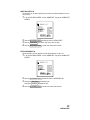
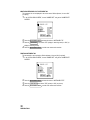
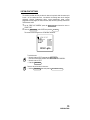
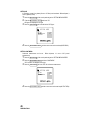
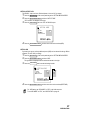
PRINTING THE CYLINDRICITY MARK
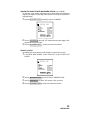
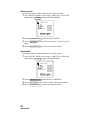
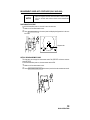
The cylindricity mark may be printed out. Before shipment it is set to “YES” (print cylindricity
mark).
1
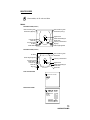
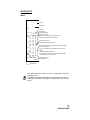
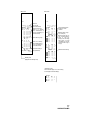
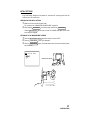
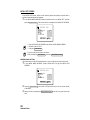
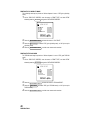
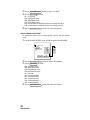
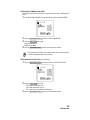
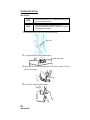
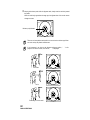
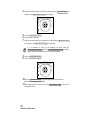
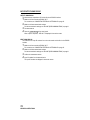
On the “PRINT OUT SCREEN”, move the cursor to “PRINT TYPE”, and with “CSTM”
selected, press the
and get the “CSTM PRINT SCREEN”.
IOL SWITCH
CSTM PRINT
KRT CYL PRINT
PD PRINT
NAME PRINT
DATE PRINT
VD PRINT
CYL PRINT
MEASURE SWITCH
PRINT SWITCH
2
3
Press the
4
Press the
MEASUREMENT SWITCH
YES
NO
ITEM
SELECT
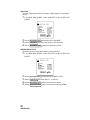
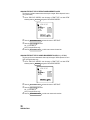
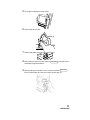
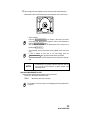
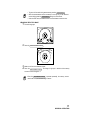
and move the cursor to “CYL PRINT”.
Press the PRINT SWITCH and select “YES” (print cylindricity mark), or “NO” (do not print
cylindricity mark).
MEASUREMENT SWITCH
, and the cursor moves to the next item.
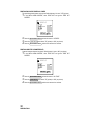
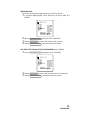
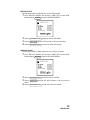
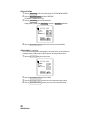
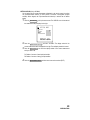
PRINTING THE TOPCON MARK
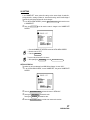
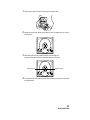
The TOPCON mark may be printed out. Before shipment it is set to “YES” (print TOPCON
mark).
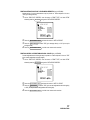
1
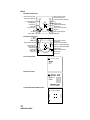
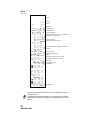
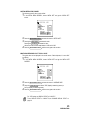
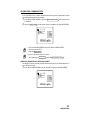
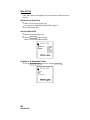
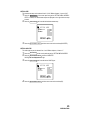
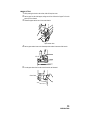
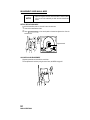
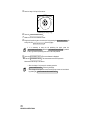
On the “PRINT OUT SCREEN”, move the cursor to “PRINT TYPE”, and with “CSTM”
selected, press the
and get the “CSTM PRINT SCREEN”.
IOL SWITCH
CSTM PRINT
PD PRINT
NAME PRINT
DATE PRINT
VD PRINT
CYL PRINT
TOPCON PRINT
MEASURE SWITCH
PRINT SWITCH
2
3
Press the
4
Press the
MEASUREMENT SWITCH
YES
NO
ITEM
SELECT
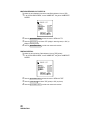
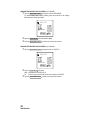
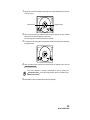
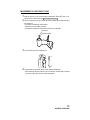
and move the cursor to “TOPCON PRINT”.
Press the PRINT SWITCH and select “YES” (print TOPCON mark), or “NO” (do not print
TOPCON mark).
40
PREPARATIONS
MEASUREMENT SWITCH
, and the cursor moves to the next item.