1
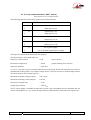
“Static” IP configuration
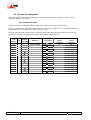
When there is no DHCP server, you have to enter the settings manually, using the menu
(TOOLS / Maintenance / Ethernet Setup / Manual / etc.). The IP address must be “free”, i.e. not
already assigned to other equipment. Ask support from the network administrator(s) as needed. The
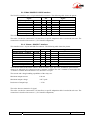
following has to be entered:
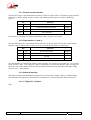
Parameter
Notes
IP address
Must be unique on the network
Network mask
A typical value is 255.255.255.0
IP Gateway
DNS
Domain Name Server
All addresses are in the form n.p.q.r. Examples: 192.168.0.12, 10.0.54.123.
) Note: in contrast to the configuration with DHCP, the “static” setting has to be reviewed each
time you move the unit to a new physical site/network, as the previous IP addressing is
probably not valid for the new location.
Checking the IP configuration
The above configuration is kept in the unit’s memory, and reloaded at each start. It is recommended to
restart the unit right after the initial setting, to ensure that everything is OK.
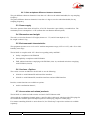
To check the setting, you can read the IP address in the “About” menu (TOOLS / Maintenance /
About).
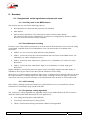
You can then also check that the unit is seen on the network and at the right address: from a computer
connected to the same network, enter (in the command mode, or console mode depending on the OS)
“ping ipaddr”, where ipaddr is the IP address of the SCOOP 4+.
If the response is positive, then you can proceed with the rest.
55 000 053 - C
SCOOP 4+ - User manual
21