1
WANGuard™ Lite 3.1 User Manual
To ease the confguraton of IP Zones, every new IP class that you defne, inherits by default the
propertes of the closest ( having the biggest CIDR ) IP class that includes it. The only IP class that does not
inherit any propertes is the 0.0.0.0/0 IP class, because there is no other IP class that includes it.
WANGuard Sensor must learn from it's IP Zone the propertes of the IP addresses it analyzes. This is
why, if WANGuard Sensor cannot include a detected IP address in the IP classes you defned, it applies the
propertes of the 0.0.0.0/0 IP class. So, for unknown IP addresses, the 0.0.0.0/0 propertes are applied.
In the last secton of this chapter you can see an example on how inheritance works.
IP Zone Selection
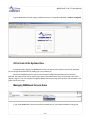
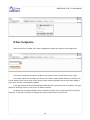
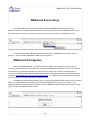
To manage IP Zones you must frst select IP Zones from Setup menu. You will enter the IP Zones
Selecton window.
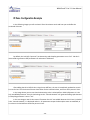
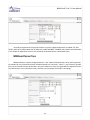
The IP Zones Selecton window lets you select existng IP Zones to edit, change descripton, copy or
delete. If no IP Zones were previously added, then the form will only have the opton to add a new IP Zone.
Adding a new IP Zone
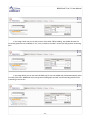
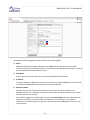
To add a new IP Zone you must select the New IP Zone from the IP Zone Selecton form, and then click
<Edit...>. Then, you will be asked to enter a generic descripton that will help you identfy the new IP Zone.
- 22 -