1
Conversion Process
TrueType Fonts
When you add TrueType fonts to the source font list TransType does the
following:
1.
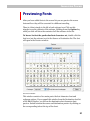
Opens the TrueType font file and extracts information about all the
available glyphs, the Unicode mapping data, the font names and the
font style (plain, bold, italic or bold-italic).
2.
Tries to detect which encodings this font can support.
3.
If several added TrueType fonts belong to the same family (the family
name is the same and the style information is different), builds a
destination font suitcase.
4.
Prepares for PC TrueType to Macintosh TrueType conversion.
Changing Font Format
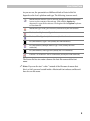
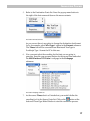
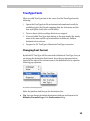
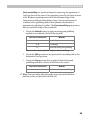
By default PC TrueType will be converted to Macintosh TrueType, but you
can change the destination font format. Press the pop-up menu button
located at the right of the suitcase name in the destination list to open the
following pop-up menu:
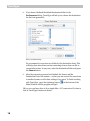
Destination Format Pop-up Menu
Select the platform and the type for destination font.
Tip: You can change the default destination platform and format in the
Defaults/Formats Page of the Preferences dialog.
29