1
CTAS User Manual
21-3
Tips and Tricks: General Topics (continued)
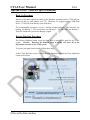
Back-Up Procedure
Because of the many options in setting up the Windows operating system, CTAS will not
always be able to write directly to a CD. Therefore, we suggest you use USB flash
drives. CTAS will write directly to the flash drive.
Restore Database Procedure
T
The recommended procedure is to use a rotation of three backups. The first time you
backup, use Backup 1. The second time, use Backup 2. The third time, use Backup 3.
Then, the fourth time you can use Backup 1 again.
R
AF
The Restore Database button copies the data from a backup file made by the CTAS
system. Caution: Restoring the database from a backup will erase all of the
information currently in the CTAS system.
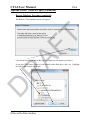
To restore your data from a backup, follow these steps:
D
At the CTAS Welcome screen, click the Restore Database button in the lower right-hand
corner of the screen.
Office of the State Auditor