1
April, 2004
NWN Toolset
Index of Chapters and Sections
Index of Chapters and Sections
Index of Visuals………………………………………………………….…………….iii
Introduction………………………………………………………………………….…1
Chapter 1: Setting Up The Module
Section A: The Area Creation Wizard………………………………………..2
Section B: Considering What to do First…………………………………..…5
B-1: The Considerations……………………………………………..….5
Section C: The User Interface
C-1: Changing the Perspective of the Main Display ………………..…6
C-2: Using the Mouse for Display Orientation……………………….....7
C-3: How to Place and Orient Terrain……………………………..……7
C-4: Changing Details in Terrain………………………………….……9
C-5: Toggling Area Shadow, Fog, and Lighting. ………………….….10
Chapter 2: Names, Tags, and ResRefs
Section A: Using Names, Tags, and ResRefs
A-1: Knowing What is What ……………………………………..……11
Section A-2: Naming Conventions..……………………………………12
Chapter 3: Icons and the Menu
Section A: The Icon System………………………………………………..…13
Section B: The Menu Options…………………………………………..……15
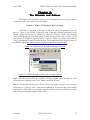
Chapter 4: The Wizards and Editors
Section A: What is a Wizard and How is it Used?
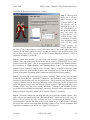
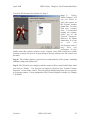
A-1: Walk Through of the Creature Creation Wizard …….………..….20
A-2: Placeable Creation Wizard Walk Through …………………….....23
Section B: The Editors
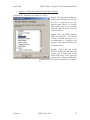
B-1: The Conversation Editor………………………………………......24
B-2: The Script Editor……………………………………………...…...26
B-3: The Journal Editor…………………………………………………27
B-4: Faction Editor (see page 34, in Chapter 5)
Chapter 5: Creatures and NPCs
Section A: Selecting and Placing
A-1: Selection and Placement of Creatures ……………………….....…28
Section B: Editing
B-1: Monster Property Tabs ………………………………………....…30
B-2: Creature Inventory …………………………….…………………..46
B-3: Creature Inventory: Natural Equipment ……….…………….……46
Chapter 6: Placeable Objects
Section A: Selecting and Placing
A-1: Doors………………………………………………………………49
Version 1
NWN: SoU, HotU
i