1
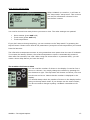
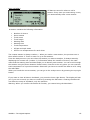
MAIN MENU
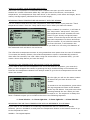
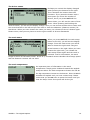
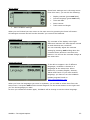
From the main menu you can go to the
different menus or turn UniWatch off.
On the screen you will see the current time
and date and the environment temperature.
The environment temperature is measured
inside UniWatch and sometimes you will see
a higher temperature because you are
warming the box with your hands.
From the main menu you will be able to do the following.
•
•
•
•
•
•
Go to Stop watch setup menu
Go to Analyse menu
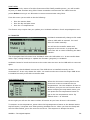
Print data on the portable printer
Setup menu
Measure temperatures
Turn UniWatch off
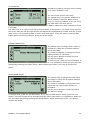
If you want to turn UniWatch off, you press the lower left button. Please notice, that you need
to press this button a little longer than normal. This is to prevent turning off UniWatch by
accident.
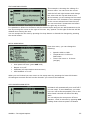
You are are able to change the text a the bottom of the screen. Normally you will put in your
name to identify the owner.
Please remember that you can set the auto power-off time from the Setup more menu.
UNIPRO – The original Laptimer
21