1
User manual for MultiCon CMC-99
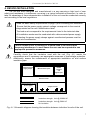
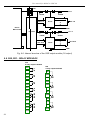
6.3.2.Navigation bar
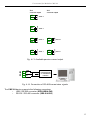
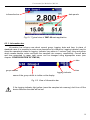
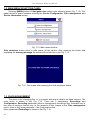
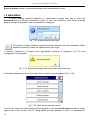
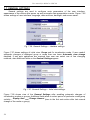
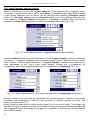
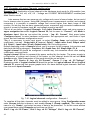
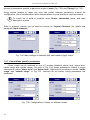
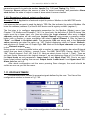
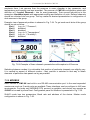
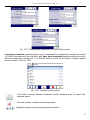
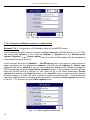
The touch of the screen at any place causes displaying of navigation bar.
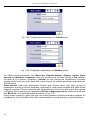
Fig. 6.3. Main window of device – running navigation bar
This bar contains three kinds of buttons:
switching between visualisation modes of current group
entering the main menu (see details in paragraph:
CONFIGURATION OF CMC-99)
switching between presented group of channels
i
To enter directly into configuration menu of particular channel, press and hold
screen over the channel data panel for 3-4 seconds. Similarly to go directly to
configuration of displayed group, touch and hold for few seconds upper information
bar. In both cases if password is set then user has to enter the password before
entering the configuration.
6.3.3. Data panels
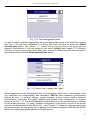
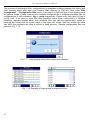
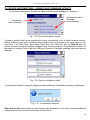
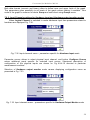
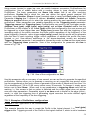
The great deal of screen is being used for channels visualisation. Data can be presented
in one of few modes (as numerical values, as charts, as bars and as needles). All channels of
current group are simultaneously presented in the same mode. In the current version of
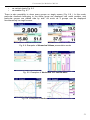
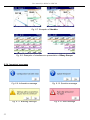
software there is no possibility to mix different modes in one view. Figures 6.4 – 6.8 show
examples of different views. The switching between visualisation modes can be done invoking
bottom navigation bar and pressing buttons [MODE↑] or [MODE↓], (see paragraph:
Navigation bar)
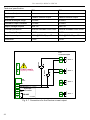
On every data panel there are available following informations: channel data value, data unit,
channel's name and number of Logical Channel, on some modes there is also visible
percentage indicator of value in the relation to it's full scale.
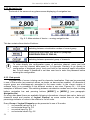
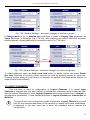
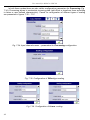
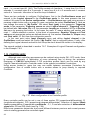
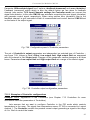
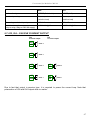
Every Group of Logical Channels can be presented in one of 6 modes:
as numerical values Fig. 6.4
•
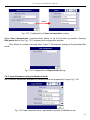
as horizontal bars Fig. 6.5
•
as vertical bars Fig. 6.5
•
as horizontal charts Fig. 6.6
•
20