1
CPD User Manual V2.0
1. Introduction
1.1. Introduction to Online CPD
The following on-line system has been created to record your Continuing Professional
Development (CPD) activities. Participants can view details of organised events and decide
which associated activities they want to subscribe to. They can also record all their personal
activities in the CPD diary. Appropriate management personnel from the company/organisation
will be able to access information recorded by you on-line and report. This category of person
are called CPD System Administrators.
1.2. CPD Monitoring
This system allows for the allocation of points or hours for completed activities, to keep track of
how much time has been spent on activities, or simply to keep track of continued learning.
Generally users are required to complete a review form when the activity has been completed
and managers can access these to monitor the progress of the individual and to assess the
success of the programme as a whole.
1.3. Downloading the CPD Policy Document
If available, the company/organisation's CPD Policy Document (along with a copy of this
manual) is available to download from the CPD system Help page.
1.4. Common Functionality
1.4.1. Mandatory Fields
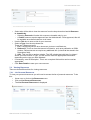
Fields marked with a * are mandatory, and therefore must be completed in order that the page
be saved.
1.4.2. Hints and Tips
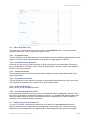
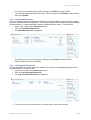
Throughout the site there are Hints and Tips available on the right hand side of the page.
©2010 Premier IT Partnership Ltd.
3/23