
1
µC/USB Device User's Manual
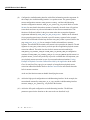
define a new device setup class that will be added in the Windows registry under
HKEY_LOCAL_MACHINE\System\CurrentControlSet\Control\Class upon first connection of a
vendor device. The following entries in the INF file define the new device setup class.
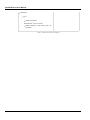
Class
= MyDeviceClass
; Name of the device setup class.
ClassGuid = {11111111-2222-3333-4444-555555555555} ; Device setup class GUID
The INF file allows Windows to register in the registry base all the information necessary to
associate the driver Winusb.sys with the connected vendor device.
The Windows Echo application is able to retrieve the attached vendor device thanks to the
device interface class GUID. WinUSB_single.inf and WinUSB_composite.inf define the
following device interface class GUID: {143f20bd-7bd2-4ca6-9465-8882f2156bd6}. The Echo
application includes a header file called usbdev_guid.h. This header file defines the following
variable:
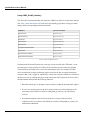
GUID USBDev_GUID = {0x143f20bd,0x7bd2,0x4ca6,
{0x94,0x65,0x88,0x82,0xf2,0x15,0x6b,0xd6}};
USBDev_GUID
is a structure whose fields represent the device interface class GUID defined in
WinUSB_single.inf
and WinUSB_composite.inf. The USBDev_GUID variable will be passed as a
parameter to the function USBDev_Open(). A handle will be returned by USBDev_Open(). And the
application uses this handle to access the device.
Copyright 2015 Micrium Inc.
382



























































































































































![Les blocs d`informations de la page d`accueil [v3]](http://vs1.manualzilla.com/store/data/006375479_1-e4094da53d9560c3a0eecb76542e7f0c-150x150.png)