1
FSCUT2000 Laser Cutting Control System
Click "
73
" to enter the next step. Input the information according to
requirement, and then click "
" to enter step 4.
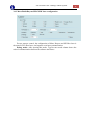
Wherein, please set and record the minimum value of the stop cycle, which will
be used when setting parameters in CypCut. After completion, the laser interferometer
begin to collect data.
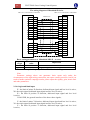
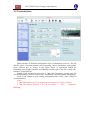
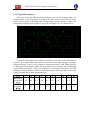
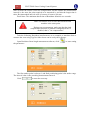
At the moment, Opens CypCut- "Numerical Control" - "light path adjustment"
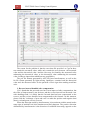
screen, and find the following window:
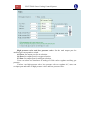
Herein, the travel range is automatically read, please set as same as the setting
value of the interferometer, but pay attention to symbols. Input a negative value when
forward home origin, whereas input a positive value. If input an error value, the
system will prompt when you save.
Set the interval value as same as the value in interferometer. Otherwise, data may
be undetectable.
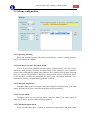
Please set dwell time slightly larger than the "minimal stop cycle" of the
interferometer, to ensure the interferometer can correctly identify each point required
to be measured.
Please ensure cycle number the same as "Measurement times" set in the
interferometer. Since CypCut only read once back and forth measurements, so the
first time data of the measured data of many times will be only read, when you import
the measured data of many times into CypCut.
Gap adjustment means during reverse movement, movement will be continued
along the original direction for 5mm, and then return 5mm, thereby eliminating the
mechanical interval. This value should not be greater than the value of the interval
value minus the tolerance window, otherwise the interferometer will mistakenly think
that this is a point required to be measured.
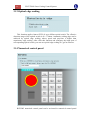
Click the "Generate interferometer positioning program", and then the