1
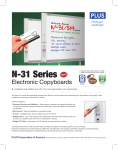
PLUS Electronic Copyboards
Push-button operation
for color prints or digital
copies of your work.
BEYOND THE WHITEBOARD
Just like you would do on a whiteboard,
you write directly on the panel surface of
the copyboard – take notes, draw
diagrams, brainstorm.
Unlike when using a whiteboard, with a
copyboard you are able to retain your
work.
The Advantages of
PAPER COPIES
You have the option of printing or
electronically storing what has been
written on the board.
With plain paper copies you can easily
distribute and store your ideas and drawings.
Be assured of consistency and accuracy
when everyone possesses an exact
duplicate of what was written on the board.
Or you can simply push a button to have
the board scroll to a clean panel, allowing
you to continue writing without losing your
current work or your train of thought!
Color prints are great for contrast and clarity,
while black-and-white prints are quick and
economical.
The Advantages of
DIGITAL COPIES
When the images from the copyboard are
downloaded to your computer – either directly
or via a USB Memory Stick – they can be easily
viewed with common image viewing/editing
applications and utilized in many useful ways.
You can edit the images, paste them into office
documents and web pages, or attach them to
e-mails.
Digital image files are a space-saving and
“green” way to store your notes from meetings
and presentations.
By e-mailing the files you can easily share your
notes and ideas with anyone and everyone.
Simply making meetings better.
An explanation of the icons that represent the main Copyboard and CaptureBoard features.
PLUS has been a leader and innovator in the copyboard market
ever since we introduced the world’s first copyboard in 1984.
Color Printing
Many advances have been made over the years, but the basic
philosophy has remained the same: Keep it simple.
PLUS Copyboards require little or no training. Most of the boards’
functions are accomplished with the push of a button.
When PLUS Copyboards are used, meetings are more lively as well
as more productive.
Direct to PC
Printing*
Black & White Printing
Such simple operation brings dramatic results.
• Meetings and presentations are more dynamic.
• Meeting attendees can give their full attention to the presentation
since it is no longer necessary to take notes.
• Meeting attendees can easily contribute to the process by adding
their own comments to the board.
• When the meeting is over, you can be confident that everyone
understands the material since they have exact copies of what
was written on the board.
Save To and Operate From a PC
Print directly to a connected printer in 4 colors on plain
paper. You can also choose to print in black and white.
See specifications for information on compatible printers.
A matte, anti-reflective projection screen surface is
built into boards with this symbol.
Projection Screen
“Capture” function
Indicates that the board has two flexible scrolling
writing surfaces.
Projection+Writing
Writing Panels
Save to a USB Memory Stick
4 Writing Surfaces
With an inserted USB Memory Stick, push a button to
save the information written on the board as a digital
image file.
Memory Stick
Projection Screen
2 Writing Surfaces
Print in black & white only on thermal transfer paper via
a convenient built-in thermal printer.
Printing
Use the PLUS software to operate the Copyboard or
CaptureBoard directly from a PC. Save the written
information on the board, change the board’s settings,
access the board’s security features.
Indicates that the board has four flexible scrolling
writing surfaces for additional writing space.
Writing Panels
The “Capture” function is unique to PLUS
CaptureBoards. Write and project on the boards surface.
Using the Capture Software, combine and save the
written information along with the projected image to
your computer.