1
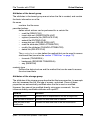
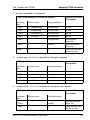
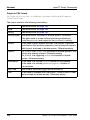
Entries for the remote system
File transfer and file management
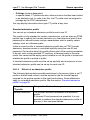
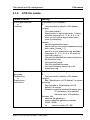
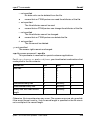
– IPv4 address with the prefix %ip, i.e. for example %ip139.22.33.44
You should always specify the IP address with the prefix %ip since the
host name is immediately treated as the IP address. Omitting this prefix
results in performance impairments since in this case a search is initially
performed in the TNS and then in the file /etc/hosts.
The IP address must always be specified as a sequence of decimal numbers separated by dots and without leading zeros.
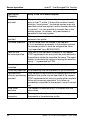
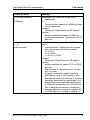
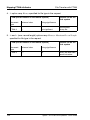
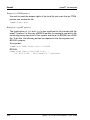
– IPv6 address with the prefix %ip6, i.e. for example
%ip6[FEDC:BA98:7654:3210:FEDC:BA98:7654:3210] (ipv6) or
%ip6[FE80::20C:29ff:fe22:b670%5] (ipv6 with scope ID)
The square brackets [..] must be specified.
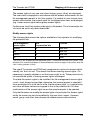
The scope ID designates the local network card via which the remote
partner can be accessed in the same LAN segment. It must be appended
to the address with a % character. In Windows systems, this is a
numerical value (e.g. 5). On other systems, it may also be a symbolic
name (e.g. eth0). The scope ID can be identified using the ipconfig
command.
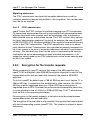
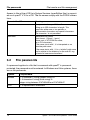
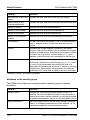
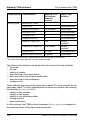
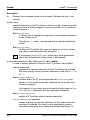
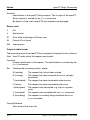
port
When a connection is established over TCP/IP, you can specify the port
name under which the file transfer application can be accessed in the
partner system.
Permitted values: 1 to 65535;
Default value:
1100 for openFT partners
A different default value can also be set in the operating
parameters using ftmodo -ftstd=.
4800 for FTAM partners
21 for FTP partners
11000 for ADM partners
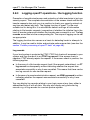
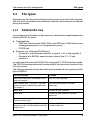
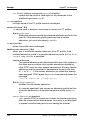
tsel
Transport selector under which the file transfer application is available in the
partner system. The transport selector is only relevant for openFT and FTAM
partners.
You can specify the selector in printable or hexadecimal format (0xnnnn...).
92
openFT V11.0 for Unix Systems - User Guide