1
4
Working with openFT
This chapter describes how you can work with openFT by various methods
using the graphical interface, the menu system, openFT commands, and the
program interface.
4.1
The openFT Explorer for X Window
If you are working with an X terminal under the X Window interface, you can use
the functions of openFT via the graphical user interface - the openFT Explorer.
Starting and exiting the openFT Explorer
The openFT Explorer is called by entering the command openFT from the shell.
Before you call openFT, make sure that the shell variable DISPLAY has been set,
since this variable determines on which terminal the openFT Explorer is to be
displayed.
For example, if you want the outputs to be displayed on a computer with the
IP address 47.11.08.15, you must first invoke the following command before the
call:
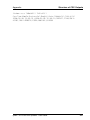
DISPLAY=”47.11.08.15:0”; export DISPLAY
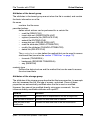
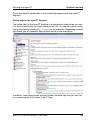
If you are calling the openFT Explorer the first time under your login name, the
online help window is opened in addition to the openFT window with a
description of the graphical interface. You can switch back and forth between
these two windows at any time.
You can close and exit the openFT Explorer by either clicking the Close button
on these windows or by the menu entry File - Exit.
Operating the openFT Explorer
Working with the openFT Explorer is analogous to working with Microsoft´s
Windows Explorer. The object directories (i.e. the folders) appear in the left
pane of the window, and the objects of the selected folder appear on the right.
openFT V11.0 for Unix Systems - User Guide
133