1
Processing Transactions using VirtualMerchant Mobile| Connecting the uDynamo Card Reader – Apple
and Android Devices
Connecting the uDynamo Card Reader – Apple
and Android Devices
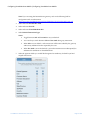
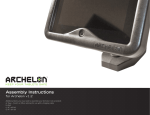
The Magtek uDynamo is designed to work with Apple and Android mobile devices. Your box
should contain four parts – the card reader, USB cable, and two adaptors.
1.
Select the appropriate adaptor for your device. This will ensure that the uDynamo card
reader is attached tightly onto your device.
2.
Plug the uDynamo card reader into the audio port on your device.
3.
If you have not already downloaded the VirtualMerchant App from the iTunes store (for
Apple devices) or Google Play store (for Android devices), follow the prompts to
download the App.
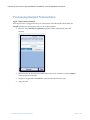
The app will recognize that the swipe device is attached so Swiped transaction can be
processed.
VirtualMerchant Mobile User Guide.docx
Page 15 of 28