1
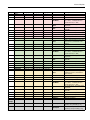
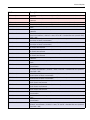
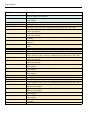
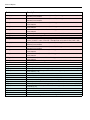
Contents
Contents
1
Introduction..................................................................................................................................................... 6
1.1
1.2
Short description of Calibry............................................................................................................................................ 6
Important information about these instructions............................................................................................................... 6
2
Installing the Software and launching Calibry.................................................................................................... 7
2.1
2.2
2.3
2.4
2.5
2.5.1
2.5.2
2.5.3
2.6
2.7
2.8
System requirements..................................................................................................................................................... 7
Installing Calibry........................................................................................................................................................... 8
Starting and registering the application........................................................................................................................ 10
Configuring Calibry for network operation..................................................................................................................... 11
Notes on installing Calibry in a SQL environment.......................................................................................................... 12
Setting up the Calibry SQL database............................................................................................................................ 12
Creating a user account on SQL Server accessible from the network............................................................................. 15
Configuring the ODBC connection................................................................................................................................ 17
Automatic balance check............................................................................................................................................ 19
Data security.............................................................................................................................................................. 19
Software update procedure......................................................................................................................................... 19
3
Instructions for Using Calibry......................................................................................................................... 21
3.1
3.2
3.3
3.4
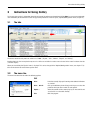
The tabs..................................................................................................................................................................... 21
The menu line............................................................................................................................................................. 21
The filters.................................................................................................................................................................... 23
The optional menu...................................................................................................................................................... 24
4
Specifying, Managing and Adjusting Balances and Peripheral Devices.............................................................. 25
4.1
4.2
4.3
4.4
4.5
4.6
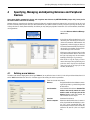
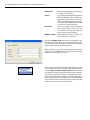
Defining a new balance............................................................................................................................................... 25
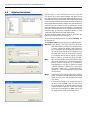
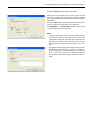
Changing balance parameters.................................................................................................................................... 27
Removing a balance................................................................................................................................................... 27
Notes about the balance check upon application launch.............................................................................................. 27
Adjusting the balance................................................................................................................................................. 28
Managing and adjusting peripheral devices................................................................................................................. 30
5
Defining Contacts.......................................................................................................................................... 31
5.1
5.2
5.3
Defining a new contact................................................................................................................................................ 31
Changing a contact..................................................................................................................................................... 32
Deleting a contact....................................................................................................................................................... 32
6
Defining Pipettes........................................................................................................................................... 33
6.1
6.2
6.3
Defining a new pipette................................................................................................................................................ 33
Editing pipettes........................................................................................................................................................... 36
Deleting pipettes......................................................................................................................................................... 36
7
Defining Test Methods.................................................................................................................................... 37
7.1
7.2
7.3
7.4
7.5
Loading an existing test method.................................................................................................................................. 38
Defining a new test method......................................................................................................................................... 38
Changing a test method’s name.................................................................................................................................. 42
Deleting a test method................................................................................................................................................ 42
Calibrating the pipette immediately or adding the pipette to the “Tasks” list manually..................................................... 42