1
MicroSync
User Manual
Doc: MSY_I_100_001_EN
Versione: 1.00
Pagina 14 di 20
Operation
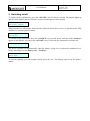
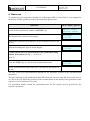
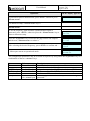
If you wish to pass to manual mode, press <ENT>, otherwise press
<Down arrow>
On the display appears:
Set manual mode
For details see chap. 6 Manual mode on p. 8
<Down arrow>
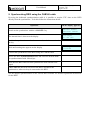
To set the frequency with which the synchronization signal is
generated, press <ENT>, otherwise press the <Down arrow> key to
return to timezone setup.
Setup sync
period
Press the <Up arrow> key to increase the gap between one impulse
and the next, <Down arrow> to reduce it.
Set sync period
xx xxx
After selecting the desired frequency, press <ENT> to confirm and …
Sync period
saved
…Microsync returns to operational mode.
MicroSync
HH:MM:SS
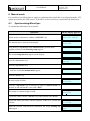
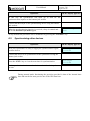
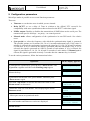
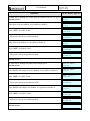
The configuration parameters may be scrolled in sequence by using either the <Up arrow> key or a
combination of the two <Arrow> keys.
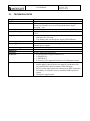
Parameter
Timezone
--DCF77 delay
NMEA output
Manual mode
Sync period
Value
From -12 to +12
Description
Specifies the time zone in relation to Greenwich time.
Information about the MicroSync
Enable / Disable
Delays the output signal by 76 ms in relation to UTC 0.
Enable / Disable
Enables transmission of NMEA data on the serial port
Enables non-GPS manual mode
10 min, 60 s, 30 s, Sets the gap with which the synchronization signal is
10 s, manual sync generated.