1
Pointing Model for the NTT
NTT-MAN-ESO-90100-0002
4
.
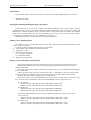
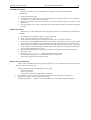
Figure 2.1: Value of Rotator Center in Database.
Preparation on TCS
Before starting the POM measurement process you must do some preparation on TCS:
Send guide probe to the center field position. Use the corresponding button on TCS main panel.
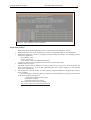
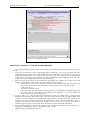
Disable the autoguider in order to avoid guide probe movement. To do this, call ccseiMsg program,
then select: (Figure 2.2):
Environment: wt5tcs
Process: prsControl:
Type: SETUP ,,TEL.AG.GUIDESTAR NONE
To check it, make a preset, the guide probe mustn't move from center field.
3. Shutdown the active optics.
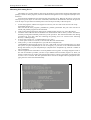
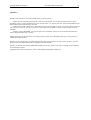
The POM software will by default try to make a ONECAL for each preset. At the NTT, this will
cause a warning Pop Up. To avoid this, [Shutdown] the Active Optics (Figure 2.3). See possible
errors below (Apendix A).
4. Set the delta UT value for the day. In wt5tcs send the command SETDUT to program trkwsControl,
using ccseiMsg.
The value of DUT can be checked by giving the command GETDUT to program xxxtrkControl
on the corresponding tracking LCUs.
xxxtrkControl: alttrkControl for lt5alt
aztrkControl for lt5az
rottrkControl for lt5rb (or lt5ra)
The current value of DUT can be found at:
http://hpiers.obspm.fr/iers/bul/bulb/bulletinb.dat
1.
2.