1
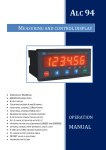
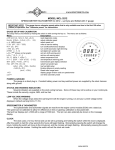
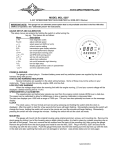
3. DESCRIPTION OF FRONT PANEL ALP94 instrument operates in 2 different modes: Operating Mode : Sensor reading is shown on the display Programming Mode : Instrument Settings are programmed. Button Functions 1. 2. 3. 4. PROG Button Programming Mode: Enter the menu / Save the parameter value. ESC Button Programming Mode: Exit without saving the parameter value. LEFT Button Programming Mode: Change the decimal place of the parameter value. DOWN Button Programming Mode: Scroll down the menu / Decrease the parameter value. Operating Mode: Display MIN/MAX values. 5. UP Button Programming Mode: Scroll up the menu / Increase the parameter value. Operating Mode: Tare Button, if Tare function is programmed. Status LEDs 6. TARE 7. ABSOLUTE/RELATIVE 8. MIN 9. MAX 10. OUT1 11. OUT2 12. OUT3 : ON if Tare function is active. : ON if Offset value is entered. : ON if DOWN button is pressed once, and the display shows MIN value. : ON if DOWN button is pressed twice, and the display shows MAX value. : ON if the relay at OUT-‐1 is switched. : ON if the relay at OUT-‐2 is switched. : ON if the relay at OUT-‐3 is switched. 3.1. Displaying Minimum and Maximum Values to see Minimum(MIN) value, press DOWN ( ) button once, during operation. Minimum value In order will be shown in the display, and MIN status LED will be ON. In order to see Maximum(MAX) value, press DOWN ( ) button again, while Minimum value is shown in the display. Maximum value will be shown in the display. MAX status LED will be ON, and MIN status LED will be OFF. In order to reset MIN or MAX value, press to ESC ( ) button, while the value is shown in the display. In order to return to sensor reading display, press DOWN ( ) button, while MAX value is shown in the display. MAX status LED will be OFF, and sensor reading will be shown in the display. [6]