1
APS CareConnection® Web Application Instruction Manual
15
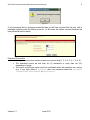
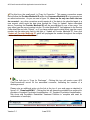
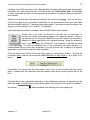
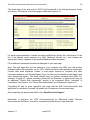
The third page of the web entry for APS CareConnection® collects additional consumer data
including Diagnostic/Medication/Treatment History. The first part of this web page is depicted
in figure 4.3.1.
Figure 4.3.1
Fill in these and subsequent sections on this web page by typing in the appropriate data and
utilizing drop-boxes where available as before. Remember to reference the “APS
CareConnection® for Medically Necessary Services Instructions and Definitions” manual for
comprehensive definitions to each data field.
Helpful data entry hints:
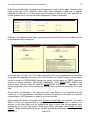
In the Educational Status section, “Not in School” must be marked in the “Type of School” field
for adult consumers who are not in school. The field cannot be left blank.
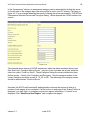
In the Legal/Guardianship Information section (not shown in the above screen print), if the
question “Does the Consumer have a Legal Guardian?” is answered as “No,” then the fields
pertaining to the legal guardian will be set to blank and read only. To enter this information,
change the field to “Yes.” The zip code extension must be left blank if unknown. Do not
key “0000” as the zip code extension – it is considered an invalid value.
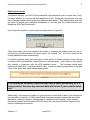
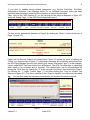
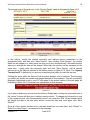
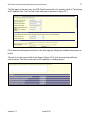
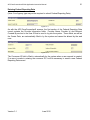
In the “Presenting Problems” section, if the Secondary Presenting Problem is entered as “No
Secondary Presenting Problem,” then the Tertiary problem will default to “No Tertiary.”
Figure 4.3.2
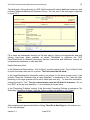
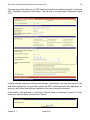
After completing all required data fields, clicking “Save/Go to Next Page>>” will advance you
to the next web page.
Version 3.1
June 2012