1
APS CareConnection® Web Application Instruction Manual
I.
1
Overview/Technical Requirements
Overview
The APS CareConnection® Web Application will allow users to submit APS CareConnection®,
Requests for Service/Prior Authorizations and Federal Reporting Requirements records. In
addition, the application will allow a user to retrieve the response files generated by APS
processes.
Technical Requirements
1. You must have a computer with Internet access. The registration program supports
only Internet Explorer (IE) 5.0 and higher. If you wish to print any forms out, you must
also be connected to a printer.
2. If you are experiencing difficulties logging on or using the program, please do the
following:
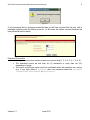
• Check to confirm that your browser’s security settings are set to 128-bit encryption.
This can be done in your Microsoft Internet Explorer session by clicking “Help” and
then click “About Internet Explorer.” The resulting display will specify the “Version”
of Internet Explorer you are running, along with the encryption specification in terms
of “Cipher Strength”.
•
Upgrade your browser to Internet Explorer 5.0 or higher
9 Warning: you must have Windows 98 or higher.
9 To download a free upgrade of IE visit
http://www.microsoft.com/windows/ie/downloads/ie6/default.asp
•
Reset your Internet security to Medium
9 Right Click on your IE icon
9 Choose “Properties”
9 Select the “Securities” tab
9 Click “Default” level.
This application follows Health Care Financing Administration (HCFA) security regulations and
will comply with Health Insurance Portability and Accountability Act (HIPAA) regulations.
Consequently, there are multiple levels of security. For more information on the security of this
online application, please contact APS Healthcare, Inc. at 304-343-9663.
While using the APS CareConnection® website, it is very important that you not use
your browser’s BACK button to navigate. Instead, you should rely only on the
navigation links provided by the website.
Version 3.1
June 2012