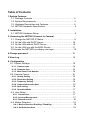
1
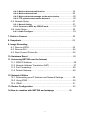
6-4-3. Motion detected mail function… … … … … … … … … … … … … .19
6-4-4. Motion detected mail… … … … … … … … … … … … … … … … … 20
6-4-5. Motion detected message on the main window. … … … … … … .20
6-4-6. FTP uploads when motion detected. … … … … … … … … … … ...20
6-5. Network Setup… … … … … … … … … … … … … … … … … … … … … 21
6-5-1. Manual Setting … … … … … … … … … … … … … … … … … … ...21
6-5-2. Connect to ADSL by PPPOE mode… … … … … … … … … … … … 21
6-6. Audio Setup… … … … … … … … … … … … … … … … … … … … … … 23
6-6-1. Audio Configure… … … … … … … … … … … … … … … … … … … .23
7. Delete a Camera… … … … … … … … … … … … … … … … … … … … … … 23
8. Snapshots… … … … … … … … … … … … … … … … … … … … ..… … … … 23
9. Image Recording
9-1. Save as JPEG… … … … … … … … … … … … … … … … … … … … … 23
9-2. Save as AVI… … … … … … … … … … … … … … … … … … … … … … .24
9-3. Save Current Picture As… … … … … … … … … … … … … … … … … 25
10. Hardware Reset… … … … … … … … … … … … … … … … … … … … … ...26
11. Accessing NET200 over the Internet
11-1. WAN IP Address… … … … … … … … … … … … … … … … … … … … 26
11-2. Network Address Translation (NAT) … … … … … … … … … … … ..27
11-3. Port Forwarding… … … … … … … … … … … … … … … … … … ..… ..28
11-4. Default Gateway… … … … … … … … … … … … … … … … … ..… .… 28
12. Network Utilities
12-1. Determining your IP Address and Network Settings… … … … ..29
12-2. Using PING… … … … … … … … … … … … … … … … … … … … … ...30
12-3. IPEdit… … … … … … … … … … … … … … … … … … ...… … … … … ..31
13. Router Configuration… … … … … … … … … … … … … … … … … … … .32
14.How to combine with NET200 and webpage … … … … … … .38
2