1
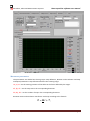
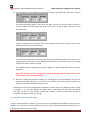
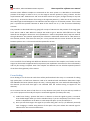
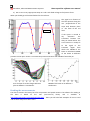
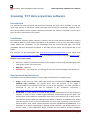
Particulars, Advanced Measurement Systems Data acqusition software user manual Switzerland (http://www.psi.ch/drs/evaluation-board) which is a low cost substitution to an oscilloscope, but has also some advantages over the ordinary oscilloscopes in terms of acquisition rate and portability. Voltage sources: the data acquisition program controls/perform scans with one or two voltage sources used for biasing detectors/samples. The list of voltage sources built in the software includes most widely used models by Keithley: 228, 237,487,617,2410,6487,6517. As in the case of oscilloscopes please contact us for adaptation to another voltage source. Again the GPIB interface is used for communication with the PC. Structure of the software The software is written in such a way that it should be as easy as possible to operate it. Different functionalities are grouped in the individual tabs: General, Movement Parameters, Voltage Source 1, Voltage Source 2, Stage Control and Oscilloscope (Laser control is foreseen in the 3DTCT but not yet implemented). Apart from the “General“ tab all other tabs are designated to control and setup specific piece of hardware. In “Voltage Source 1” for example one sets the stepping parameters for the bias voltage scan, initializes the source, sets the current compliance parameters etc. The review of the functions of individual tabs will follow. General parameters Description of controls: Init devices – initializes the stage drivers, voltage sources, DRS board (if chosen). Initialization is a requirement to be able to start scanning acquisition. It is usually performed right after the start of the program. Save, Load – saves/loads the set of parameters of the control panels to/from a file. This is very useful as it saves time to setup parameters and prevent small mistakes each time the program starts. For example, the parameters for a certain type of scan can be saved and then reloaded. Save: Yes/No – enables the saving of the taken waveforms to the disk. Usually “no” is chosen only to test if everything works. Byte order – data are stored in the binary form and this parameter controls the byte order in which bytes of a float variable are written (0=decided by the OS, 1=Little Endian,2=Big endian). It is recommended to use option 2 which is also set as default. Oscilloscope – selects the appropriate oscilloscope connected to the computer NI-VISA resource name – selects the oscilloscope’s VISA address Scope GPIB – GPIB address of the oscilloscope (only if GPIB without NI-VISA is used) Record Channels – Select which channels of the oscilloscope you would like to record. This is useful for a multi-channel TCT, where more amplifiers are connected to the same detector. Up to 4 channels can be simultaneously recorded. Version 1.2, September 2014 Page 2