1
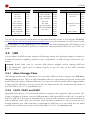
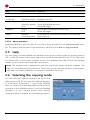
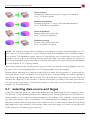
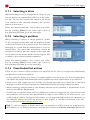
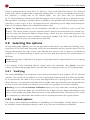
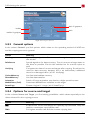
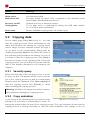
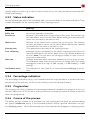
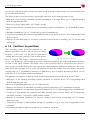
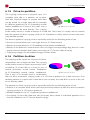
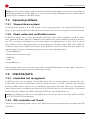
6.1 Copying modes ery sec-tor. Different sizes of the hard disks result in a non-copied resp. non-overwritten area (6.2 Size differences). The drive-to-drive copying mode is especially useful for the following areas of use: • Migration of an existing operation system installation to a larger drive (2.1 Upgrading hard disks & migrating an OS). • Rescue of entire hard disks (2.2 Data rescue). • Backup and restore of entire drives or operating system installations (2.3 Installation back- up). • Multiple installations (2.5.1 Duplicating system installations). • Copying proprietary file systems and data formats onto another drive (2.6 Proprietary hard disk formats). • Backup of hard disk data for a forensic evaluation and further processing (2.7 Forensic data securing). 6.1.4 Partition-to-partition This copying mode functions similarly to the above described mode (6.1.3 Drive-to-drive). However, in this case, not the whole hard disk is copied, but only the content of an individual parfig. 19: Partition-to-partition tition is copied. This copy is executed sector by sector, too. Relatively a the beginning of the respective partition, the individual sectors are also moved to the same address. However, due to the principle and in contrast to the drive-todrive mode, the individual sectors are not at the same absolute address in relation to the complete hard disk. Perhaps such a copy is therefore not directly usable, but only after it has been copied back (2.3 Installation backup) or adapted to the changed absolute position on the hard disk (5.10.3 Adjust media parameters). The partition-to-partition copying mode is especially useful for the following areas of use: • Migration of an existing operation system partition to another drive (2.1 Upgrading hard disks & migrating an OS). • Rescue of individual partitions (2.2 Data rescue). • Backup and restore of individual (operating system) partitions (2.3 Installation backup). • Multiple installations of individual (system) partitions (2.5.1 Duplicating system installations). • Copying of proprietary file systems and data formats onto another drive (2.6 Proprietary hard disk formats) - only with a valid partition table! • Backup of individual partitions for forensic analysis and further processing (2.7 Forensic data securing). • Temporary storage or intermediate storage of a partition, e.g. in case of a reorganization of a hard disk. • Relocating a partition within a medium or to another medium. 39