1
QNVR installation and user manual
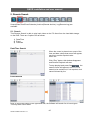
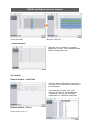
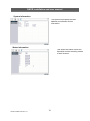
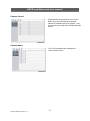
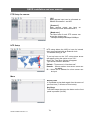
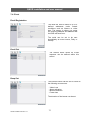
3-2. Playback Control
Playback
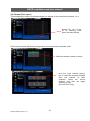
When the Play button(⑧) is pressed, the unit will play forward at the rate the data was
recorded. While in the play mode, the user may change the playback direction, playback
speed. To return to play forward operations, press the Play button(⑧).
Reverse Play
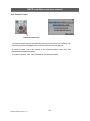
To begin reverse playback, press the Reverse Play button(⑦).
Pause
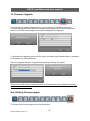
During playback, press the Pause button (⑥). This feature pauses all full screen and multiscreen images. When this button is pressed in the pause mode, the unit will play.
Single Frame Advance
During the pause mode, press the Play button (⑧) to view the frame directly after the frame
displayed on screen.
Single Frame Rewind
During the pause mode, press the Reverse Play button (⑦) to view the frame directly before
the frame displayed on screen.
Fast Forward
In playback mode, press the Play button(⑧) to switch between various fast play modes such
as x2, x4, x8, x16, x32 play.
Fast Backward
In reverse playback mode, press the Reverse Play button(⑦) to switch between various
reverse play modes such as x2, x4, x8, x16 reverse play.
Slow Playback
In playback mode, press the Slow Play button(⑩) to switch between various slow play
modes such as x1/2, x1/4, x1/8, x1/16, x1/32 slow play.
Slow Reverse Play
In playback mode, press the Reverse Slow Play button(⑨) to switch between various slow
play modes such as x1/2, x1/4, x1/8, x1/16, x1/32 reverse slow play.
Stop
To stop playback and return to the live mode, press the Stop button(⑧).
21
QNVR Installation Manual V1.2