1
Table of Contents
I.
Table of Contents
I. Table of Contents ................................................................. 3
II. Introduction ........................................................................... 5
III. Certifications ......................................................................... 6
IV. FBT-6 Assistant Software Installation Instructions ............... 7
Before Starting ......................................................................... 7
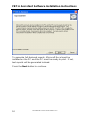
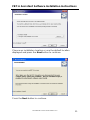
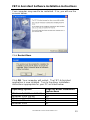
FBT-6 Assistant Installation ..................................................... 8
Windows 7 (32- and 64-bit) & 64-bit Vista Driver Installation 14
Windows Vista 32-bit Driver Installation................................. 15
Windows XP Driver Installation .............................................. 17
Windows 2000 Driver Installation ........................................... 21
Uninstalling the FBT-6 Assistant ............................................ 25
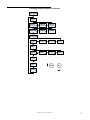
V. Operation ............................................................................ 26
Segment Check Mode ........................................................... 29
Manual Mode Functions ......................................................... 31
1.
Voltage ....................................................................... 31
2.
Peak Noise ................................................................ 32
3.
Average Noise ........................................................... 34
4.
Shield Short ............................................................... 36
5.
Retransmit ................................................................. 37
6.
Add-Drop ................................................................... 38
7.
Device ........................................................................ 39
8.
Low ............................................................................ 41
9.
Device Count ............................................................. 42
10.
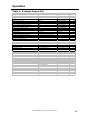
Save Report ........................................................... 43
USB Port and Associated Features ....................................... 45
1.
Connecting the Monitor to the PC USB Port and
Starting the FBT-6 Assistant .............................................. 46
2.
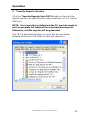
Transfer Reports function .......................................... 47
3.
Erase Reports function .............................................. 50
4.
Set Report Names function ....................................... 51
5.
Set Alert Limits function ............................................. 53
6.
Update Firmware function.......................................... 55
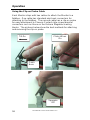
Using the Clip-on Probe Cable .............................................. 58
VI. Operation in Special Cases ................................................ 59
VII. Accessories ........................................................................ 62
VIII. Specifications ..................................................................... 63
IX. Service ................................................................................ 64
X. Warranty ............................................................................. 65
XI. EMC Summary Information ................................................ 66
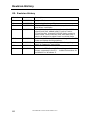
XII. Revision History.................................................................. 68
501-366 FBT-6-PA User Manual Rev G.0
3