1
5. System Setup and Connections
This section describes how to connect your Soundshield 4G to your headset and other office
equipment. Before following these instructions, you will need to determine whether your desk-phone
has a headset port.
If you are unsure, please contact our Firstpoint Customer Service & Sales team on 1800 626 505 for
further assistance.
5.1 Connecting your Soundshield 4G to a desk-phone with a dedicated Headset Port
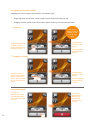
If your desk-phone includes a dedicated headset port complete the following:
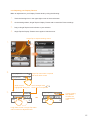
1.
Note: The Soundshield tail cord is already connected to the
Soundshield’s telephone port.
From the Soundshield connect the Soundshield tail cord to the
headset port on your desk-phone.
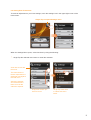
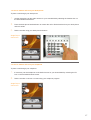
2.
Connect the bottom cord (curly
cord) to the Headset port of the
Soundshield with the headset
symbol.
Note: Please refer to diagram
4.2 on page 5. The Headset
symbol is port 4.
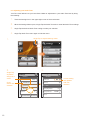
3.
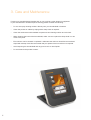
To power your Soundshield, connect the USB Cable to the USB
port on the back of the Soundshield and connect the USB cable
to your PC.
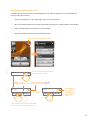
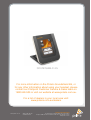
Note: Soundshield indicates successful power connection
by the touchscreen illuminating and presenting the Polaris
Communications logo on start-up.
4.
6
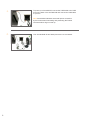
Your Soundshield and desk-phone are now connected.