1
IP Phone Expansion
1)
Configuration
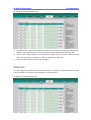
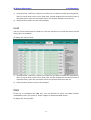
Choose Phone->EXT Key, choose one of the key you want to make the assignment,
there is a pull-down menu in the Type field, choose KeyEvent from the list, then in
the Mode field, open the pull-down menu and choose Redial from the list.
2)
Press Confirm button to save the changes.
Call Return
When the key is configured as Call Return key you are allowed to dial out the last phone
call you received.
To assign the key as Call Return:
1)
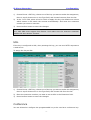
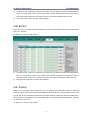
Choose Phone->EXT Key, choose one of the key you want to make the assignment,
there is a pull-down menu in the Type field, choose KeyEvent from the list, then in
the Mode field, open the pull-down menu and choose Call Return from the list.
2)
Press Confirm button to save the changes.
Call Pickup
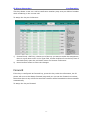
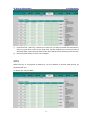
When you configure a Direct Pickup key, you specify the extension that you want to
monitor. Then, when the monitored extension receives a call, you press the key to pick
up the call. If the monitored extension receives multiple incoming calls simultaneously,
the IP Phone UI displays a list of incoming calls. You select a call from this list, and are
connected to the call.
To assign the key as Call Pickup:
- 12 -