1
IP Phone Expansion
Configuration
BLF
You can configure the key for Busy Lamp Field (BLF) use which allows you to monitor
the status (idle, ringing, or busy) of other SIP accounts. User can dial out on a BLF
configured key on the expansion module EXP38.
To assign the key as BLF:
1)
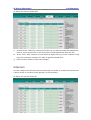
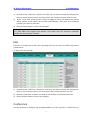
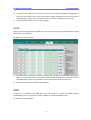
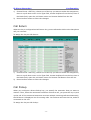
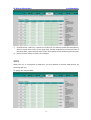
Choose Phone->EXT Key, choose one of the key you want to make the assignment,
there is a pull-down menu in the Type field, and choose BLF from the list.
2)
In the "Line" field, select a line for which to apply this key, and enter the extension
number you want to monitor.
3)
Press Confirm button to save the changes.
Please refer to “LED Instruction” in the IP phone user manual for more details about the
LED status in different situation.
Note:
:
In the Web interface, you can also set the pickup number to active the pickup
function. For example, if you set the BLF number as 212, and the pickup number is
*83, then when there is an incoming call to 212, press the BLF key, it will call out the
*83 automatically to pickup the incoming call on 212.
Speed Dial
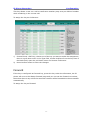
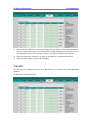
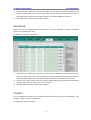
You can configure the key as a simplified speed dial key. This key function allows you to
speed up dialing numbers often used or hard to remember.
-5-