1
IP Phone Expansion
1)
Configuration
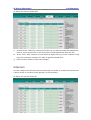
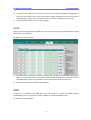
Choose Phone->EXT Key, choose one of the key you want to make the assignment,
there is a pull-down menu in the Type field, choose KeyEvent from the list, then in
the Mode field, open the pull-down menu and choose Transfer from the list.
2)
Press Confirm button to save the changes.
Hold
The key can be configured as a hold key. You can use this key to hold and retrieve a call
during the conversation.
To assign the key as Hold:
1)
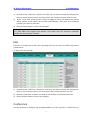
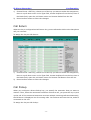
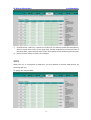
Choose Phone->EXT Key, choose one of the key you want to make the assignment,
there is a pull-down menu in the Type field, choose KeyEvent from the list, then in
the Mode field, open the pull-down menu and choose Hold from the list.
2)
Press Confirm button to save the changes.
DND
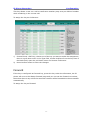
If the key is configured as DND key, you are allowed to active the DND function
immediately when you press it. Press it again to deactivate DND mode.
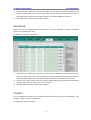
To assign the key as DND:
- 10 -