1
IQ–MSD Turbo 1.4 Advanced IQ System Software
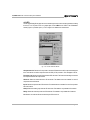
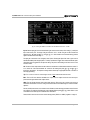
Osc Frequency: Sets the frequency in hertz for the above function. It does not affect the generator when
a test is in progress.
Sweep
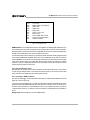
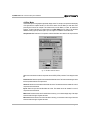
The sweep parameters define the operation of the generator during a normal test sweep. Note: If all SLM-8s have
the same generator settings, a single generator can be used for all of them.
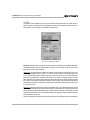
Resolution: Sets the frequency step size of the test sweeps. It can be set to 1⁄24, 1⁄12, 1⁄6, 1⁄3, 1⁄2, 2⁄3 and
1 octave steps. Less resolution (higher numbers) will result in faster sweeps with less detail if the Sync
parameter is turned off. Higher resolution (smaller fractions) will result in slower sweeps with more detail. If
multiple units are synchronized, their Resolution settings must match.
Start Freq: Sets the frequency at which the generator will start the test sweeps. Although you can set this
parameter in 1 Hz steps, the actual starting frequency will be equal to the closest octave setting as determined
by the previous Resolution parameter. The lowest possible setting is 20 Hz and the Start Freq setting should
always be lower than the Stop Freq setting. If multiple units are synchronized, their Start Freq settings must
match.
Stop Freq: Sets the frequency at which the generator will stop the test sweeps. Although you can set this
parameter in 1 Hz steps, the actual stopping frequency will be equal to the closest octave setting as determined
by the previous Resolution parameter. The highest possible setting is 22000 Hz (22 kHz) and the Stop Freq
setting should always be higher than the Start Freq setting. If multiple units are synchronized, their Stop Freq
settings must match.
Sync: Turn on this control if multiple units are being synchronized together. Turn it off if this is not the case.
When turned on, it forces the test start frequency, duration and stop frequency to be the equivalent of an eightchannel test regardless of the number of channels actually being used. When turned off, the duration of a test
is determined by the number of channels being used in the one unit. Note: The previous sweep parameters
must be set the same for all units when Sync is turned on.
Test
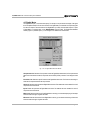
The following parameters configure other aspects of a test:
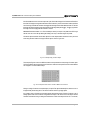
Impedance Tolerance: Sets the criteria by which impedance test data is evaluated to determine if the
load should pass or fail a test. It simply compares the impedance test data to the reference impedance data to
see how much they differ. If the difference is greater than the Impedance Tolerance setting, the load has failed
the test. The range is ±1 to ±100%.
Frequency Tolerance: Sets the criteria by which frequency test data is evaluated to determine if the
output should pass or fail a test. It simply compares the frequency magnitude test data to the reference frequency
magnitude data to see how much they differ. If the difference is greater than the Frequency Tolerance setting,
the output has failed the test. The range is ±1 to ±25 dB.
Page 199