1
s0023_e_00_0_unified.book Page 57 Monday, February 2, 2009 5:18 PM
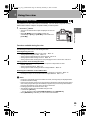
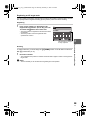
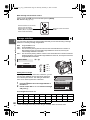
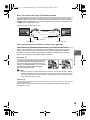
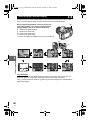
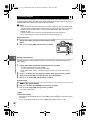
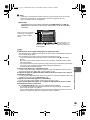
Simultaneous use of C-AF mode and MF mode (C-AF+MF)
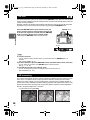
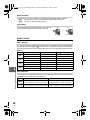
Focus with the focus ring and press the shutter button halfway to activate C-AF mode.
• While the shutter button is kept pressed, MF cannot be used.
• When the shutter button is not pressed, focusing with MF is possible.
TIPS
Another way to adjust focus manually in C-AF mode:
j You can set the AEL/AFL button to operate C-AF. g“AEL/AFL” (P. 97)
x
Notes
• If the shutter button is pressed again after fine-adjusting the focus with the focus ring, the AF
is activated and your adjustments are cancelled.
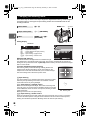
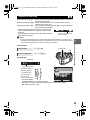
AF target selection
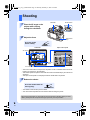
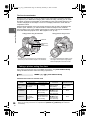
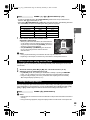
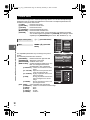
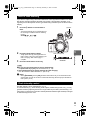
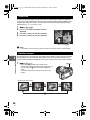
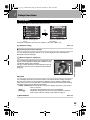
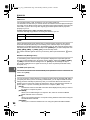
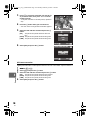
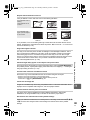
bAll target AF mode
The camera automatically focuses on the subject in front of
the camera from among the 7 AF targets. This is useful for
shooting moving subjects or relying on the camera for
focusing.
3
Focusing and shooting functions
This camera has 7 AF targets for focusing on the subject with auto focus. Select the optimal
AF target mode according to your subject and the composition.
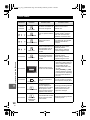
There are two AF target modes: All target AF mode, which uses AF at all AF targets, and
Single target AF mode, which uses AF centering around one selected AF target.
When [LIVE VIEW AF MODE] is set to [IMAGER AF], 11 AF targets will be available during
live view. g“Taking a picture using live view” (P. 36)
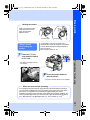
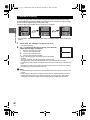
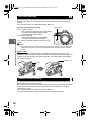
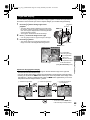
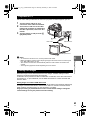
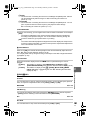
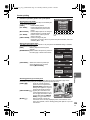
MSingle target AF mode
(o Small-single target AF mode)
The camera focuses using one selected AF target. This is
useful for accurately focusing on the subject after
composing the shot. With M, you can focus using a range
that is somewhat larger than one AF target, but you can only
set the range within the AF target.
When [SMALL] is selected for [AF SENSITIVITY], the setting
display changes to o. g“AF SENSITIVITY” (P. 95)
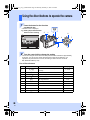
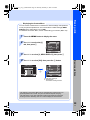
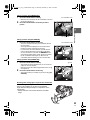
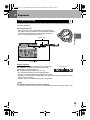
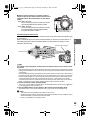
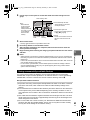
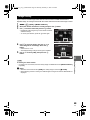
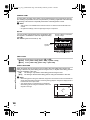
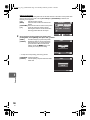
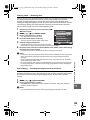
Direct button
P
j
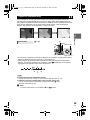
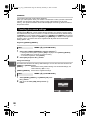
• The currently selected AF target lights. When M is set,
you can select the AF target to be used at that point. For
operation, refer to Step 2 in “Selecting the AF target
mode and position” (gP. 58) in the next section.
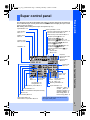
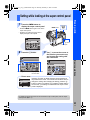
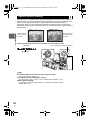
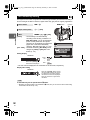
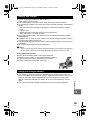
Super control panel
i
MENU button
P button
j
p: [AF AREA] j
• When M is set, you can turn the control dial to select
the AF target.
i button
57
EN