1
s0023_e_00_0_unified.book Page 69 Monday, February 2, 2009 5:18 PM
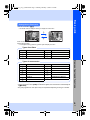
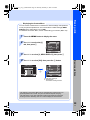
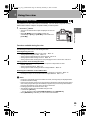
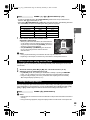
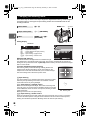
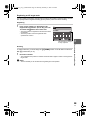
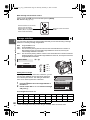
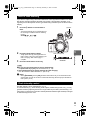
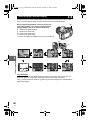
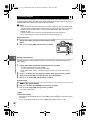
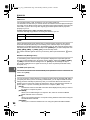
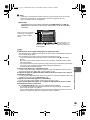
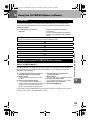
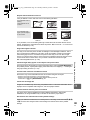
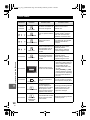
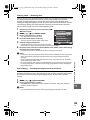
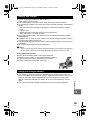
Setting the auto/preset/custom white balance
You can adjust the white balance by selecting the appropriate color temperature for the light
conditions.
WB
Direct button
F button
j
MENU button
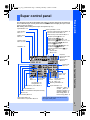
Super control panel
i
j
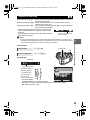
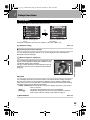
p: [WB]
• Custom white balance is set by selecting [CWB] and
turning the control dial while pressing down the F button.
MENU
Menu
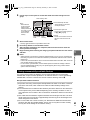
[c] [X] [WB]
i button
Setting display
WB button
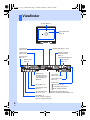
Viewfinder
: AUTO
4
: 5
: 2
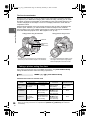
Color temperature
WB
: 1
: w
: x
CWB
: y
: #
SELECT
5400
SET
: V
: CWB
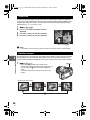
TIPS
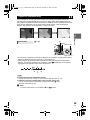
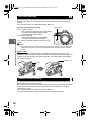
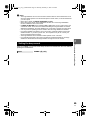
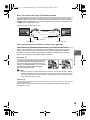
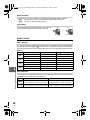
When subjects that are not white appear white:
j In the auto WB setting, if there is no near-white color in the image framed in the screen, the white
balance will not be correctly determined. In such a case, try preset WB or one-touch WB settings.
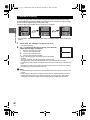
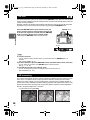
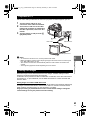
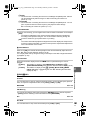
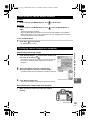
WB compensation
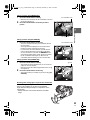
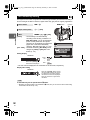
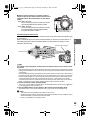
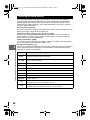
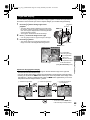
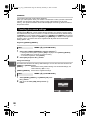
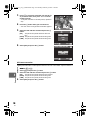
This function lets you make fine changes to the auto WB and preset WB settings.
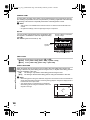
Record mode, white balance, and picture mode
: 3
WB mode
• During custom white balance, the
color temperature is displayed.
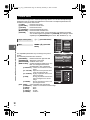
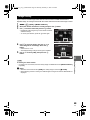
p: [>]
Super control panel
i
Menu
MENU
[c] [X] [WB]
• Select the white balance to adjust and press i.
69
EN